
Organizations developing custom software face unique coordination challenges that demand sophisticated tracking and communication systems. Between client requirements, development sprints, quality assurance cycles, and deployment schedules, the complexity grows exponentially with each project added to the pipeline. The right project mgmt software transforms this chaos into structured workflows that keep teams aligned and clients informed throughout every development phase.
Understanding Project Mgmt Software Fundamentals
Modern project mgmt software encompasses far more than simple task lists and calendar views. These platforms serve as comprehensive ecosystems where planning, execution, communication, and reporting converge into unified operational hubs. For software development teams, project management software must accommodate technical workflows while remaining accessible to non-technical stakeholders who need visibility into progress and outcomes.
The distinction between basic task management and true project coordination lies in integration depth. Effective platforms connect version control systems, continuous integration pipelines, documentation repositories, and communication channels into cohesive environments. This integration eliminates the context-switching that drains productivity and creates information silos between team members working on different aspects of development projects.
Core Components Every Platform Should Include
Task Management and Dependencies: Sophisticated task hierarchies allow teams to break epics into stories, stories into subtasks, and establish blocking relationships that reflect real development constraints. 1. Dependency tracking prevents downstream work from beginning before prerequisites complete. 2. Priority frameworks ensure critical path activities receive appropriate attention. 3. Assignment clarity eliminates confusion about ownership and accountability.
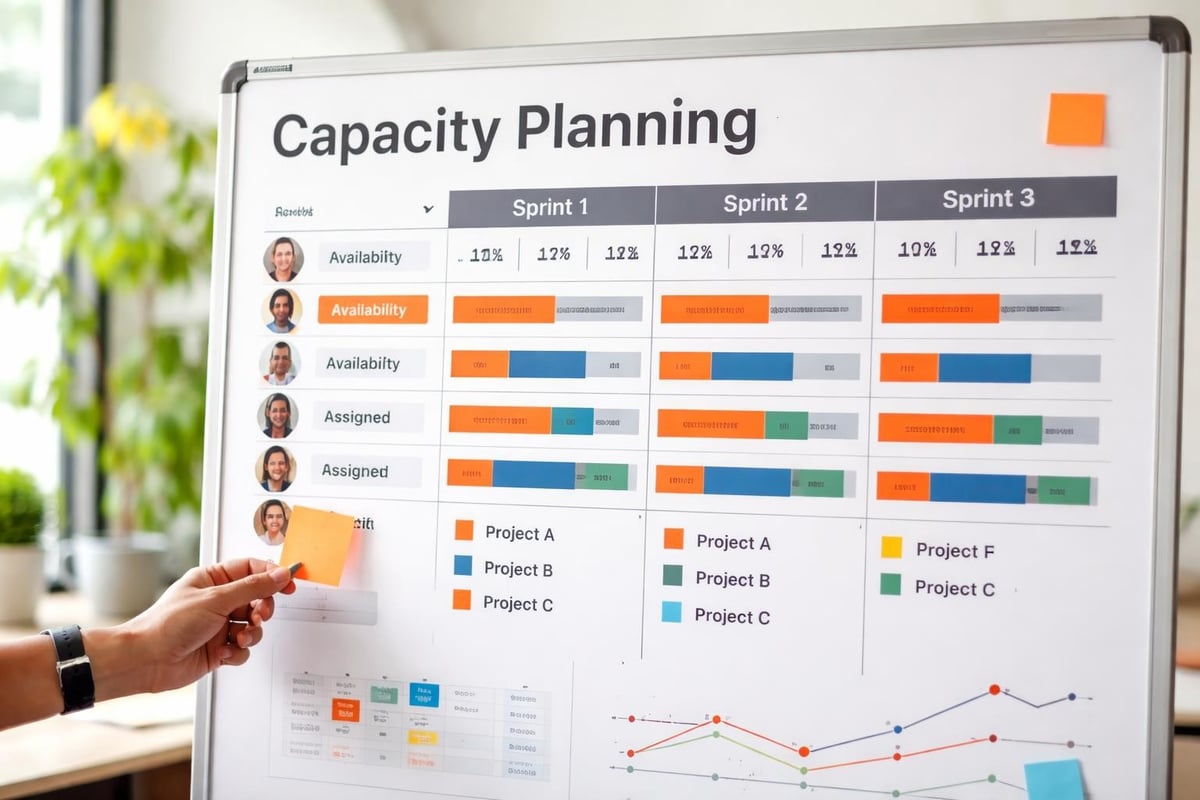
Resource Allocation and Capacity Planning: Development teams operate within finite bandwidth constraints. Project mgmt software should provide visibility into who is working on what, identify overallocation before it causes burnout, and facilitate intelligent workload distribution across team members with different skill sets and availability patterns.
Timeline Visualization and Scheduling: Multiple view options serve different planning needs. Gantt charts reveal project timelines and milestone sequences. Kanban boards expose work-in-progress limits and flow bottlenecks. Calendar views help coordinate meetings, deployments, and deadline commitments with external dependencies.
| View Type | Primary Use Case | Best For |
|---|---|---|
| Gantt Chart | Long-term planning and dependencies | Waterfall or phased projects |
| Kanban Board | Workflow visualization and WIP management | Agile sprints and continuous delivery |
| Calendar | Scheduling meetings and deadlines | Cross-team coordination |
| List View | Detailed task management | Individual contributor daily work |
Selecting Project Mgmt Software for Development Teams
The selection process requires evaluating platforms against specific workflows rather than generic feature checklists. Development teams have distinct needs that differ from marketing departments or construction firms. Understanding these unique requirements prevents costly mismatches between software capabilities and operational realities.
Technical Integration Requirements
Version control integration stands as a non-negotiable requirement. When commits, branches, and pull requests automatically link to user stories and bug reports, teams maintain clear traceability between code changes and business requirements. This connection proves invaluable during debugging sessions, code reviews, and post-deployment analysis.
Continuous integration and deployment pipeline visibility belongs within project tracking contexts. Developers need to see build statuses, test results, and deployment confirmations without leaving their project management interface. Teams following the guidance in this project management software comparison understand that fragmented tools create friction that slows delivery velocity.
Collaboration and Communication Features
Asynchronous communication capabilities reduce meeting overhead while maintaining alignment. 1. Threaded discussions attached to specific tasks preserve context and decision history. 2. @mention functionality directs questions to the right team members without cluttering group channels. 3. File attachments and version histories ensure everyone references current documentation rather than outdated artifacts.
Real-time collaboration features complement asynchronous tools for situations demanding immediate coordination. Shared screens during technical troubleshooting, simultaneous document editing during requirement refinement, and instant messaging for quick clarifications all accelerate problem resolution when synchronous communication adds value.
Implementation Strategies That Drive Adoption
Purchasing project mgmt software represents the easiest step in digital transformation. Achieving genuine adoption where team members voluntarily choose the platform over email threads and spreadsheets requires thoughtful change management and incremental rollout strategies.
Phased Rollout Approaches
Starting with a single pilot project creates a controlled environment for learning without disrupting all active work. Select a project with moderate complexity-challenging enough to test capabilities but not so critical that failures create business consequences. This pilot reveals workflow gaps, training needs, and configuration requirements before expanding to additional projects.
The pilot team becomes internal advocates who demonstrate value to skeptical colleagues. Their real-world examples carry more weight than vendor marketing materials or executive mandates. Document specific improvements they achieved: reduced status meeting time, faster issue resolution, decreased requirement confusion, or improved client satisfaction scores.

Training and Documentation Standards
Role-based training addresses different user needs more effectively than one-size-fits-all sessions. 1. Project managers need depth on scheduling, resource management, and reporting capabilities. 2. Developers require proficiency with task updates, time tracking, and technical integrations. 3. Stakeholders benefit from focused sessions on dashboards, commenting, and approval workflows.
Internal documentation that references actual projects and workflows proves more valuable than generic vendor tutorials. Screenshots showing your custom fields, templates, and naming conventions help new team members understand established patterns rather than forcing them to deduce conventions from observation.
Customization and Workflow Configuration
Generic project mgmt software configurations rarely align with established team processes. Customization capabilities determine whether platforms adapt to proven workflows or force teams into vendor-prescribed methodologies. For development teams with mature processes, flexibility in workflow design often outweighs out-of-the-box features.
Custom Fields and Metadata
Standard task attributes like title, assignee, and due date provide minimal information density. Custom fields capture domain-specific information that drives decision-making. Development teams commonly add fields for story points, acceptance criteria status, testing environment URLs, client approval dates, and technical complexity ratings. This metadata enables filtering, reporting, and automation that generic fields cannot support.
Field types matter as much as field existence. Dropdown menus enforce consistency in categorization. Number fields enable mathematical aggregation in reports. URL fields create clickable links to external resources. Date fields trigger automated reminders and deadline notifications. The resources available through Teamwork.com’s buyers guide emphasize that field customization flexibility directly correlates with platform utility for specialized workflows.
Automation and Integration Capabilities
Manual data entry consumes time better spent on value-creating activities. Automation rules reduce toil by triggering actions based on defined conditions. When tasks move to "Code Review" status, automation can assign them to designated reviewers, add them to review queues, and notify relevant team members. When sprints end, automation archives completed work and generates burndown reports for retrospective analysis.
Integration ecosystems extend automation beyond platform boundaries. API connections synchronize data between project mgmt software and accounting systems, customer relationship management platforms, and documentation repositories. Brytend's approach to integrated solutions demonstrates how connecting previously siloed systems creates compound efficiency gains that isolated point solutions cannot achieve. Organizations exploring comprehensive integration may benefit from evaluating Brytend CRM as a connected component within their broader operational technology stack.

Reporting and Analytics Capabilities
Data visibility drives informed decision-making at individual, team, and organizational levels. Project mgmt software should surface insights that help identify patterns, predict problems, and optimize resource allocation across concurrent initiatives.
Team Performance Metrics
Velocity tracking reveals sustainable delivery rates that inform realistic scheduling. By measuring completed work per sprint across multiple iterations, teams establish reliable baseline expectations. This historical data prevents overly optimistic commitments that create crunch periods and quality compromises.
Cycle time analysis exposes inefficiencies in handoff processes. 1. Time from development completion to quality assurance start indicates assignment delays. 2. Duration in code review status suggests reviewer availability problems. 3. Length of client approval phases identifies communication bottlenecks requiring stakeholder engagement improvements.
| Metric | What It Measures | Improvement Actions |
|---|---|---|
| Velocity | Story points per sprint | Adjust sprint commitments |
| Cycle Time | Days from start to completion | Streamline handoffs |
| First-Time-Right Rate | Tasks completed without rework | Improve requirements clarity |
| Utilization Rate | Productive hours vs available hours | Balance workload distribution |
Project Health Dashboards
Executive stakeholders need condensed views that communicate status without requiring platform expertise. Traffic light indicators (green/yellow/red) provide at-a-glance health assessments. Burndown charts show whether current velocity supports on-time completion. Budget vs. actual comparisons flag cost overruns requiring intervention.
Custom dashboards serve different audience needs without creating separate reports. Sales teams want delivery timelines and feature availability dates. Finance departments need budget consumption and resource cost data. Development managers track technical debt accumulation and test coverage trends. Single platforms that accommodate these diverse perspectives through configurable dashboards eliminate report proliferation and version control confusion.
Security and Access Control Considerations
Custom software development frequently involves sensitive intellectual property, proprietary algorithms, and confidential client information. Project mgmt software security determines whether platforms represent acceptable risk levels for managing this sensitive work.
Permission Structures and Data Segregation
Granular permissions prevent unauthorized access while maintaining collaboration efficiency. Role-based access controls assign capabilities by job function rather than individual configuration. Developers receive task editing rights within their assigned projects but view-only access to client billing information. Project managers gain scheduling authority but limited access to source code repositories.
Multi-client isolation proves essential for development firms managing concurrent projects for competing organizations. Workspace segregation ensures Client A cannot view tasks, files, or communications related to Client B. This separation protects confidentiality while allowing the same team members to contribute across multiple client projects using a single platform account.
Audit Trails and Compliance Requirements
Complete activity logging creates accountability and supports forensic analysis when questions arise. Audit trails should capture who changed what fields, when modifications occurred, and what previous values were replaced. This history proves invaluable during client disputes, internal reviews, and compliance audits.
Data residency and processing requirements vary by industry and geography. Healthcare projects demand HIPAA compliance. European clients require GDPR adherence. Financial applications need SOC 2 certification. Selecting project mgmt software with appropriate compliance credentials prevents costly mid-project platform migrations when regulatory requirements become apparent.
Mobile Access and Remote Team Support
Distributed development teams spanning time zones and geographies need consistent platform access regardless of location or device. Mobile capabilities determine whether project mgmt software supports flexible work arrangements or constrains teams to desktop-only access patterns.
Native Mobile Applications
Dedicated mobile apps provide superior experiences compared to responsive web interfaces. Native applications leverage device capabilities like push notifications, offline access, and biometric authentication. Developers can update task status from client sites without Wi-Fi access. Project managers can review progress during commutes between meetings. Stakeholders can provide approvals from any location without laptop requirements.
Feature parity between desktop and mobile interfaces varies significantly across platforms. Some providers offer mobile apps primarily for viewing and commenting with limited editing capabilities. Others deliver near-complete functionality on smaller screens. The experts at CIENCE emphasize evaluating mobile capabilities using actual workflows rather than vendor feature lists that may overstate practical usability.
Real-Time Synchronization
Immediate updates across devices prevent conflicting edits and stale information. When one team member changes task status, all other users should see that update within seconds regardless of whether they are using desktop browsers, mobile apps, or API integrations. Delayed synchronization creates confusion about current state and forces manual reconciliation.
Offline editing with conflict resolution supports productivity in connectivity-challenged environments. Mobile apps should queue changes made without network access and synchronize when connections restore. Intelligent merge algorithms resolve non-conflicting edits automatically while flagging genuine conflicts requiring human judgment.
Cost Models and Budget Considerations
Project mgmt software pricing structures range from free open-source options to enterprise contracts costing thousands monthly. Understanding total cost of ownership beyond subscription fees prevents budget surprises and ensures sustainable long-term platform viability.
Subscription Tiers and Scaling
Per-user pricing creates predictable costs for stable team sizes but introduces complications during seasonal scaling. Development firms that hire contract developers for large projects face per-seat charges for temporary workers. Unlimited user tiers eliminate per-person calculations but may include feature restrictions that limit utility.
Storage limits and transaction caps create unexpected constraints as usage grows. 1. File attachment limits force teams to delete historical documentation or purchase additional capacity. 2. API call restrictions throttle integrations that automate repetitive processes. 3. Guest user policies determine whether clients can participate in project discussions without consuming paid seats.
Implementation and Maintenance Costs
Subscription fees represent only one component of total ownership costs. 1. Initial configuration and data migration consume staff hours that translate to real expenses. 2. Ongoing administrator time for user management, permission updates, and workflow refinement adds recurring operational costs. 3. Training investments ensure users achieve proficiency rather than developing inefficient workarounds.
Integration development costs money whether handled internally or outsourced to specialists. Connecting project mgmt software to version control, time tracking, billing systems, and communication platforms requires technical expertise. Platforms with extensive pre-built integrations reduce custom development requirements but may charge premium subscription tiers for integration access.
Common Implementation Challenges
Even well-planned project mgmt software deployments encounter obstacles that threaten adoption and value realization. Anticipating common pitfalls enables proactive mitigation rather than reactive crisis management.
Resistance to Process Change
Veteran team members develop comfortable routines over years of collaboration. New systems disrupt established patterns and introduce learning curves that temporarily reduce productivity. This transition period creates frustration that manifests as platform criticism and reluctance to fully engage with new workflows.
Addressing resistance requires demonstrating specific individual benefits rather than abstract organizational advantages. Developers care about reducing status meeting time and eliminating duplicate data entry. Project managers value automated reporting and real-time visibility. Focusing conversations on these personal pain points builds motivation stronger than mandates from leadership.
Data Migration Complexity
Historical project information scattered across emails, spreadsheets, and legacy systems creates migration challenges. Simply importing task lists without capturing context, relationships, and historical decisions produces incomplete representations that lack utility. Reconstructing these connections manually consumes significant time while introducing opportunities for error and omission.
Selective migration focuses efforts on active and reference projects rather than complete historical archives. Current work requires full detail transfer including attachments, comments, and relationships. Recent completions need sufficient documentation to support lessons learned analysis. Ancient projects may need only summary information for occasional reference rather than exhaustive detail that provides minimal value.
FAQ
What distinguishes project mgmt software from simple task lists?
Project management platforms provide comprehensive ecosystems connecting tasks, resources, timelines, budgets, and collaboration tools, while simple task lists offer basic to-do tracking without dependency management, resource allocation, or timeline visualization. True project mgmt software enables portfolio-level visibility across multiple concurrent projects, automated workflow triggers based on status changes, and reporting capabilities that surface patterns across historical data. Task lists serve individual productivity but lack the coordination features required for team-based development projects.
How does project mgmt software improve custom software development workflows?
Development-focused platforms integrate directly with version control systems, continuous integration pipelines, and testing frameworks to create seamless connections between planning and execution. These integrations automatically link code commits to user stories, display build statuses within task contexts, and trigger notifications when deployments complete. This visibility eliminates context-switching between separate tools while maintaining complete traceability from initial requirements through production deployment and subsequent maintenance.
What security features should development teams prioritize?
Role-based access controls that limit permissions by job function prevent unauthorized access to sensitive information while maintaining collaboration efficiency. Audit trails capturing all changes with timestamps and user attribution support compliance requirements and forensic analysis. Data encryption both in transit and at rest protects intellectual property and client confidential information. Multi-client workspace isolation ensures competing customers cannot access each other's project details when development firms manage concurrent engagements.
How can teams measure project mgmt software return on investment?
Quantifiable metrics include reduced status meeting time measured in hours reclaimed weekly, decreased time spent searching for information across fragmented systems, and improved on-time delivery rates compared to historical performance. Calculate administrative time savings from automated reporting versus manual spreadsheet compilation. Measure customer satisfaction improvements through Net Promoter Score changes after implementing better visibility and communication workflows. Financial analysis should compare subscription costs plus implementation expenses against measurable productivity gains and revenue protection from improved delivery reliability.
What integration capabilities matter most for software development teams?
Version control integration linking Git commits, branches, and pull requests to specific user stories provides essential traceability between code changes and business requirements. Continuous integration and continuous deployment pipeline connections surface build statuses, test results, and deployment confirmations within project contexts. Communication platform integrations with Slack, Microsoft Teams, or similar tools route project notifications to established channels where teams already collaborate. Time tracking system connections automate timesheet population based on task updates, eliminating duplicate data entry that creates billing delays.
How should teams approach customization versus out-of-the-box configurations?
Begin with standard configurations to understand platform fundamentals before introducing customizations that may complicate future upgrades or migrations. Implement custom fields only when standard attributes cannot capture essential information required for decision-making or reporting. Create automation rules for repetitive manual processes that consume significant time, but avoid over-automation that obscures important state changes requiring human judgment. Document all customizations with business justifications so future team members understand the reasoning behind non-standard configurations.
What mobile capabilities should development teams expect?
Native mobile applications should provide full task viewing, status updates, and commenting capabilities without requiring desktop access. Push notifications for assigned work, mentions, and approaching deadlines keep distributed teams informed regardless of location. Offline access with intelligent synchronization supports productivity in connectivity-challenged environments like client sites or during travel. Biometric authentication using fingerprint or face recognition enables secure access without repeatedly typing complex passwords on small device keyboards.
Selecting and implementing project mgmt software that truly serves custom software development workflows requires careful evaluation of technical integrations, collaboration features, and customization capabilities that generic comparisons often overlook. The right platform becomes the operational backbone connecting planning, execution, and delivery across concurrent client projects. Brytend specializes in building custom software solutions that integrate seamlessly with your existing project management infrastructure, ensuring technology serves your established workflows rather than forcing process compromises around rigid platform limitations.


