Modern organizations face unprecedented technological demands in 2026. Selecting the right IT solutions for businesses has become a strategic imperative that directly impacts competitiveness, operational efficiency, and long-term sustainability. Companies that invest thoughtfully in technology infrastructure position themselves to adapt quickly to market changes while maintaining security and performance standards that customers expect.
Understanding the Modern IT Solutions Landscape
The technology ecosystem has evolved dramatically over the past several years. IT solutions for businesses now encompass far more than basic hardware and network infrastructure. Organizations must consider integrated platforms that connect data systems, automate workflows, enhance customer engagement, and provide real-time analytics.
Custom software development has emerged as a cornerstone strategy for companies seeking competitive advantages. Off-the-shelf solutions often fail to address unique business processes, industry-specific requirements, or proprietary workflows that differentiate market leaders from competitors. Tailored applications align perfectly with organizational goals while scaling alongside growth trajectories.
Key Technology Categories Reshaping Business Operations
Modern IT solutions for businesses span several critical categories, each serving distinct operational needs:
- Enterprise Resource Planning (ERP) Systems that unify financial management, inventory control, human resources, and supply chain operations into cohesive platforms
- Customer Relationship Management (CRM) Tools designed to centralize customer interactions, sales pipelines, and marketing automation workflows
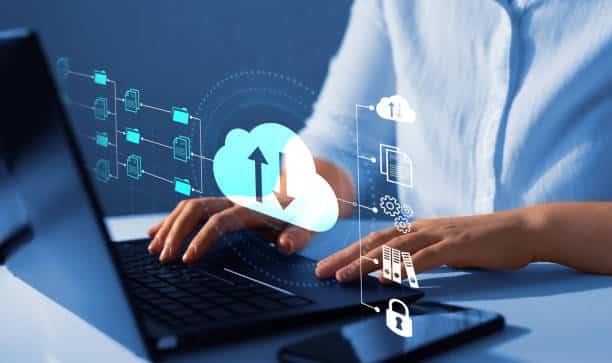
- Cloud Computing Infrastructure providing scalable storage, processing power, and application hosting without substantial capital expenditures
- Cybersecurity Frameworks protecting sensitive data, intellectual property, and customer information from increasingly sophisticated threats
- Data Analytics Platforms transforming raw information into actionable insights that guide strategic decision-making
- Mobile Applications extending business capabilities to smartphones and tablets for field teams, customers, and partners
- Collaboration Software enabling distributed teams to communicate, share documents, and coordinate projects regardless of physical location
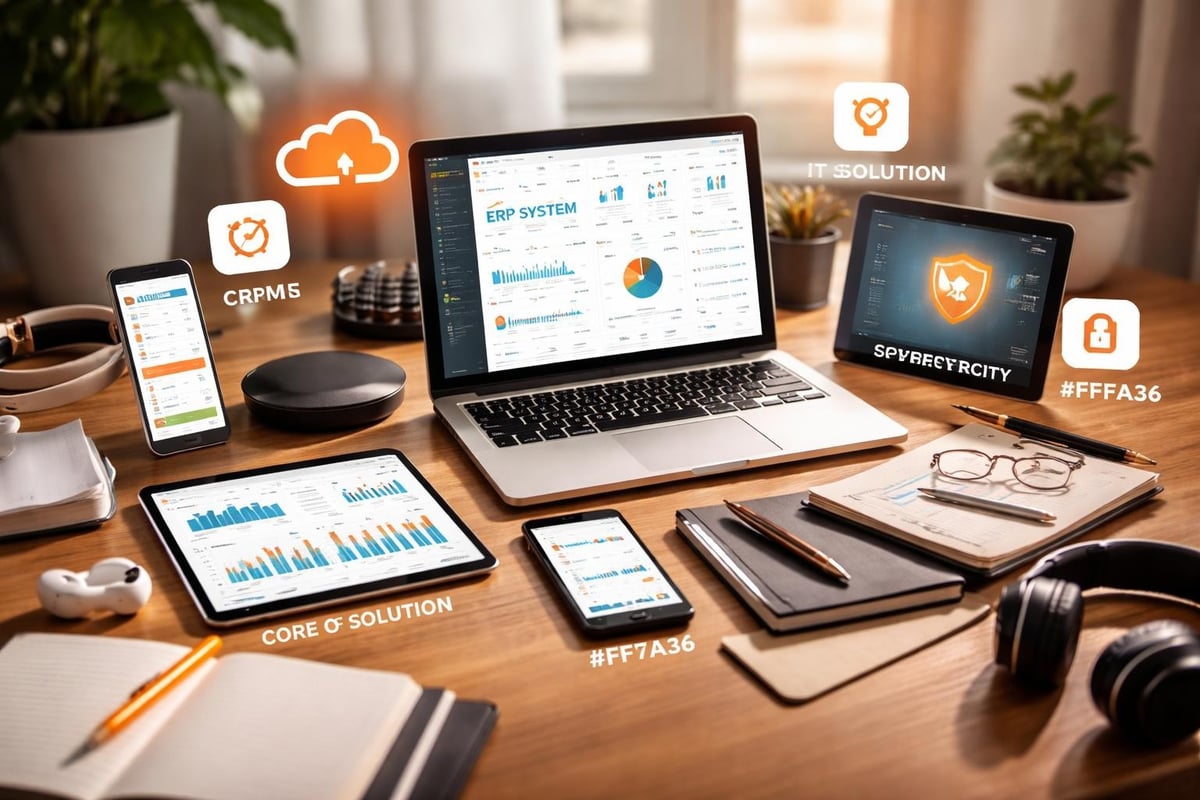
The convergence of these technologies creates powerful synergies. For instance, unified data management approaches demonstrate how organizations benefit when disparate systems share information seamlessly across domains.
Evaluating IT Solutions Based on Business Requirements
Successful technology implementation begins with comprehensive needs assessment. Organizations must analyze current pain points, future growth projections, and specific operational challenges before committing resources to new systems.
Strategic Planning Framework
The evaluation process should follow a structured methodology:
- Document existing workflows to identify inefficiencies, redundancies, and bottlenecks that technology could address
- Define measurable objectives such as reducing processing time by 30%, improving customer response rates, or eliminating manual data entry
- Assess internal capabilities including IT staff expertise, infrastructure readiness, and change management capacity
- Research available solutions through industry publications, peer recommendations, and authoritative IT solution resources
- Calculate total cost of ownership encompassing licensing fees, implementation expenses, training costs, and ongoing maintenance requirements
- Pilot test promising options with limited user groups before organization-wide deployment
- Establish success metrics that align technology performance with business outcomes
| Evaluation Criteria | Weight | Assessment Method |
|---|---|---|
| Functional Fit | 30% | Feature comparison against requirements |
| Scalability | 20% | Growth capacity analysis |
| Integration Capability | 20% | API availability and compatibility testing |
| User Experience | 15% | Interface evaluation and feedback sessions |
| Vendor Stability | 10% | Financial health and market position review |
| Support Quality | 5% | Service level agreement examination |
This structured approach ensures IT solutions for businesses deliver tangible value rather than simply introducing new technology for its own sake.
Custom Software Development: The Competitive Advantage
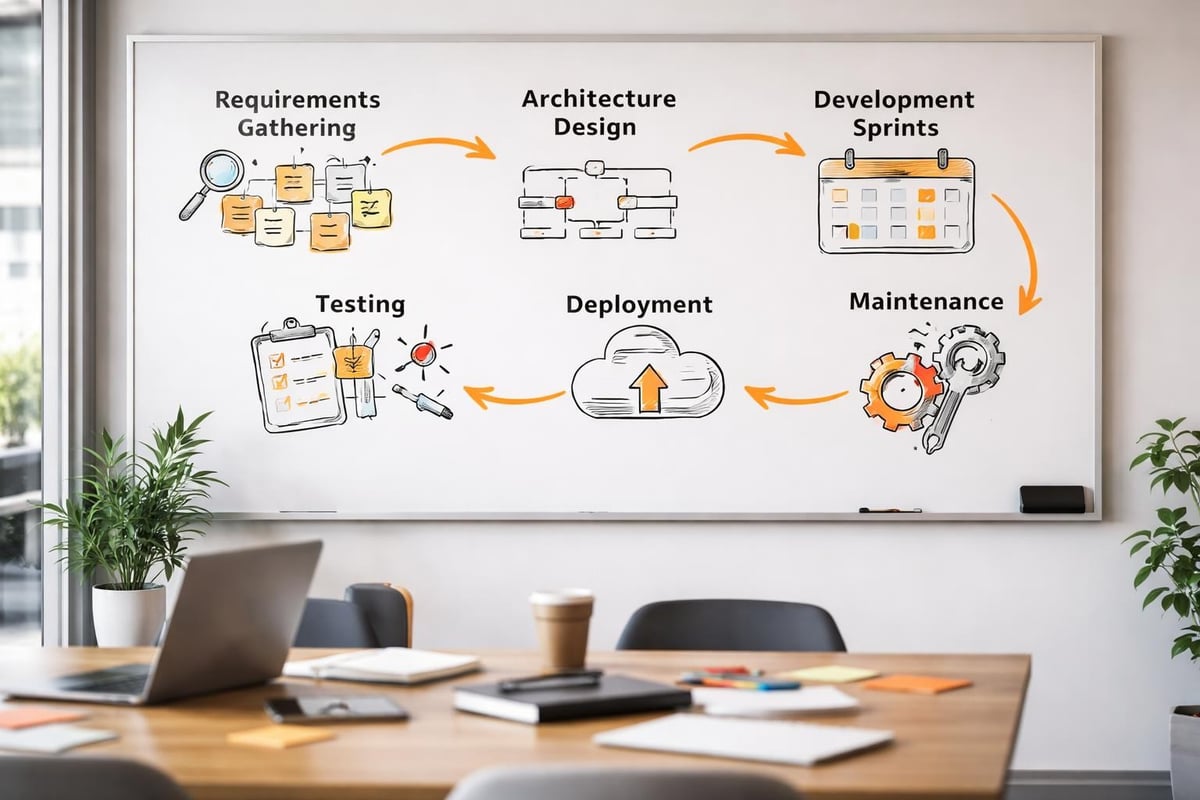
Generic applications serve general purposes adequately but rarely optimize specific business processes. Custom software development addresses this limitation by creating solutions precisely matched to organizational requirements, industry regulations, and unique competitive strategies.
Tailored applications offer several distinct advantages over commercial alternatives. They eliminate unnecessary features that complicate interfaces while incorporating specialized capabilities unavailable in mass-market products. Custom systems integrate seamlessly with existing infrastructure, maintaining data consistency across platforms without requiring middleware or manual synchronization.
Development teams work directly with stakeholders to understand nuanced requirements that generic software overlooks. This collaboration produces intuitive interfaces aligned with actual user workflows rather than forcing employees to adapt their methods to software constraints. The result is higher adoption rates, reduced training time, and improved productivity from day one.
Technologies Powering Custom Solutions
Modern custom software leverages diverse technology stacks depending on project requirements:
- Web development frameworks like React, Angular, and Vue.js for responsive browser-based applications
- Mobile development platforms including React Native and Flutter for cross-platform mobile experiences
- Cloud-native architectures utilizing AWS, Azure, or Google Cloud for elastic scaling and global availability
- Microservices patterns enabling independent deployment and maintenance of application components
- API-first design facilitating integration with third-party services and future system additions
- Database technologies ranging from traditional relational systems to NoSQL solutions optimized for specific data types
The strategic selection of these technologies determines application performance, maintenance costs, and long-term viability. Experienced development teams evaluate project requirements against technology capabilities to recommend optimal approaches.
Cloud Computing: Infrastructure Without Capital Expenditure
Cloud services have fundamentally transformed how businesses approach IT infrastructure. Organizations now access enterprise-grade computing resources through operational expenses rather than substantial capital investments in hardware, data centers, and maintenance contracts.
Infrastructure as a Service (IaaS) provides virtual servers, storage, and networking that scale instantly based on demand. Companies pay only for resources consumed, eliminating waste from over-provisioned systems or performance degradation from undersized infrastructure.
Platform as a Service (PaaS) elevates this model further by abstracting away operating system management, security patching, and infrastructure monitoring. Development teams focus exclusively on application logic while cloud providers handle underlying platform complexity.
Software as a Service (SaaS) delivers fully managed applications accessed through web browsers or mobile apps. Users benefit from continuous updates, automatic backups, and professional support without managing any technical infrastructure.
When evaluating cloud services, businesses must consider data sovereignty requirements, compliance obligations, and integration capabilities alongside cost comparisons.
Cloud Migration Strategies
Transitioning to cloud infrastructure requires careful planning:
- Assessment phase identifying applications suitable for cloud deployment versus those requiring on-premises hosting
- Architecture redesign optimizing applications for cloud-native patterns like auto-scaling and distributed processing
- Data migration planning ensuring secure transfer of information with minimal downtime
- Security configuration implementing identity management, encryption, and access controls appropriate for cloud environments
- Cost optimization right-sizing resources and implementing monitoring to prevent unexpected expenses
- Training initiatives preparing IT staff and end users for new operational models
- Continuous improvement regularly reviewing cloud usage patterns and adjusting configurations for optimal performance
Data Management and Analytics Solutions
Information has become the most valuable business asset in 2026. IT solutions for businesses must include robust data management capabilities that ensure accuracy, accessibility, and security across all organizational systems.
Master data management establishes single sources of truth for critical business entities like customers, products, suppliers, and employees. This eliminates discrepancies that arise when multiple systems maintain separate records, creating confusion about which version represents current reality.
Data warehousing consolidates information from disparate sources into centralized repositories optimized for analysis. Business intelligence tools connect to these warehouses, enabling executives to explore trends, identify patterns, and make evidence-based decisions.
Real-time analytics processes streaming data as it arrives, triggering alerts and automated responses based on predefined conditions. Integrating event detection platforms with operational systems enhances crisis management and enables proactive interventions before minor issues escalate.
| Data Solution Type | Primary Use Case | Business Impact |
|---|---|---|
| Master Data Management | Single customer view | Improved customer experience |
| Data Warehouse | Historical trend analysis | Strategic planning insights |
| Real-time Analytics | Operational monitoring | Faster incident response |
| Predictive Analytics | Forecasting demand | Optimized inventory levels |
| Data Visualization | Executive dashboards | Informed decision-making |
Customer Relationship Management Systems
Building lasting customer relationships requires systematic approaches to tracking interactions, preferences, and communication history. Comprehensive CRM platforms serve as operational hubs for sales, marketing, and customer service teams.
Modern IT solutions for businesses integrate CRM capabilities with other enterprise systems. Sales representatives access inventory availability directly within CRM interfaces when quoting orders. Marketing teams trigger automated campaigns based on customer lifecycle stages tracked in the CRM. Support agents view complete purchase histories when resolving service requests.
This integration creates seamless experiences that customers notice and value. Brytend offers robust Customer Relationship Management (CRM) capabilities designed to help businesses manage customer interactions effectively while streamlining processes across sales, marketing, and support functions.
Essential CRM Capabilities
Effective customer relationship management requires several core features:
- Contact management organizing detailed customer profiles with communication preferences, purchase history, and interaction notes
- Sales pipeline tracking visualizing opportunities from initial contact through closing, identifying bottlenecks in conversion processes
- Marketing automation nurturing leads through personalized email sequences triggered by specific behaviors or timeline events
- Customer service ticketing routing support requests to appropriate agents while maintaining complete resolution histories
- Reporting dashboards providing visibility into key metrics like conversion rates, customer lifetime value, and satisfaction scores
- Mobile access enabling field sales teams to update information and access customer data from anywhere
- Integration frameworks connecting CRM data with accounting systems, marketing platforms, and operational databases
The right CRM transforms customer data into competitive intelligence that guides product development, marketing strategies, and service improvements.

Cybersecurity: Protecting Digital Assets
Security threats evolve constantly as attackers develop sophisticated techniques targeting business systems. IT solutions for businesses must incorporate multiple defense layers protecting networks, applications, and data from unauthorized access, malware, and information theft.
Network security establishes perimeter defenses through firewalls, intrusion detection systems, and virtual private networks. These technologies monitor traffic patterns, block suspicious connections, and encrypt communications between remote locations.
Application security addresses vulnerabilities in software code through secure development practices, regular penetration testing, and prompt patching of discovered weaknesses. Web application firewalls provide additional protection for internet-facing systems.
Data security employs encryption for information at rest and in transit, ensuring that even if attackers breach other defenses, they cannot read protected data without encryption keys.
Building Comprehensive Security Programs
Organizations should implement security frameworks addressing multiple risk categories:
- Access control policies limiting system permissions based on job roles and least-privilege principles
- Multi-factor authentication requiring additional verification beyond passwords for sensitive systems
- Security awareness training educating employees about phishing attacks, social engineering tactics, and safe computing practices
- Incident response planning establishing procedures for detecting, containing, and recovering from security breaches
- Regular vulnerability assessments identifying weaknesses before attackers exploit them
- Backup and disaster recovery ensuring business continuity even after catastrophic failures or ransomware attacks
- Compliance management meeting industry regulations and data protection requirements
Mobile Solutions Extending Business Reach
Smartphones and tablets have become primary computing devices for many workers and customers. IT solutions for businesses must include mobile strategies that extend organizational capabilities beyond traditional desktop environments.
Employee-facing mobile applications empower field teams with real-time information access, job tracking, and communication tools. Service technicians view equipment histories and documentation on-site. Sales representatives check inventory availability during customer visits. Managers approve requests and monitor operations from anywhere.
Customer-facing mobile applications provide convenient self-service options that reduce support costs while improving satisfaction. Users check account balances, place orders, track shipments, and access support resources without phone calls or emails.
Mobile Development Considerations
Creating effective mobile applications requires addressing platform-specific challenges:
- Cross-platform compatibility ensuring consistent experiences across iOS, Android, and various device sizes
- Offline functionality allowing users to work without constant internet connectivity, synchronizing data when connections restore
- Performance optimization minimizing battery consumption and data usage while maintaining responsive interfaces
- Security measures protecting sensitive information on devices that are easily lost or stolen
- Update mechanisms delivering new features and bug fixes without requiring manual downloads
- Integration with device capabilities leveraging cameras, GPS sensors, and biometric authentication when appropriate
- User experience design creating intuitive interfaces optimized for touch interaction and limited screen space
Collaboration Tools for Distributed Teams
Remote work has transitioned from temporary necessity to permanent operational model for many organizations. IT solutions for businesses now prioritize collaboration platforms that maintain productivity regardless of physical locations.
Communication tools provide instant messaging, video conferencing, and voice calling that replace in-person interactions. These platforms support both scheduled meetings and spontaneous conversations that drive innovation and problem-solving.
Document collaboration systems enable multiple users to edit files simultaneously, maintaining version control and change tracking automatically. Teams coordinate on presentations, spreadsheets, and reports without emailing attachments or reconciling conflicting edits.
Project management platforms centralize task assignments, deadlines, and progress tracking. Team members understand priorities, dependencies, and deliverables without constant status meetings.
| Collaboration Category | Example Functions | Productivity Benefit |
|---|---|---|
| Communication | Chat, video, screen sharing | Faster decision-making |
| Documentation | Co-editing, version control | Reduced duplication |
| Project Management | Task tracking, timelines | Improved accountability |
| File Storage | Cloud sync, access control | Enhanced accessibility |
| Workflow Automation | Approval routing, notifications | Streamlined processes |
Implementation Best Practices
Successfully deploying IT solutions for businesses requires more than selecting appropriate technologies. Organizations must manage change processes, train users effectively, and measure outcomes against defined objectives.
Phased rollouts reduce risk by implementing systems incrementally rather than attempting comprehensive transformations simultaneously. Initial deployments to limited user groups identify issues before organization-wide release.
Comprehensive training programs ensure users understand new systems and appreciate their benefits. Effective training combines formal instruction with ongoing support resources like documentation, video tutorials, and accessible help desks.
Change management strategies address psychological and organizational resistance to new processes. Communication campaigns explain why changes occur, how they benefit individuals and teams, and what support resources are available during transitions.
Measuring Technology ROI
Quantifying returns on IT investments demonstrates value and guides future decisions:
- Productivity metrics tracking time saved through automation and improved workflows
- Error reduction measuring accuracy improvements from eliminating manual processes
- Customer satisfaction monitoring experience enhancements through surveys and engagement metrics
- Revenue impact correlating technology deployments with sales growth or market expansion
- Cost savings documenting reduced expenses from operational efficiencies
- Employee satisfaction assessing user sentiment about new tools and processes
- Competitive positioning evaluating market share changes and customer acquisition costs
Ongoing Support and Maintenance
Technology deployment represents the beginning rather than the conclusion of IT solution lifecycles. Systems require continuous monitoring, updating, and optimization to maintain performance and security.
Proactive monitoring identifies potential issues before they impact users. Automated alerts notify administrators about performance degradation, security threats, or capacity constraints requiring attention.
Regular updates address discovered vulnerabilities, improve functionality, and maintain compatibility with evolving technology ecosystems. Organizations must balance update frequency against stability concerns and testing requirements.
User support services provide assistance when employees encounter problems or need guidance using system features. Responsive support maintains productivity and prevents frustration from undermining adoption.
Partnering with experienced development teams ensures access to expertise beyond internal capabilities. Custom software requires specialized knowledge for troubleshooting complex issues and implementing enhancements as business needs evolve. To explore the full range of capabilities available, visit the Brytend platform overview.
Frequently Asked Questions
What are IT solutions for businesses?
IT solutions for businesses encompass technologies, software applications, and services that address specific operational challenges or enable strategic capabilities. These solutions range from custom software development and cloud infrastructure to cybersecurity frameworks and data analytics platforms. Modern organizations typically implement integrated suites of technologies that work together rather than relying on isolated tools.
How do custom IT solutions differ from off-the-shelf software?
Custom IT solutions are designed specifically for individual organizations, addressing unique workflows, industry requirements, and competitive strategies that generic software cannot accommodate. While off-the-shelf applications serve general purposes and cost less initially, custom development eliminates unnecessary features, integrates seamlessly with existing systems, and scales according to precise business needs. The investment in custom solutions typically generates superior long-term returns through optimized processes and competitive differentiation.
What factors should businesses consider when selecting IT solutions?
Organizations should evaluate functional requirements against current pain points and future growth projections. Total cost of ownership including implementation, training, and maintenance deserves careful analysis alongside initial pricing. Integration capabilities with existing systems prevent data silos and redundant processes. Vendor stability and support quality ensure long-term viability. Scalability determines whether solutions accommodate business growth without requiring replacement. User experience directly impacts adoption rates and productivity gains.
How long does custom software implementation typically require?
Implementation timelines vary significantly based on project complexity, feature requirements, and integration needs. Simple applications might deploy within 8-12 weeks while comprehensive enterprise systems could require 6-12 months. Phased approaches allow organizations to realize value incrementally rather than waiting for complete deployment. Experienced development teams provide realistic timelines during planning phases based on detailed requirements analysis.
What ongoing costs should businesses expect after implementing IT solutions?
Beyond initial implementation expenses, organizations incur hosting or infrastructure costs for cloud-based systems, licensing fees for commercial software components, and maintenance contracts for ongoing support. Custom applications require periodic updates addressing security vulnerabilities, compatibility with evolving platforms, and feature enhancements. Training costs continue as new employees join or systems expand. Budget planning should allocate 15-20% of initial implementation costs annually for maintenance and evolution.
How can businesses ensure successful user adoption of new IT solutions?
Successful adoption requires involving end users throughout the selection and implementation process, incorporating their feedback into design decisions. Comprehensive training programs should accommodate different learning styles through documentation, videos, and hands-on sessions. Change management communication explains benefits clearly while addressing concerns transparently. Executive sponsorship demonstrates organizational commitment. Quick wins that deliver immediate value build momentum and enthusiasm. Responsive support resources prevent frustration from undermining adoption.
What security measures are essential for business IT solutions?
Essential security measures include multi-factor authentication protecting system access, encryption safeguarding data both stored and transmitted, regular security updates addressing discovered vulnerabilities, and network firewalls blocking unauthorized access attempts. Employee training reduces risks from phishing and social engineering attacks. Backup systems ensure recovery from ransomware or hardware failures. Regular security assessments identify weaknesses before attackers exploit them. Compliance frameworks meet industry regulations and data protection requirements.
Implementing effective IT solutions for businesses requires strategic planning, careful vendor selection, and ongoing optimization to maximize returns on technology investments. Whether pursuing custom software development, cloud migration, or integrated platforms, success depends on aligning technology capabilities with specific organizational needs and operational goals. Brytend specializes in creating tailored software solutions that address unique business challenges across web development, mobile applications, and cloud platforms, providing the expertise and ongoing support necessary to ensure technology investments deliver measurable results.