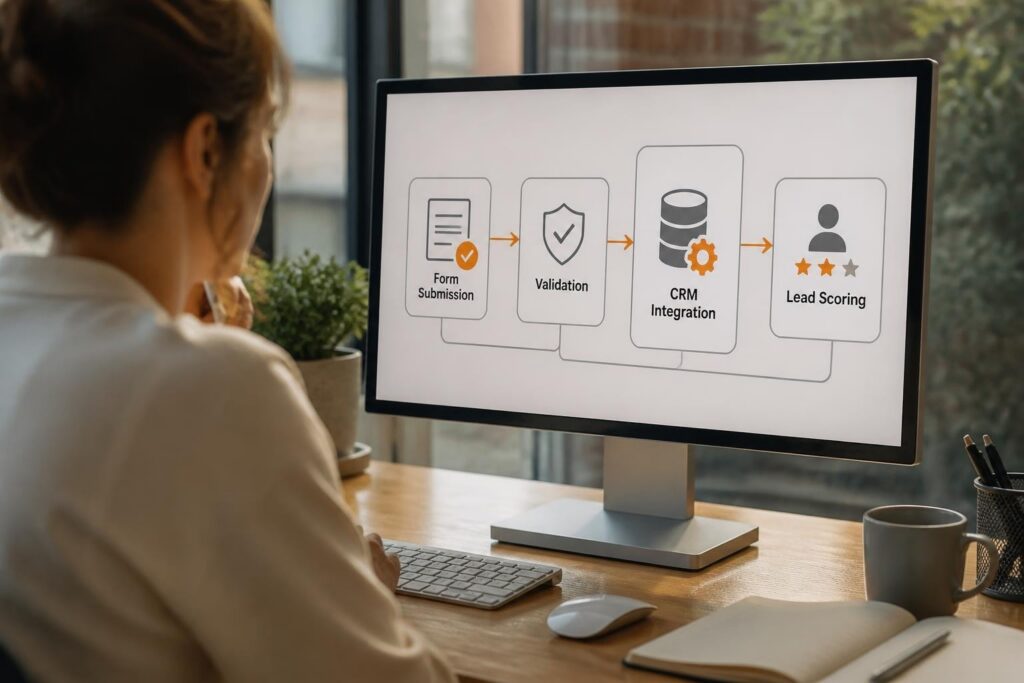
Inventory keeping software is a digital system that tracks, manages, and optimizes stock levels across warehouses, retail locations, and distribution centers in real time. Modern businesses face pressure to reduce carrying costs, prevent stockouts, and maintain accurate inventory records across multiple channels. Manual tracking methods fail to scale with business growth and lead to costly errors. Automated inventory keeping software eliminates these problems by providing real-time visibility, automated reordering, and integration with sales, purchasing, and accounting systems.
TL;DR:
- Inventory keeping software automates stock tracking, order management, and forecasting to reduce human error and carrying costs
- Core features include barcode scanning, real-time sync, automated reorder points, and multi-location tracking
- Implementation requires data migration, staff training, and integration with existing ERP or accounting systems
- Best practices include ABC analysis, cycle counting, and setting safety stock levels based on demand variability
- Cloud-based systems offer scalability and remote access compared to on-premise solutions
What Is Inventory Keeping Software and How Does It Work
Inventory keeping software is a system that records, monitors, and controls the movement of stock items from procurement through storage to final sale or use. It maintains a centralized database of SKUs, quantities, locations, and transaction history.
The software operates through several interconnected modules. Receiving modules record incoming shipments, update stock levels, and generate receiving reports. Warehouse management modules assign bin locations, track movements between zones, and optimize picking routes. Sales integration automatically deducts sold items from available inventory and triggers reorder workflows when quantities fall below defined thresholds.
Modern inventory keeping software uses barcode or RFID scanning to capture data at every touchpoint. When a warehouse worker scans an item during receiving, the system updates the database instantly. This eliminates manual entry errors and provides accurate counts across all locations.
Core Components of Inventory Systems
Every inventory keeping software platform includes these essential elements:
- Item master database storing SKU details, dimensions, cost, supplier information, and categorization
- Transaction log recording every receipt, transfer, adjustment, and depletion with timestamp and user attribution
- Location tracking mapping physical warehouse zones, bins, shelves, and aisles to digital records
- Reorder automation calculating optimal order quantities based on lead time, demand patterns, and safety stock formulas
- Reporting engine generating stock valuation, turnover analysis, aging reports, and variance documentation
The database architecture determines system performance and scalability. Relational databases organize inventory data into linked tables for items, locations, transactions, and suppliers. This structure enables complex queries and maintains data integrity through referential constraints.

Why Businesses Need Inventory Keeping Software
Organizations implement inventory keeping software to solve specific operational problems and achieve measurable financial benefits. Manual tracking methods create blind spots that lead to overstocking, stockouts, and inaccurate financial reporting.
Cost reduction represents the primary driver for software adoption. Excess inventory ties up working capital and increases storage, insurance, and obsolescence costs. The software calculates optimal stock levels using historical demand data and lead time variability. Best practices for inventory management include setting reorder points that balance carrying costs against stockout risk.
Regulatory compliance requirements force certain industries to maintain detailed inventory records. Medical device manufacturers must track serialized inventory through the entire supply chain to enable recalls. The software generates audit trails showing custody, location changes, and expiration date management.
Quantifiable Business Outcomes
Companies measure inventory keeping software ROI through specific metrics:
| Metric | Manual Process | With Software | Improvement |
|---|---|---|---|
| Inventory accuracy | 65-75% | 95-99% | 20-34% gain |
| Order fulfillment time | 48-72 hours | 12-24 hours | 50-75% faster |
| Carrying cost reduction | Baseline | 15-30% lower | Direct savings |
| Stockout frequency | 8-12% of SKUs | 1-3% of SKUs | 75-88% reduction |
A mid-sized industrial distributor implemented inventory keeping software and reduced excess stock by 28% in the first year. The system identified slow-moving items, optimized reorder quantities, and prevented duplicate ordering across three warehouse locations.
How to Choose the Right Inventory Keeping Software
Selection criteria must align with specific operational requirements, existing technology infrastructure, and growth projections. A one-size-fits-all approach fails because businesses have different inventory characteristics, transaction volumes, and integration needs.
Deployment model represents the first decision point. Cloud-based systems offer lower upfront costs, automatic updates, and remote access. On-premise solutions provide greater customization control and data sovereignty. Retail inventory management strategies often favor cloud platforms for multi-location synchronization.
Feature requirements should map to actual workflows. A manufacturer needs bill of materials tracking and production consumption recording. A retailer requires point-of-sale integration and size-color-style variant management. An equipment rental company needs serialized asset tracking and maintenance scheduling.
Essential Features Checklist
Evaluate potential systems against these capabilities:
- Multi-location tracking with automated transfer orders and location-specific reporting
- Barcode or RFID integration supporting mobile devices and fixed scanners
- Lot and serial number tracking for traceability and warranty management
- Demand forecasting using time-series analysis and seasonal adjustment
- API connectivity enabling integration with accounting, e-commerce, and shipping platforms
- Role-based access control limiting data visibility and transaction permissions by user type
- Cycle counting workflows supporting perpetual inventory and variance investigation
The software must handle your inventory valuation method. FIFO (first-in-first-out), LIFO (last-in-first-out), and weighted average costing produce different gross margin calculations. Ensure the system supports your accounting requirements.
What Are the Implementation Steps for Inventory Software
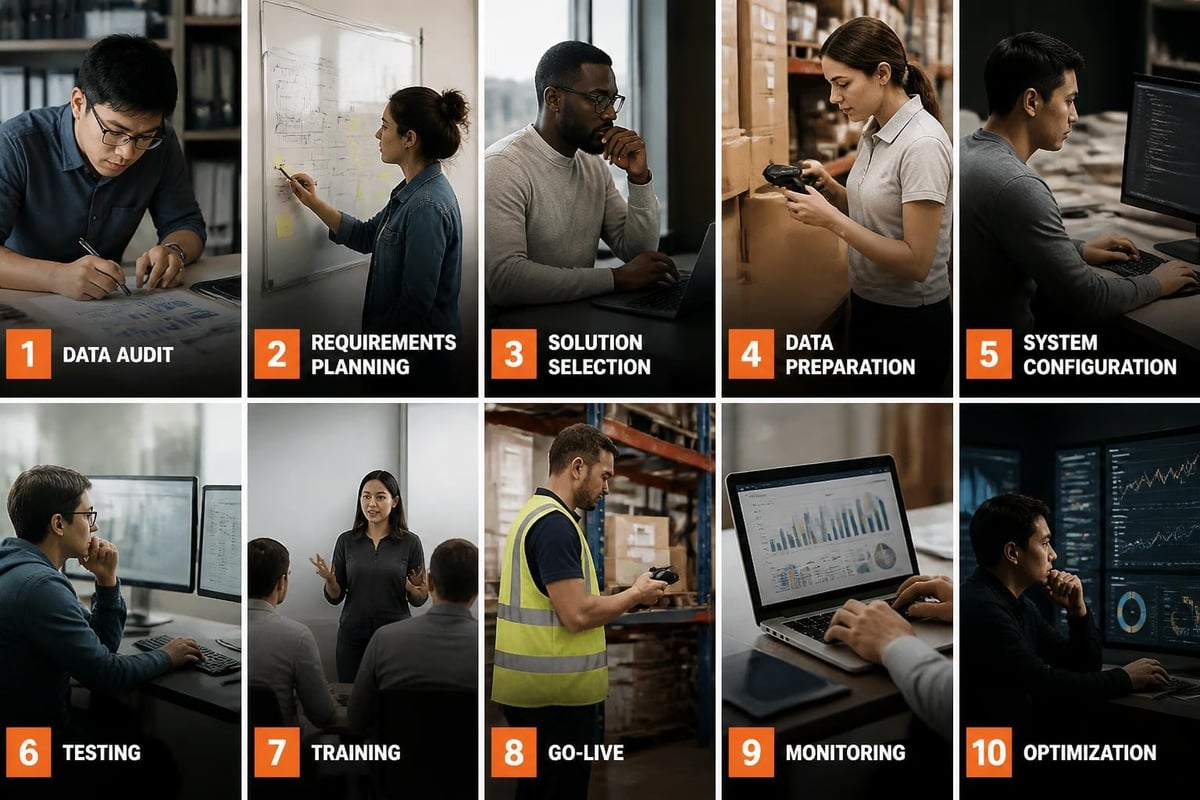
Successful deployment follows a structured methodology that minimizes business disruption and ensures data accuracy from day one. Implementation failures typically result from incomplete data migration, inadequate training, or rushed timelines.
Phase 1: Data preparation requires cleaning existing inventory records and standardizing item descriptions. Create a master SKU list with unique identifiers, establish naming conventions, and verify current on-hand quantities through physical counts. This foundational work determines long-term data quality.
Phase 2: System configuration involves setting up warehouses, defining user roles, configuring reorder rules, and establishing approval workflows. Map your physical locations to the software's location hierarchy. Define bin numbering schemes that match floor layouts.
Phase 3: Integration development connects inventory keeping software to existing systems. Build API connections to your accounting platform, e-commerce site, and shipping software. Test data flow bidirectionally to ensure transaction synchronization.
Detailed Implementation Timeline
Follow this proven sequence for deployments:
- Weeks 1-2: Conduct physical inventory count, export existing data, clean and standardize records
- Weeks 3-4: Configure system settings, import item master data, create location hierarchies
- Weeks 5-6: Build integrations, test data synchronization, validate calculations
- Weeks 7-8: Train staff on receiving, transfers, adjustments, and reporting functions
- Week 9: Run parallel operations comparing old and new systems
- Week 10: Go live with full support and daily monitoring
- Weeks 11-12: Optimize workflows, refine reorder points, address user feedback
Organizations should plan for a 10-14 week implementation timeline for standard deployments. Complex environments with custom integrations may require 16-20 weeks.
How Does Inventory Keeping Software Integrate With Other Systems
Modern inventory keeping software functions as a hub connecting procurement, sales, accounting, and logistics systems. Integration eliminates duplicate data entry and ensures all platforms work from a single source of truth.
Accounting system integration synchronizes inventory values, cost of goods sold, and purchase transactions. When inventory keeping software records a sale, it automatically creates a journal entry debiting COGS and crediting inventory. This bidirectional flow maintains accurate financial statements without manual reconciliation.
E-commerce platform integration updates available-to-promise quantities in real time. When a customer places an online order, the inventory system reserves that quantity and triggers fulfillment workflows. Amazon’s inventory management guide emphasizes the importance of real-time stock visibility for multi-channel sellers.
Integration Architecture Patterns
Three primary integration methods serve different requirements:
| Method | Description | Use Case | Data Latency |
|---|---|---|---|
| API (REST/SOAP) | Real-time bidirectional sync | High-volume transactions | Seconds |
| File transfer (FTP/SFTP) | Scheduled batch updates | Legacy system connection | Hours |
| Database replication | Direct table-level sync | Same-vendor ecosystem | Minutes |
A custom software development company can build middleware to handle complex integration scenarios. This approach proves valuable when connecting disparate systems that lack native connectors.
Shipping carrier integration automates freight cost calculation, label generation, and tracking number capture. When warehouse staff create an outbound shipment, the system calls the carrier's API to generate labels and immediately updates tracking information in both inventory and order management systems.
What Are Common Inventory Management Challenges and Solutions
Organizations encounter predictable obstacles when managing inventory at scale. Inventory keeping software addresses these challenges through automation, visibility, and decision-support capabilities.
Demand variability creates the fundamental inventory challenge. Safety stock calculations must account for both demand uncertainty and lead time variability. The formula SS = Z × σ_LT × √LT uses the desired service level (Z-score), standard deviation of demand during lead time, and average lead time to determine buffer stock quantities.
Multi-location complexity multiplies as businesses grow. A three-warehouse operation must decide which location stocks which items and how to handle transfers. Inventory keeping software uses location-specific rules and transfer cost optimization to minimize total system inventory while maintaining service levels.
Best Practice Solutions
Implement these proven strategies to overcome common problems:
- ABC classification allocating management attention based on value contribution (A items = 80% of value, 20% of SKUs)
- Cycle counting programs replacing annual physical inventories with daily sample counts for perpetual accuracy
- Safety stock formulas calculating buffer quantities using service level targets and demand variability
- Reorder point automation triggering purchase requisitions when (on-hand + on-order) falls below (lead time demand + safety stock)
- Dead stock identification flagging items with zero movement in 12+ months for liquidation decisions
Inventory management best practices include establishing exception-based workflows where staff address only variance alerts rather than reviewing every item daily.
Serialized inventory tracking poses unique challenges for equipment manufacturers and service providers. Each unit requires individual record-keeping for warranty, service history, and compliance documentation. For businesses managing serialized assets with maintenance requirements, the Brytend Service Module provides comprehensive tracking of equipment lifecycles, service schedules, and certification generation. This level of traceability becomes critical in regulated industries where audit trails determine compliance status.
How ABC classification segments inventory into high-value, medium-value, and low-value categories based on annual consumption value
How to Optimize Inventory Keeping Software Performance
System optimization requires ongoing refinement of parameters, workflows, and data quality controls. Initial configuration provides baseline functionality, but continuous improvement delivers sustained benefits.
Reorder point tuning represents the highest-impact optimization activity. Review actual lead times quarterly and adjust reorder calculations. If supplier performance degrades from 14 to 21 days, maintaining old reorder points guarantees stockouts. The software should track promised versus actual lead times and alert when variance exceeds thresholds.
Forecast model selection impacts ordering accuracy. Simple moving averages work for stable demand. Exponential smoothing better handles trending products. Seasonal indexes adjust for predictable patterns. Advanced inventory management techniques include machine learning models that detect pattern changes automatically.
Performance Optimization Checklist
Execute these activities on defined schedules:
- Monthly: Review slow-moving inventory reports and adjust min/max levels
- Quarterly: Analyze forecast accuracy by item and adjust smoothing parameters
- Quarterly: Audit cycle count results and investigate root causes of variances
- Semi-annually: Reassess ABC classifications based on updated usage patterns
- Annually: Evaluate carrying cost assumptions and update in reorder calculations
- Annually: Review user access permissions and disable inactive accounts
Data quality maintenance prevents gradual system degradation. Duplicate SKU creation occurs when users don't find existing items. Implement strict item creation workflows requiring supervisor approval. Standardize descriptions using templates that capture critical attributes in consistent positions.
What Integration Options Work for Inventory Keeping Software
Modern businesses operate ecosystems of specialized software, and inventory keeping software must exchange data seamlessly with accounting, CRM, manufacturing, and logistics platforms. Integration architecture determines system flexibility and total cost of ownership.
Native integrations provide pre-built connectors to popular platforms. Cloud-based inventory keeping software typically offers one-click connections to QuickBooks, Xero, Shopify, WooCommerce, and major shipping carriers. These connectors handle authentication, field mapping, and error handling without custom development.
API-based integration enables custom connections when native options don't exist. RESTful APIs expose inventory data through standardized endpoints. External systems query current stock levels, submit orders, and retrieve transaction histories using HTTP requests. Software development companies build middleware applications that orchestrate complex data flows between multiple platforms.
Integration Comparison Matrix
| Integration Type | Setup Time | Maintenance | Flexibility | Cost |
|---|---|---|---|---|
| Native connector | Hours | Automatic updates | Limited to vendor features | Included |
| iPaaS platform | Days | Managed by vendor | Medium customization | $200-800/month |
| Custom API | Weeks | Internal or contracted | Complete control | $5,000-25,000 |
| Database sync | Days | Requires DBA | Table-level access | $1,000-5,000 |
Webhook notifications enable event-driven workflows. When inventory falls below reorder point, the system posts a webhook to your procurement platform, which automatically creates a draft purchase order. This approach reduces latency and eliminates polling overhead.
How to Measure Inventory Keeping Software ROI
Executives require quantifiable justification for software investments. Inventory keeping software delivers measurable returns through reduced carrying costs, labor savings, and revenue protection from prevented stockouts.
Carrying cost reduction multiplies inventory value by the annual carrying rate (typically 20-30% including capital cost, storage, insurance, and obsolescence). Reducing average inventory from $800,000 to $650,000 saves $30,000-45,000 annually at a 20-30% carrying rate.
Labor efficiency gains result from eliminating manual counts, reducing inventory research time, and streamlining receiving processes. Calculate current labor hours spent on inventory tasks, multiply by burdened hourly rates, and project post-implementation hours. A 40% reduction in inventory labor saving 20 hours weekly at $25/hour generates $26,000 annual savings.
ROI Calculation Framework
Measure these specific metrics before and after implementation:
- Inventory accuracy rate: Calculate as (items counted correctly / total items counted) × 100
- Inventory turnover ratio: Annual COGS divided by average inventory value
- Stockout frequency: Percentage of SKUs experiencing stockouts monthly
- Order fulfillment time: Hours from order receipt to shipment
- Obsolete inventory write-offs: Annual dollar value of expired or unsellable stock
- Time to locate inventory: Average minutes to find requested items in warehouse
A complete ROI analysis includes implementation costs (software licenses, training, data migration, integration development) compared against quantified annual benefits. Inventory management optimization typically achieves payback within 12-18 months for mid-sized operations.
Revenue protection represents harder-to-quantify but equally important benefits. A single stockout of a high-margin product during peak season creates lost sales that never appear in reports. The software prevents these invisible costs through automated reordering and safety stock management.
What Are the Differences Between Manual and Automated Inventory Systems
Organizations transitioning from manual to automated inventory keeping software experience fundamental workflow changes. Understanding these differences enables realistic change management planning.
Manual systems rely on spreadsheets, paper bin cards, and periodic physical counts. Staff record receipts in ledgers, transfer information to accounting systems by hand, and reconcile discrepancies through investigation. This approach works for small operations with limited SKUs but fails to scale.
Automated systems capture transactions at the point of occurrence through barcode scanning or RFID readers. Data flows instantly to the central database and updates all connected systems. Inventory accuracy improves because humans don't transcribe or calculate manually.
Comparative Analysis
| Aspect | Manual System | Automated Software |
|---|---|---|
| Data entry | Paper forms, spreadsheets | Barcode scan, automated |
| Accuracy | 65-80% typical | 95-99% achievable |
| Real-time visibility | None (periodic updates) | Instant across locations |
| Reorder triggering | Visual inspection | Automatic based on rules |
| Multi-location sync | Phone calls, email | Automated transfers |
| Audit trail | Paper documentation | Complete digital history |
| Scalability | Breaks beyond 500 SKUs | Handles millions of SKUs |
The transition period requires parallel operations. Run both systems simultaneously for 2-4 weeks, comparing results and identifying discrepancies. This validates data migration accuracy and builds user confidence in the new platform.
Inventory keeping software transforms stock management from reactive firefighting to proactive optimization through automated tracking, intelligent forecasting, and system integration. Successful implementations require careful planning, clean data migration, and ongoing performance tuning. Brytend specializes in developing custom inventory solutions that integrate seamlessly with your existing systems, whether you need specialized tracking for serialized assets, multi-location synchronization, or industry-specific workflows that off-the-shelf software cannot accommodate.