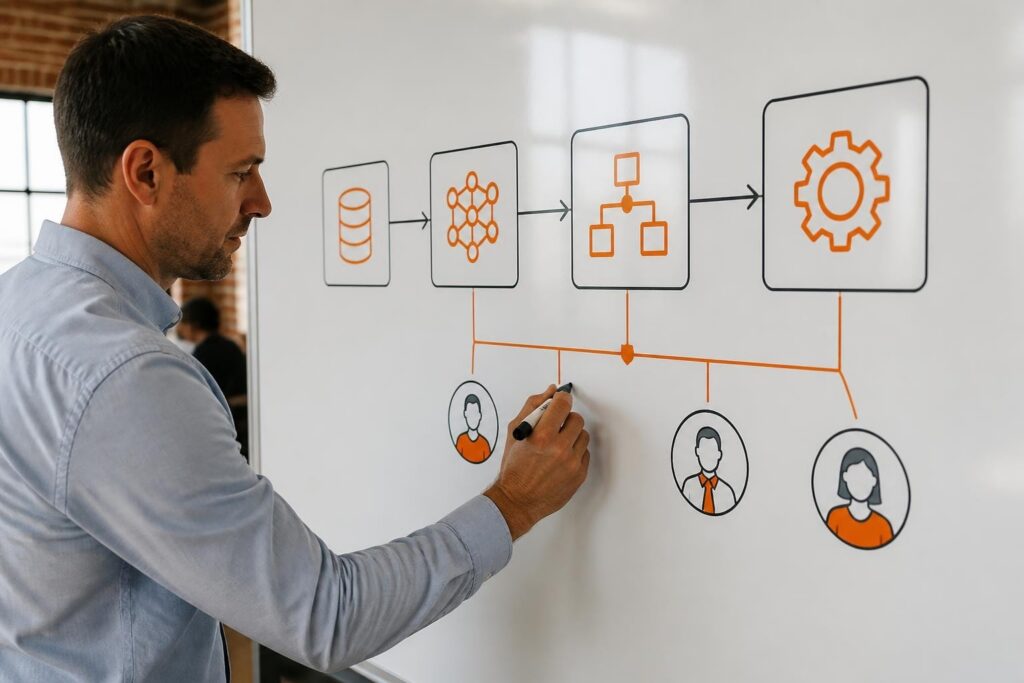

Software performance is a critical factor that determines whether custom business applications meet operational requirements and deliver value. Performance affects user satisfaction, operational costs, infrastructure needs, and competitive advantage. Organizations that prioritize software performance see measurable improvements in throughput, response times, resource utilization, and total cost of ownership. Understanding how to measure, monitor, and optimize software performance enables development teams to build applications that scale efficiently and serve business objectives effectively.
Note: software performance is about how fast and reliably an application runs for its users. If you are instead trying to measure how efficiently your development team ships software, see our guide to software productivity metrics.
TL;DR:
- Software performance measures how efficiently an application executes tasks under specific conditions using metrics like response time, throughput, and resource consumption
- Poor performance increases infrastructure costs, reduces user productivity, and damages customer satisfaction
- Optimization requires systematic measurement, code profiling, database tuning, caching strategies, and continuous monitoring
- Application Performance Monitoring (APM) tools provide real-time visibility into bottlenecks and system behavior
- Performance testing during development prevents costly fixes after deployment
What Is Software Performance?
Software performance is a quantifiable measure of how efficiently an application executes its functions while consuming system resources. It encompasses response time, throughput, latency, resource utilization, and scalability under varying load conditions.
Performance metrics provide objective data about application behavior. Response time measures the duration between a user request and system response. Throughput quantifies how many transactions or operations the system completes per unit time. Latency captures delays in data transmission or processing. Resource utilization tracks CPU, memory, disk I/O, and network consumption. Scalability determines whether performance remains acceptable as load increases.
These metrics apply across all software types. Web applications measure page load times and API response latency. Database systems track query execution speed and concurrent transaction handling. Mobile applications monitor battery consumption and UI responsiveness. Enterprise systems evaluate batch processing times and concurrent user capacity.
Performance requirements vary by application type and business context. An e-commerce platform may require sub-second page loads during peak shopping periods. A data analytics system may prioritize query throughput over individual response times. Manufacturing software may demand real-time processing with millisecond latencies for equipment control.
Why Does Software Performance Matter for Business Applications?
Software performance directly impacts operational efficiency, user productivity, and revenue generation. Poor performance creates measurable business costs that compound over time.
User experience degrades when applications respond slowly. Studies show users abandon web pages that take more than three seconds to load. Internal business applications with slow response times reduce employee productivity by forcing staff to wait for system responses. Customer-facing applications lose conversions and damage brand reputation when performance fails to meet expectations.
Infrastructure costs rise as performance degrades. Inefficient applications require more servers, memory, and computing resources to handle the same workload. A system that processes 100 transactions per second requires half the infrastructure of one processing 50 transactions per second. Cloud performance optimization becomes critical as cloud costs scale with resource consumption.

Scalability limitations emerge when applications cannot handle growth. Systems designed without performance considerations hit capacity walls as user counts or data volumes increase. Fixing performance issues in production environments costs significantly more than addressing them during development. The IBM documentation on system performance best practices emphasizes proactive performance engineering throughout development cycles.
Competitive advantage depends on responsive systems. Organizations with faster order processing, quicker analytics, or more responsive customer portals gain market share. Performance becomes a differentiator when competitors offer similar features.
How Do You Measure Software Performance?
Measuring software performance requires establishing baseline metrics, defining performance targets, and implementing continuous monitoring. Measurement provides the data foundation for optimization decisions.
Define Performance Metrics
Select metrics aligned with business objectives and user experience goals. Common measurements include:
- Response time: Time from request initiation to complete response delivery
- Throughput: Transactions, requests, or operations completed per second
- Error rate: Percentage of failed requests or transactions
- Resource utilization: CPU percentage, memory consumption, disk I/O rates
- Concurrent users: Number of simultaneous active sessions the system supports
- Database query time: Duration of individual database operations
- API latency: Round-trip time for API calls and external service requests
Establish Performance Baselines
Create baseline measurements under controlled conditions. Run tests with representative data volumes and user loads. Document current performance levels across all critical metrics. Baselines enable comparison after optimization efforts and help identify performance regressions during updates.
Implement Monitoring Tools
Deploy Application Performance Monitoring (APM) solutions that track metrics in real time. APM best practices recommend selecting tools that provide transaction tracing, code-level diagnostics, and infrastructure monitoring. Modern APM platforms instrument application code to capture detailed performance data without manual logging.
Monitoring tools should track:
- Application-layer performance (code execution, function calls, exceptions)
- Infrastructure metrics (server CPU, memory, network throughput)
- Database performance (query execution plans, slow queries, connection pools)
- External dependencies (API response times, third-party service availability)
- User experience metrics (page load times, transaction completion rates)
Conduct Load Testing
Simulate production workloads to identify performance limits. Load testing reveals how systems behave under stress conditions. Stress tests push systems beyond normal capacity to find breaking points. Endurance tests maintain sustained load over extended periods to detect memory leaks or resource exhaustion. Spike tests simulate sudden traffic increases to verify auto-scaling capabilities.
| Test Type | Purpose | Duration | Load Pattern |
|---|---|---|---|
| Load Test | Verify performance at expected capacity | 30-60 minutes | Steady state at target user count |
| Stress Test | Find system breaking point | Until failure | Incrementally increasing load |
| Endurance Test | Detect memory leaks and degradation | 8-24 hours | Sustained moderate load |
| Spike Test | Verify handling of traffic surges | 15-30 minutes | Rapid load increases and decreases |
What Are Common Software Performance Bottlenecks?
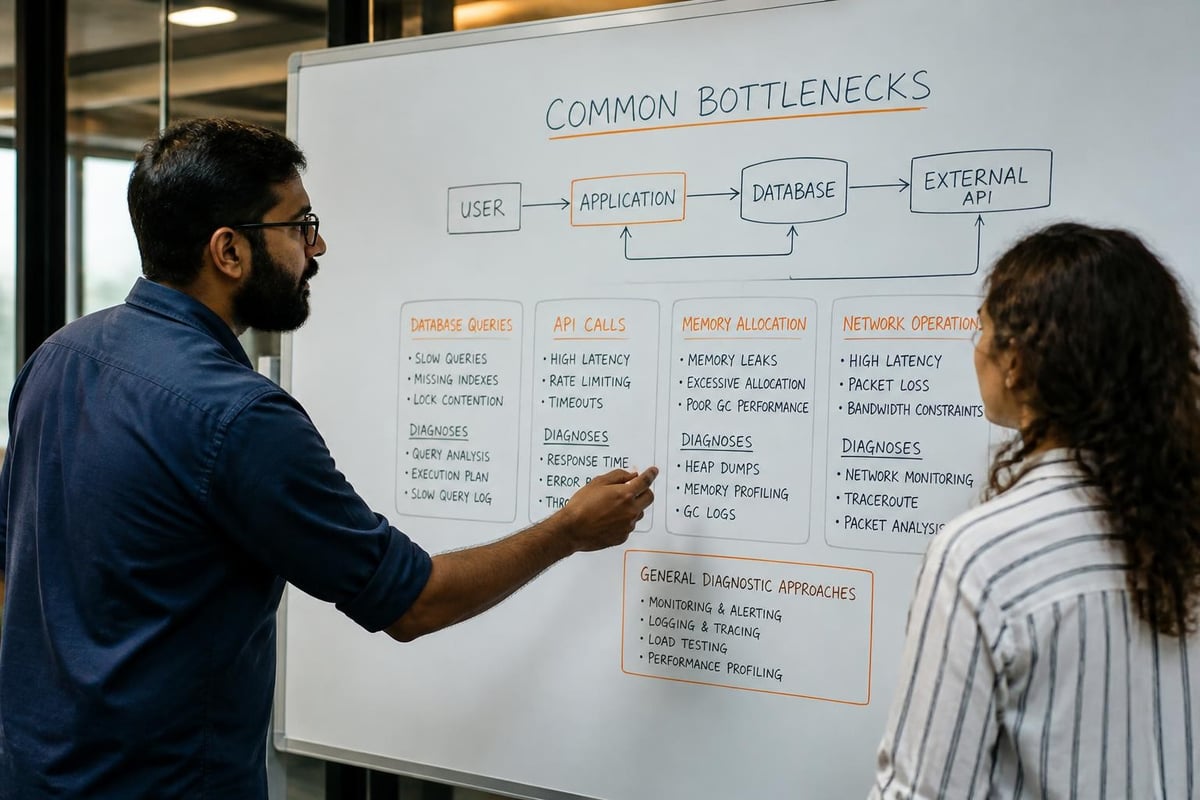
Performance bottlenecks occur at specific points in the system architecture where resources become constrained or inefficient processing occurs. Identifying bottlenecks requires systematic analysis of performance data.
Database Query Performance
Inefficient database queries represent the most common performance bottleneck in business applications. Missing indexes force full table scans that slow exponentially as data grows. N+1 query problems execute hundreds of individual queries instead of efficient joins. Unoptimized queries retrieve unnecessary data or perform calculations better handled in application code.
Database bottlenecks manifest as slow transaction processing and timeouts during peak usage. Query execution plans reveal whether databases use indexes effectively. Connection pool exhaustion occurs when applications hold database connections longer than necessary.
Inefficient Algorithm Implementation
Poorly chosen algorithms create performance problems that worsen with scale. An O(n²) sorting algorithm performs acceptably with 100 records but becomes unusable with 10,000 records. Recursive algorithms without memoization recalculate identical results repeatedly. Synchronous processing blocks threads while waiting for I/O operations.
Memory Management Issues
Memory leaks gradually consume available RAM until applications crash or require restarts. Applications that fail to dispose of objects properly accumulate unused memory allocations. Excessive object creation triggers frequent garbage collection pauses that interrupt processing.
Large object graphs loaded entirely into memory exhaust available RAM. Applications processing files or datasets should stream data rather than loading everything simultaneously.
Network Latency and I/O
Network round trips between application tiers create cumulative delays. Applications making sequential API calls accumulate latency for each request. Synchronous calls to external services block processing until responses return.
Inefficient serialization formats increase data transfer times. JSON or XML payloads consume more bandwidth than binary formats for equivalent data. Uncompressed data transfers waste network capacity.
Resource Contention
Multiple processes competing for shared resources create bottlenecks. File locks prevent parallel processing. Thread pool exhaustion occurs when all available threads wait for I/O operations. CPU-bound tasks running on systems without adequate cores create processing queues.
How Do You Optimize Software Performance?
Software performance optimization follows a systematic process of measurement, analysis, targeted improvements, and verification. Optimization requires evidence-based decisions guided by performance data.
Profile Code Execution
Use profiling tools to identify which code paths consume the most execution time. Profilers instrument applications to measure function call frequency and duration. CPU profiling reveals compute-intensive operations. Memory profiling identifies allocation patterns and potential leaks.
Focus optimization efforts on code paths with the highest impact. The 80/20 rule typically applies where 20% of code accounts for 80% of execution time. Optimizing frequently executed code paths yields greater returns than improving rarely used functions.
Implement Caching Strategies
Caching stores frequently accessed data in fast-access storage to reduce expensive operations. Application-level caching keeps computed results in memory for reuse. Database query caching stores result sets to avoid repeated query execution. Distributed caching shares cached data across multiple application instances using Redis or Memcached.
Cache invalidation strategies ensure users receive current data. Time-based expiration removes cached items after a specified duration. Event-based invalidation clears cache entries when underlying data changes. Least Recently Used (LRU) eviction removes oldest cache entries when memory limits are reached.
Optimize Database Performance
Database optimization encompasses schema design, indexing, and query tuning. Create indexes on columns used in WHERE clauses, JOIN conditions, and ORDER BY statements. Composite indexes support queries filtering on multiple columns. Avoid over-indexing as indexes slow INSERT and UPDATE operations.
Query optimization techniques include:
- Select only required columns instead of using SELECT *
- Use JOIN operations instead of multiple separate queries
- Implement pagination for large result sets
- Use database views for complex frequently-executed queries
- Partition large tables to improve query performance
- Implement read replicas to distribute query load
Connection pooling reduces overhead by reusing database connections. Configure pool sizes based on concurrent user counts and query execution times.
Implement Asynchronous Processing
Asynchronous operations improve responsiveness by not blocking threads during I/O operations. Replace synchronous API calls with async/await patterns. Queue long-running tasks for background processing using message queues. Implement event-driven architectures where components communicate through events rather than direct calls.
Background job processing handles time-intensive operations outside request cycles. Email sending, report generation, and data exports execute asynchronously while users continue working.
Reduce Payload Sizes
Minimize data transferred between application tiers and to clients. Implement data compression for API responses. Remove unnecessary fields from API payloads. Use pagination to limit result set sizes. Implement lazy loading to retrieve data only when needed.
Image optimization reduces transfer sizes significantly. Serve appropriately sized images rather than full-resolution originals. Use modern formats like WebP for better compression. Implement responsive images that deliver different sizes based on device capabilities.
Apply Code-Level Optimizations
Software optimization techniques include algorithm improvements, data structure selection, and eliminating redundant operations. Replace linear searches with hash-based lookups. Use string builders for concatenation in loops. Implement object pooling for frequently created instances.
Minimize reflection and late binding in performance-critical code paths. Compile regular expressions used repeatedly. Avoid premature optimization but address known inefficiencies during development.
What Performance Monitoring Should Be Continuous?
Continuous performance monitoring detects issues before they impact users and provides data for capacity planning. Production monitoring differs from development testing by capturing real user behavior and system conditions.
Real-Time Performance Metrics
Monitor key performance indicators continuously:
- Application response times: Track P50, P95, and P99 percentiles to understand typical and worst-case performance
- Error rates: Alert on increases in failed requests or transactions
- Resource utilization: Monitor CPU, memory, disk I/O across all infrastructure components
- Database performance: Track query execution times, connection pool usage, slow query logs
- External dependency health: Monitor API response times and availability
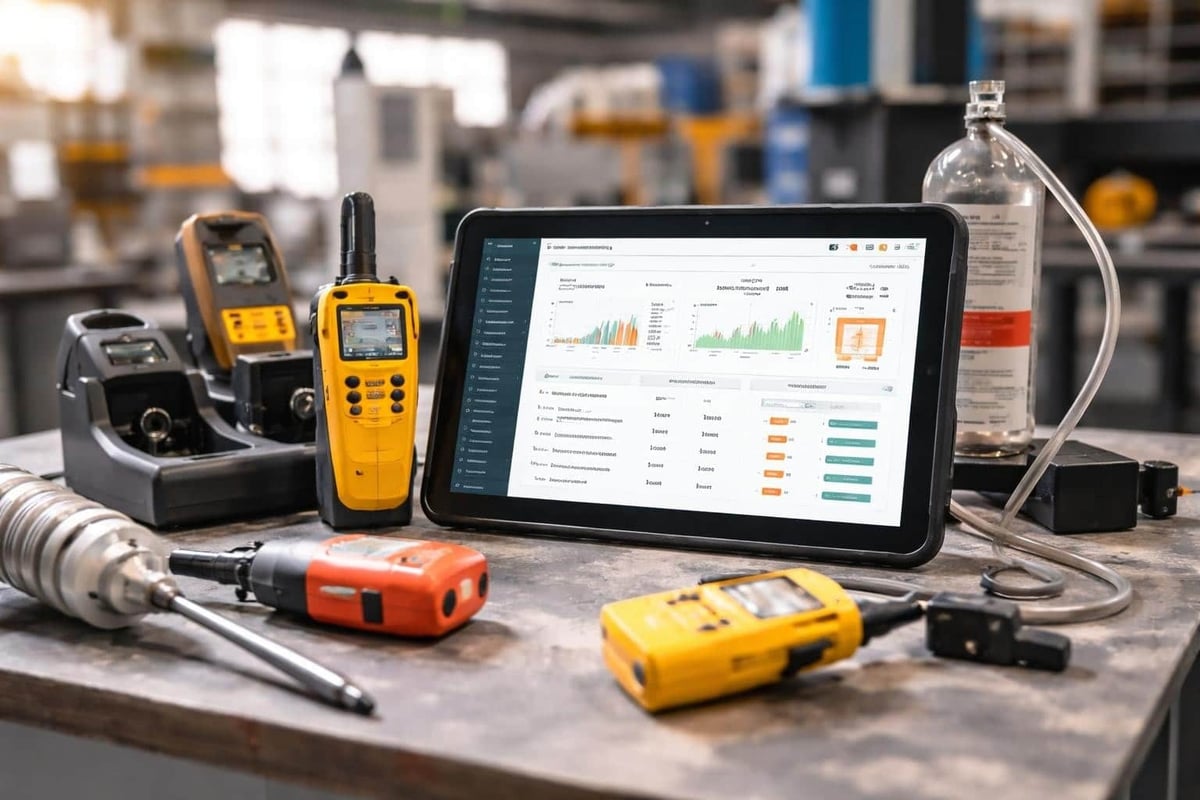
Brytend's custom software solutions incorporate performance monitoring from initial development, ensuring applications maintain optimal speed and efficiency throughout their lifecycle. The Brytend Service Module demonstrates this approach by tracking system health metrics and automating maintenance reminders based on performance thresholds.
Alerting Thresholds
Configure alerts for performance degradation. Set thresholds based on baseline measurements and service level objectives (SLOs). Alert when response times exceed acceptable limits or error rates rise above normal levels. Implement multi-level alerts that escalate based on severity and duration.
Avoid alert fatigue by tuning thresholds to minimize false positives. Use dynamic baselines that account for expected variations in traffic patterns.
Performance Trend Analysis
Track performance trends over time to identify gradual degradation. Compare current metrics against historical data. Correlate performance changes with deployments, configuration changes, or infrastructure modifications.
Capacity planning uses trend data to predict when systems will require additional resources. Proactive scaling prevents performance degradation as demand grows.
What Common Mistakes Reduce Software Performance?
Performance problems often result from preventable mistakes during development and deployment. Recognizing common anti-patterns helps teams avoid performance pitfalls.
Premature optimization wastes effort optimizing code before identifying actual bottlenecks. Focus optimization on measured performance problems rather than theoretical concerns. However, some argue that software optimization has become a lost art as development practices prioritize speed over efficiency.
Ignoring performance during development creates expensive fixes later. Performance testing should occur throughout development cycles. Addressing performance issues in production requires more time and resources than preventing them during initial development.
Insufficient load testing fails to reveal how systems behave at scale. Test with production-like data volumes and user concurrency. Verify performance under peak load conditions, not just average usage.
Over-engineering solutions adds complexity without performance benefits. Simple solutions often perform better than complex architectures. Microservices architectures introduce network latency and coordination overhead that may not justify perceived scalability benefits.
Ignoring external dependencies creates blind spots in performance monitoring. Third-party APIs, external databases, and cloud services impact overall system performance. Monitor and set timeouts for all external calls. Implement circuit breakers to prevent cascading failures.
Failing to establish baselines prevents measuring optimization impact. Document current performance before making changes. Verify improvements with objective measurements rather than subjective assessments.

| Approach | Response Time | Development Cost | Maintenance Overhead | Scalability |
|---|---|---|---|---|
| Manual optimization without monitoring | Variable | High | High | Poor |
| Automated monitoring with data-driven optimization | Consistent | Moderate | Low | Good |
| Proactive performance engineering | Fast | Moderate-High | Low | Excellent |
How Does Performance Testing Integrate Into Development?
Performance testing should begin early in development and continue throughout the software lifecycle. Integration into development workflows prevents performance problems rather than fixing them after deployment.
Automated Performance Testing
Include performance tests in continuous integration pipelines. Automated tests run with each code commit to detect regressions immediately. Set performance budgets that fail builds when response times or resource usage exceed thresholds.
Performance test automation requires:
- Establishing performance test scenarios representing critical user workflows
- Defining acceptance criteria for response times and throughput
- Configuring test environments matching production specifications
- Running tests automatically on code commits or scheduled intervals
- Generating performance reports comparing results to baselines
Development Environment Profiling
Developers should profile code locally during development. Profiling tools identify performance issues before code review. Local profiling catches obvious problems like N+1 queries or inefficient loops.
Development environment profiling limitations include smaller data sets and reduced infrastructure compared to production. Supplement local profiling with staging environment testing using production-like data volumes.
Staging Environment Validation
Conduct comprehensive performance testing in staging environments before production deployment. Staging environments should mirror production infrastructure specifications. Load testing in staging reveals how applications perform under realistic conditions.
Staging validation includes stress testing to identify breaking points and endurance testing to detect memory leaks. Verify auto-scaling configurations and database performance under load.
Production Performance Monitoring
Production monitoring provides the ultimate performance validation. Real user traffic patterns and data distributions differ from synthetic tests. Monitor production performance continuously to detect issues immediately.
Implement feature flags to gradually roll out changes while monitoring performance impact. Rollback capabilities enable quick recovery if performance degrades after deployment.
What Tools Support Performance Optimization?
Performance optimization requires specialized tools for measurement, analysis, and monitoring. Tool selection depends on technology stack, deployment environment, and monitoring requirements.
Application Performance Monitoring (APM) platforms provide comprehensive visibility into application behavior. New Relic, Datadog, and AppDynamics offer transaction tracing, code-level diagnostics, and infrastructure monitoring. These platforms instrument applications to capture detailed performance data automatically.
Profiling tools analyze code execution at the function level. Language-specific profilers like Visual Studio Profiler for .NET, Java VisualVM, or Python cProfile identify performance hotspots. CPU profilers reveal compute-intensive code paths. Memory profilers detect allocation patterns and leaks.
Database performance tools optimize query execution. Database-specific tools like PostgreSQL EXPLAIN, MySQL Query Profiler, or SQL Server Query Store analyze execution plans. Index recommendations identify missing indexes. Query optimization advisors suggest rewrites for improved performance.
Load testing platforms simulate user traffic. Apache JMeter, Gatling, and K6 generate concurrent requests to measure system capacity. Cloud-based services like BlazeMeter provide infrastructure for large-scale load tests.
Synthetic monitoring tools test application performance from external locations. Pingdom, UptimeRobot, and StatusCake measure availability and response times from user perspectives. Synthetic tests detect issues before users report problems.
Infrastructure monitoring solutions track server and network performance. Prometheus, Grafana, and Nagios monitor CPU, memory, disk, and network metrics. Container orchestration platforms like Kubernetes include built-in monitoring for containerized applications.
How Do Performance Requirements Vary by Application Type?
Different application categories prioritize distinct performance characteristics. Understanding application-specific requirements guides optimization efforts and monitoring strategies.
Web applications prioritize page load times and interactivity. First Contentful Paint (FCP) measures when users see initial content. Time to Interactive (TTI) indicates when pages respond to user input. Core Web Vitals define Google's performance standards affecting search rankings.
API services focus on response time consistency and throughput. RESTful APIs should respond within 200-500 milliseconds for standard queries. GraphQL resolvers must execute efficiently to prevent N+1 problems. Rate limiting prevents individual clients from degrading overall system performance.
Real-time systems require predictable latency with minimal variance. Industrial control systems demand millisecond response times. Trading platforms need microsecond execution speeds. Serialized inventory tracking in manufacturing requires instant updates across systems to maintain accuracy.
Batch processing systems optimize for throughput over individual transaction speed. Data transformation pipelines process millions of records efficiently. ETL operations maximize resource utilization during scheduled windows.
Mobile applications balance performance with battery consumption. Efficient network usage minimizes data transfer costs. Lazy loading conserves memory on resource-constrained devices. Background task optimization prevents battery drain.
What Role Does Architecture Play in Software Performance?
System architecture fundamentally determines performance capabilities and optimization options. Architectural decisions made early in development have lasting performance implications.
Monolithic architectures keep all application components in a single deployable unit. This simplifies deployment and reduces network latency between components. However, scaling requires replicating the entire application even when only specific components need additional capacity.
Microservices architectures distribute functionality across independent services. This enables independent scaling of individual components. However, network communication between services introduces latency. Distributed tracing becomes essential for identifying performance bottlenecks across service boundaries.
Serverless architectures eliminate infrastructure management but introduce cold start latencies. Functions that execute infrequently experience initialization delays. Connection pooling becomes challenging when execution contexts are ephemeral. Serverless works well for event-driven workloads with variable demand.
Cache-aside pattern improves read performance by checking cache before database queries. Applications attempt cache retrieval first, loading from database only on cache misses. Write-through caching updates both cache and database simultaneously to maintain consistency.
Event-driven architectures decouple components through asynchronous messaging. This improves responsiveness by avoiding blocking operations. Message queues buffer workload spikes, preventing system overload. However, eventual consistency requires careful handling of data dependencies.
Case Example: E-Commerce Platform Performance Optimization
An e-commerce platform experienced slow checkout times during peak traffic periods. Average checkout completion took 8 seconds, causing 23% cart abandonment during sales events.
Performance analysis revealed three primary bottlenecks. Database queries executed without proper indexing, performing full table scans on order tables containing millions of records. Product recommendation API calls blocked request processing, adding 3-second delays per checkout. Image assets loaded at full resolution regardless of display size, consuming excessive bandwidth.
Optimization efforts focused on these specific issues. Adding composite indexes on order tables reduced query execution from 2.1 seconds to 140 milliseconds. Implementing asynchronous processing for product recommendations removed blocking delays. Image optimization and content delivery network (CDN) implementation reduced page weight by 67%.
Results showed checkout completion time dropped to 2.3 seconds. Cart abandonment during peak periods decreased to 8%. Infrastructure costs decreased by 31% as improved efficiency reduced required server capacity.
Software performance optimization requires systematic measurement, data-driven analysis, and targeted improvements across application code, database queries, and system architecture. Organizations that implement continuous performance monitoring and testing throughout development cycles deliver applications that scale efficiently and meet business objectives. Brytend specializes in building custom software solutions with performance engineered from initial design through deployment and ongoing maintenance, ensuring your applications deliver optimal speed and efficiency as your business grows.
Frequently Asked Questions About Software Performance
What is software performance?
Software performance describes how well an application responds under real-world conditions — response time, throughput, resource usage, and stability under load — and directly affects user satisfaction and infrastructure cost.
How do you measure software performance?
Teams typically track response time (latency), throughput (requests handled per second), error rate, and resource utilization (CPU, memory), measured under realistic load rather than only in idle conditions.
What causes poor software performance?
The most common causes are inefficient database queries, unoptimized code paths, insufficient caching, poor infrastructure sizing, and architecture that does not scale horizontally as usage grows.
Is software performance the same as software productivity?
No. Software performance measures how well the finished application runs. Software productivity measures how efficiently the team that builds it works. The two are related but tracked with different metrics and owned by different conversations.