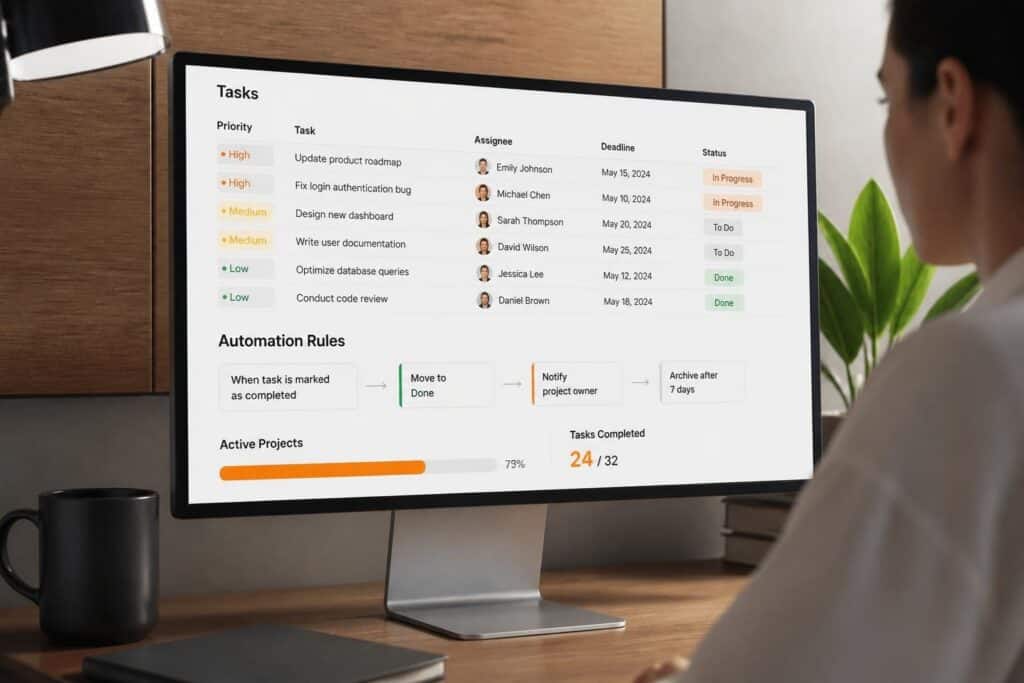
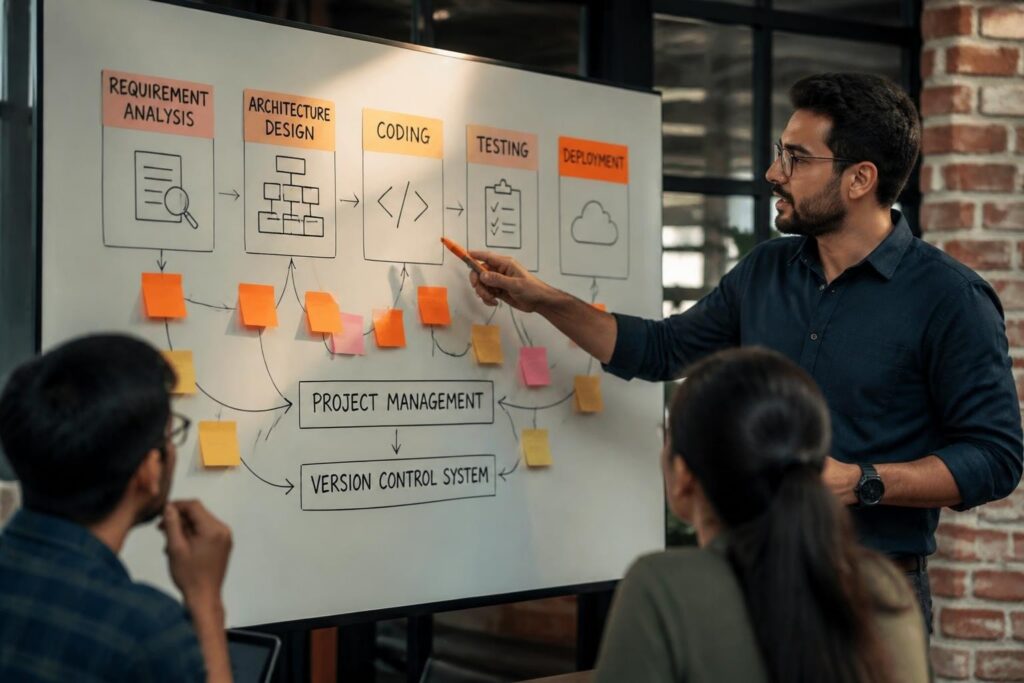
Task and project management software is a digital platform that enables teams to plan, execute, track, and complete work through centralized task assignment, scheduling, progress monitoring, and resource allocation tools. Organizations across industries use these systems to reduce manual coordination overhead, improve deadline adherence, and maintain visibility into concurrent initiatives. The software category spans simple task lists to enterprise platforms managing portfolios of interconnected projects with dependencies, budgets, and cross-functional teams.
TL;DR:
- Task and project management software centralizes planning, execution tracking, and resource management in a single platform
- Core functionality includes task assignment, deadline tracking, dependency mapping, progress visualization, and team collaboration
- Organizations achieve 20-35% productivity gains through automated workflow management and reduced manual status reporting
- Selection criteria include scalability, integration capabilities, customization depth, and alignment with existing business processes
- Implementation requires clear process definition, user training, data migration planning, and continuous optimization
What Is Task and Project Management Software?
Task and project management software is a digital system that consolidates work planning, execution tracking, and team coordination into a centralized platform with structured data models for tasks, projects, resources, and timelines. The software enables users to create work items, assign responsibility, set deadlines, define dependencies, track progress, and generate reports. Organizations deploy these systems to replace fragmented communication across email, spreadsheets, and meetings with a single source of truth for project status and deliverables.
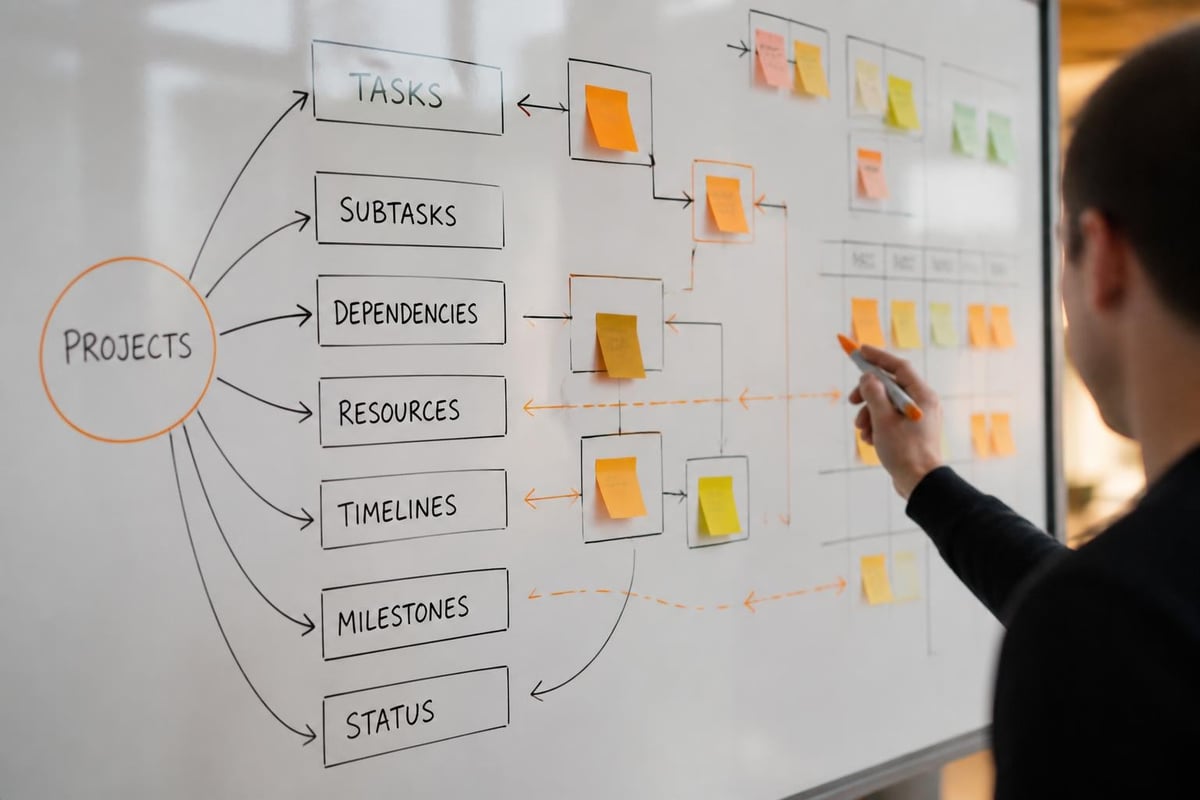
The fundamental data structure includes projects as containers, tasks as atomic work units, and resources as people or assets allocated to complete work. Users create hierarchical relationships between projects and tasks, establish predecessor-successor dependencies, and assign ownership. The system tracks state transitions (not started, in progress, blocked, complete) and calculates derived metrics like completion percentage, schedule variance, and resource utilization.
Modern platforms extend beyond simple task lists to support agile methodologies, Gantt charts, kanban boards, time tracking, budget management, and automated notifications. Best project management software platforms integrate with communication tools, file storage, calendar systems, and business intelligence applications to create unified workflows.
Core Components of Task and Project Management Software
The architecture consists of six primary subsystems that work together to manage the complete project lifecycle:
Data Management Layer:
- Project database storing hierarchical work structures
- Task attributes including title, description, assignee, due date, priority, status, estimated effort
- Dependency engine tracking prerequisite relationships and constraint propagation
- Version control for project plans and configuration changes
User Interface Layer:
- List views displaying tasks in tabular format with filters and sorting
- Board views presenting tasks as cards across status columns
- Timeline views showing tasks on calendar or Gantt chart
- Dashboard views aggregating metrics across projects
Workflow Automation:
- Rule-based triggers executing actions when conditions are met
- Template systems for recurring project structures
- Notification engine sending alerts for assignments, due dates, mentions, status changes
- Integration APIs connecting external systems
| Component | Function | User Interaction |
|---|---|---|
| Task Editor | Define work items with full metadata | Create, update, delete tasks |
| Assignment Engine | Map tasks to responsible parties | Select users, set permissions |
- Dependency Manager | Link tasks with relationships | Define predecessors, successors |
| Progress Tracker | Record completion status | Update percent complete, mark done |
| Report Generator | Aggregate data into insights | Configure filters, export results |
How Does Task and Project Management Software Work?
Task and project management software operates through a workflow that begins with project creation, proceeds through task definition and execution, and concludes with completion tracking and analysis. The system maintains a real-time database of all work items, their current state, and their relationships to other items.
Step-by-Step Workflow Process
1. Project Initialization
Create a new project container with defined scope, objectives, start date, end date, budget, and assigned project manager. Configure project-level settings including access permissions, workflow states, and custom fields.
2. Work Breakdown
Decompose the project into discrete tasks with specific deliverables. Define task attributes: title, description, assignee, start date, due date, estimated hours, priority level, tags, and custom metadata. Organize tasks into phases, milestones, or categories.
3. Dependency Mapping
Establish predecessor-successor relationships between tasks using finish-to-start, start-to-start, finish-to-finish, or start-to-finish dependencies. The system automatically calculates critical path and adjusts downstream dates when predecessor tasks shift.
4. Resource Allocation
Assign team members to tasks based on availability, skills, and workload capacity. The platform tracks resource allocation across projects to identify overallocation and bottlenecks. Some systems include skill matrices and capacity planning tools.
5. Execution and Tracking
Team members update task status, log time worked, add comments, attach files, and move tasks through workflow states. The system sends notifications to relevant stakeholders when tasks are reassigned, commented on, blocked, or completed.
6. Monitoring and Adjustment
Project managers review dashboards showing completion percentage, overdue tasks, upcoming deadlines, and resource utilization. They adjust assignments, timelines, or priorities based on actual progress versus planned schedule.
7. Reporting and Analysis
Generate reports on project health, team performance, time allocation, and budget consumption. Export data for executive reporting, client updates, or post-project retrospectives.
Organizations using task management apps typically see immediate improvements in task completion rates and deadline adherence. The transparency created by centralized tracking reduces confusion about ownership and status.

Why Use Task and Project Management Software?
Organizations implement task and project management software to solve coordination failures that emerge when team size, project complexity, or concurrent initiatives exceed the capacity of informal communication methods. The software creates structured accountability, reduces information asymmetry, and automates routine administrative work.
Quantifiable Business Benefits
Productivity Gains:
Teams eliminate 15-20 hours per week spent in status meetings, email updates, and manual progress tracking. Automated notifications replace manual follow-up, and centralized task lists eliminate the need to search across email threads and chat messages for action items.
Schedule Adherence:
Organizations report 25-40% improvement in on-time delivery rates after implementing structured task tracking. Visibility into dependencies prevents delays from cascading, and early warning indicators allow proactive intervention before deadlines are missed.
Resource Optimization:
Real-time workload visibility enables balanced allocation across team members. Managers identify idle capacity and redistribute work from overloaded resources. This optimization typically increases effective utilization by 15-25%.
Quality Improvement:
Standardized workflows with defined review gates reduce defects and rework. Task checklists ensure consistent execution of complex procedures. Documentation requirements embedded in tasks create audit trails for compliance and knowledge transfer.
Scalability:
The platform supports organizational growth without proportional increases in management overhead. New team members onboard faster by viewing established workflows and task histories. Remote and distributed teams coordinate effectively through asynchronous task updates.
Common Business Scenarios
Software Development:
Engineering teams manage feature development through sprint planning, backlog prioritization, and release tracking. Each user story becomes a task with acceptance criteria, assigned developer, and linked code commits. The system tracks bugs, technical debt, and testing requirements.
Professional Services:
Consulting firms manage multiple client engagements simultaneously, allocating staff across projects based on skills and availability. Time tracking against tasks enables accurate billing and profitability analysis. Client deliverables are tracked as milestones with automated status reporting.
Manufacturing Operations:
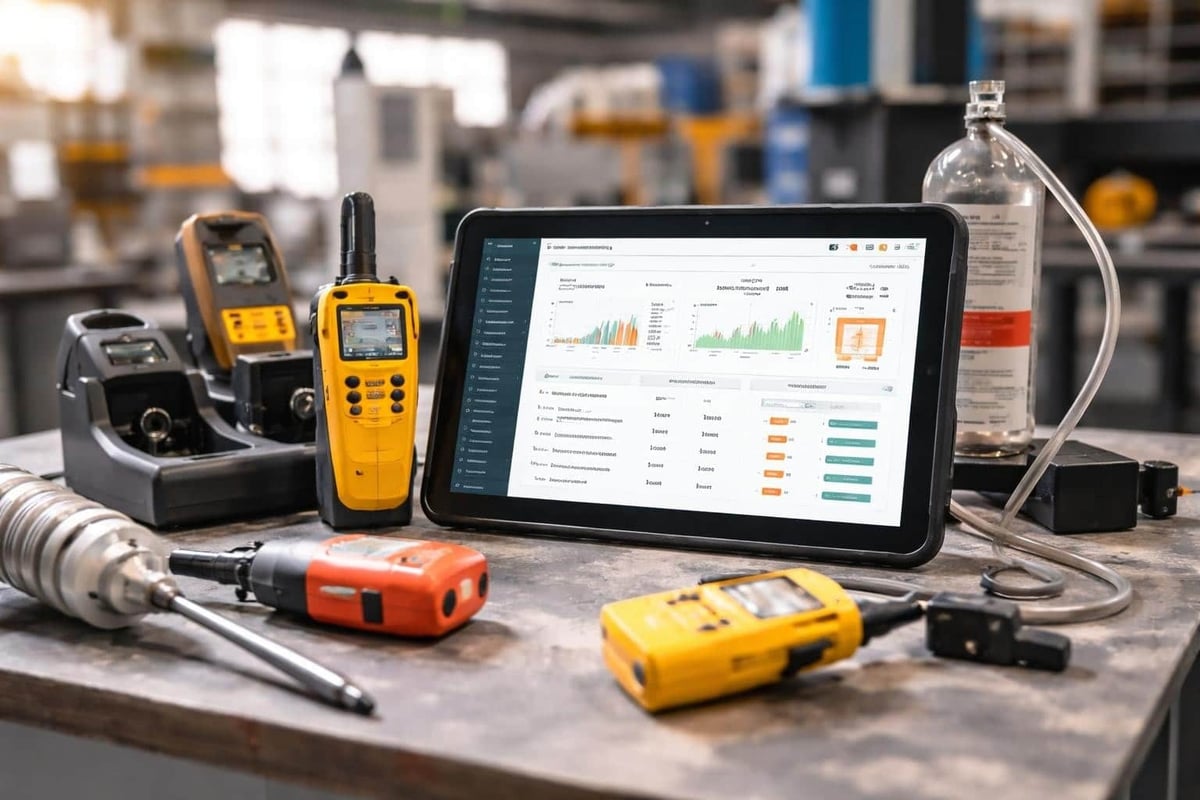
Production teams coordinate equipment maintenance, quality inspections, and inventory management through serialized task assignments. Service technicians receive work orders with detailed instructions, parts lists, and completion checklists. Compliance documentation is automatically generated from task completion records.
For organizations managing equipment lifecycle and maintenance schedules, Brytend Service Module provides specialized functionality for serialized inventory tracking, automated service reminders, and certificate generation that complements general task management with asset-specific workflows.
What Are the Types of Task and Project Management Software?
Task and project management software divides into distinct categories based on methodology, deployment model, and functional scope. Organizations select platforms aligned with their project characteristics, team structure, and process maturity.
Methodology-Based Categories
| Type | Best For | Key Features | Limitations |
|---|---|---|---|
| Kanban Boards | Continuous workflows | Visual columns, WIP limits, flow metrics | Limited long-term planning |
| Agile/Scrum | Software development | Sprints, backlogs, burndown charts, velocity | Requires trained teams |
| Waterfall/Gantt | Sequential projects | Dependencies, critical path, resource leveling | Less flexible for changes |
| Hybrid Platforms | Diverse project types | Multiple views, configurable workflows | Complexity requires training |
Kanban Systems:
Tasks flow through predefined stages represented as columns (backlog, in progress, review, done). Teams limit work-in-progress to maintain flow and identify bottlenecks. Suitable for support operations, marketing campaigns, and content production.
Agile Platforms:
Structured around two-week sprints with backlog grooming, sprint planning, daily standups, and retrospectives. Features include story points, velocity tracking, burndown charts, and release planning. Designed for iterative software development.
Traditional Project Management:
Gantt charts display tasks on timelines with dependencies creating critical path networks. Resource histograms show allocation over time. Budget tracking compares planned versus actual costs. Used in construction, engineering, and large-scale implementations.
Work Management Platforms:
Flexible systems supporting multiple methodologies through configurable workflows, custom fields, and view options. Teams choose kanban, list, calendar, or timeline views per project. Suitable for organizations with diverse project types.
Deployment and Integration Models
Cloud-Based SaaS:
Browser-accessed platforms with automatic updates, mobile apps, and subscription pricing. Examples include centralized data storage, real-time collaboration, and integration marketplaces. Organizations avoid infrastructure management but accept vendor data control.
On-Premises Solutions:
Self-hosted platforms installed on company servers with full data ownership and customization capability. Requires IT resources for maintenance, updates, and security. Chosen for regulated industries with data sovereignty requirements.
Open-Source Platforms:
Community-developed software with source code access enabling unlimited customization. Organizations must manage hosting, updates, and security. Total cost of ownership includes development and maintenance effort.
How Do You Select Task and Project Management Software?
Selection requires mapping software capabilities against organizational requirements through a structured evaluation process. Organizations assess functional fit, technical compatibility, cost structure, and vendor viability.
Selection Criteria Framework
1. Functional Requirements
Identify must-have capabilities based on project types, team size, and process complexity. Core requirements include task creation, assignment, deadline tracking, and basic reporting. Advanced needs may include resource management, time tracking, budget control, portfolio management, custom workflows, and API access.
2. User Experience
Evaluate interface design, mobile accessibility, learning curve, and user adoption barriers. Request trial access for representative team members. Measure time required to complete common workflows: creating tasks, updating status, generating reports. Interface complexity should match user technical proficiency.
3. Integration Ecosystem
Map existing technology stack including email, calendar, file storage, communication tools, accounting systems, and CRM platforms. Verify native integrations or API availability for critical systems. Data synchronization requirements determine integration depth. Project management tools increasingly offer extensive integration marketplaces.
4. Scalability Parameters
- Maximum projects, tasks, and users supported
- Performance with large datasets (10,000+ tasks)
- Multi-team and multi-department capabilities
- Portfolio management across related projects
- Role-based access control granularity
5. Customization Flexibility
Assess ability to define custom fields, workflows, task types, and reporting templates. Determine if platform accommodates unique business processes or requires process adaptation to software constraints. Evaluate trade-off between out-of-box simplicity and configuration complexity.
6. Cost Structure Analysis
| Cost Component | Considerations |
|---|---|
| Licensing | Per-user pricing, tiered plans, minimum commitments |
| Implementation | Setup, migration, training, configuration services |
| Integration | API development, third-party connector costs |
| Maintenance | Updates, support contracts, administrator training |
| Hidden Costs | Storage overages, premium features, additional modules |
7. Vendor Evaluation
Research company financial stability, product roadmap, customer support quality, and user community size. Review update frequency and feature release history. Examine data export options and contract termination procedures to avoid vendor lock-in.
Common Selection Mistakes
Organizations frequently underestimate change management requirements, selecting feature-rich platforms that overwhelm users and achieve low adoption. Overemphasis on comprehensive functionality creates complexity that slows daily workflows. Teams abandon sophisticated tools for simpler alternatives that better match actual usage patterns.
Insufficient integration planning results in data silos where project information exists separately from related business data in other systems. Manual data transfer between platforms reintroduces coordination overhead the software was meant to eliminate.
Neglecting customization requirements during evaluation leads to post-purchase frustration when standard workflows don't align with established business processes. Organizations either adapt processes to software constraints or invest in expensive customization work.
Forbes guidance on project management tool selection emphasizes matching tool capabilities to actual project requirements rather than selecting platforms with maximum feature lists.
What Are Implementation Best Practices for Task and Project Management Software?
Successful implementation requires systematic planning, process definition, user training, and continuous optimization. Organizations achieve higher adoption rates and faster value realization through structured rollout approaches.
Implementation Roadmap
Phase 1: Planning and Process Design (Weeks 1-2)
Document current project management workflows including task creation, assignment, status updates, and reporting. Identify pain points and inefficiencies. Define future-state processes aligned with software capabilities. Establish success metrics: task completion rate, on-time delivery percentage, time spent on status reporting, user adoption rate.
Phase 2: System Configuration (Weeks 3-4)
Configure project templates, workflow states, custom fields, user roles, and notification rules. Import user accounts and team structures. Establish naming conventions for projects, tasks, and tags. Create standard operating procedures documenting task creation, assignment, update, and completion workflows.
Phase 3: Data Migration (Week 5)
Transfer active projects and tasks from existing systems. Prioritize current work over historical data. Validate data accuracy after migration. Archive completed projects separately to avoid cluttering active workspace.
Phase 4: Pilot Testing (Weeks 6-7)
Select 2-3 representative projects and teams for initial deployment. Gather feedback on usability issues, missing functionality, and process gaps. Refine configuration based on pilot results. Document lessons learned and update training materials.
Phase 5: Training and Rollout (Weeks 8-10)
Conduct role-based training sessions: project managers, team members, executives. Create reference guides, video tutorials, and FAQ documentation. Deploy to remaining teams in phased approach. Provide dedicated support during initial weeks.
Phase 6: Optimization (Ongoing)
Monitor usage analytics to identify underutilized features and workflow bottlenecks. Gather user feedback quarterly. Implement process improvements and configuration adjustments. Review integration opportunities with new systems.
Configuration Best Practices
Start Simple:
Deploy minimal viable configuration with core task and project functionality. Avoid overwhelming users with advanced features during initial rollout. Add workflow automation, custom fields, and reporting complexity incrementally as users build proficiency.
Standardize Processes:
Establish consistent task naming conventions, status definitions, and priority levels across teams. Create project templates for recurring work types. Document standard workflows to ensure consistent execution.
Automate Routine Work:
Configure automated notifications for assignments, due dates, and overdue tasks. Create rules for recurring task generation. Set up automatic status updates based on task progression through workflow stages.
Maintain Data Quality:
Enforce required fields for critical task metadata. Implement regular cleanup of obsolete projects and orphaned tasks. Archive completed work to separate workspace. Monitor duplicate task creation and consolidate.
What Are Common Challenges with Task and Project Management Software?
Organizations encounter predictable obstacles during adoption and ongoing operation of task and project management software. Understanding these challenges enables proactive mitigation strategies.
User Adoption Resistance
Team members resist new systems that increase perceived workload or change established habits. Entering task updates feels like administrative overhead rather than productive work. Users revert to familiar tools like email and spreadsheets when faced with complex interfaces or unclear workflows.
Mitigation Approaches:
- Demonstrate time savings from reduced status meetings and email updates
- Simplify task entry to 30 seconds or less for basic updates
- Integrate software into existing workflows rather than creating parallel processes
- Recognize and reward consistent usage during initial adoption period
- Assign champions within teams to provide peer support
Data Accuracy and Completeness
Task information becomes stale when team members don't update progress regularly. Optimistic status reporting hides actual delays until deadlines are missed. Incomplete task descriptions create confusion about deliverables and acceptance criteria.
Quality Control Measures:
- Daily or weekly status update requirements
- Automated reminders for overdue task updates
- Manager review of reported progress against observable outputs
- Required fields for critical task metadata
- Regular audits identifying inactive or abandoned tasks
Process Overhead
Excessive workflow complexity creates bottlenecks where tasks await approvals or reviews. Too many required fields slow task creation. Notification overload desensitizes users to important alerts. Teams spend more time managing the system than executing work.
Optimization Strategies:
- Review and simplify approval workflows quarterly
- Minimize required fields to essential information only
- Configure intelligent notification rules reducing alert volume
- Provide fast-path workflows for routine, low-risk tasks
- Measure administrative time spent on system maintenance
Integration Gaps
Disconnected systems require manual data entry across platforms. Project management software operates in isolation from CRM, accounting, and communication tools. Information lives in multiple places creating version control issues and reconciliation work.
Integration Solutions:
- Prioritize integrations with most-used systems
- Leverage native connectors where available
- Develop custom API integrations for critical data flows
- Establish authoritative data sources for each information type
- Automate synchronization to eliminate manual transfer
How Is AI Transforming Task and Project Management Software?
Artificial intelligence capabilities are being integrated into task and project management software to automate routine work, predict outcomes, and optimize resource allocation. Generative AI in software project management shows potential for automating task decomposition, estimation, and risk identification.
AI-Powered Capabilities
Intelligent Task Suggestions:
AI analyzes project descriptions and automatically suggests task breakdowns based on similar past projects. The system recommends assignees based on skills, availability, and historical performance. Natural language processing converts meeting notes and emails into structured tasks.
Predictive Analytics:
Machine learning models forecast project completion dates based on current progress velocity and historical patterns. The system identifies tasks at risk of delay by analyzing dependency chains and resource constraints. Predictive algorithms recommend optimal task sequencing to minimize project duration.
Automated Status Reporting:
AI generates executive summaries by analyzing task completion rates, upcoming milestones, and blocker issues. Natural language generation creates status reports without manual writing. Sentiment analysis of team comments identifies morale issues or confusion.
Smart Resource Allocation:
Optimization algorithms balance workload across team members considering skills, preferences, and capacity. The system recommends task reassignment when individuals become overallocated. AI predicts future resource needs based on project pipeline and historical consumption patterns.
Agentic software project management research proposes multi-agent systems that autonomously plan, monitor, and adapt project execution through collaboration with human teams.
Implementation Considerations
AI features require substantial training data to generate accurate predictions. Organizations with limited project history receive less value from predictive analytics. Data quality issues in existing task databases reduce AI effectiveness. Teams must validate AI suggestions rather than accepting them uncritically. Privacy concerns arise when AI analyzes team member communications and performance patterns.
Manual vs. Automated Project Management Comparison
| Aspect | Manual Approach | Automated Software |
|---|---|---|
| Task Assignment | Email or verbal delegation, no central record | Automated notifications, clear ownership tracking |
| Status Tracking | Spreadsheets, status meetings, email threads | Real-time dashboard, automated progress updates |
| Dependency Management | Mental model or hand-drawn diagrams | Automatic critical path calculation, impact analysis |
| Resource Visibility | Manager knowledge of team workload | Capacity planning tools, utilization reports |
| Reporting | Manual data collection, slideware creation | One-click report generation, scheduled distribution |
| Collaboration | Email attachments, version control issues | Centralized file storage, comment threads |
| Historical Analysis | Limited or no project archives | Searchable database of all past projects |
Organizations managing fewer than 10 concurrent tasks per person can function with spreadsheets and email. Task and project management software becomes essential when coordination complexity exceeds human working memory capacity, typically around 20-30 active tasks per team member or 5+ concurrent projects.
Brief Case Example: Manufacturing Service Operations
A precision manufacturing company with 45 technicians manages equipment maintenance across 200 customer sites. Previous spreadsheet-based dispatch resulted in missed service windows, duplicate work orders, and inconsistent documentation.
After implementing task and project management software with serialized asset tracking, the company created service tasks linked to specific equipment units. Automated reminders generated preventive maintenance work orders 30 days before scheduled service dates. Mobile task updates allowed technicians to log completion, attach photos, and capture customer signatures in the field.
Results after six months:
- On-time service completion increased from 68% to 94%
- Average time to locate service history decreased from 15 minutes to 30 seconds
- Duplicate work orders eliminated completely
- Customer satisfaction scores improved 22%
The centralized system provided real-time visibility into technician workload enabling optimized routing and balanced allocation. Compliance documentation requirements were met automatically through task completion checklists and attached certificates.
Task and project management software transforms fragmented coordination into structured workflows with measurable accountability and real-time visibility. Organizations selecting platforms aligned with their project complexity, team structure, and process maturity achieve significant productivity gains and schedule adherence improvements. If your team needs custom software solutions that integrate task management with specialized business processes like equipment tracking, client relationship management, or field service operations, Brytend builds tailored platforms that match your exact workflow requirements and scale with organizational growth.