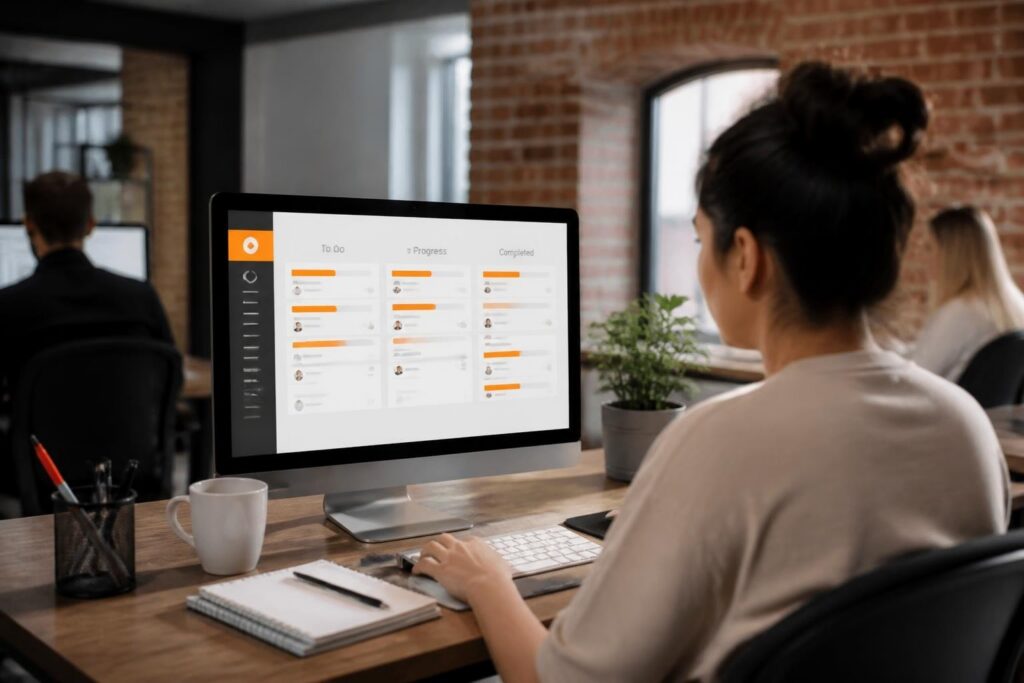
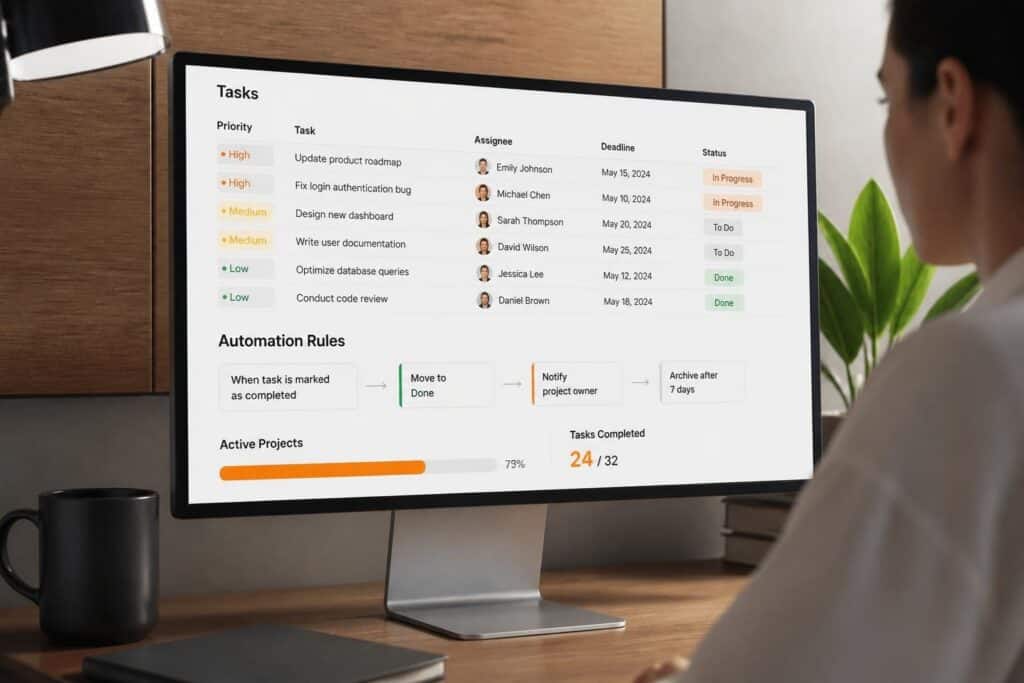
A task tracking app is a software system that records, monitors, and updates the status of discrete work items across individuals or teams. These applications provide structured visibility into who owns each task, what its current state is, and when it should be completed. Businesses use task tracking apps to replace manual tracking methods such as spreadsheets or email chains with centralized, real-time systems that improve accountability and reduce communication overhead.
TL;DR:
- Task tracking apps centralize work visibility and eliminate manual status updates
- Key features include task assignment, priority levels, status workflows, and deadline management
- Effective implementation requires clear task ownership, consistent terminology, and structured workflows
- Integration with existing systems (CRM, email, calendars) reduces duplicate data entry
- Proper configuration supports compliance documentation, audit trails, and performance analysis
What Is a Task Tracking App and How Does It Work
A task tracking app operates as a centralized database where each task is a discrete record containing fields such as title, description, assignee, due date, priority level, and status. Users create tasks, assign them to team members, and update their status as work progresses through defined stages such as "Not Started," "In Progress," "Under Review," and "Completed."
The system maintains a chronological record of all changes, creating an audit trail that documents who performed which actions and when. This historical data supports accountability and enables managers to identify bottlenecks or recurring delays in specific workflow stages.
Core Components of Task Tracking Systems
Modern task tracking apps consist of several interconnected components that work together to manage work items:
- Task database: Stores all task records with associated metadata and relationships
- Assignment engine: Routes tasks to specific users based on roles, skills, or availability
- Status workflow: Defines permitted state transitions and required actions at each stage
- Notification system: Alerts users about assignments, deadlines, and status changes
- Reporting module: Aggregates task data to generate performance metrics and insights
These components integrate through APIs and user interfaces to create a cohesive system that supports various team structures and work methodologies.
How Do You Choose the Right Task Tracking App
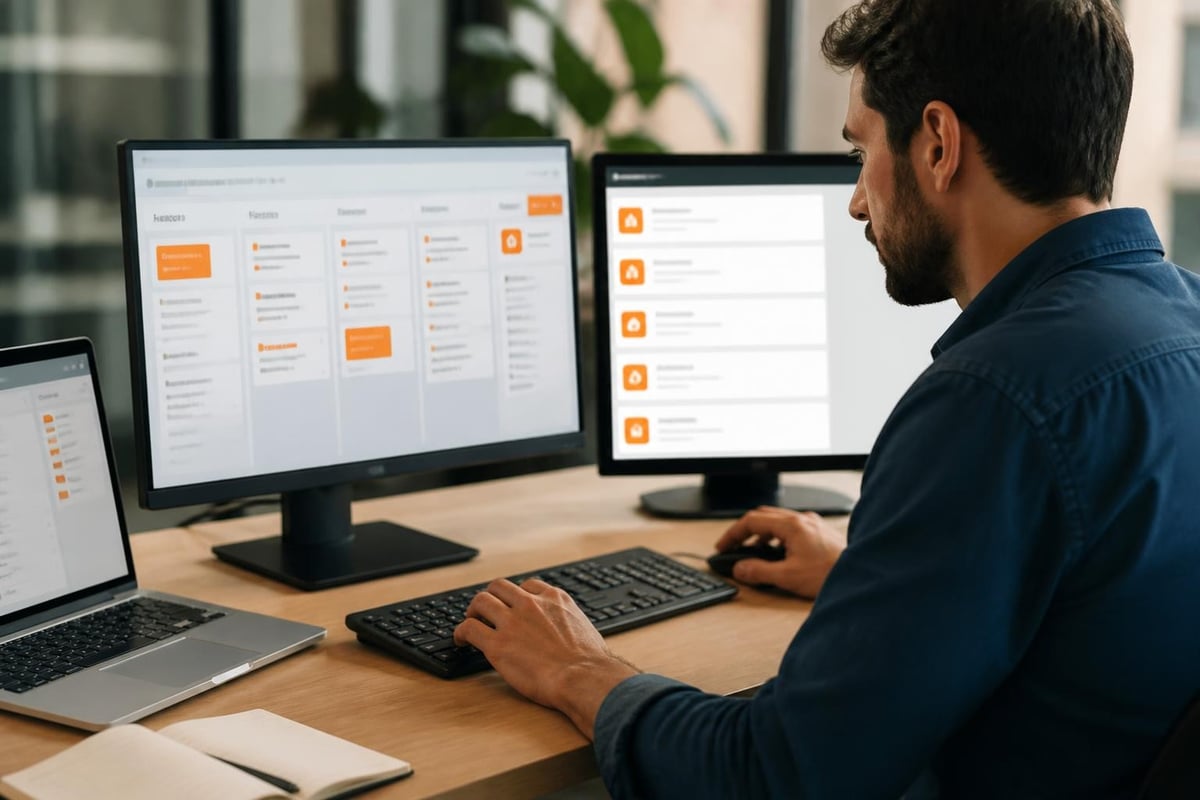
Selection begins with mapping your current workflow and identifying specific pain points in existing task management processes. Document how work currently flows between team members, what information gets lost or duplicated, and where delays consistently occur.
Essential Features to Evaluate
According to best practices for selecting task trackers, the following capabilities determine whether a system meets operational requirements:
| Feature Category | Required Capabilities | Business Impact |
|---|---|---|
| Task ownership | Single assignee, clear responsibility | Eliminates confusion about accountability |
| Priority management | Multiple priority levels, visual indicators | Ensures critical work receives attention |
| Workflow customization | Custom statuses, state transitions | Matches actual business processes |
| Integration options | API access, email integration, calendar sync | Reduces duplicate data entry |
| Reporting tools | Time tracking, completion rates, bottleneck analysis | Enables data-driven management decisions |
| Access control | Role-based permissions, audit logs | Supports security and compliance requirements |
Technical Considerations for Custom Software Teams
Software development teams require specific capabilities that differ from general task management. These include:
- Version control integration: Links tasks to code commits and branches
- Testing workflow support: Tracks defects through identification, reproduction, fix, and verification stages
- Time estimation: Records planned versus actual effort for improving future estimates
- Dependency mapping: Identifies which tasks block others and must complete first
- Client visibility options: Provides filtered views for external stakeholders without exposing internal details
For custom software development projects, the task tracking app must support both internal development workflows and client communication requirements simultaneously.
What Are the Key Benefits of Implementing a Task Tracking App
Real-time visibility into work status eliminates the need for status meetings and email check-ins. Team members update task status as they work, making current information available to anyone who needs it without requiring direct communication.
Measurable Improvements in Team Performance
Organizations using task tracking apps report specific performance gains in several areas. Benefits of task tracking apps include enhanced accessibility, real-time monitoring, and data analysis capabilities that were previously unavailable with manual methods.
Accountability and ownership:
- Each task has exactly one assignee responsible for completion
- Historical records show who performed which actions and when
- Managers identify workload imbalances across team members
- Performance reviews reference objective completion data
Workflow transparency:
- All stakeholders see current task status without asking
- Bottlenecks become visible when multiple tasks accumulate in specific stages
- Client portals provide filtered views of relevant tasks only
- Cross-functional teams coordinate dependencies without separate meetings
Data-driven decision making:
- Completion time data improves future estimation accuracy
- Priority distribution analysis reveals whether teams focus on critical work
- Recurring task patterns suggest opportunities for automation or process improvement
- Resource allocation adjusts based on objective workload metrics
Integration Impact on Operational Efficiency
When integrated with existing business systems, a task tracking app becomes part of a larger operational ecosystem. Connecting the task tracker to CRM systems, for example, automatically creates follow-up tasks when sales opportunities reach specific stages or when customer issues require technical investigation.
For businesses managing service operations, integration with inventory systems enables automatic task creation when equipment requires scheduled maintenance or when serialized items approach service intervals. The Brytend Service Module demonstrates this approach by linking service tasks directly to serialized inventory records, automating service reminders, and generating service certificates when technicians complete required maintenance tasks.

How Do You Implement a Task Tracking App Successfully
Implementation begins with defining task categories and workflow stages that reflect actual business processes. Avoid copying generic templates without customization to match how work actually flows through your organization.
Step-by-Step Implementation Process
- Map current workflows: Document how work currently moves between people and systems
- Define task taxonomies: Create categories, types, and tags that match operational language
- Configure status workflows: Establish permitted state transitions and required fields at each stage
- Set up user roles: Assign permissions based on job functions and data access requirements
- Import historical data: Load existing tasks to provide continuity and historical context
- Train users systematically: Teach task creation, assignment, updating, and reporting procedures
- Monitor adoption metrics: Track usage patterns and address resistance or confusion immediately
- Iterate based on feedback: Adjust workflows and fields based on actual user experience
Common Implementation Mistakes to Avoid
Many implementations fail because organizations treat the task tracking app as merely a technical installation rather than a process change initiative. Common errors include:
- Over-customization: Adding too many fields or statuses creates complexity that discourages use
- Insufficient training: Assuming users will discover features independently leads to underutilization
- Inconsistent enforcement: Allowing some team members to bypass the system undermines data integrity
- Neglecting integrations: Requiring duplicate data entry between systems guarantees incomplete information
- Ignoring feedback: Dismissing user complaints about workflow mismatches creates permanent friction
According to task management best practices, successful implementations prioritize clear objectives, manageable task sizes, and consistent prioritization methods over feature complexity.
What Task Tracking Methods Work Best for Different Team Sizes
Task tracking approaches must scale appropriately to team size and work complexity. Different task tracking methods suit different organizational contexts and should be selected based on specific operational characteristics.
Individual Contributors and Small Teams
Teams with fewer than 10 people benefit from simple task tracking apps that emphasize ease of use over advanced features. These organizations need:
- Quick task creation from any device or interface
- Simple status workflows with 3-5 stages maximum
- Calendar integration for deadline visibility
- Basic reporting on completion rates and overdue items
Popular options for small teams include to-do list apps that balance simplicity with enough structure to support collaboration without overwhelming users.
Mid-Size Development Teams
Software development teams between 10 and 50 people require additional capabilities to coordinate interdependent work:
| Capability | Purpose | Example Use Case |
|---|---|---|
| Sprint planning | Organize tasks into time-boxed iterations | Two-week development cycles with defined deliverables |
| Dependency tracking | Identify blocking relationships between tasks | Backend API must complete before frontend integration begins |
| Client visibility | Provide filtered views for external stakeholders | Clients see feature progress without internal technical tasks |
| Time tracking | Record actual effort against estimates | Improve future estimation by analyzing variance patterns |
Enterprise-Scale Operations
Large organizations managing hundreds of concurrent projects need enterprise-grade task tracking apps with:
- Multi-project dashboards: Aggregate status across portfolios
- Resource management: Track capacity and allocation across teams
- Compliance documentation: Maintain audit trails for regulatory requirements
- Advanced permissions: Control data access at granular levels
- API extensibility: Integrate with proprietary internal systems
How Do You Optimize Task Tracking App Performance
Optimization focuses on reducing friction in daily usage while improving data quality and actionability. The goal is making task updates so effortless that team members maintain accurate status naturally rather than viewing it as administrative overhead.
Configuration Best Practices
Effective task tracking app configuration follows specific principles that reduce cognitive load and decision fatigue:
Use consistent terminology:
- Define standard terms for task types, priorities, and statuses
- Document definitions so everyone interprets categories identically
- Avoid synonyms or overlapping categories that create classification confusion
- Train new team members on terminology during onboarding
Minimize required fields:
- Only mandate fields that are actually used in decisions or reports
- Make optional fields truly optional to speed task creation
- Use default values for fields that rarely change from standard settings
- Remove custom fields that accumulate no meaningful data after 90 days
Design intuitive workflows:
- Limit status options to 5-7 stages maximum to prevent analysis paralysis
- Ensure status names clearly indicate what work occurs in that stage
- Prohibit illogical transitions (such as jumping from "Not Started" to "Completed")
- Add automation rules that update status based on specific actions
Automation Rules That Reduce Manual Updates
Modern task tracking apps support conditional logic that automatically performs actions when specified triggers occur. Effective automation rules include:
- Auto-assignment: Route incoming client requests to team members based on skill tags or current workload
- Status progression: Move tasks to "In Review" automatically when assignee marks work complete
- Deadline alerts: Send escalating notifications at 7 days, 3 days, and 1 day before due dates
- Priority elevation: Increase priority level when tasks remain in "Blocked" status beyond threshold period
- Related task creation: Generate follow-up tasks automatically when specific types complete
Performance Metrics Worth Tracking
Focus measurement on metrics that drive specific decisions rather than collecting data without purpose:
| Metric | Definition | Actionable Insight |
|---|---|---|
| Cycle time | Average duration from creation to completion | Identifies workflow inefficiencies requiring process changes |
| Aging tasks | Count of tasks exceeding expected duration in current status | Highlights bottlenecks or resource constraints |
| Priority distribution | Percentage of tasks at each priority level | Reveals whether everything is marked urgent (priority inflation) |
| Completion rate | Tasks finished versus created in time period | Indicates whether team capacity matches incoming work volume |
| Reassignment frequency | How often tasks change assignees before completion | Suggests unclear initial assignments or skill mismatches |
What Challenges Arise When Using a Task Tracking App
User resistance represents the most common implementation barrier because task tracking apps require behavioral changes that some team members perceive as micromanagement or administrative burden. Addressing this resistance requires demonstrating tangible personal benefits rather than emphasizing organizational needs.
Technical Integration Obstacles
Connecting a task tracking app to existing business systems presents several technical challenges:
- Data synchronization: Keeping task information consistent across multiple systems without creating update conflicts
- Authentication: Providing single sign-on so users access all systems with one credential set
- Field mapping: Translating data between systems with different schemas and terminology
- API limitations: Working within rate limits and capability restrictions of third-party platforms
- Version compatibility: Maintaining integrations when connected systems undergo updates
Custom software development teams are particularly well-suited to solve these integration challenges by building middleware that bridges incompatible systems or developing custom connectors that extend standard integration options.
Data Quality and Maintenance Issues
Task tracking apps only provide value when data remains accurate and current. Common data quality problems include:
- Stale status: Tasks marked "In Progress" weeks after actual completion
- Vague descriptions: Generic task titles that provide no context about actual work required
- Missing assignments: Tasks created without designated owners that never receive attention
- Orphaned records: Tasks that remain open after projects cancel or priorities shift
- Duplicate entries: Multiple tasks created for identical work due to communication breakdowns
Preventing these issues requires establishing task hygiene routines such as weekly review meetings where teams collectively update status, close completed items, and reassign or cancel irrelevant tasks.
Case Example: Manufacturing Service Operations
A manufacturing equipment supplier implemented a task tracking app to manage customer service requests and preventive maintenance schedules. Previously, technicians received service assignments through phone calls and tracked work on paper forms, making it impossible to see overall workload or identify recurring equipment issues.
After implementation, the system automatically created service tasks when customers called with equipment problems. Serialized inventory records linked to each task provided technicians with complete service history and specifications before arriving on-site. The company reduced average response time from 4.2 days to 1.8 days and identified three equipment models with recurring failure patterns that prompted vendor discussions and warranty claims.
This example demonstrates how task tracking apps transform operational visibility from retrospective reporting to proactive management.
How Do Task Tracking Apps Compare to Manual Methods
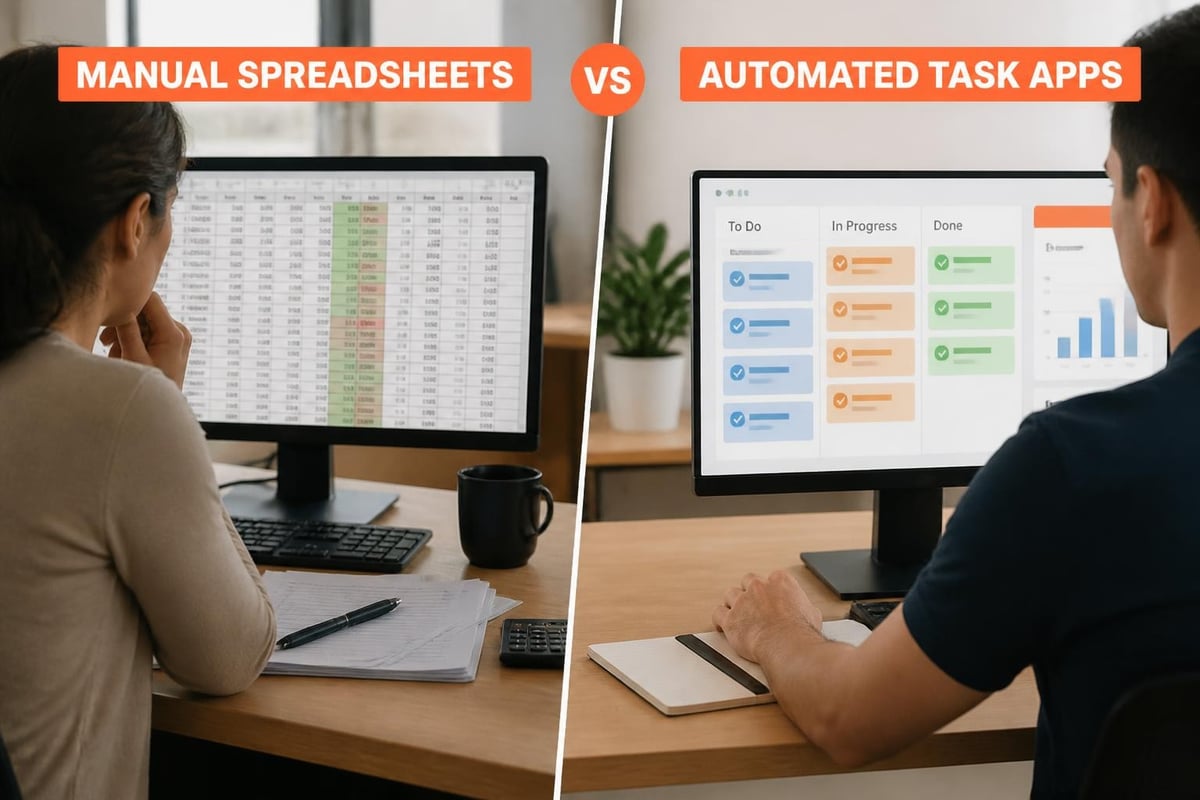
Manual task tracking using spreadsheets or email creates several structural limitations that software systems eliminate. Understanding these differences helps justify implementation investment and set realistic expectations for improvement.
Comparison of Tracking Approaches
| Aspect | Manual Spreadsheet | Task Tracking App |
|---|---|---|
| Update frequency | Weekly or less | Real-time as work occurs |
| Visibility | Limited to file sharers | Accessible to all authorized users |
| Historical record | Overwritten by updates | Complete audit trail preserved |
| Search capability | Text find only | Multi-field queries and filters |
| Notification system | Manual email | Automated based on rules |
| Mobile access | Difficult to edit | Native mobile apps available |
| Reporting | Manual chart creation | Automated dashboard generation |
| Integration | Copy-paste only | API-driven data exchange |
Transition Strategy from Manual to Automated
Organizations moving from manual methods to a task tracking app should run parallel systems for 2-4 weeks to verify data completeness and build user confidence before retiring legacy processes. During this transition:
- Assign champions who become expert users and help colleagues
- Document comparison results showing time saved and accuracy improvements
- Address specific complaints about the new system rather than dismissing feedback
- Celebrate milestones such as first 100 tasks completed or first automated report generated
- Establish cutoff date after which manual methods officially discontinue
How Do You Maintain Long-Term Task Tracking App Effectiveness
Long-term success requires periodic review and refinement of workflows, fields, and automation rules. Organizations should schedule quarterly configuration reviews to assess whether the system still matches current operational needs.
Continuous Improvement Practices
Effective task tracking app management treats the system as a living tool that evolves with business processes:
Regular workflow audits:
- Review task completion patterns to identify unused statuses or fields
- Interview team members about friction points or confusing elements
- Analyze automation rule effectiveness by measuring how often manual intervention occurs
- Update terminology and categories as business language evolves
User feedback integration:
- Maintain suggestion channel where users propose improvements
- Implement quick wins monthly to demonstrate responsiveness
- Test significant changes with pilot groups before organization-wide rollout
- Publish changelog documenting what changed and why
Training reinforcement:
- Conduct refresher sessions quarterly covering advanced features
- Create video tutorials demonstrating specific workflows
- Recognize power users who discover creative applications
- Update onboarding materials when configuration changes
Scaling Considerations as Teams Grow
As organizations expand, task tracking apps must accommodate increasing complexity without becoming unusable. According to time tracking app reviews, successful scaling requires deliberate architecture decisions and governance policies.
Growth typically requires:
- Workspace segmentation: Separate environments for different departments or business units
- Template libraries: Pre-configured task structures for common project types
- Governance committees: Cross-functional groups that approve configuration changes
- Usage analytics: Monitoring adoption patterns and identifying underutilized features
- Advanced permissions: Granular control over who can view, edit, or delete specific task categories

Effective task tracking apps replace manual status updates with automated visibility systems that improve accountability, reduce communication overhead, and enable data-driven management decisions. Implementation success depends on matching workflows to actual business processes and maintaining data quality through consistent user adoption. When your organization needs custom task tracking solutions integrated with existing business systems, Brytend develops tailored software applications that align precisely with your operational requirements and technical infrastructure.