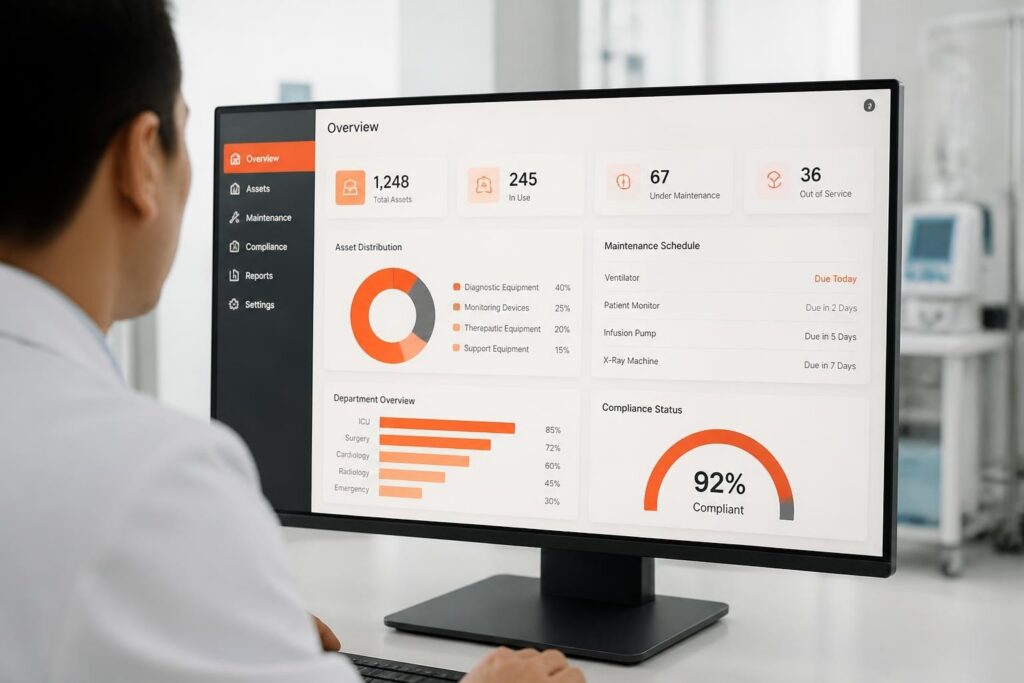
Asset management software is a digital system that tracks, manages, and optimizes an organization's physical and digital assets throughout their entire lifecycle, from acquisition and deployment to maintenance and disposal. Organizations use these platforms to monitor asset locations, conditions, service histories, and utilization rates while automating maintenance schedules, compliance reporting, and cost allocation. Modern asset management software integrates with ERP systems, IoT sensors, and barcode/RFID technologies to provide real-time visibility into asset performance and financial impact.
TL;DR:
- Asset management software centralizes tracking of physical equipment, IT hardware, software licenses, and tooling across multiple locations
- Automated maintenance scheduling reduces downtime by 25-40% and extends asset lifespan through preventive service workflows
- Integration with financial systems provides accurate depreciation calculations, total cost of ownership analysis, and budget forecasting
- Mobile applications enable field technicians to update asset status, record inspections, and request parts without returning to office systems
- Compliance reporting automates regulatory documentation for industries requiring serialized tracking and audit trails
What Is Asset Management Software and How Does It Function?
Asset management software functions as a centralized database that stores detailed records for every asset an organization owns or operates. Each asset receives a unique identifier (serial number, barcode, RFID tag) that connects to its complete history, specifications, location, assigned user, purchase details, and maintenance records.
The system tracks assets through distinct lifecycle phases:
- Acquisition: Purchase order integration, initial configuration, warranty registration, and assignment workflows
- Deployment: Location tracking, user assignment, configuration management, and operational status monitoring
- Maintenance: Scheduled service intervals, work order generation, parts inventory management, and technician assignment
- Optimization: Utilization analysis, cost tracking, performance benchmarking, and replacement planning
- Disposal: Decommissioning workflows, data sanitization, resale processing, and compliance documentation
Modern platforms connect to IoT sensors that automatically report asset conditions. A manufacturing facility might monitor compressor runtime hours, vibration levels, and temperature readings to predict bearing failures before breakdowns occur.
Core Components and Data Architecture
Asset management software organizes information through interconnected modules. The asset registry maintains master records with specifications, vendor details, and categorical classifications. The maintenance module links to preventive schedules, work order histories, and parts inventories.
| Component | Function | Data Managed |
|---|---|---|
| Asset Registry | Master database of all assets | Serial numbers, specs, locations, assignments |
| Maintenance Module | Service scheduling and history | Work orders, preventive tasks, technician logs |
| Financial Module | Cost tracking and depreciation | Purchase prices, residual values, TCO calculations |
| Compliance Module | Regulatory documentation | Certifications, inspections, audit trails |
| Mobile Interface | Field data collection | Status updates, photos, GPS coordinates |
Integration capabilities determine system effectiveness. Organizations achieve better results when asset management software connects directly to procurement systems, accounting platforms, and operational databases rather than relying on manual data entry.
How Do Organizations Implement Asset Management Software Successfully?
Successful implementation begins with a comprehensive asset audit that establishes baseline inventory accuracy. Organizations physically verify every asset, reconcile discrepancies between actual inventory and existing records, and capture missing data fields required by the new system.
Implementation follows a structured deployment sequence:
- Data standardization: Establish naming conventions, categorization hierarchies, and required data fields for all asset types
- System configuration: Set up user roles, approval workflows, notification rules, and integration connections
- Asset tagging: Apply barcode or RFID labels and photograph high-value equipment for visual identification
- Historical migration: Transfer maintenance records, warranty information, and financial data from legacy systems
- User training: Teach technicians mobile app workflows, train managers on reporting tools, and certify administrators
- Pilot testing: Deploy to single department or location, validate workflows, and refine configurations
- Phased rollout: Expand to additional sites while monitoring data quality and user adoption
Organizations often underestimate the effort required for historical data cleanup. A software development company discovered that 30-40% of legacy asset records contained duplicate entries, incorrect locations, or outdated specifications that required manual correction before migration.
Integration Requirements and Technical Considerations
Asset management software must connect to existing enterprise systems to avoid creating data silos. Financial integration enables automatic depreciation calculations using straight-line, declining balance, or custom methods based on asset categories and organizational accounting policies.
ERP integration synchronizes purchase orders with asset acquisition records, ensuring new equipment enters the asset registry automatically when procurement completes. Work order systems link to maintenance modules so labor costs, parts consumption, and service histories update in real-time.
Authentication systems require single sign-on (SSO) configuration to match organizational security policies. Role-based access controls restrict sensitive financial data to authorized users while allowing technicians to view technical specifications and maintenance procedures.
Organizations implementing IT asset management best practices report that integration planning accounts for 25-30% of total implementation time but delivers the highest long-term value through eliminated duplicate data entry and improved accuracy.
What Types of Assets Require Management Software?
Asset management software handles diverse asset categories with specialized tracking requirements. Physical assets include machinery, vehicles, equipment, tooling, and facility infrastructure. Digital assets encompass software licenses, databases, intellectual property, and cloud service subscriptions.
Physical Asset Categories:
- Manufacturing equipment (CNC machines, presses, conveyors, robotics)
- Facilities infrastructure (HVAC systems, generators, compressors, pumps)
- Transportation assets (vehicles, forklifts, trailers, mobile equipment)
- IT hardware (servers, workstations, network devices, peripherals)
- Medical devices (diagnostic equipment, patient monitors, surgical instruments)
- Construction tools (power tools, scaffolding, concrete equipment, surveying instruments)
Digital Asset Categories:
- Software licenses (perpetual, subscription, concurrent, named-user)
- SaaS subscriptions (user counts, feature tiers, renewal dates)
- Cloud resources (virtual machines, storage allocations, database instances)
- Digital content (training materials, documentation, media files)
- Intellectual property (patents, trademarks, design files, source code)
Serialized inventory tracking applies to assets requiring individual identification for regulatory compliance, warranty management, or calibration certification. Industries like healthcare, aerospace, and gas detection service must maintain complete traceability for equipment serial numbers throughout service lifespans.
Industry-Specific Asset Management Requirements
Manufacturing facilities prioritize equipment uptime and production capacity. Asset management software tracks machine availability, schedules preventive maintenance during planned downtime, and analyzes failure patterns to optimize spare parts inventories.
Healthcare organizations face strict regulatory requirements for medical device tracking, calibration verification, and patient safety documentation. Systems must generate compliance reports demonstrating equipment maintenance histories and certification statuses.
IT departments manage both hardware lifecycles and software license compliance. Asset tracking solutions for IT monitor software installations, track license usage against entitlements, and alert administrators to upcoming renewals or compliance gaps.
Construction companies track tools and equipment across multiple job sites. Mobile applications enable workers to check out equipment, record usage hours, and report damage or maintenance needs from field locations without office access.
Why Do Organizations Need Specialized Asset Management Software?
Organizations implement asset management software to solve specific operational and financial challenges that manual tracking systems cannot address at scale. Spreadsheet-based asset records create version control problems, lack audit trails, and fail to provide real-time visibility across distributed operations.
Financial Benefits:
- Reduced capital expenditures through improved asset utilization (15-25% reduction in redundant purchases)
- Extended asset lifespans via preventive maintenance (20-30% longer operational life)
- Accurate depreciation calculations and financial reporting compliance
- Lower insurance premiums through documented asset values and security controls
- Optimized spare parts inventory (30-40% reduction in carrying costs)
Operational Improvements:
- Decreased equipment downtime (25-40% reduction through scheduled maintenance)
- Faster asset location and retrieval (50-70% time savings vs. manual searches)
- Automated compliance documentation and audit preparation
- Improved technician productivity through mobile work order management
- Better capacity planning through utilization analysis and trend forecasting
The enterprise asset management best practices framework emphasizes preventing equipment failures rather than reacting to breakdowns. Organizations achieve this through condition-based monitoring that triggers maintenance when sensor data indicates degradation rather than following fixed calendar schedules.
Compliance and Risk Management Requirements
Regulatory compliance drives asset management software adoption in heavily regulated industries. Medical device manufacturers must maintain complete service histories showing calibration dates, repair records, and parts replacements for FDA audit purposes.
Environmental compliance requires tracking refrigerant quantities in HVAC systems, documenting hazardous material disposal, and maintaining emissions testing records for regulated equipment. Asset management software generates compliance reports automatically rather than requiring manual documentation assembly.
Insurance requirements mandate asset registries with current replacement values, security controls documentation, and proof of regular maintenance. Organizations reduce premiums by demonstrating comprehensive asset tracking and risk mitigation procedures.
Warranty management functionality tracks coverage periods, claim histories, and vendor service agreements. Systems alert administrators when warranties approach expiration, enabling timely renewal decisions or extended coverage purchases before gaps occur.
How Does Asset Management Software Handle Maintenance Operations?
Maintenance management functionality transforms reactive repair workflows into proactive service schedules. Asset management software generates work orders automatically based on time intervals, usage meters, or condition monitoring thresholds.
Preventive maintenance schedules define service tasks by asset type, operating environment, and manufacturer recommendations. A compressor might require oil changes every 500 operating hours, filter replacements quarterly, and bearing inspections annually. The system tracks runtime automatically and creates work orders when thresholds approach.
Work Order Workflow Components:
- Automatic generation: System creates work order when schedule triggers or condition alert occurs
- Technician assignment: Route to qualified personnel based on skills, certifications, and availability
- Parts reservation: Reserve required inventory and flag shortages for procurement
- Mobile execution: Technician receives assignment, accesses procedures, and records completion via mobile app
- Completion documentation: Capture labor hours, parts consumed, readings taken, and photos of work performed
- Asset history update: System records service event in permanent asset maintenance log
The Brytend Service Module provides structured service management with serialized inventory tracking, automated service reminders, and certificate generation. Organizations managing equipment fleets benefit from lifecycle visibility that connects service histories with asset performance metrics and replacement planning.
Condition Monitoring and Predictive Maintenance
Advanced platforms integrate IoT sensor data to enable condition-based maintenance strategies. Vibration sensors on rotating equipment detect bearing wear patterns weeks before failures occur. Temperature monitoring identifies cooling system degradation before catastrophic overheating.
Predictive algorithms analyze historical failure patterns, operating conditions, and sensor trends to forecast remaining useful life. Organizations schedule maintenance during planned downtime rather than responding to emergency breakdowns that disrupt production.
| Maintenance Strategy | Trigger Mechanism | Cost Impact | Downtime Impact |
|---|---|---|---|
| Reactive (run to failure) | Equipment breakdown | Highest (emergency parts, overtime labor) | Unplanned, disruptive |
| Preventive (time-based) | Calendar schedule or usage hours | Moderate (some unnecessary service) | Planned, minimized |
| Predictive (condition-based) | Sensor data and analytics | Lowest (optimized intervention timing) | Planned, minimal |
| Prescriptive (AI-driven) | Machine learning models | Very low (automated optimization) | Proactive prevention |
Organizations implementing predictive maintenance report 30-50% reductions in maintenance costs and 70-80% decreases in equipment failures compared to reactive approaches.
What Are Common Implementation Challenges and Solutions?
Asset management software implementations fail when organizations underestimate data quality requirements. Incomplete asset records, missing specifications, and incorrect locations undermine system effectiveness from day one.
Common Implementation Obstacles:
- Data accuracy: Legacy systems contain duplicate records, obsolete assets, and incorrect assignments
- User adoption: Technicians resist new workflows that seem more complex than familiar manual processes
- Integration complexity: Connecting to diverse systems requires custom APIs and data mapping
- Organizational change: Departments resist standardized processes that alter established procedures
- Resource constraints: Implementation teams lack sufficient time for thorough configuration and testing
Successful organizations address these challenges through executive sponsorship, dedicated implementation teams, and phased deployment strategies. Software asset management best practices emphasize starting with high-value asset categories rather than attempting complete inventory coverage immediately.
Data Quality and Migration Strategies
Data migration requires systematic cleanup before transfer to new systems. Organizations assign data stewards who verify asset existence, reconcile discrepancies, and capture missing information through physical audits.
Standardization establishes consistent naming conventions and categorization schemes. "Pump" might appear in legacy records as "Water Pump," "H2O Pump," "Centrifugal Pump," or "Pump – Centrifugal." Standardization rules consolidate variations into single, consistent classifications.
Photo documentation supports asset identification and condition assessment. Mobile applications enable technicians to photograph equipment during audits, creating visual references that prevent future identification errors.
Organizations using construction-specific software solutions like those from BPA Bouwplaatsautomatisering benefit from industry-specific data structures that match construction equipment categories, workflow patterns, and documentation requirements common in building sector operations.
How Do Organizations Measure Asset Management Software ROI?
Return on investment measurement tracks quantifiable improvements across financial, operational, and compliance dimensions. Organizations establish baseline metrics before implementation and monitor changes quarterly.
Financial Metrics:
- Capital expenditure reduction (measured as percentage decrease in redundant asset purchases)
- Maintenance cost per asset (total maintenance spending divided by asset count)
- Asset utilization rate (actual usage hours divided by available hours)
- Inventory carrying cost reduction (obsolete parts eliminated, stock levels optimized)
- Insurance premium changes (resulting from improved documentation and controls)
Operational Metrics:
- Mean time between failures (MTBF) – average operating time between breakdowns
- Mean time to repair (MTTR) – average duration from failure to restoration
- Preventive maintenance compliance (percentage of scheduled tasks completed on time)
- Emergency work order percentage (reactive vs. planned maintenance ratio)
- Technician productivity (work orders completed per technician per period)
Compliance Metrics:
- Audit preparation time (hours required to compile documentation)
- Compliance violations (regulatory citations or failed inspections)
- Certification currency (percentage of assets with valid calibrations)
- Documentation completeness (percentage of required records available)
Organizations implementing comprehensive asset management typically achieve payback within 12-18 months through combined cost reductions and productivity improvements.
Continuous Improvement and Optimization
Mature implementations evolve from basic tracking to advanced analytics that drive strategic decisions. Reports identify underutilized assets suitable for redeployment, disposal, or rental rather than new purchases.
Total cost of ownership (TCO) analysis compares acquisition costs, operating expenses, maintenance costs, and disposal values across asset categories. Organizations use TCO data to evaluate vendor performance, optimize purchasing decisions, and establish standardized equipment specifications.
Benchmarking capabilities compare asset performance across departments, facilities, or industry standards. A manufacturing plant might compare compressor efficiency metrics across production lines to identify optimization opportunities or equipment that should be replaced.
Software performance analysis applies similar principles to digital assets, tracking application usage, license utilization, and subscription ROI to eliminate unused software and consolidate redundant tools.
What Integration Capabilities Should Organizations Prioritize?
Asset management software delivers maximum value through connections to complementary enterprise systems. Isolated platforms create duplicate data entry requirements and synchronization challenges that reduce user adoption.
Critical Integration Points:
- ERP systems: Synchronize procurement, accounting, and asset data for unified financial reporting
- CMMS platforms: Connect maintenance work orders, parts inventories, and labor tracking
- IoT platforms: Ingest sensor data for condition monitoring and automated alerts
- HR systems: Match technician certifications with equipment requiring specific qualifications
- Procurement systems: Trigger purchase requests when spare parts inventories reach reorder points
- Mobile applications: Enable field technicians to update asset status without returning to office systems
API availability determines integration feasibility. Modern platforms provide RESTful APIs with comprehensive documentation, while legacy systems may require custom middleware or database-level connections.
Organizations evaluating asset management software solutions should prioritize platforms offering pre-built integrations to commonly used enterprise systems in their specific industry vertical.
Mobile Functionality and Field Operations
Mobile applications transform asset management from office-based data entry to real-time field updates. Technicians scan asset barcodes to access complete maintenance histories, view technical procedures, and record completion data without paper forms.
Offline capability enables field work in locations lacking cellular coverage. Applications cache asset data, allow technicians to complete work orders offline, and synchronize automatically when connectivity restores.
GPS integration tracks mobile assets and validates service locations. Fleet management functionality monitors vehicle locations, usage patterns, and maintenance needs across distributed operations.
Photo and annotation tools enable technicians to document asset conditions, capture failure evidence, and attach visual references to work orders. Organizations reduce misunderstandings and improve knowledge transfer through visual documentation.
What Differentiates Manual vs. Automated Asset Management?
Manual asset tracking relies on spreadsheets, paper logs, and periodic physical inventories. Organizations update records reactively when problems occur rather than maintaining continuous accuracy.
| Aspect | Manual Tracking | Automated Software |
|---|---|---|
| Data accuracy | 60-70% (degraded by missed updates) | 95-99% (real-time validation) |
| Maintenance scheduling | Calendar-based reminders, often missed | Automatic work order generation |
| Asset location | Physical searches, average 15-30 minutes | Instant lookup, barcode scanning |
| Compliance reporting | Manual compilation, 8-16 hours per audit | Automated reports, minutes to generate |
| Utilization visibility | Annual counts, limited analysis | Real-time dashboards, trend analysis |
| Scalability | Breaks down beyond 500-1000 assets | Supports unlimited assets across locations |
Manual systems fail to provide visibility into asset utilization patterns. Organizations cannot identify underutilized equipment, leading to redundant purchases when existing assets sit idle at different locations.
Preventive maintenance suffers under manual tracking. Technicians rely on memory or calendar reminders that get overlooked during busy periods. Deferred maintenance accelerates asset degradation and increases breakdown frequency.
Case Example: Manufacturing Equipment Tracking Transformation
A mid-sized manufacturing company tracked 800 pieces of production equipment using spreadsheets maintained by individual department supervisors. Asset locations were accurate only immediately after quarterly physical counts. Maintenance occurred reactively when breakdowns disrupted production.
Implementation of asset management software with barcode scanning and IoT sensor integration delivered measurable improvements:
- Asset location accuracy improved from 65% to 98% through real-time updates
- Unplanned downtime decreased 42% through preventive maintenance automation
- Redundant equipment purchases eliminated (prevented 8 unnecessary acquisitions in first year)
- Audit preparation time reduced from 40 hours to 2 hours through automated compliance reports
- Maintenance cost per asset decreased 28% through optimized service intervals and parts inventory
The organization achieved ROI in 14 months and continues to expand functionality into predictive maintenance using condition monitoring data.
How Should Organizations Select Asset Management Software?
Selection criteria must align with organizational requirements, existing technology infrastructure, and industry-specific workflows. Organizations evaluate platforms across functional capabilities, technical architecture, vendor stability, and total cost of ownership.
Functional Evaluation Criteria:
- Asset categorization flexibility (supports organizational taxonomy and custom fields)
- Maintenance management depth (preventive, predictive, condition-based capabilities)
- Mobile application usability (offline operation, barcode scanning, photo capture)
- Reporting and analytics (customizable dashboards, scheduled reports, data export)
- Compliance documentation (audit trails, certification tracking, regulatory templates)
Technical Requirements:
- Deployment model (cloud SaaS, on-premise, hybrid options)
- Integration capabilities (pre-built connectors, API availability, middleware support)
- Scalability (asset volume limits, user licensing, performance at scale)
- Security controls (authentication methods, encryption, access controls, data residency)
- Customization options (workflow configuration, field customization, user interface flexibility)
Organizations managing specialized equipment benefit from custom software development that addresses unique workflows, integration requirements, and industry regulations not supported by commercial off-the-shelf platforms.
Vendor Evaluation and Risk Assessment
Vendor stability determines long-term platform viability. Organizations assess vendor financial health, product roadmap clarity, customer retention rates, and industry presence before committing to multi-year implementations.
Reference checks with existing customers reveal implementation challenges, support responsiveness, and upgrade experiences. Organizations request references from similar industries, comparable asset volumes, and matching deployment models.
Total cost of ownership includes license fees, implementation services, ongoing support, integration development, training, and infrastructure costs. Cloud platforms shift capital expenditures to operational expenses but may incur higher long-term costs compared to perpetual licenses.
Data migration support and training programs significantly impact implementation success. Vendors offering comprehensive onboarding, data cleanup services, and role-based training deliver faster time-to-value than platforms requiring self-service implementation.
Market analysis resources like Mordor Intelligence asset management software research provide industry trends, vendor comparisons, and technology evolution forecasts that inform strategic selection decisions.
Asset management software transforms reactive asset tracking into proactive lifecycle management that reduces costs, improves compliance, and optimizes operational efficiency. Organizations implementing comprehensive platforms achieve measurable ROI through extended asset lifespans, reduced downtime, and eliminated redundant purchases. Brytend develops custom asset management solutions tailored to specific industry workflows, integration requirements, and regulatory compliance needs when commercial platforms cannot address unique organizational requirements.