
Training and certification software that proves who is qualified.
Courses, classroom trainings, online lessons with an exam, attendance by QR code and certificates with a check QR, for your own staff and your customers. Expiring certificates are flagged long before anyone works without one.
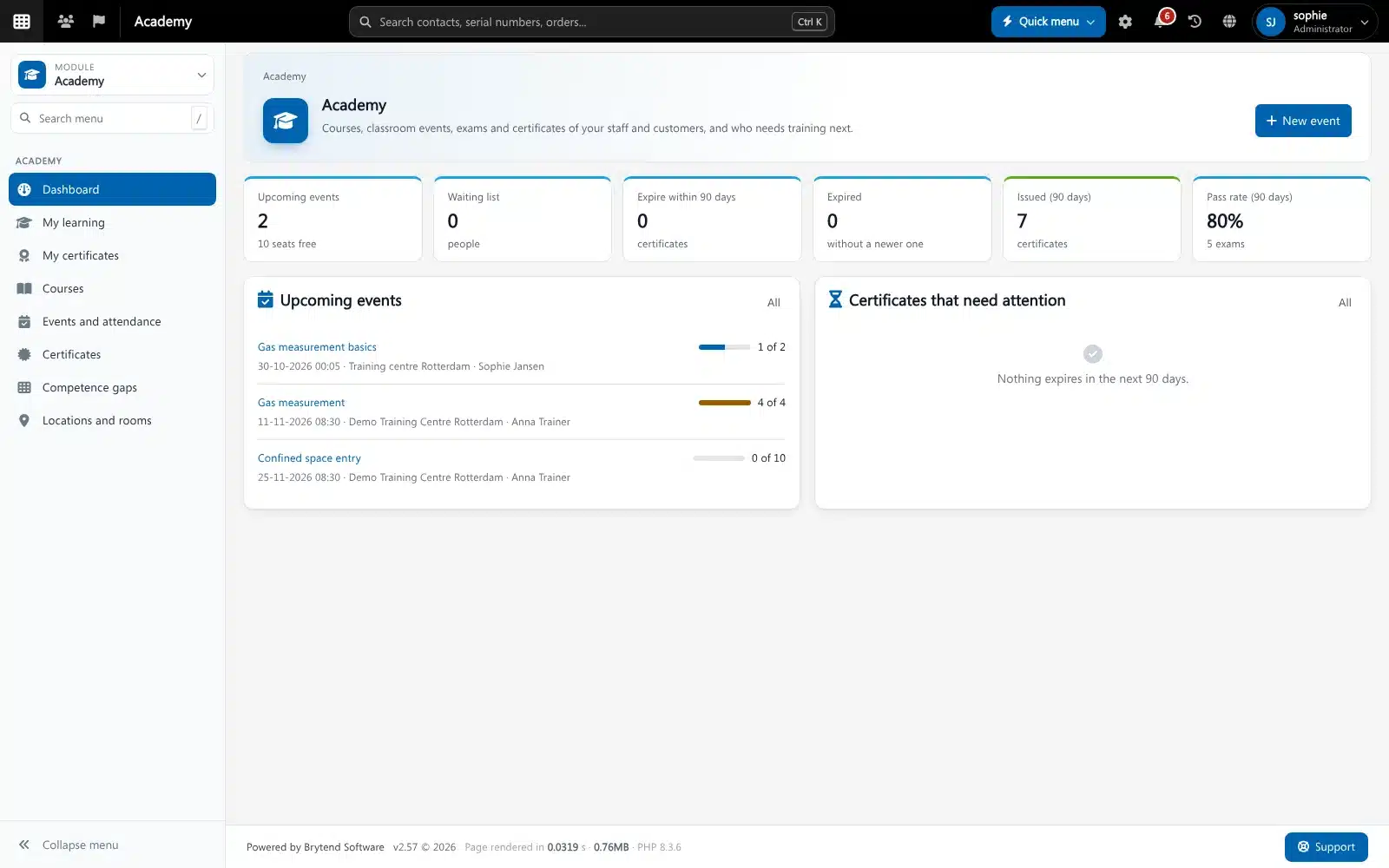
Training and certification software keeps track of who needs which training, plans the trainings, records who attended and passed, and issues certificates with a validity period. Brytend Academy is built on the training and competence records you already have in Brytend, so job requirements, HR and gas testing teams all read the same certificates.
Academy is one part of Brytend, the business operations platform that replaces multiple disconnected business systems with one fully integrated platform: CRM, Assets, Rentals, Quality, Service, Compliance, Documents, Reporting and AI.
Attendance that holds up in an audit
Participants check in by scanning a QR code that changes every 30 seconds, optionally only within a set distance of the training location, or sign on the trainer’s tablet. Every check-in keeps its time and method, per training day.
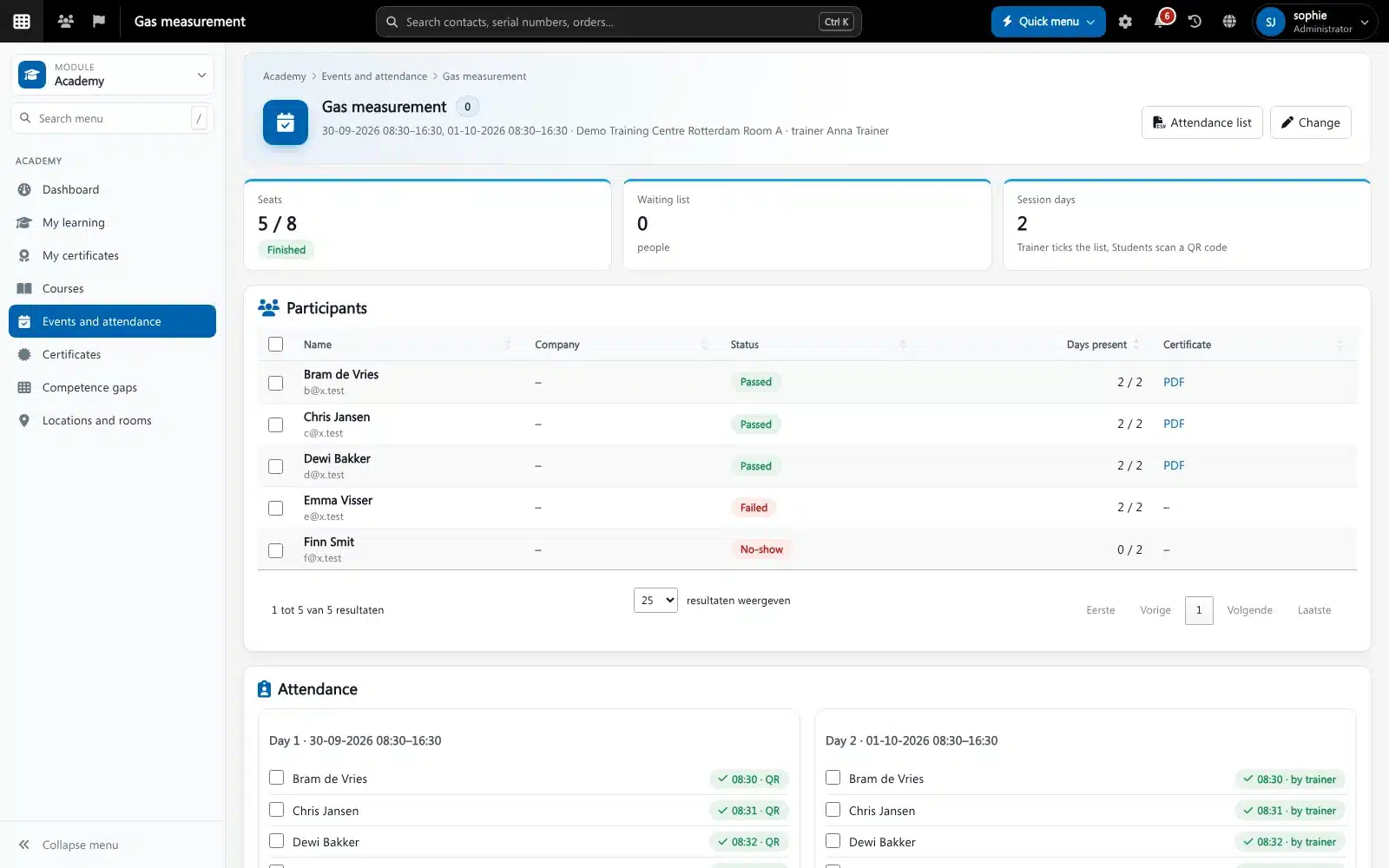
A finished classroom training in Brytend Academy. Screenshot with sample data.
What goes wrong without training and certification software
Certificates in drawers and spreadsheets
Nobody knows whose VCA or gas measurement certificate expires next month until someone is sent home from a site.
Paper attendance lists
Lists get signed for colleagues, go missing or are typed in weeks later.
Customers ask for proof
A client wants to check a certificate on site and you have to search through e-mails for a PDF.
Courses, lessons and exams
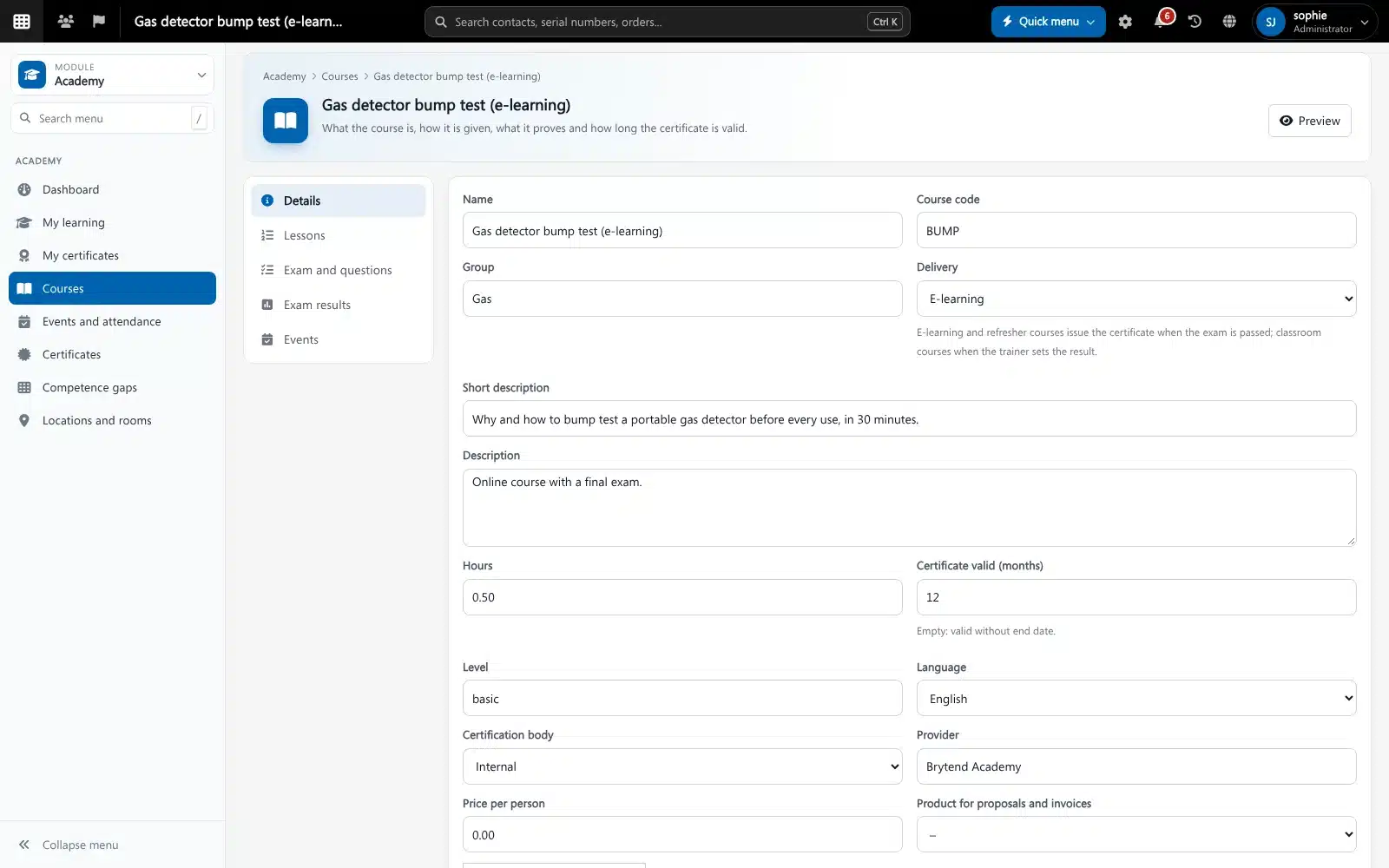
Build a course with text, video and file lessons and a final exam from a question bank. E-learning issues the certificate as soon as the exam is passed; classroom courses when the trainer sets the result.
- Questions with one answer, more answers or true/false, drawn at random
- Pass mark, time limit and number of attempts per exam
- Leaving the exam window is recorded
- Prerequisites: a course can require a valid certificate of another
Academy features
Classroom trainings
Plan trainings over one or more days with a location, room and trainer. Room capacity caps the number of seats.
Waiting list
When a seat comes free, the next person gets an offer with a link and a set time to accept it.
QR check-in
A QR code that changes every 30 seconds, with an optional distance check against the training location.
Signatures
Participants can sign on the trainer’s tablet or phone, and the signature is stored with the attendance.
Certificates with a check QR
Every certificate gets a PDF with a QR code. Scanning it shows whether the certificate is valid, expired or revoked.
Expiry reminders
Reminders at the days you choose, for example 90, 30 and 0 days, to the person and their manager.
Competence gaps
Per job, see who misses a required certificate or loses one soon.
Four-eye rule and trainer check
The trainer cannot approve their own results, and a trainer without the right qualification gets a warning or is blocked.
Mobile app
Check in, see your trainings and show your certificates in the Brytend app. Trainers take attendance on their phone.
Get started in three steps
Take over your trainings
Your trainings from Office > Training become Academy courses. Their certificates and job requirements stay as they are.
Plan and register
Add locations and rooms, plan a training and register staff or customer guests. Full trainings fill the waiting list.
Train, check in, certify
People check in with the QR code, the trainer sets the results, and certificates are issued with their PDF and check QR.
Rated 5 stars on Google
“We used to create and track orders in Ultimo. Switching to Brytend was a challenge, yet we were very pleasantly surprised. Not only the software, but their support too is better than expected. Super!”
“Our company has used Brytend software for several years. It has let us tackle various processes quickly and efficiently that we had not found a solution for before.”
“Excellent experience with this company and its software applications. If you want changes, no problem. Arranged quickly and at a fair price.”
Reviews translated from Dutch.
More than training and certification software
Linked to HR
Certificates count for job requirements and the competence overview in HR.
Gas testing teams
Only analysts with a valid certificate are picked in Gas testing.
One notification centre
Reminders and results reach people by bell, e-mail or phone, like every other Brytend notification.
Works with the other Brytend modules
HR
See how HR works with Academy.
Gas testing
See how Gas testing works with Academy.
Document control
See how Document control works with Academy.
Tasks
See how Tasks works with Academy.
Frequently asked questions
What is training and certification software?
Software that plans trainings, records attendance and results, and keeps every certificate with its validity date. Brytend Academy does this for classroom trainings and e-learning, for your own staff and for customer guests.
Can people check in to a training with their phone?
Yes. The trainer shows a QR code that changes every 30 seconds. Participants scan it with the Brytend app or their phone camera. A training can also check that the person is within a set distance of the location.
How can someone check that a certificate is real?
Every Academy certificate has a QR code. Scanning it opens a check page that shows the number, the course, whether it is valid, and the name in a short form, without other personal data.
Can I record certificates from external bodies such as VCA?
Yes. External certificates are recorded with their own number, validity and a scan or PDF, next to the certificates the Academy issues itself.
Can I train employees of my customers?
Yes. Customer employees get a guest account and can be registered for trainings. Their company is kept with the registration.
What happens when a certificate is about to expire?
The person, and if you want their manager, get reminders at the days you choose. The dashboard and the competence overview show who needs a refresher.
How does the free trial work?
You use the full Brytend platform free for 90 days. Take the tour first, or start the trial straight away.
Know who is qualified. Every day.
Take the tour to see Academy with the rest of the platform, or start your free 90-day trial.
Prefer to talk first? Call +31 (0)85 013 02 04