Sales activity tracking that shows where the effort goes.
Calls, meetings, e-mails, notes, tasks, quotes and orders are collected from where they already live in Brytend. See each account manager’s effort next to the value of their customers, and get told when an A customer is neglected or at risk.
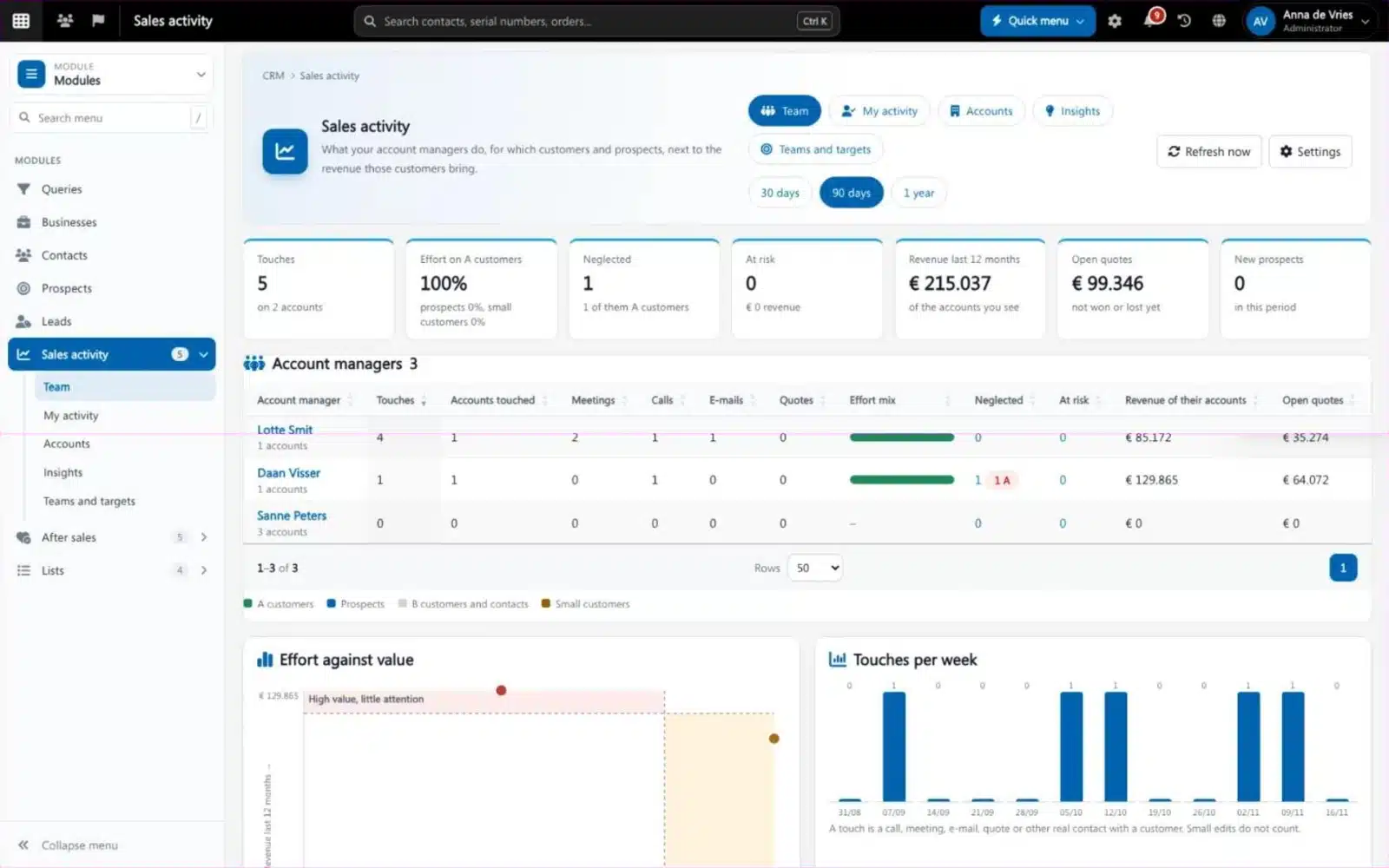
Sales activity tracking records what a sales team does, such as calls, meetings, e-mails and quotes, and for which customers. Brytend Sales activity needs no extra typing: it reads the work that is already in the CRM, the mailboxes, tasks, quotes and orders, and puts it next to the revenue of each account.
Sales activity is one part of Brytend, the business operations platform that replaces multiple disconnected business systems with one fully integrated platform: CRM, Assets, Rentals, Quality, Service, Compliance, Documents, Reporting and AI.
Targets the team can see
A sales manager sets weekly and monthly targets per account manager: meetings, calls, new prospects, quotes and revenue. Progress shows as bars on each person’s own page.
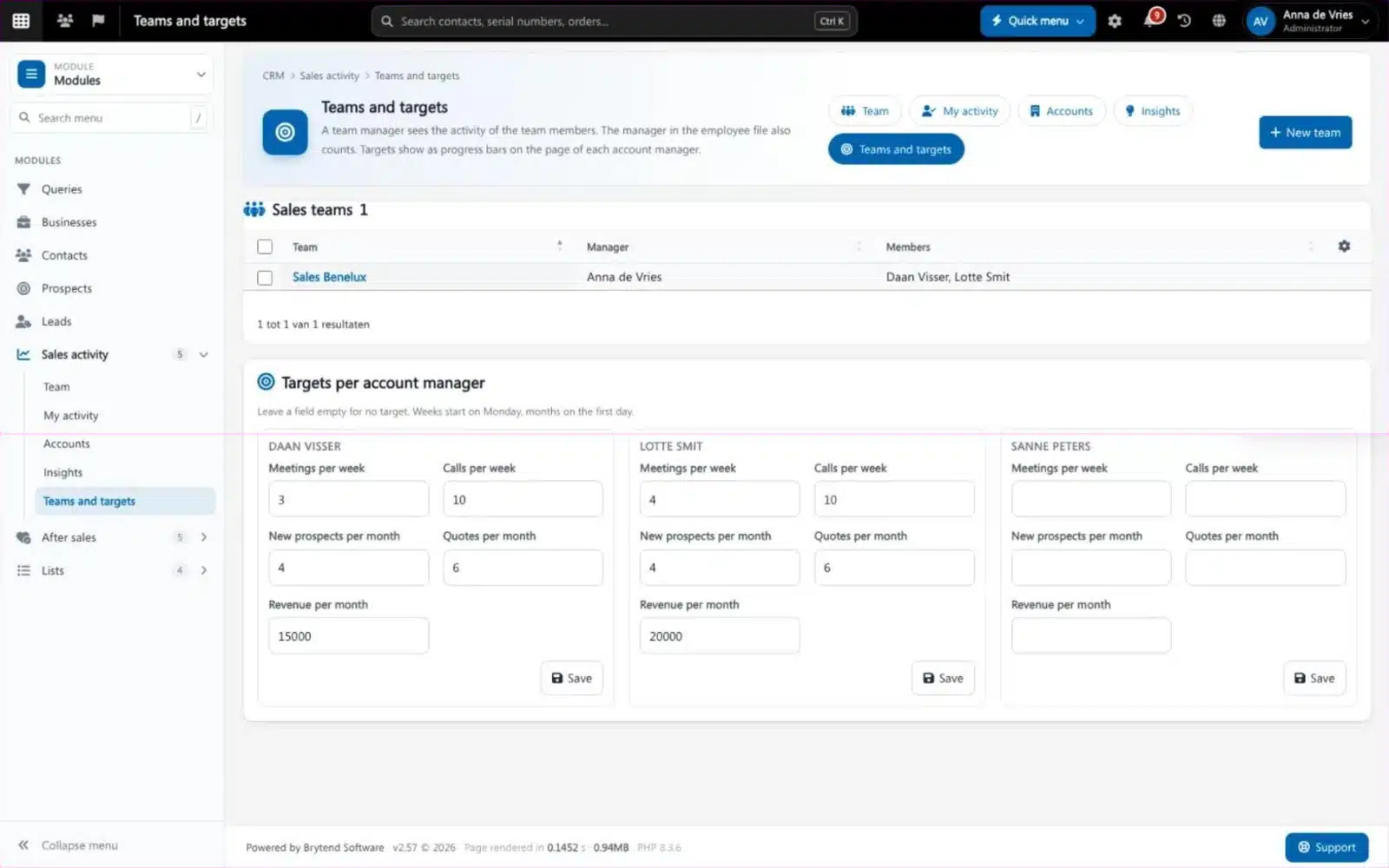
Teams and targets in Sales activity. Screenshot with sample data.
What goes wrong without sales activity tracking
Busy, but on whom?
The team is busy, yet the biggest customers have not heard from anyone in two months.
Activity reports nobody fills in
Asking reps to log their week costs time and still gives a picture that is half right.
Customers leave quietly
A customer stops ordering and nobody notices until the year-end numbers come in.
Every account, its value and its risk
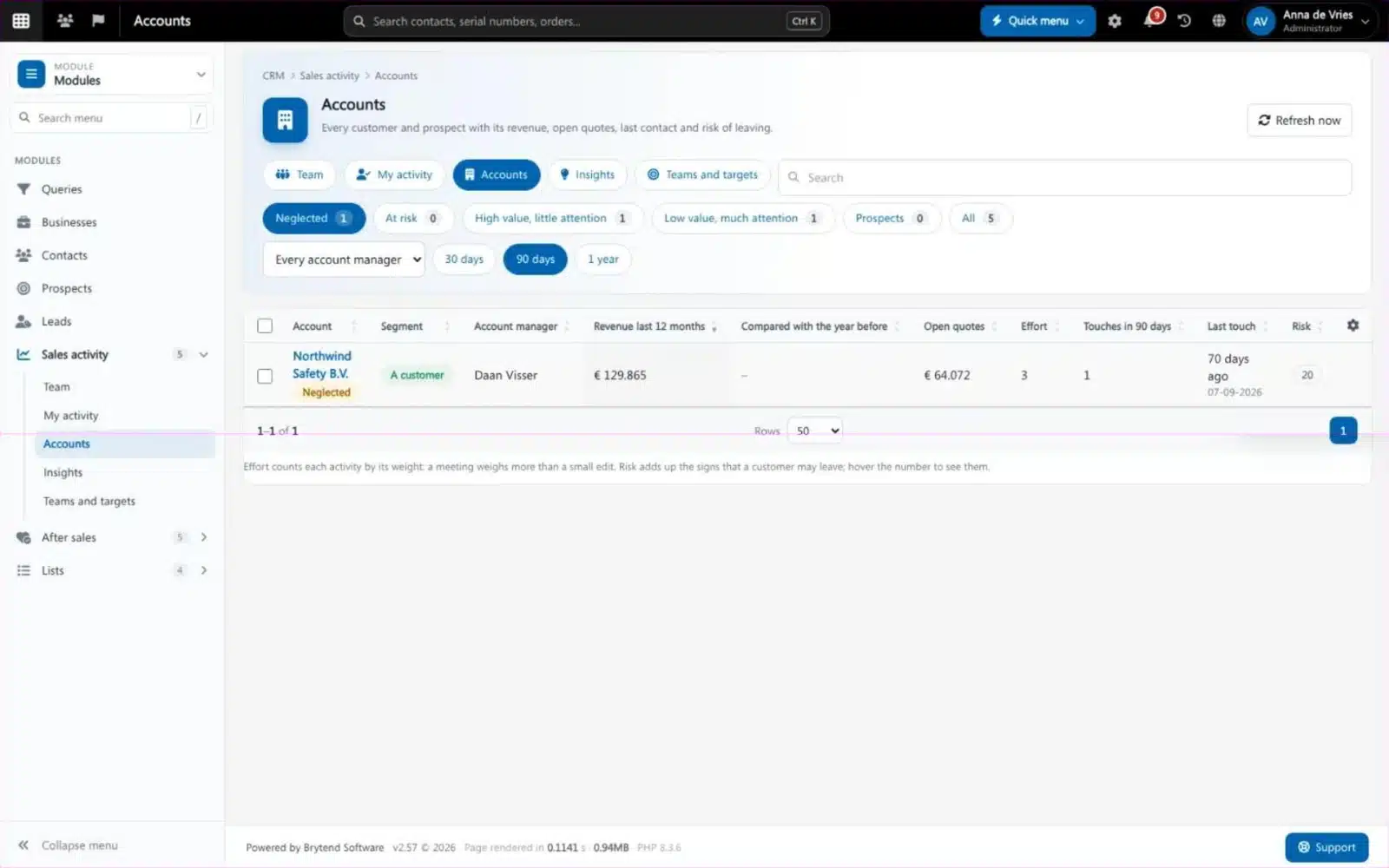
The accounts list shows each customer and prospect with revenue, open quotes, last contact, effort and a risk score, so the next call goes to the account that needs it.
- Segments: A customers, small customers and prospects
- Neglected: an A customer past its contact window
- At risk: the signs that a customer may leave, explained
- Effort weighted by type: a meeting counts more than a short e-mail
Sales activity features
Team overview
Touches, effort mix and key numbers for every account manager you lead, over 30 days, 90 days or a year.
My sales activity
Each account manager sees their own customers, the attention they got and what needs them next.
Collected, not typed
Notes, calls, meetings, tasks, e-mails from Office 365 and Outlook, quotes, orders and stage changes are collected every 10 minutes.
Effort against value
A chart that puts the effort spent per customer next to the revenue, to show high value with little attention.
Insights
New prospects waiting for a first contact, quotes nobody followed up, win rate, cross-sell and win-back.
Teams and targets
Sales teams with a manager and members, and targets per person per week or month.
Notifications
Account managers and their managers are told when an A customer is neglected or a customer becomes at risk.
Privacy
Only sales work is collected. Page visits and logins never are.
Settings
Choose the weights per activity type and the neglect windows per segment.
Get started in three steps
Switch it on
Turn on Sales activity and choose how far back to read history.
Set teams and targets
Group your account managers in teams and give them weekly or monthly targets.
Act on the signals
Follow up neglected A customers, quotes waiting for an answer and accounts at risk.
Rated 5 stars on Google
“We used to create and track orders in Ultimo. Switching to Brytend was a challenge, yet we were very pleasantly surprised. Not only the software, but their support too is better than expected. Super!”
“Our company has used Brytend software for several years. It has let us tackle various processes quickly and efficiently that we had not found a solution for before.”
“Excellent experience with this company and its software applications. If you want changes, no problem. Arranged quickly and at a fair price.”
Reviews translated from Dutch.
More than sales activity tracking
No extra typing
The work your team already does in Brytend is the data, so the picture is complete.
Fits after sales
Combine it with After sales to follow up quotes, answers and lost deals.
Works with the other Brytend modules
CRM
See how CRM works with Sales activity.
Sales: quotes and orders
See how Sales: quotes and orders works with Sales activity.
After sales
See how After sales works with Sales activity.
Dashboards
See how Dashboards works with Sales activity.
Frequently asked questions
What is sales activity tracking?
Recording what a sales team does and for which customers. Brytend collects calls, meetings, e-mails, notes, tasks, quotes and orders automatically and shows them next to each customer’s revenue.
Do account managers have to log their activities?
No. Sales activity reads the work that is already in Brytend: notes, tasks, e-mails from Office 365 and Outlook, quotes, orders and stage changes.
What is a neglected customer?
An A customer that has not had contact within the window you set for its segment. The account manager gets one message about it.
How is the risk of a customer calculated?
From signs that a customer may leave, such as falling revenue compared with the year before and no recent contact. Hover the risk score to see the reasons.
Who can see whose activity?
Account managers see their own accounts. Team managers see their team, and users with the right see everyone. Page visits and logins are never collected.
Can I set targets?
Yes. Per account manager per week or month: meetings, calls, new prospects, quotes and revenue.
How does the free trial work?
You use the full Brytend platform free for 90 days. Take the tour first, or start the trial straight away.
Put your sales effort where the value is.
Take the tour to see Sales activity with the rest of the platform, or start your free 90-day trial.
Prefer to talk first? Call +31 (0)85 013 02 04