Calibration management software centralizes the scheduling, tracking, and documentation of all measurement equipment calibrations across an organization. This software eliminates manual spreadsheets, reduces compliance risk, and ensures every instrument maintains accuracy through automated calibration intervals, certificate management, and full traceability chains. Organizations using calibration management software reduce out-of-tolerance incidents by 60-80% while cutting administrative time by 50% or more.
TL;DR:
- Calibration management software automates calibration scheduling, certificate tracking, and compliance documentation for all measurement instruments
- Key features include asset registers with unique identifiers, automated reminders, digital certificates, traceability chains, and audit-ready reports
- Implementation requires asset inventory, calibration interval definition, vendor integration, and staff training
- Typical ROI appears within 6-12 months through reduced downtime, fewer compliance failures, and lower administrative costs
- Integration with asset service management systems enables comprehensive equipment lifecycle tracking
Calibration management software is a specialized system that maintains calibration schedules, stores calibration certificates, tracks instrument history, and ensures measurement traceability for all equipment requiring periodic calibration.
What Is Calibration Management Software and Why Does It Matter?
Calibration management software provides a centralized database for all instruments requiring periodic calibration, automating the complete calibration lifecycle from scheduling through certificate archival. The software maintains unique identifiers for each instrument, tracks calibration due dates, generates work orders, stores digital certificates, and creates audit trails that demonstrate compliance with ISO 17025, FDA 21 CFR Part 11, and other regulatory frameworks.
Manufacturing facilities, laboratories, hospitals, and aerospace companies maintain hundreds to thousands of instruments that require calibration at specific intervals. Manual tracking through spreadsheets creates gaps in coverage, missed calibrations, lost certificates, and audit failures. A single out-of-tolerance instrument can invalidate an entire production batch or test run, creating costs that range from thousands to millions of dollars.
The software connects calibration activities to broader compliance monitoring software systems, enabling organizations to track all compliance obligations in one platform. This integration ensures calibration compliance fits within overall quality management and regulatory adherence.
Core Components of Calibration Management Systems
Every calibration management software platform includes an asset register that assigns unique identifiers to each instrument. This register captures manufacturer, model, serial number, location, responsible department, and calibration requirements. The unique identifier enables complete traceability throughout the instrument's lifecycle.
Automated scheduling engines calculate next calibration due dates based on manufacturer recommendations, regulatory requirements, historical drift patterns, or risk-based intervals. The system generates alerts at configurable intervals (30 days, 14 days, 7 days before due date) and escalates overdue notifications to management.
Digital certificate management stores all calibration certificates with links to the specific instrument record. The system maintains version history, tracks certificate expiration, and flags missing or incomplete documentation. Organizations can retrieve any certificate instantly during audits rather than searching file cabinets.
Traceability chains connect each calibration to the calibration standard used, which itself traces to higher-level standards and ultimately to national measurement institutes. This chain satisfies NIST’s calibration policies and demonstrates measurement accuracy.

How Do You Select the Right Calibration Management Software?
Selecting calibration management software requires matching your organization's specific needs to system capabilities, scalability, and integration options. Start by documenting your current calibration program: number of instruments, calibration frequency distribution, internal versus external calibrations, regulatory requirements, and existing software systems.
Key selection criteria include:
- Asset capacity: Total instruments supported and cost scaling
- Multi-location support: Centralized management across facilities
- Mobile access: Field technician access for on-site calibrations
- Certificate formats: Support for PDF, image, and structured data imports
- Integration capabilities: APIs for ERP, CMMS, LIMS, and quality systems
- Reporting flexibility: Standard reports plus custom report builders
- User permissions: Role-based access controls and approval workflows
- Validation support: IQ/OQ/PQ documentation for regulated industries
Organizations in regulated industries require systems that meet ILAC guidance for calibration program management. The software must support electronic signatures, audit trails, version control, and data integrity controls.
Vendor Evaluation Process
Request demonstrations that show your actual workflows rather than generic features. Provide the vendor with 10-20 representative instruments and ask them to demonstrate the complete calibration cycle: asset creation, scheduling, work order generation, certificate attachment, and reporting.
Verify integration capabilities by requesting technical documentation for APIs, data formats, and supported protocols. Test data import/export functionality with sample datasets from your current systems. Poor integration creates manual data entry that eliminates efficiency gains.
| Evaluation Criterion | What to Verify | Red Flags |
|---|---|---|
| Asset management | Unique ID generation, custom fields, hierarchical grouping | Limited custom fields, no bulk import |
| Scheduling | Flexible intervals, risk-based logic, manual overrides | Fixed intervals only, no drift tracking |
| Certificate management | Multi-format support, OCR capability, unlimited storage | File size limits, single format only |
| Reporting | Pre-built templates, custom builders, export formats | Fixed reports only, no customization |
| Compliance | 21 CFR Part 11, audit trails, electronic signatures | No validation support, limited audit trails |
| Support | Implementation services, training, ongoing support | Self-service only, no implementation help |
Check vendor financial stability and customer retention rates. Calibration data represents critical quality records that you'll maintain for 5-10 years or longer. Vendor failure creates data recovery and migration challenges.
What Are the Implementation Steps for Calibration Management Software?
Implementation follows a structured approach that typically spans 8-16 weeks depending on instrument count and complexity. Rushing implementation creates data quality issues that undermine system value.
Phase 1: Asset Inventory and Data Collection
Conduct a complete physical inventory of all instruments requiring calibration. Assign or verify unique identifiers (asset tags, serial numbers) and collect current calibration status for each item. This inventory reveals instruments that lack proper identification, have missing certificates, or are overdue for calibration.
Create standardized naming conventions and classification schemes before data entry. Consistent naming enables efficient searching, grouping, and reporting. Document the classification logic for future reference.
Data collection checklist for each instrument:
- Manufacturer and model number
- Serial number and internal asset tag
- Description and measurement range
- Physical location and responsible department
- Calibration interval and basis (manufacturer, regulation, risk)
- Last calibration date and performing vendor
- Most recent calibration certificate
- Acceptance criteria and tolerance limits
- Calibration procedure reference
Many organizations discover 15-25% of their instruments have incomplete records or questionable calibration status during this phase. Address these gaps before proceeding to system configuration.
Phase 2: System Configuration and Testing
Configure the software to match your organizational structure, workflows, and requirements. Define user roles, approval hierarchies, notification recipients, and escalation procedures. Set up integrations with existing systems to enable automated data flow.
Import asset data through bulk upload templates after thorough validation. Test the import with a small subset (50-100 instruments) to verify field mapping, data formatting, and relationship creation. Correct any issues before importing the full dataset.
Configure calibration vendors as service providers within the system. Link each vendor to the instrument types they service and define data exchange methods (manual upload, email parsing, API integration). Modern systems can parse calibration certificates automatically, extracting key data and attaching the source document.
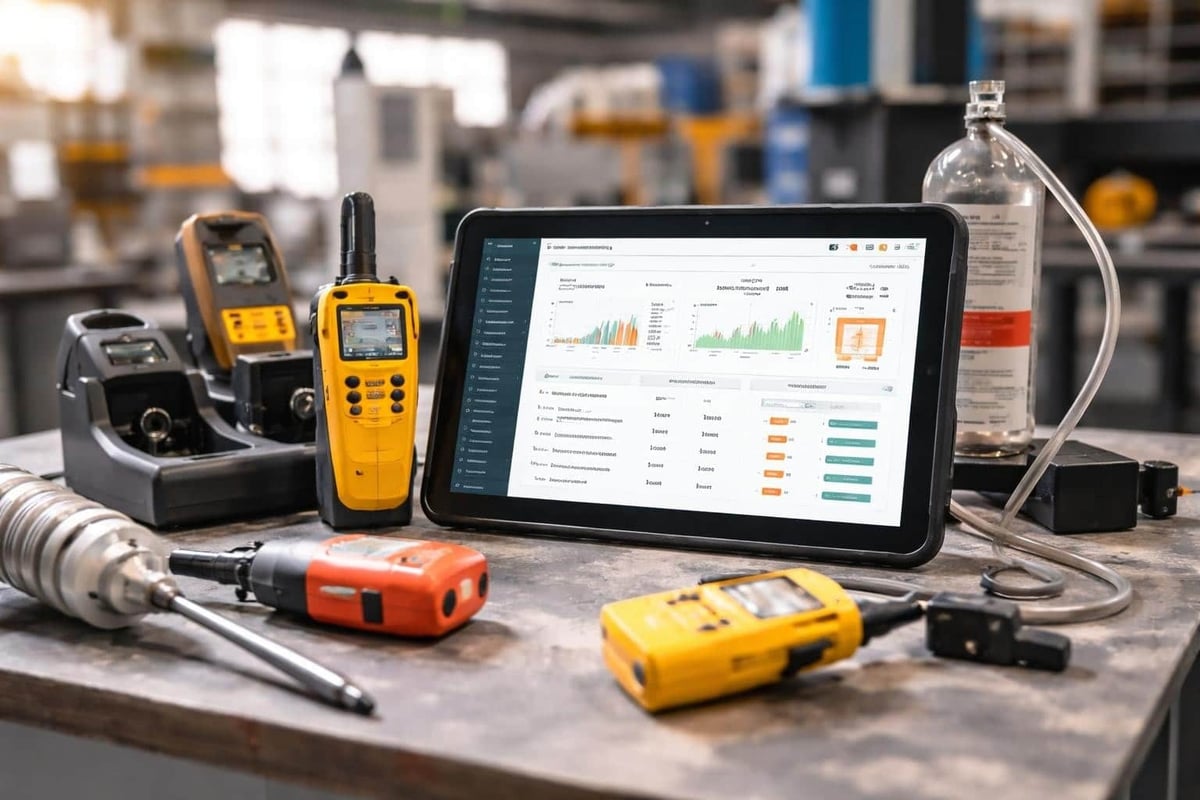
The Brytend Service Module provides structured service management that extends beyond calibration to include preventive maintenance, repairs, and complete equipment lifecycle tracking. Organizations managing calibration alongside other service activities benefit from unified service scheduling, work order management, and certificate generation in a single platform.
Phase 3: Workflow Testing and User Training
Test complete workflows from end to end using real scenarios. Create upcoming calibration schedules, generate work orders, attach certificates, and produce audit reports. Verify that automated notifications trigger correctly and contain appropriate information.
Train users by role rather than in single large sessions. Calibration coordinators need deep training on scheduling, vendor management, and reporting. Equipment owners need basic training on viewing instrument status and receiving notifications. Technicians performing internal calibrations require training on work order completion and certificate upload.
Document standard operating procedures that cover routine tasks, exception handling, and troubleshooting. These procedures become the foundation for ongoing training and quality audits.

How Does Calibration Management Software Compare to Manual Methods?
Manual calibration tracking through spreadsheets or paper logs creates significant risks and inefficiencies that grow as instrument counts increase. Organizations with fewer than 50 instruments sometimes maintain adequate manual systems, but those with 100+ instruments face mounting challenges.
Manual method limitations:
- No automated reminders result in 10-15% missed calibrations annually
- Certificate storage in file cabinets makes retrieval slow and audit preparation difficult
- Multiple spreadsheet versions create conflicting data and unclear authority
- No centralized reporting requires manual compilation for management reviews
- Limited traceability documentation fails regulatory scrutiny
- Time-consuming administrative work diverts resources from value-added activities
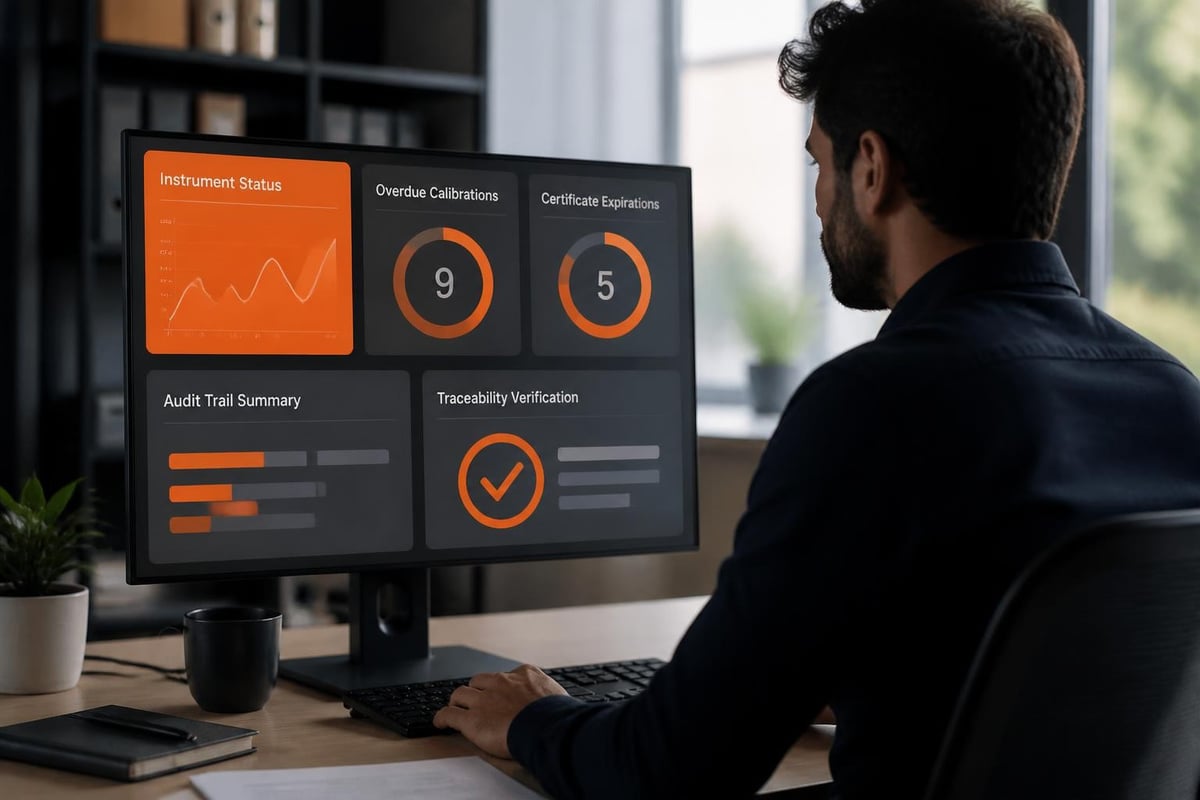
Software-based calibration management eliminates these risks while enabling capabilities impossible with manual methods. Automated scheduling ensures no instrument falls through cracks. Centralized certificate storage with instant search enables audit readiness. Real-time dashboards provide complete visibility into program status.
| Capability | Manual Methods | Calibration Software |
|---|---|---|
| Schedule tracking | Spreadsheet updates, manual calculations | Automated interval calculation, automatic due dates |
| Reminders | Manual email or calendar entries | Automated alerts at configurable intervals |
| Certificate storage | File cabinets, shared drives | Centralized database with instant search |
| Traceability chains | Manual documentation, prone to gaps | Automated linkage to standards hierarchy |
| Audit preparation | Hours to days compiling records | Minutes generating complete reports |
| Multi-location management | Separate spreadsheets, coordination challenges | Single database, unified visibility |
| Trend analysis | Manual data extraction and charting | Automated drift analysis, predictive insights |
| Integration | Manual data transfer | API-based real-time synchronization |
The efficiency gains compound as instrument counts grow. An organization managing 500 instruments reduces calibration coordinator time by 20-25 hours weekly by eliminating manual tracking, reminder generation, and status reporting.
What Are Common Implementation Mistakes and How Can You Avoid Them?
Calibration management software implementations fail or underperform due to predictable mistakes that organizations repeat. Recognizing these patterns enables proactive mitigation.
Insufficient Data Cleanup Before Migration
Organizations migrate poor-quality data from spreadsheets directly into new systems without cleanup. This creates instrument duplicates, inconsistent naming, incorrect intervals, and missing critical fields. The software perpetuates existing problems rather than solving them.
Clean data before migration. Deduplicate instrument records, standardize naming conventions, verify calibration intervals, and complete missing fields. Allocate 30-40% of implementation time to data preparation.
Inadequate Vendor Integration Planning
External calibration vendors perform 60-80% of calibrations at most organizations. Systems that require manual certificate upload after each external calibration create administrative burden that staff resist. This resistance leads to incomplete records and delayed uploads.
Establish vendor integration requirements during vendor selection. Modern vendors provide API access, automated certificate delivery, or structured data files that import automatically. Include integration capabilities in vendor selection criteria and testing protocols.
Overly Complex Workflows
Implementing every possible software feature creates complexity that overwhelms users and slows adoption. Organizations configure elaborate approval hierarchies, excessive custom fields, and intricate notification schemes that add little value.
Start with core workflows: asset registration, schedule management, work order creation, and certificate attachment. Add complexity incrementally based on demonstrated need and user feedback. Simplicity drives adoption.
Neglecting Mobile Access
Technicians performing calibrations in the field need mobile access to view work orders, record results, and upload certificates. Systems requiring desktop access force technicians to record information on paper and transcribe later, creating duplicate work and data entry errors.
Prioritize mobile-friendly interfaces or dedicated mobile applications during vendor selection. Test mobile workflows during implementation to verify usability in actual field conditions. Organizations in industries like manufacturing or facilities management benefit from connecting calibration software to broader equipment tracking software that enables comprehensive asset visibility.
How Do You Measure ROI from Calibration Management Software?
Calibration management software ROI comes from hard cost reductions, soft cost avoidance, and risk mitigation. Quantifying these benefits requires measuring baseline performance before implementation.
Direct cost reductions:
- Administrative time savings: 50-70% reduction in coordinator time spent on scheduling, tracking, and reporting
- Reduced emergency calibrations: 30-40% fewer rush calibrations due to missed intervals
- Lower audit preparation costs: 75-85% reduction in time compiling audit documentation
- Decreased certificate search time: 90%+ reduction in time locating historical certificates
Calculate annual labor costs for calibration coordination tasks. Multiply hourly rates by time spent on manual scheduling (weekly schedule review, reminder emails, status tracking). Project 50% reduction after software implementation. A coordinator spending 15 hours weekly on manual tasks at $65,000 annual salary represents $24,375 in annual cost. 50% reduction yields $12,188 annual savings.
Cost avoidance and risk mitigation:
- Prevented out-of-tolerance events: Each event costs $5,000-$500,000 depending on industry
- Reduced audit findings: Failed audits cost $50,000-$250,000 in corrective actions
- Avoided production shutdowns: Calibration-related stoppages cost $10,000-$100,000 per incident
- Decreased quality incidents: Customer complaints and returns from measurement errors
Manufacturing organizations report 60-80% reduction in calibration-related quality incidents within the first year. A facility experiencing two measurement-related quality events annually at $75,000 average cost avoids $120,000 annually with improved calibration control.
Software costs include licensing ($3,000-$25,000 annually depending on instrument count), implementation services ($10,000-$50,000), and ongoing support (typically included in annual licensing). Total first-year cost ranges from $15,000-$75,000 for most mid-sized organizations.
Typical ROI calculations show payback within 6-12 months from administrative savings alone. Adding cost avoidance from prevented quality incidents shortens payback to 3-6 months for organizations with previous calibration-related problems.
What Integration Points Matter Most for Calibration Management Software?
Calibration management software delivers maximum value when integrated with related enterprise systems. Standalone calibration systems create data silos that require manual synchronization and duplicate entry.
Critical Integration Points
Asset management and CMMS integration synchronizes instrument master data between systems. Changes to instrument location, status, or ownership propagate automatically. Calibration due dates appear in maintenance schedules, enabling coordinated planning. Organizations using asset service management systems benefit from unified equipment tracking that covers calibration, preventive maintenance, repairs, and full service history.
ERP integration connects calibration status to production planning and inventory management. Manufacturing systems can verify instrument calibration status before authorizing production runs. Quality holds trigger automatically when instruments fall out of calibration. Purchase orders for new instruments create asset records automatically.
Laboratory information management system (LIMS) integration ensures test equipment maintains calibration before use. The LIMS queries calibration status before allowing instrument assignment to test batches. Out-of-calibration instruments become unavailable for selection, preventing invalid test results.
Document management integration links calibration certificates to related quality documents, SOPs, and validation packages. This integration creates complete equipment documentation packages for regulatory submissions and audits. Following UKAS laboratory accreditation guidance requires demonstrating complete calibration documentation for accredited tests.
Data Exchange Methods
Modern calibration management software supports multiple integration approaches. REST APIs enable real-time data synchronization for systems requiring immediate updates. Scheduled file exchanges work for batch updates where real-time synchronization isn't critical. Database-level integration provides highest performance for high-volume data exchange.
Organizations should prioritize integrations based on data volume, update frequency, and business criticality. Start with asset master data synchronization and calibration status queries. Add certificate exchange and advanced workflow integration in later phases.
Specialty industries maintain unique calibration requirements that influence integration priorities. Medical device manufacturers require device history records that combine calibration data with production history. Aerospace companies need calibration traceability for parts installed on specific aircraft. Industrial manufacturers in sectors like tire production (such as OTR TIRE THAI managing precision measurement equipment for quality control) require calibration records linked to production batches and quality certifications.
What Regulatory Requirements Drive Calibration Management Software Adoption?
Regulated industries face specific calibration documentation and traceability requirements that make software essential for compliance. Different regulatory frameworks emphasize different aspects of calibration management.
ISO 17025 establishes requirements for testing and calibration laboratories. The standard requires documented procedures for equipment calibration, traceability to national or international standards, calibration certificates with specified content, and records demonstrating calibration intervals are appropriate. Software provides structured workflows that ensure consistency with ISO requirements.
FDA 21 CFR Part 11 applies to pharmaceutical, medical device, and biotech companies using electronic records. The regulation requires electronic signatures, audit trails, system validation, and controls preventing unauthorized access. Calibration management software supporting Part 11 includes these controls built-in, whereas manual systems require extensive procedural controls to achieve compliance.
ISO 9001 quality management systems require monitoring and measurement equipment to be calibrated at specified intervals or before use, against traceable standards. Organizations must maintain calibration records and take appropriate action when equipment is found out of calibration. Software automates these requirements through scheduled calibrations, certificate storage, and automated out-of-tolerance workflows.
Aerospace AS9100 extends ISO 9001 with additional requirements for test equipment and measuring devices. Organizations must recall and verify calibration status when calibration standards or methods change. Software enables rapid identification of all instruments calibrated using specific standards or procedures.
Audit Preparation and Regulatory Inspections
Regulatory audits require producing complete calibration documentation on demand. Auditors randomly select instruments and request calibration certificates, traceability documentation, and evidence of appropriate intervals. Manual systems require hours searching files and compiling records.
Software-based systems generate audit packages in minutes. Query instruments by location, type, or calibration date. Generate reports showing all calibrations within specified periods, instruments calibrated by specific vendors, or certificates expiring within defined windows. Export complete certificate packages with traceability chains.
Guidance from organizations like EURAMET on calibration procedures and NPL’s calibration best practices inform proper calibration program design. Software implementations should align with these internationally recognized standards for measurement traceability.
Healthcare organizations following WHO equipment management guidance require comprehensive calibration programs for medical devices and laboratory equipment. Software enables the detailed tracking and documentation these frameworks require.
How Should You Structure Calibration Intervals and Risk-Based Approaches?
Calibration intervals balance measurement risk against calibration cost. Shorter intervals provide greater confidence in measurement accuracy but increase calibration expenses. Longer intervals reduce costs but increase risk of out-of-tolerance conditions.
Traditional Interval Setting Methods
Manufacturer recommendations provide starting points for initial intervals. Manufacturers specify calibration frequencies based on instrument design, component stability, and expected use conditions. These recommendations typically err toward conservatism.
Regulatory requirements mandate specific intervals for certain industries. Medical device regulations, pharmaceutical GMPs, and aerospace specifications often specify maximum calibration intervals for critical measurement types. These regulatory intervals override manufacturer recommendations.
Industry standards and best practices provide interval guidance for common measurement types. Professional associations and standards bodies publish recommended calibration frequencies based on measurement discipline and application criticality.
Risk-Based Calibration Interval Adjustment
Organizations optimize calibration intervals by analyzing historical drift patterns and adjusting intervals accordingly. Instruments consistently showing minimal drift support longer intervals. Instruments approaching tolerance limits require shorter intervals.
Risk-based interval factors:
- Measurement criticality: Impact of out-of-tolerance results on product quality or safety
- Historical drift: Rate of movement toward tolerance limits based on past calibrations
- Usage intensity: Frequency and severity of use affecting drift rates
- Environmental conditions: Temperature, humidity, vibration exposure
- Manufacturer reliability: Track record of specific instrument models
Calibration management software enables risk-based interval optimization through automated drift analysis. The system tracks as-found versus as-left values across calibration cycles, calculates drift rates, and recommends interval adjustments. Instruments showing less than 25% of tolerance drift support interval extensions. Those approaching 75% of tolerance require interval reductions.
Organizations implementing risk-based approaches reduce total calibrations by 15-30% while maintaining equivalent or better measurement confidence. This optimization requires 2-3 calibration cycles of data collection before making interval adjustments.
What Training and Change Management Ensures Successful Adoption?
Software implementation succeeds or fails based on user adoption. Technical configuration matters less than user acceptance and consistent usage. Change management drives adoption through communication, training, and reinforcement.
Stakeholder-Specific Communication
Different stakeholders need different information about calibration management software. Executive leadership requires ROI data, risk reduction benefits, and implementation timelines. Quality managers need compliance capabilities, audit features, and regulatory alignment. Calibration coordinators need workflow details, efficiency gains, and daily usage information. Equipment owners need visibility tools and notification processes.
Develop targeted communications for each stakeholder group. Avoid generic messages that attempt to address everyone. Schedule separate sessions for different user populations with content tailored to their specific roles and concerns.
Role-Based Training Programs
Training effectiveness requires role-specific content delivered in appropriate formats. Calibration coordinators need comprehensive training covering all system functions. This training typically requires 8-12 hours over multiple sessions with hands-on practice between sessions.
Equipment owners need brief overview training (30-60 minutes) covering how to view instrument status, interpret notifications, and access certificates. Detailed system functionality is unnecessary for this population.
Field technicians performing calibrations require focused training on work order management, result entry, and certificate upload. Mobile interface training ensures comfortable usage in field conditions.
Training delivery methods by effectiveness:
- Small group hands-on sessions (highest retention)
- One-on-one coaching for power users
- Recorded demonstrations for reference
- Written procedures with screenshots
- Large group presentations (lowest retention)
Create a calibration system champion program by identifying enthusiastic early adopters in each department. Provide these champions with advanced training and designate them as first-line support for their colleagues. Champion programs reduce help desk load and accelerate adoption.
Adoption Metrics and Reinforcement
Monitor adoption through usage metrics. Track login frequency, work order completion rates, certificate upload times, and reporting usage. Low adoption in specific departments or user groups indicates need for additional training or workflow adjustment.
Schedule refresher sessions 30-60 days post-implementation to address questions arising from actual usage. These sessions have higher value than initial training because users bring real problems to solve.
Recognize and reward departments achieving high adoption rates and data quality. Public recognition creates positive pressure for lagging departments to improve performance. Organizations managing complex compliance risk software across multiple regulatory domains benefit from unified compliance tracking that reduces training burden and system complexity.
Calibration management software transforms instrument calibration from administrative burden to strategic quality control through automated scheduling, complete traceability, and compliance documentation. Organizations implementing calibration software reduce quality incidents, eliminate audit findings, and recover 50% or more of administrative time while ensuring measurement accuracy across all instruments. Brytend develops custom calibration management solutions that integrate with your existing quality systems, asset management platforms, and compliance workflows, delivering the specific capabilities your organization requires for complete calibration control.