

HR software that shows who is away and what waits for you.
Leave requests, sick reports and overtime with approval, leave balances, onboarding checklists and reviews, on one HR dashboard for managers and employees.
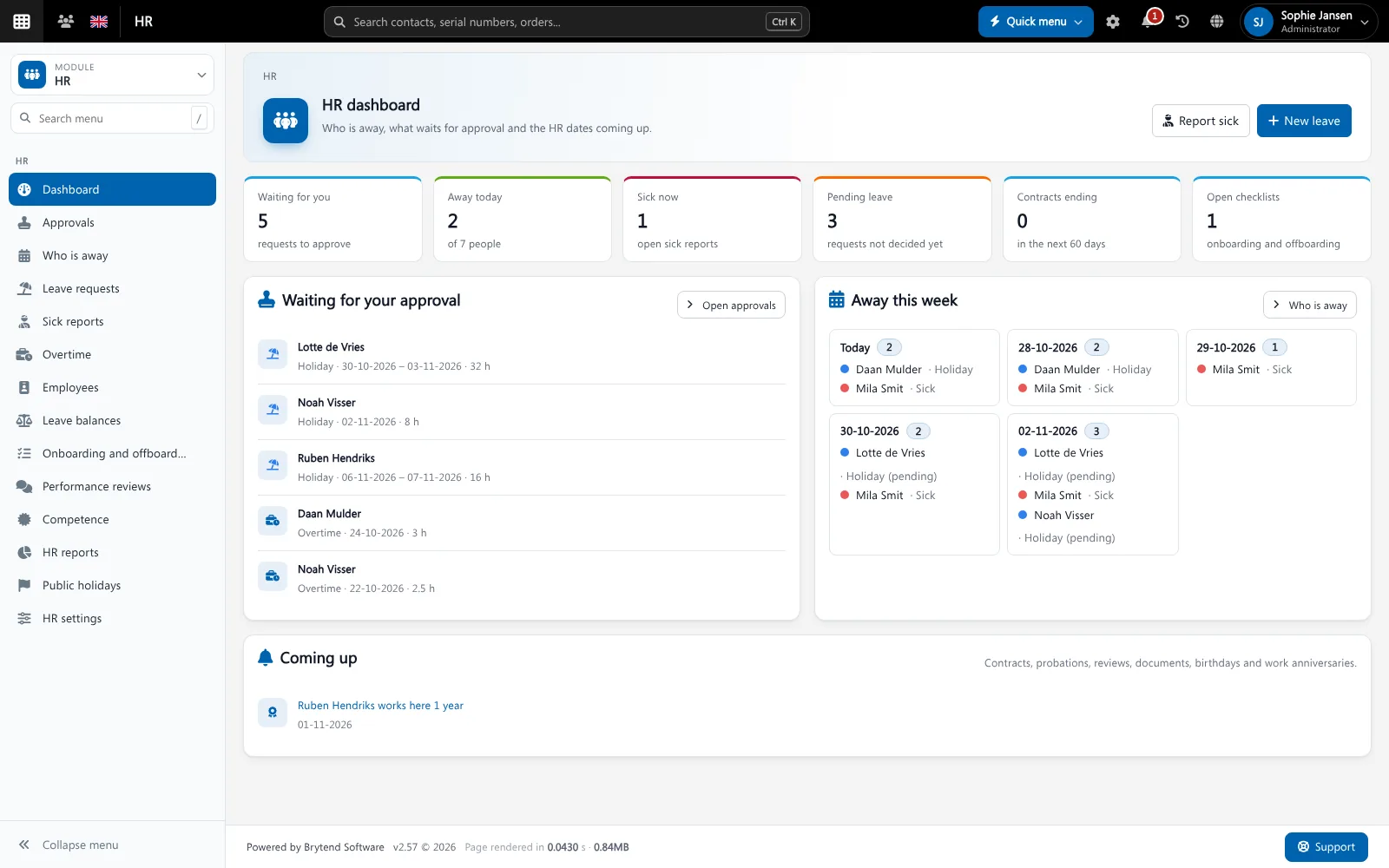
HR software keeps the employee administration of a company in one place: contracts, leave, sickness, overtime, onboarding and reviews. Brytend HR is part of the same platform as planning and service, so the people who are away are visible where the work is planned.
HR is one part of Brytend, the business operations platform that replaces multiple disconnected business systems with one fully integrated platform: CRM, Assets, Rentals, Quality, Service, Compliance, Documents, Reporting and AI.
Self-service for employees
Employees request leave, report sick and find the handbook themselves, so HR spends less time on questions.
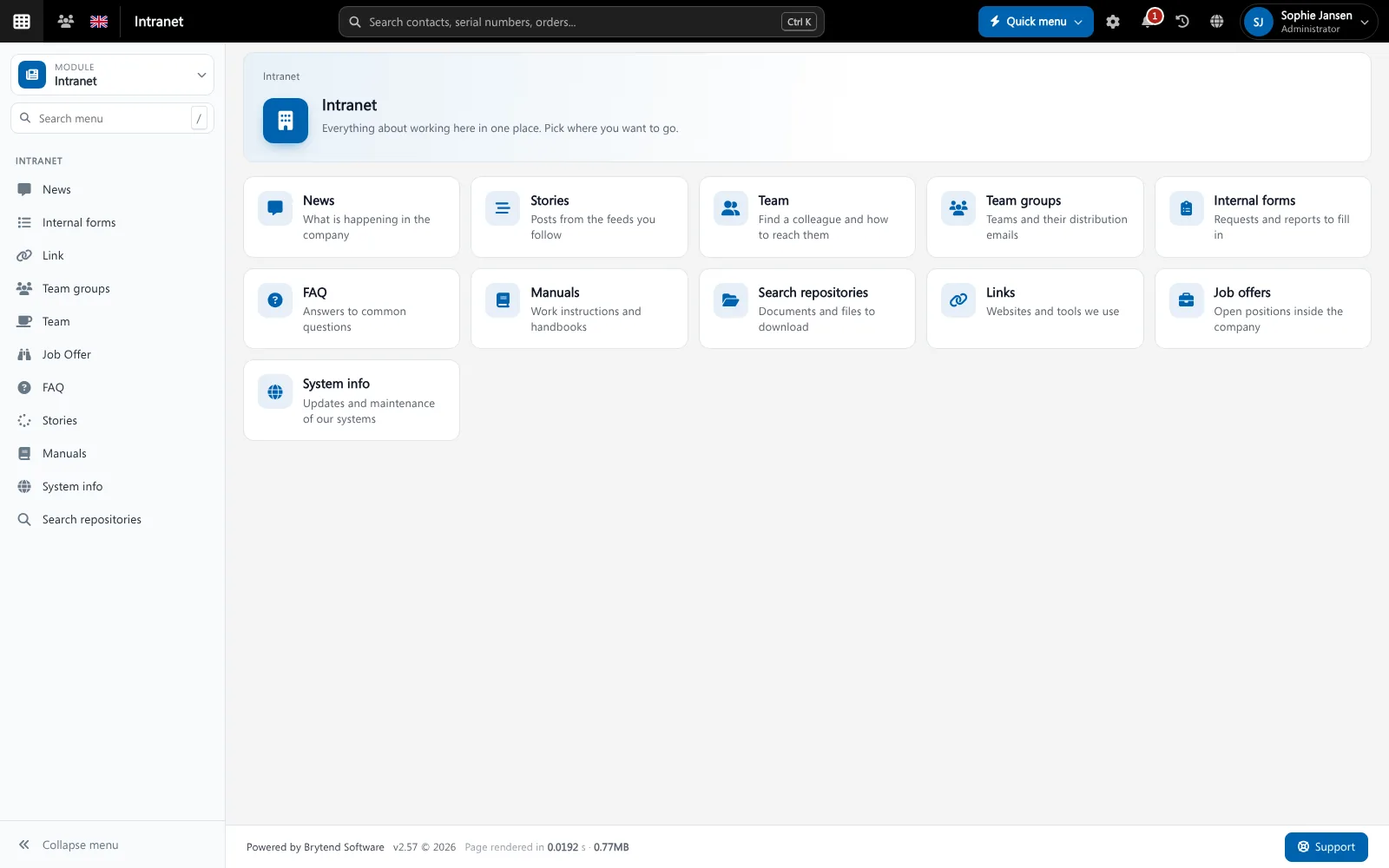
Employees find HR forms and manuals on the intranet. Screenshot with sample data.
What goes wrong without HR software
Leave in a spreadsheet
Requests by e-mail and a shared Excel file mean double approvals and wrong balances.
Nobody knows who is away
A planner books a technician who is on holiday because the calendar is somewhere else.
Onboarding by memory
A new colleague starts without a laptop or a safety induction because the checklist was not followed.
One dashboard for HR and managers
See the requests that wait for your approval, who is away today and this week, open sick reports and the contracts, probations and reviews coming up.
- Leave requests with approval by a manager (4-eye principle)
- Sick reports and expected return dates
- Overtime with approval, paid or as time off
- Contracts ending in the next 60 days
HR features
Leave types
Holiday, time off in lieu, special and unpaid leave, each with its own rules.
Leave balances
Entitlement, carried-over hours and adjustments per employee per year.
Who is away
A week view of everybody who is on leave or sick.
Onboarding and offboarding
Checklists with tasks, owners and due dates for every new or leaving employee.
Performance reviews
Plan annual and probation reviews and keep the outcome.
Competence
Record skills and certificates per employee.
Public holidays
Public holidays per country are taken into account.
HR documents
Contracts and certificates per employee, with expiry dates.
HR reports
Absence and leave reports for the whole company.
Get started in three steps
Add your people
Add employees with their contract, hours and leave entitlement.
Request and approve
Employees request leave or report sick; managers approve on the dashboard.
Plan with it
Everybody who plans work sees who is away.
Rated 5 stars on Google
“We used to create and track orders in Ultimo. Switching to Brytend was a challenge, yet we were very pleasantly surprised. Not only the software, but their support too is better than expected. Super!”
“Our company has used Brytend software for several years. It has let us tackle various processes quickly and efficiently that we had not found a solution for before.”
“Excellent experience with this company and its software applications. If you want changes, no problem. Arranged quickly and at a fair price.”
Reviews translated from Dutch.
Works with the other Brytend modules
Intranet
See how Intranet works with HR.
Tasks
See how Tasks works with HR.
Document control
See how Document control works with HR.
Security
See how Security works with HR.
Frequently asked questions
What is HR software?
It keeps the employee administration in one place: contracts, leave, sickness, overtime, onboarding and reviews.
Can managers approve leave requests?
Yes. Leave and overtime go to the manager for approval, and the dashboard shows what waits for you.
Does Brytend keep leave balances?
Yes. Entitlement, carried-over hours and adjustments are kept per employee per year.
Can I make onboarding checklists?
Yes. Make templates with tasks, owners and due dates, and start one for every new employee.
Who can see HR data?
Only the users you give HR rights through permission groups. Employees see their own data.
How does the free trial work?
You use the full Brytend platform free for 90 days. Take the tour first, or start the trial straight away.
Know who is in. And who is not.
Take the tour to see HR with the rest of the platform, or start your free 90-day trial.
Prefer to talk first? Call +31 (0)85 013 02 04