

Help desk software that turns every question into an answer.
Customers send questions and problems from the help center. Your team sees every ticket with its priority, status and owner, and turns it into a task or a project when needed.
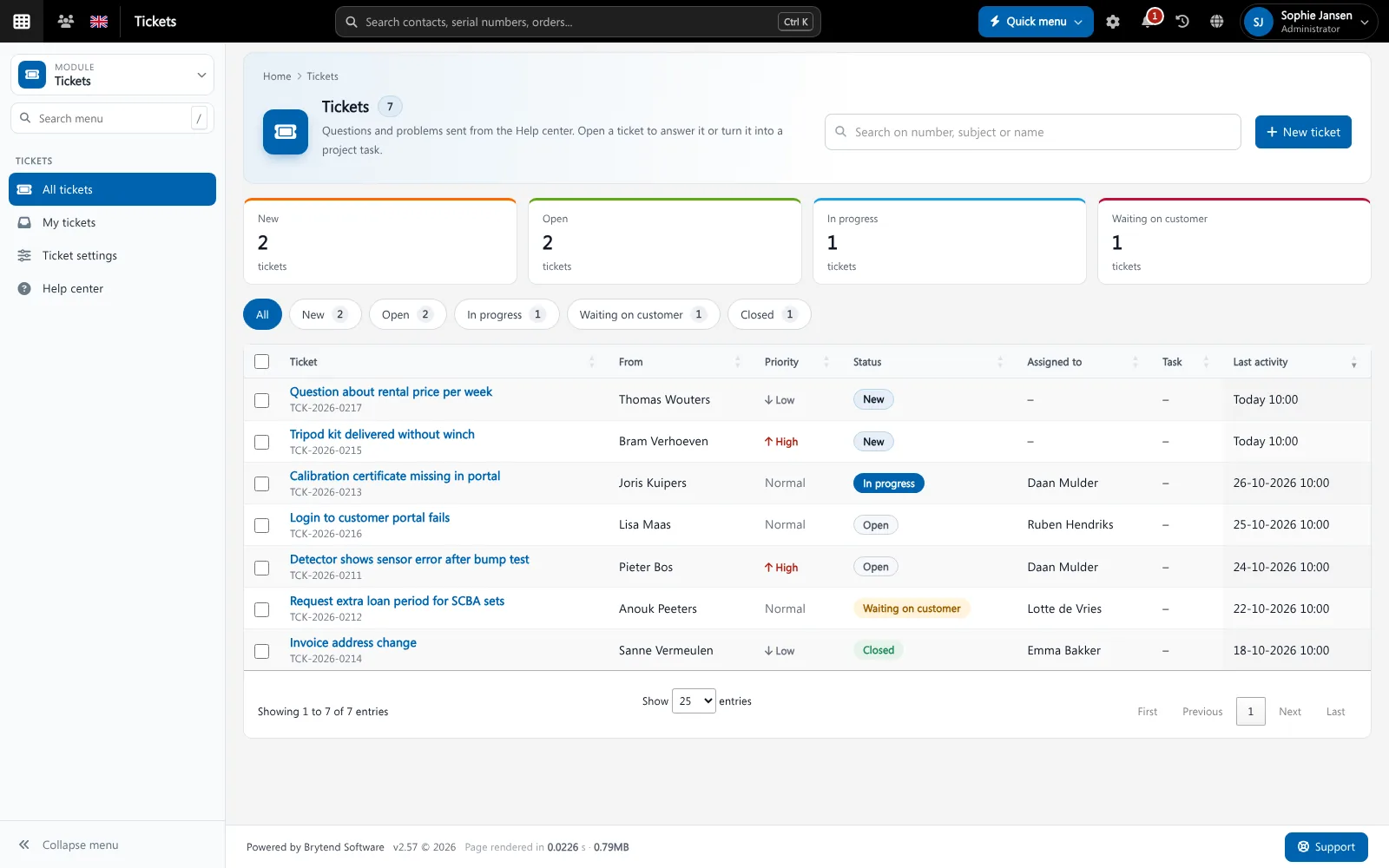
Help desk software collects the questions and problems of customers as tickets, so each one gets an owner, a status and an answer. Brytend Help Desk links every ticket to the customer and can turn it into a task or a project task.
Help desk is one part of Brytend, the business operations platform that replaces multiple disconnected business systems with one fully integrated platform: CRM, Assets, Rentals, Quality, Service, Compliance, Documents, Reporting and AI.
From ticket to work
When a ticket needs work, turn it into a task or a project task. The ticket status follows the task, so the customer sees progress.
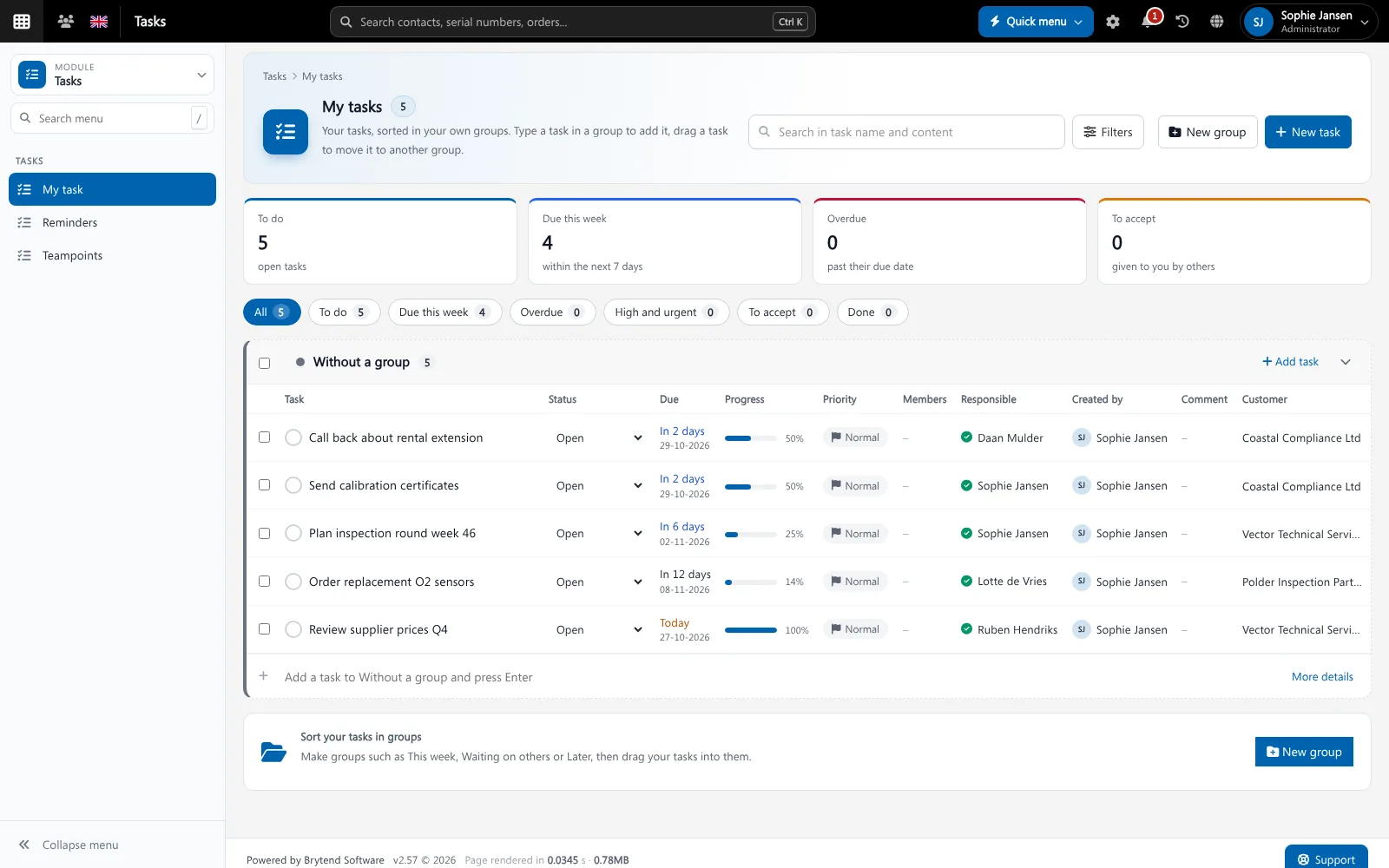
A ticket can become a task with a due date. Screenshot with sample data.
What goes wrong without help desk software
Questions in personal inboxes
A customer e-mails one colleague who is on holiday, and nobody else sees the question.
No priority
Urgent problems wait behind simple questions because there is no priority.
Customers ask for updates
Without a status the customer keeps calling to ask how it is going.
Every ticket, one list
See new, open, in progress, waiting and closed tickets with their priority, the person assigned and the last activity.
- Status: new, open, in progress, waiting on customer, closed
- Priority low, normal and high
- Assign a ticket to a colleague
- Internal comments the customer does not see
Help desk features
Help center
Customers send tickets from the help center or the customer portal.
Statuses
New, open, in progress, waiting on customer and closed.
Priority
Low, normal and high, so urgent work comes first.
Assignment
Give each ticket an owner.
Internal comments
Discuss a ticket with colleagues without the customer seeing it.
Tasks and projects
Turn a ticket into a task or project task; the status follows.
Notifications
New tickets and replies arrive in the bell or by e-mail.
Customer history
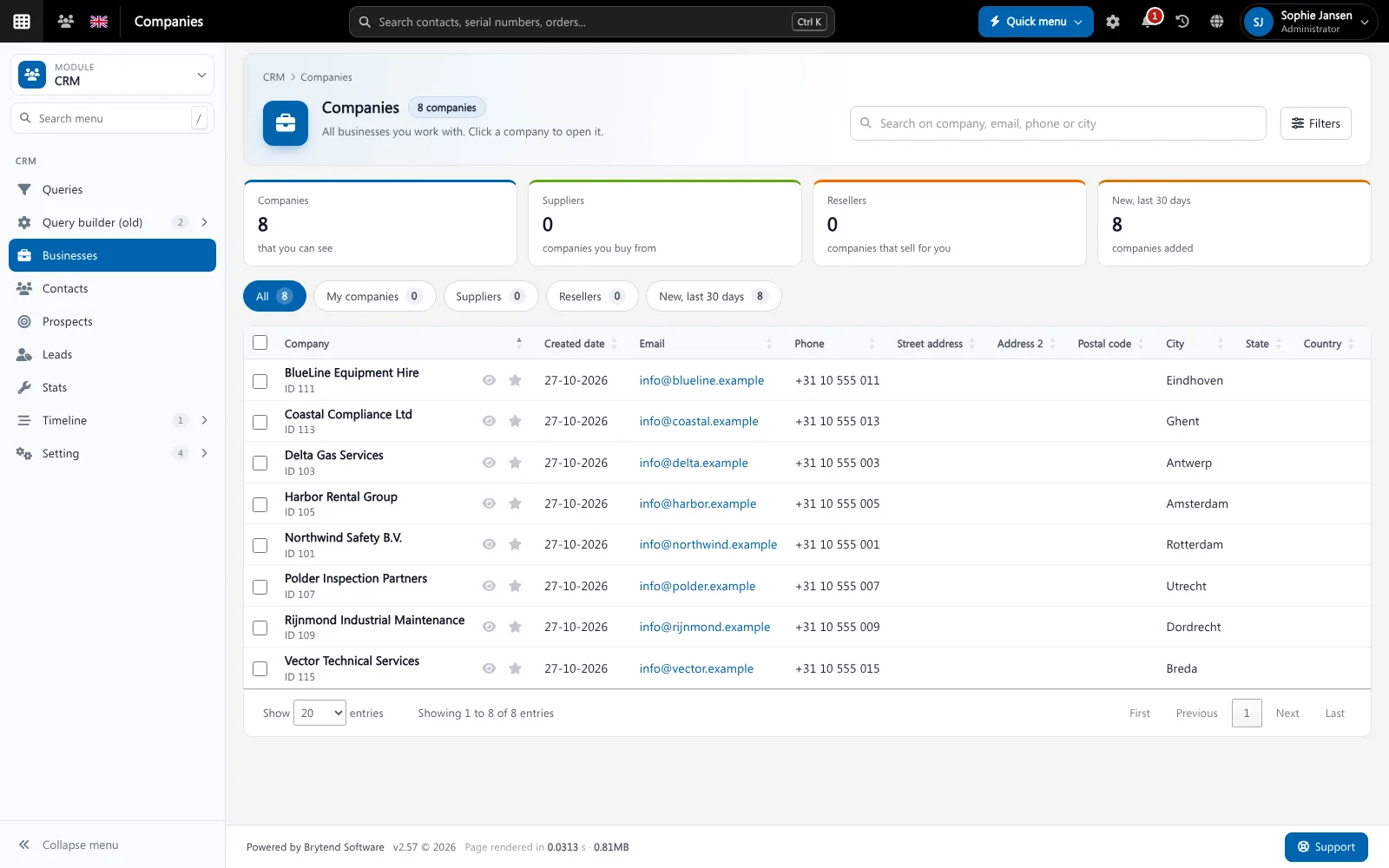
Tickets appear on the customer page in CRM.
Ticket settings
Set categories and who gets new tickets.
Get started in three steps
Receive
Customers send a ticket from the help center or portal.
Work
Assign it, set the priority and answer, or turn it into a task.
Close
Close the ticket when it is solved. The history stays with the customer.
Rated 5 stars on Google
“We used to create and track orders in Ultimo. Switching to Brytend was a challenge, yet we were very pleasantly surprised. Not only the software, but their support too is better than expected. Super!”
“Our company has used Brytend software for several years. It has let us tackle various processes quickly and efficiently that we had not found a solution for before.”
“Excellent experience with this company and its software applications. If you want changes, no problem. Arranged quickly and at a fair price.”
Reviews translated from Dutch.
More than help desk software
Linked to the customer
Tickets show on the customer page in CRM.
Linked to the work
Tickets become tasks or project tasks.
Linked to the device
Service problems lead to a service record in Service and inspections.
Works with the other Brytend modules
CRM
See how CRM works with Help desk.
Tasks
See how Tasks works with Help desk.
Service and inspections
See how Service and inspections works with Help desk.
Projects
See how Projects works with Help desk.
Frequently asked questions
What is help desk software?
It collects customer questions and problems as tickets, each with an owner, a status and a priority, so nothing is missed.
How do customers send a ticket?
From the help center or the customer portal.
Can a ticket become a task?
Yes. Turn a ticket into a task or a project task. The ticket status follows the task.
Can colleagues discuss a ticket privately?
Yes. Internal comments are not shown to the customer.
Can I see all tickets of a customer?
Yes. Tickets are linked to the customer and show on the customer page.
How does the free trial work?
You use the full Brytend platform free for 90 days. Take the tour first, or start the trial straight away.
Every question answered. On time.
Take the tour to see Help desk with the rest of the platform, or start your free 90-day trial.
Prefer to talk first? Call +31 (0)85 013 02 04