

Dashboards with the numbers that matter, from every module.
Open invoices, overdue services, stock below the reorder point, gas tests that wait. Every module has its own key numbers, and you arrange the widgets on your dashboard yourself.
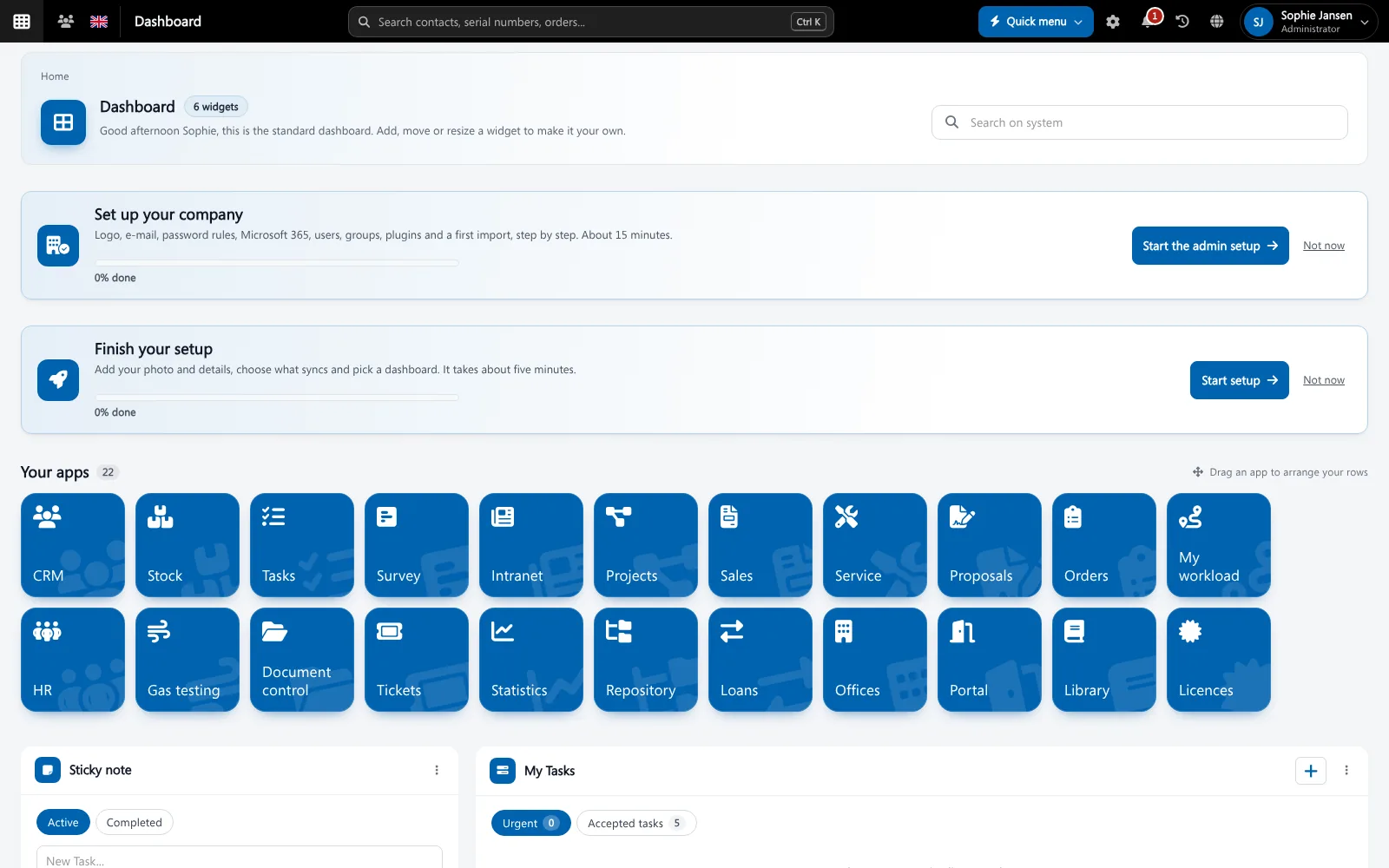
A business dashboard shows the key numbers (KPIs) of a company on one screen, so problems are seen early. Because all Brytend modules share one database, the numbers on the dashboard are live and need no export or spreadsheet.
Dashboards and reports is one part of Brytend, the business operations platform that replaces multiple disconnected business systems with one fully integrated platform: CRM, Assets, Rentals, Quality, Service, Compliance, Documents, Reporting and AI.
Key numbers on every list
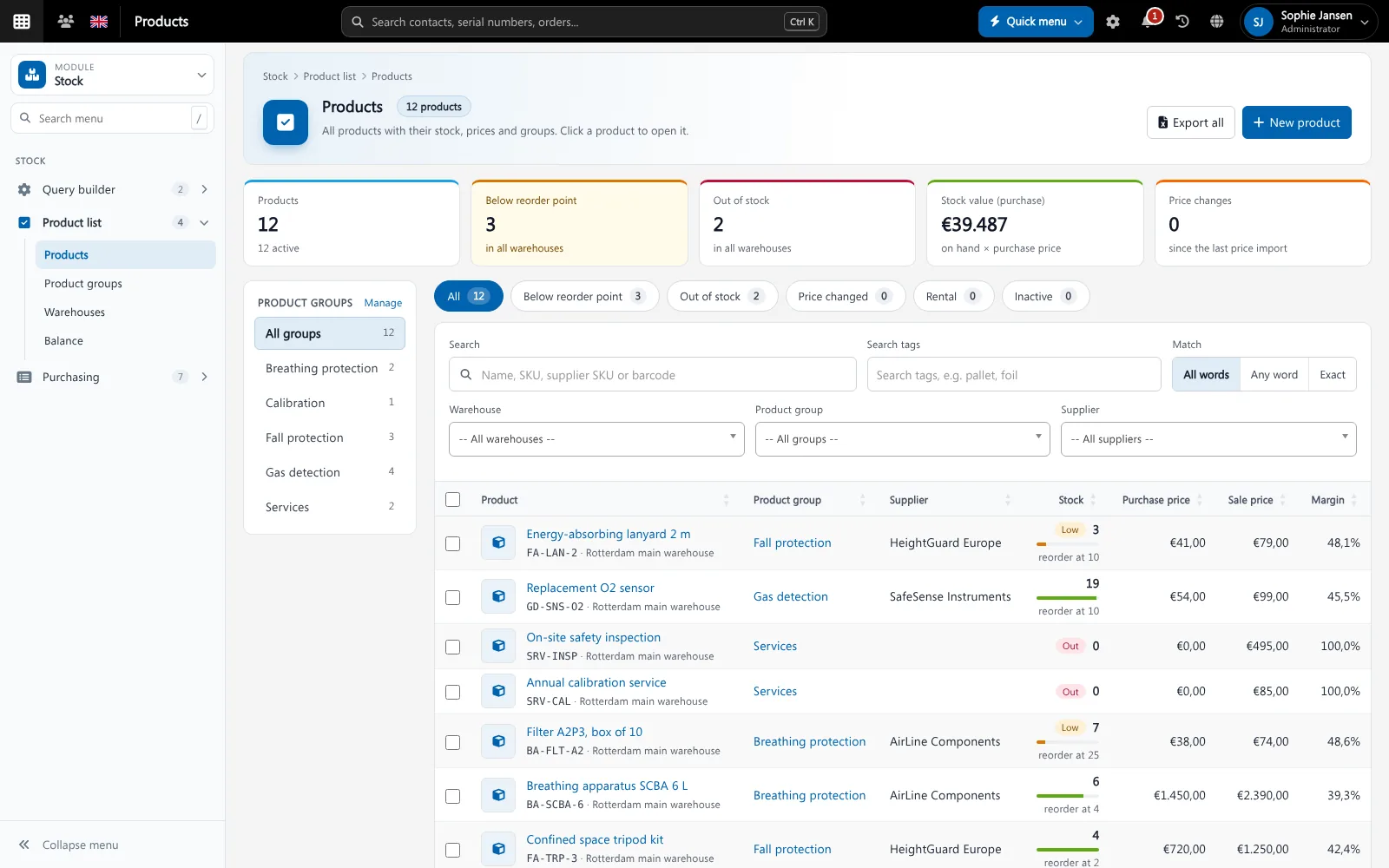
Every main list starts with its key numbers: open and overdue invoices, stock below reorder point, services this month. Click a number to see the rows behind it.
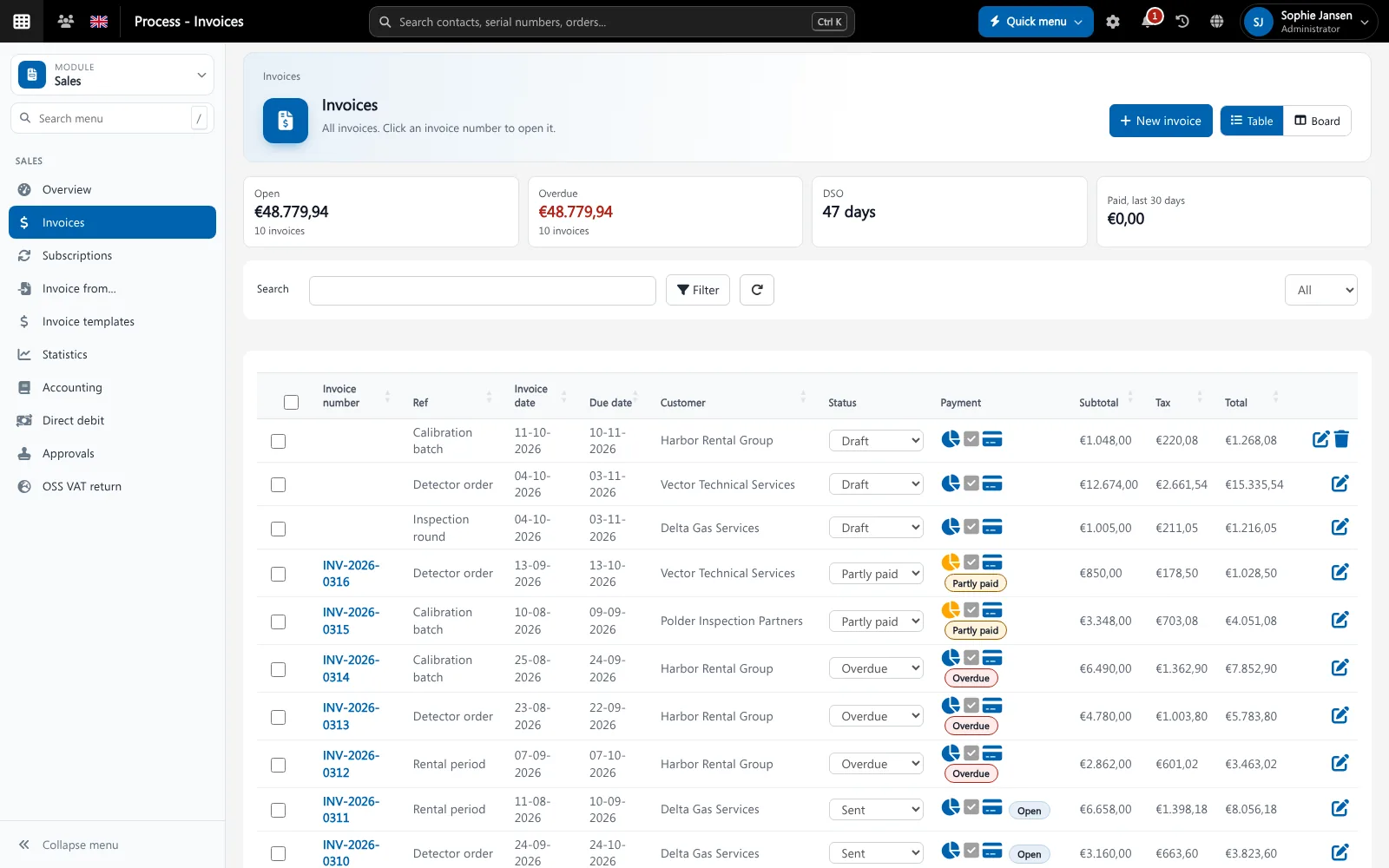
Key numbers on top of every list, here Invoicing. Screenshot with sample data.
What goes wrong without business dashboard software
Numbers from five exports
A monthly report means exporting from every system and combining them in Excel.
Problems seen too late
Overdue invoices or missed inspections are noticed when the damage is done.
Everybody sees the same screen
A planner and a director need different numbers.
Your dashboard, your widgets
Add widgets from every module, drag them into place and switch between your own view and the company view. A period switch shows month, quarter or year.
- Widgets per module, for example relation, proposal and invoice metrics
- Your own view or company-wide
- Month, quarter and year with a comparison to the previous period
- Apps panel to open every module
Dashboards and reports features
Module overviews
Every module has an overview page with its own widgets.
Drag and drop
Arrange widgets the way you work.
Period switch
Month, quarter or year, compared with the previous period.
Own or company-wide
See your own numbers or those of the whole company.
Click through
Every number opens the list behind it.
Queries
Build your own lists with the query builder and export them.
Statistics
Statistics pages for sales, service, rental and orders.
Live data
No exports: the numbers come straight from the modules.
AI questions
Ask the AI chat a question about your data.
Get started in three steps
Choose
Pick the widgets you need from each module.
Arrange
Drag them into place on your dashboard.
Act
Click a number to open the rows behind it and act on them.
Rated 5 stars on Google
“We used to create and track orders in Ultimo. Switching to Brytend was a challenge, yet we were very pleasantly surprised. Not only the software, but their support too is better than expected. Super!”
“Our company has used Brytend software for several years. It has let us tackle various processes quickly and efficiently that we had not found a solution for before.”
“Excellent experience with this company and its software applications. If you want changes, no problem. Arranged quickly and at a fair price.”
Reviews translated from Dutch.
More than business dashboard software
AI on your data
Ask questions about your numbers with Brytend AI.
Right numbers for each role
Permission groups decide which widgets a user can see.
Works with the other Brytend modules
Invoicing
See how Invoicing works with Dashboards and reports.
Service and inspections
See how Service and inspections works with Dashboards and reports.
Stock
See how Stock works with Dashboards and reports.
AI
See how AI works with Dashboards and reports.
Frequently asked questions
What is a business dashboard?
A screen with the key numbers (KPIs) of a company, so you see problems early and act on them.
Can every user have their own dashboard?
Yes. Every user arranges their own widgets, and can switch between their own numbers and the company view.
Where do the numbers come from?
Straight from the Brytend modules. No export or spreadsheet is needed.
Can I compare periods?
Yes. Switch between month, quarter and year with a comparison to the previous period.
Can I make my own reports?
Yes. Build your own lists with the query builder and export them to Excel.
How does the free trial work?
You use the full Brytend platform free for 90 days. Take the tour first, or start the trial straight away.
See your business. Live.
Take the tour to see Dashboards and reports with the rest of the platform, or start your free 90-day trial.
Prefer to talk first? Call +31 (0)85 013 02 04