

Equipment rental and loan software that shows what is out, and what it earns.
Rent out and lend your own fleet by serial number. See what is out, what is reserved and what is late, and how much every device has earned.
Equipment rental software manages a fleet of items you rent out or lend: availability, reservations, check-out, return and the money it brings in. Brytend combines rental (paid, by day, week or month) and loans (for example a replacement unit during a repair) on one platform.
Rental and loans is one part of Brytend, the business operations platform that replaces multiple disconnected business systems with one fully integrated platform: CRM, Assets, Rentals, Quality, Service, Compliance, Documents, Reporting and AI.
Know what every device earns
Rental statistics show per device how often it was rented, the total income, its age and when it has paid itself back.
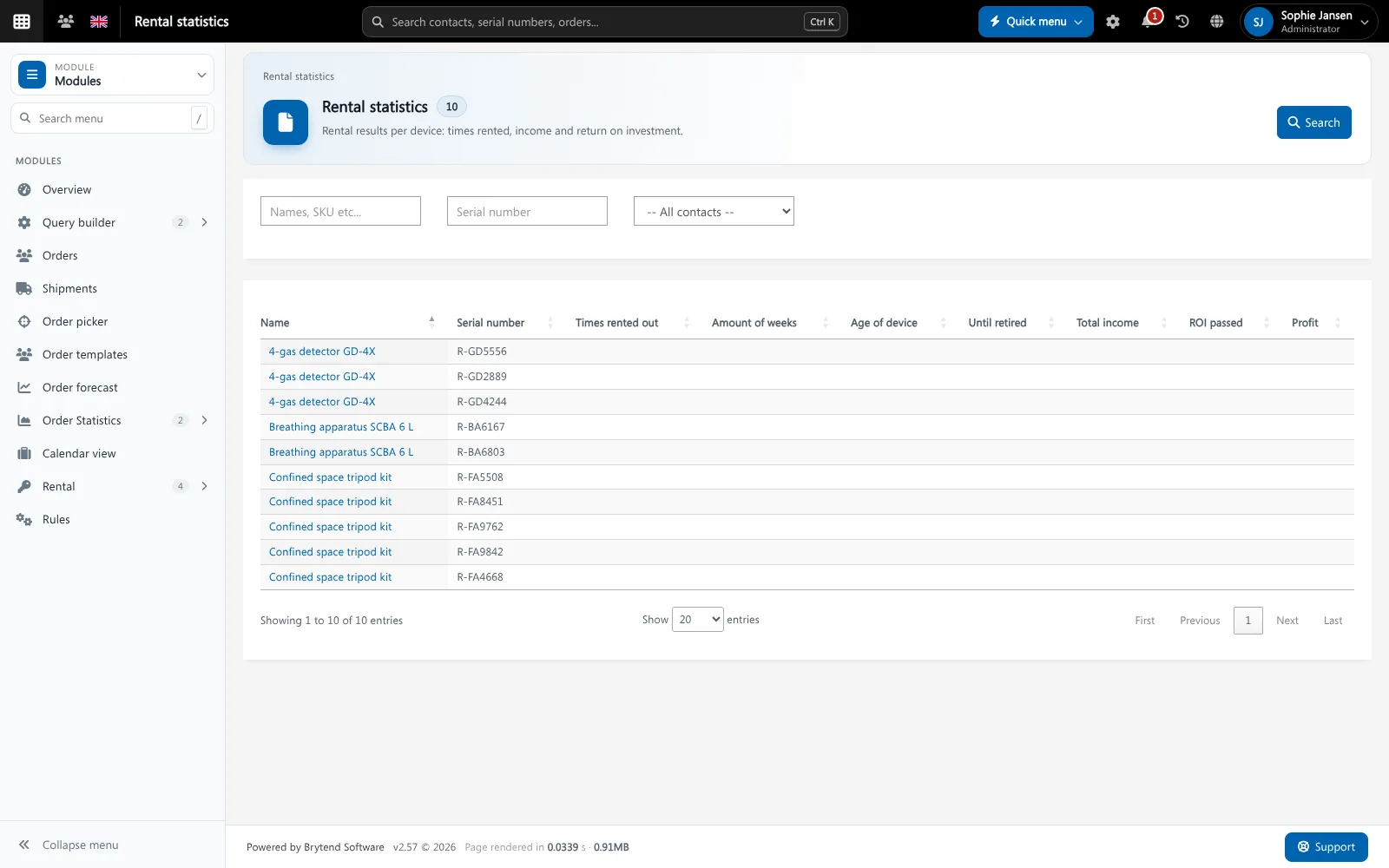
Rental statistics per device. Screenshot with sample data.
What goes wrong without equipment rental software
Who has it?
A unit is not on the shelf and nobody knows which customer has it or when it comes back.
Double bookings
Two customers get the same unit for the same week because the planning lives in a spreadsheet.
No idea what pays
Without income per device you keep buying units that hardly go out.
A loan desk for the whole team
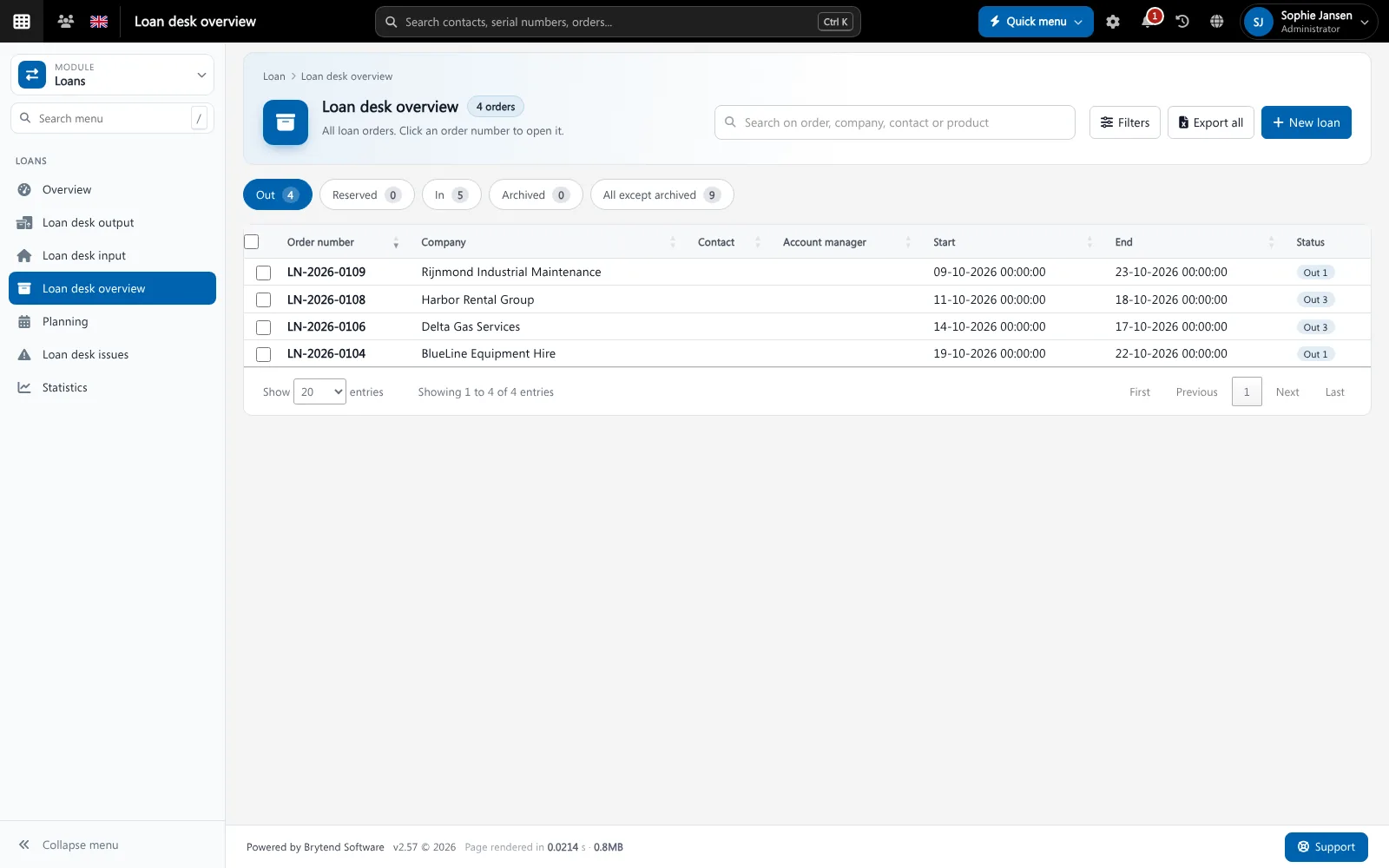
The loan desk shows every order out, reserved, returned or archived. Open an order to see the items, the dates and the customer.
- Loan orders with a number, a start and an end date
- Items out, in, reserved and archived in one overview
- Planning view of who has what and when
- Loan desk issues for items that came back damaged or incomplete
Rental and loans features
Rental prices
Price per day, week and month and a deposit per device.
Block times
Block days before and after a rental for cleaning, testing or transport.
Reservations
Reserve items for a future date so they cannot be lent twice.
Extend and reminders
Extend a loan and send reminders when the return date comes close.
Rental statistics
Times rented, total income and return on investment per device.
Serial numbers
Every unit is tracked by serial number, the same one service uses.
Loan receipt
Print or e-mail a receipt when the items go out.
Issues
Register what was wrong when an item came back, and follow it up.
Invoicing
Turn a rental into an invoice without retyping.
Get started in three steps
Add your fleet
Mark the devices you rent or lend, with prices and block times.
Lend or rent
Create a loan or rental order, scan the items out and print the receipt.
Return and invoice
Scan the items back in, register any issues and invoice the rental.
Rated 5 stars on Google
“We used to create and track orders in Ultimo. Switching to Brytend was a challenge, yet we were very pleasantly surprised. Not only the software, but their support too is better than expected. Super!”
“Our company has used Brytend software for several years. It has let us tackle various processes quickly and efficiently that we had not found a solution for before.”
“Excellent experience with this company and its software applications. If you want changes, no problem. Arranged quickly and at a fair price.”
Reviews translated from Dutch.
More than equipment rental software
One serial number
Rental units are serviced in Service and inspections, so you never rent out a unit that is due.
One customer
Every order belongs to a customer in CRM.
Invoiced in one go
Rentals become invoices in Invoicing.
Works with the other Brytend modules
Service and inspections
See how Service and inspections works with Rental and loans.
CRM
See how CRM works with Rental and loans.
Invoicing
See how Invoicing works with Rental and loans.
Stock
See how Stock works with Rental and loans.
Frequently asked questions
What is equipment rental software?
It manages a fleet of equipment you rent out or lend: availability, reservations, check-out, return, invoicing and income per device.
What is the difference between rental and loans in Brytend?
Rental is paid by day, week or month. A loan is lending an item, for example a replacement unit during a repair. Both use the same fleet and serial numbers.
Can I see which items are late?
Yes. The loan desk overview shows every order that is out with its end date, and reminders go out when a return date comes close.
Can I block a unit after a rental?
Yes. Set block days before and after a rental for cleaning, testing or transport.
Can I see the return on investment per device?
Yes. Rental statistics show times rented, total income and whether the device has paid itself back.
How does the free trial work?
You use the full Brytend platform free for 90 days. Take the tour first, or start the trial straight away.
Know where every unit is. And what it earns.
Take the tour to see Rental and loans with the rest of the platform, or start your free 90-day trial.
Prefer to talk first? Call +31 (0)85 013 02 04