
Knowledge base software that answers before anyone asks twice.
Write how-tos and answers once, send them for review and publish them in spaces your team and customers can search. The AI uses the same articles to help with tickets, and an HSQE assistant answers safety and quality questions from your own documents.
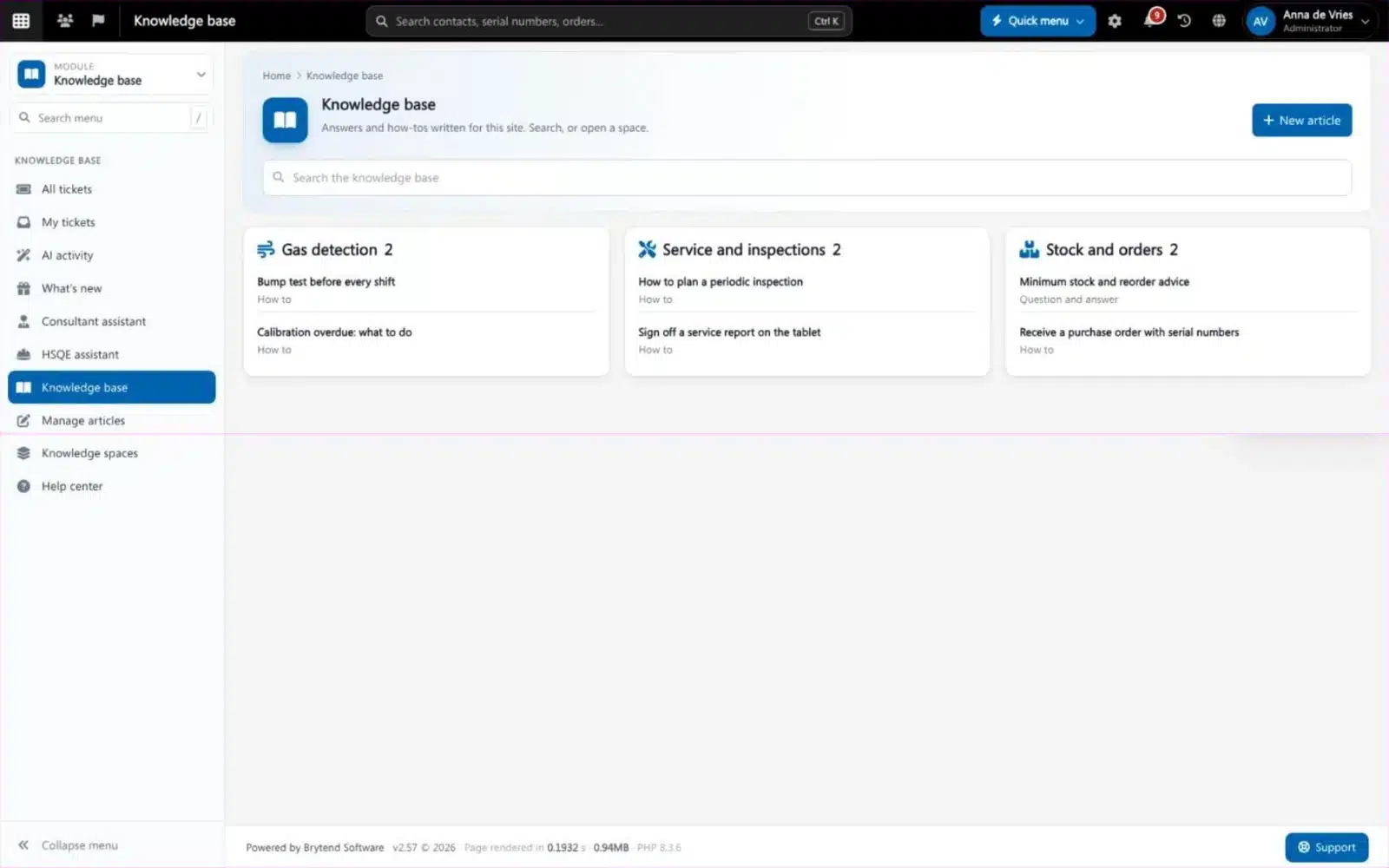
Knowledge base software is where a company writes down how things are done and what the answers to common questions are, so people can find them without asking. Brytend Support intelligence keeps the articles in Document control with versions and approval, links them to the help desk tickets, and lets AI use them to suggest and send answers.
Support intelligence is one part of Brytend, the business operations platform that replaces multiple disconnected business systems with one fully integrated platform: CRM, Assets, Rentals, Quality, Service, Compliance, Documents, Reporting and AI.
Articles with an approval flow
Editors write articles, send them for review and publish them. Readers only see the published version; every change is a new version, and articles get a check date so they do not go stale.
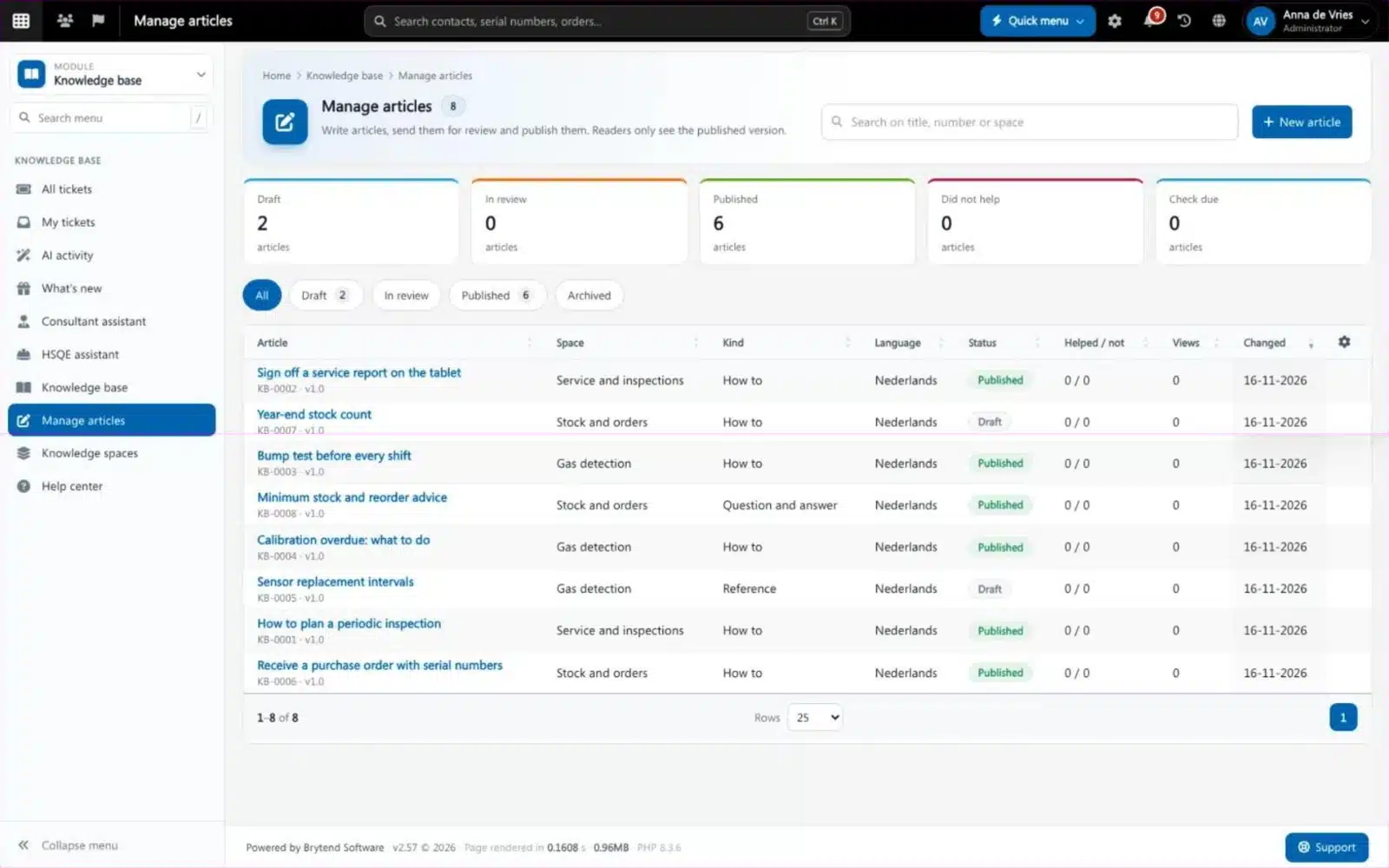
Managing knowledge base articles. Screenshot with sample data.
What goes wrong without knowledge base software
The same question, every week
Support answers the same how-to again and again because the answer lives in one person’s head.
Documents nobody finds
Procedures and manuals exist, but nobody can find the right one when it matters.
Safety questions wait
A toolbox talk or incident report waits for the one HSQE person who has time on Friday.
One article, many readers
Every article has a space, a kind (how-to, troubleshooting, reference, question and answer), a language and the people who may read it. Readers rate whether it helped.
- Spaces per module or team
- Feedback: did this article help you?
- Related articles and versions with history
- Check date so articles are reviewed in time
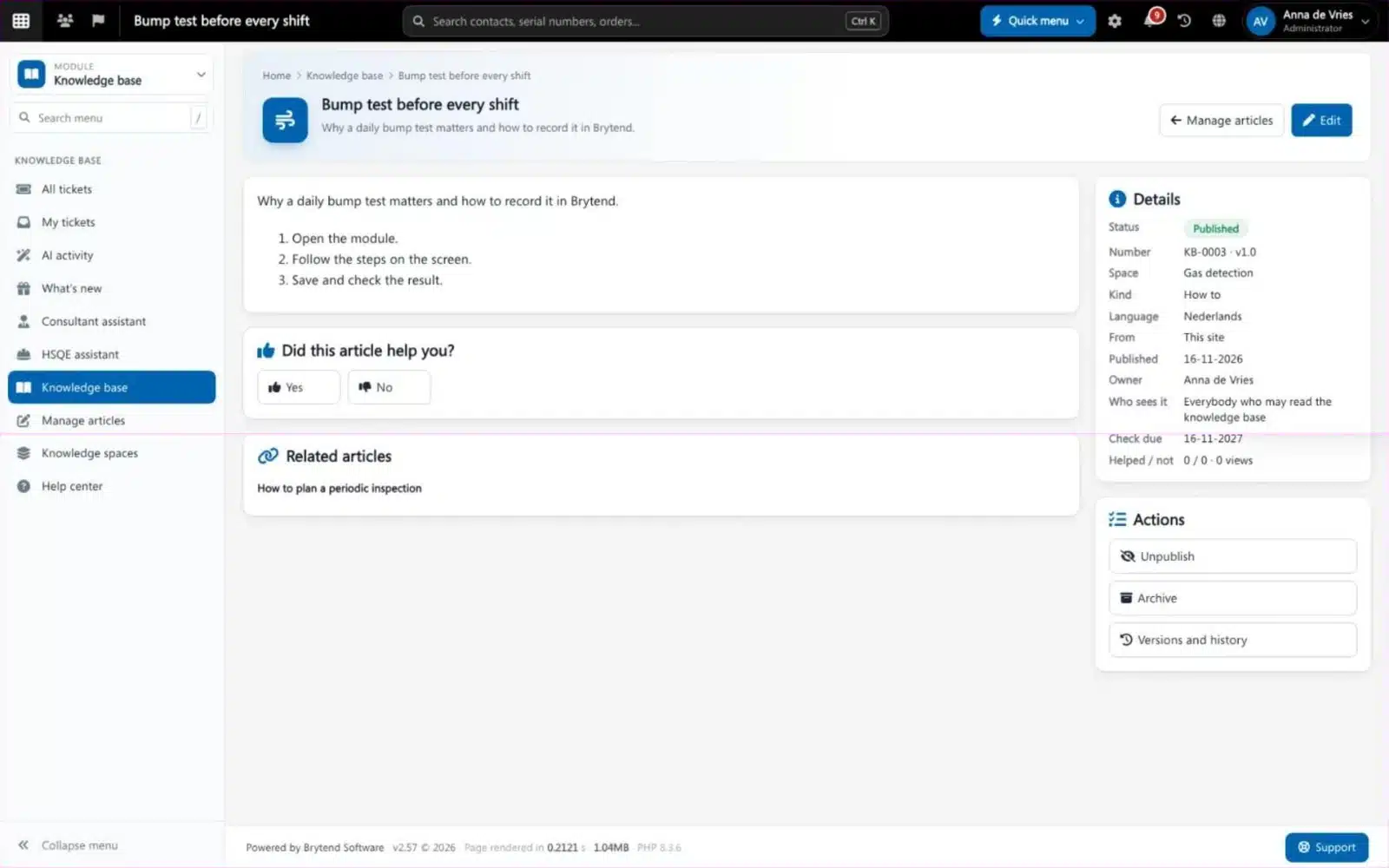
Support intelligence features
Knowledge base
Search the published articles by space, with how-tos, troubleshooting, reference and questions and answers.
Approval and versions
Draft, in review, published and archived, stored in Document control with every version kept.
AI ticket help
AI agents classify new tickets, find similar ones and draft or send answers from the knowledge base, within limits you set.
AI activity
Every AI run on a ticket with its result, confidence and cost, and every reply it sent by itself.
HSQE assistant
Health, safety, environment and quality questions answered from your own documents and the HSQE packs; drafts toolbox talks, incident reports and risk assessments for a person to check.
Consultant assistant
Advice on how to set up your Brytend site, with a link to the right setting. It changes nothing itself.
What’s new
What changed in the versions of Brytend your site runs, for the parts you use.
Translations
Articles can be translated by AI into the languages you choose.
Feedback
Readers say whether an article helped; articles that did not help show up for the editors.
Get started in three steps
Create spaces
Make a space per module, product or team.
Write and approve
Write the articles, send them for review and publish them.
Let AI use them
Switch on AI ticket help and the HSQE assistant, and they answer from what you published.
Rated 5 stars on Google
“We used to create and track orders in Ultimo. Switching to Brytend was a challenge, yet we were very pleasantly surprised. Not only the software, but their support too is better than expected. Super!”
“Our company has used Brytend software for several years. It has let us tackle various processes quickly and efficiently that we had not found a solution for before.”
“Excellent experience with this company and its software applications. If you want changes, no problem. Arranged quickly and at a fair price.”
Reviews translated from Dutch.
More than knowledge base software
Next to your tickets
Articles and AI answers live with the tickets of the Help desk.
Controlled documents
Articles follow the versions and approval of Document control.
Your own AI
The AI of your site reads your own documents; nothing from the HSQE assistant is sent to Brytend.
Works with the other Brytend modules
Help desk
See how Help desk works with Support intelligence.
Document control
See how Document control works with Support intelligence.
AI
See how AI works with Support intelligence.
Gas testing
See how Gas testing works with Support intelligence.
Frequently asked questions
What is knowledge base software?
Software to write, approve and publish how-tos and answers so people find them without asking. Brytend Support intelligence adds AI ticket help and an HSQE assistant on top of the same articles.
Who can read the knowledge base?
You choose per article: everybody who may read the knowledge base, or a smaller group. Readers only see the published version.
Does the AI send answers to customers by itself?
Only when you switch that on. Otherwise it drafts an answer for a person to check. AI activity shows every run, its confidence and its cost.
What does the HSQE assistant read?
Documents in Document control that you may open, knowledge base articles and the HSQE packs, plus totals of gas tests, incidents and expiring certificates without names. Nothing is sent to Brytend.
Can articles be in more languages?
Yes. Each article has a language, and AI can translate articles into the languages you choose.
How do I keep articles up to date?
Every published article gets a check date. Articles that are due, or that readers said did not help, show up in Manage articles.
How does the free trial work?
You use the full Brytend platform free for 90 days. Take the tour first, or start the trial straight away.
Write it once, answer it everywhere.
Take the tour to see Support intelligence with the rest of the platform, or start your free 90-day trial.
Prefer to talk first? Call +31 (0)85 013 02 04