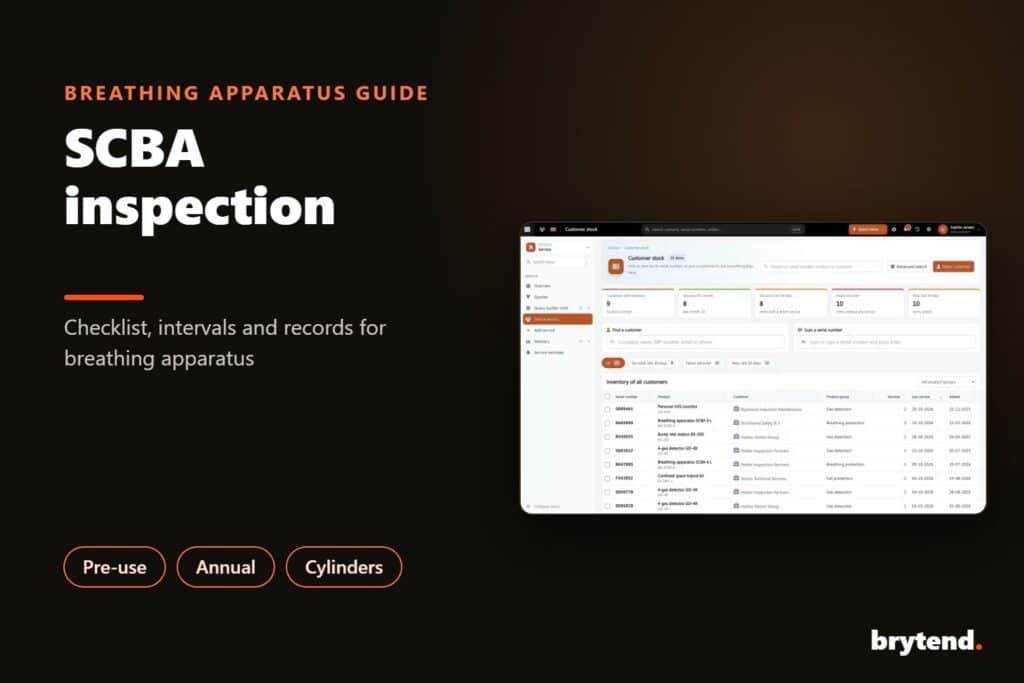
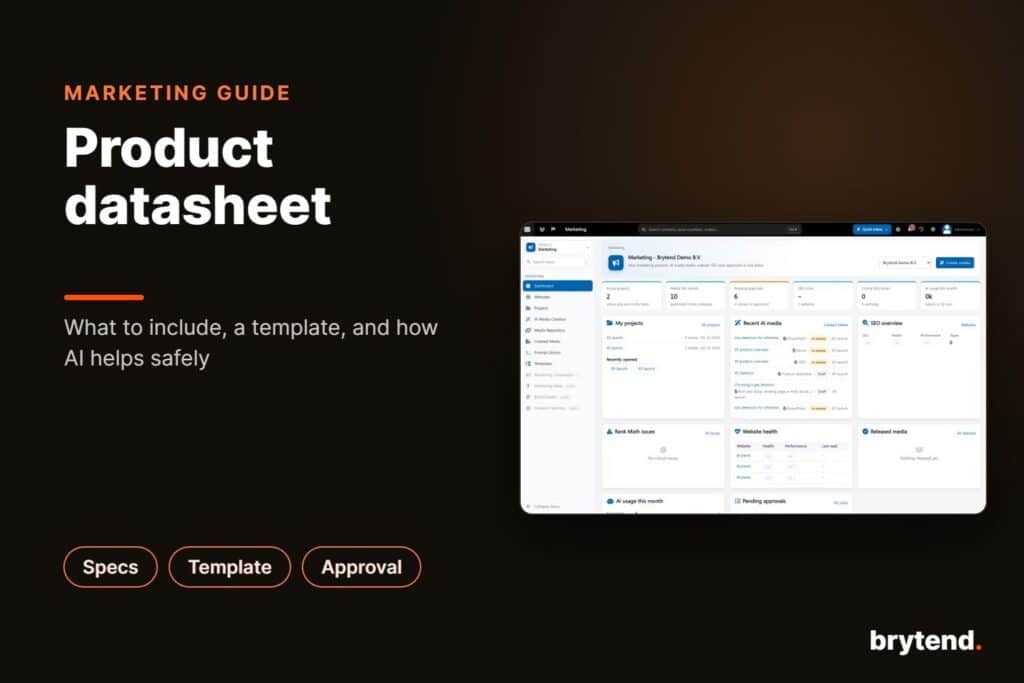
For years, Brytend has given businesses one platform for CRM, sales, projects, inventory, service management, quality control, HR and their other business processes. Now we’re starting on the next version.
Over the coming weeks, Brytend Software goes through the biggest change in its history. The look is new, but so is a lot underneath: a redesigned user experience, updated workflows, better performance and a new technical foundation. We’re reviewing every part of the system and asking the same question each time: does this help our customers get their work done faster?
Designed for the Future. Brytend’s 3.0
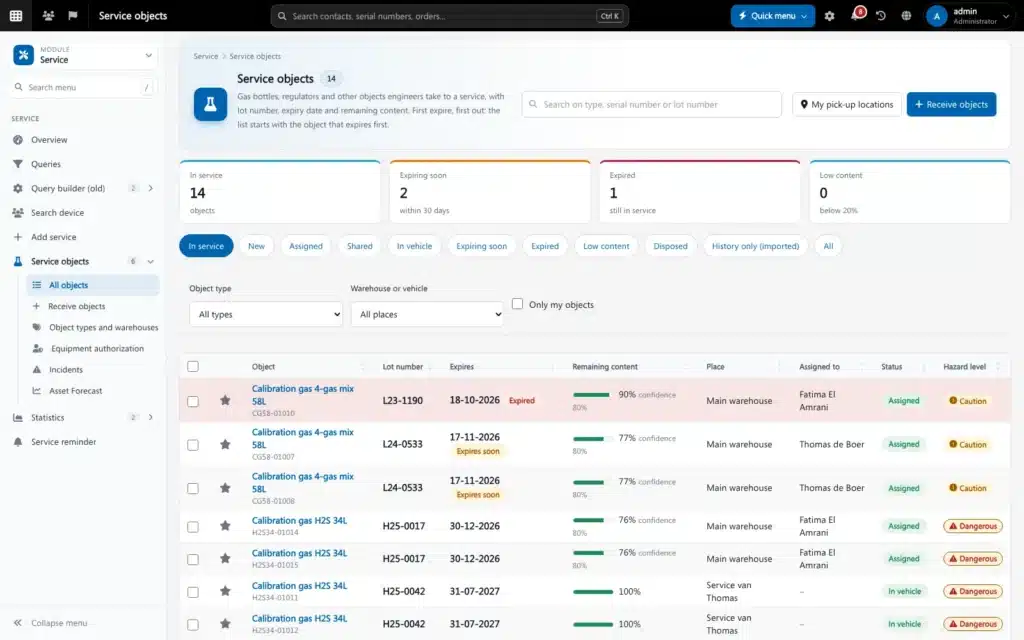
Navigation is simpler, dashboards show more of what you need, and daily tasks take fewer steps. Whether you’re managing customers, quotations, projects, inventory, field service operations, compliance, HR activities, or internal communications, you should find information faster and need fewer clicks to get things done.
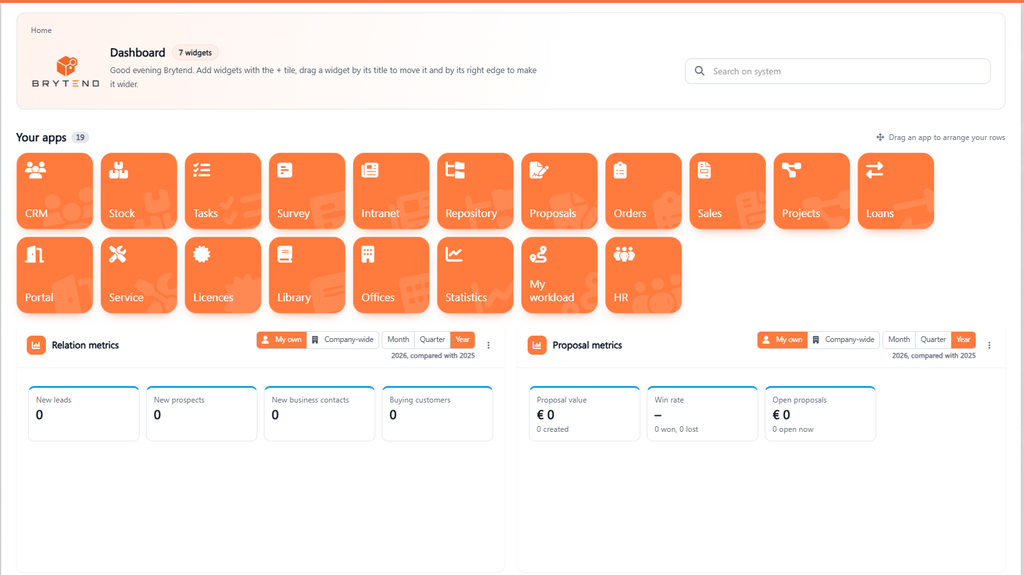
We worked hard on usability without taking away the flexibility and functionality Brytend users rely on. Existing modules are getting improvements, workflows are being simplified, and there are new features for growing organizations.
Empowered by Artificial Intelligence
The part we’re most excited about is AI, which is being built into the whole platform.
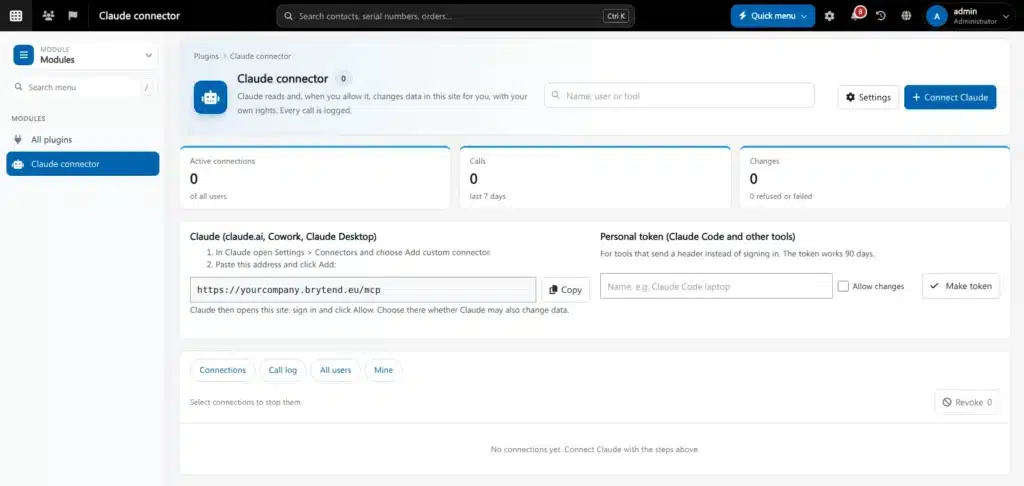
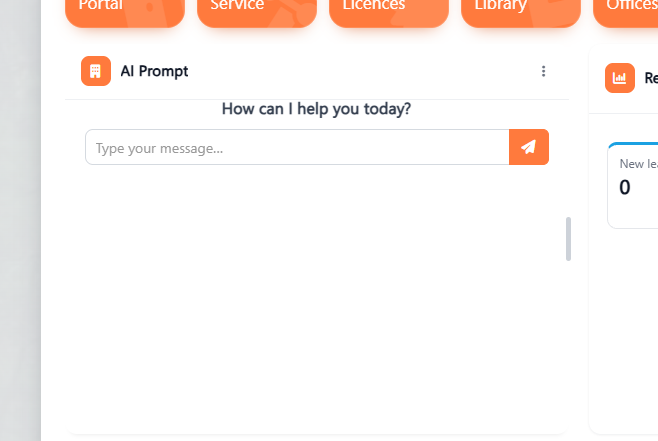
AI features will help with everyday tasks, take over repetitive work, suggest next steps, organize data and improve reporting, so decisions can be made faster. The point is to give teams more time for the work that needs a person.
We think software should make work simpler.
17 questions · 3 minutes
Is Brytend right for your business?
Answer 17 quick questions. See how Brytend solves each problem, and finish with your own Brytend plan.
Question 1 of 17 · Microsoft 365 and CRM
Want to keep Outlook for email, tasks, notes and calendar, without copying anything by hand?
Keep working the way you already do. Brytend does the filing for you.
Brytend solves this
Your Microsoft 365 tenant, synced into one CRM
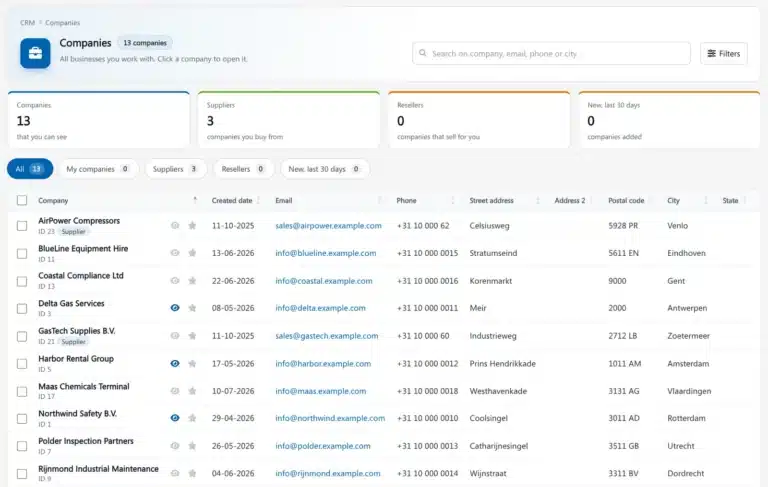
Brytend connects to your Office 365 tenant and syncs email, notes, calendar and SharePoint into the CRM, so every customer conversation sits in one place.
- Email, calendar, notes and SharePoint in one CRM
- Outlook add-in to file mail with one click
- Sales activity shows who talks to which customer
Modules
- Copy-pasting emails
- Calendars out of sync
- Files in five places
- Microsoft 365
- Outlook
- SharePoint
Question 2 of 17 · Quote to cash
Are you still typing quotes in Word and retyping them as invoices?
Every retype is another chance for a wrong price or a missed order.
Brytend solves this
From quote to cash in one flow
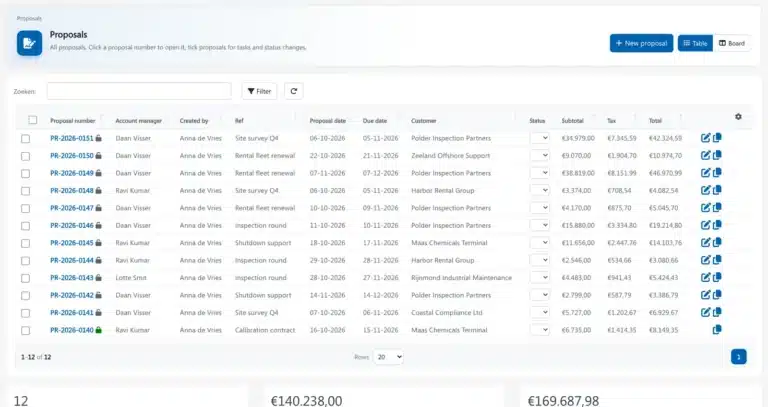
Build a quote from your price list, turn it into an order with one click and invoice it without retyping a thing. Finance shows what is open, overdue and paid.
- Quotes, orders and invoices from one record
- E-invoicing with Peppol and bank payments
- Open and overdue amounts at a glance
Modules
- Word templates
- Double data entry
- Invoices sent late
- Peppol e-invoicing
- Bank payments
Question 3 of 17 · Finance
Do you only see your cash position when the accountant sends the numbers?
By then it is too late to act on late payers or rising costs.
Brytend solves this
Live finance, linked to every invoice
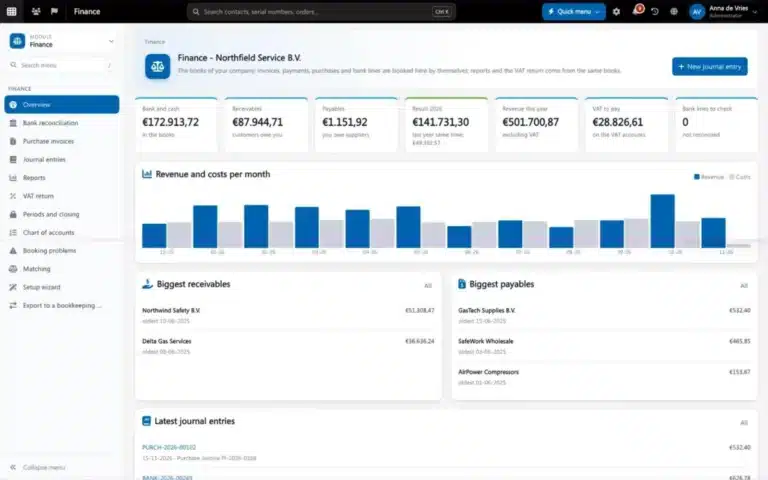
Finance shows cash, open items and results as they happen, with bank transactions and VAT next to the invoices they belong to.
- Cash, open and overdue items, live
- Bank transactions matched to invoices
- VAT overview ready for your return
Modules
- Numbers a month late
- Bank in another tool
- VAT stress
- Bank payments
- Peppol e-invoicing
Question 4 of 17 · Service and inspections
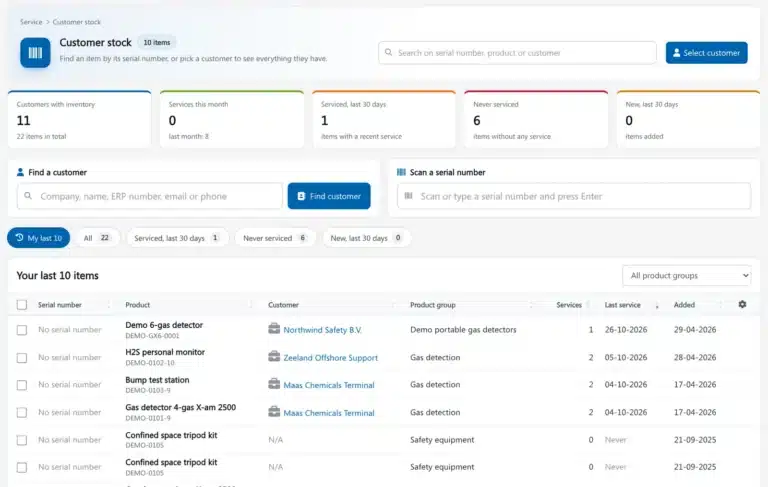
Do you still register customer devices in Excel or your own Access database?
Serial numbers, service dates and certificates deserve better than a spreadsheet.
Brytend solves this
Every customer device, its history and its next service date
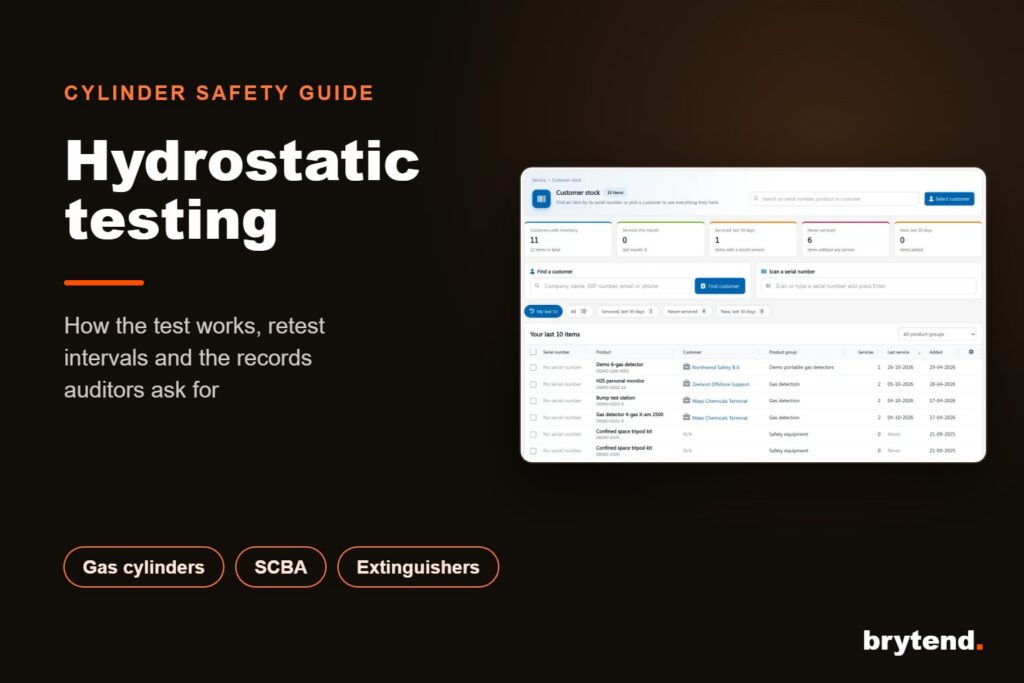
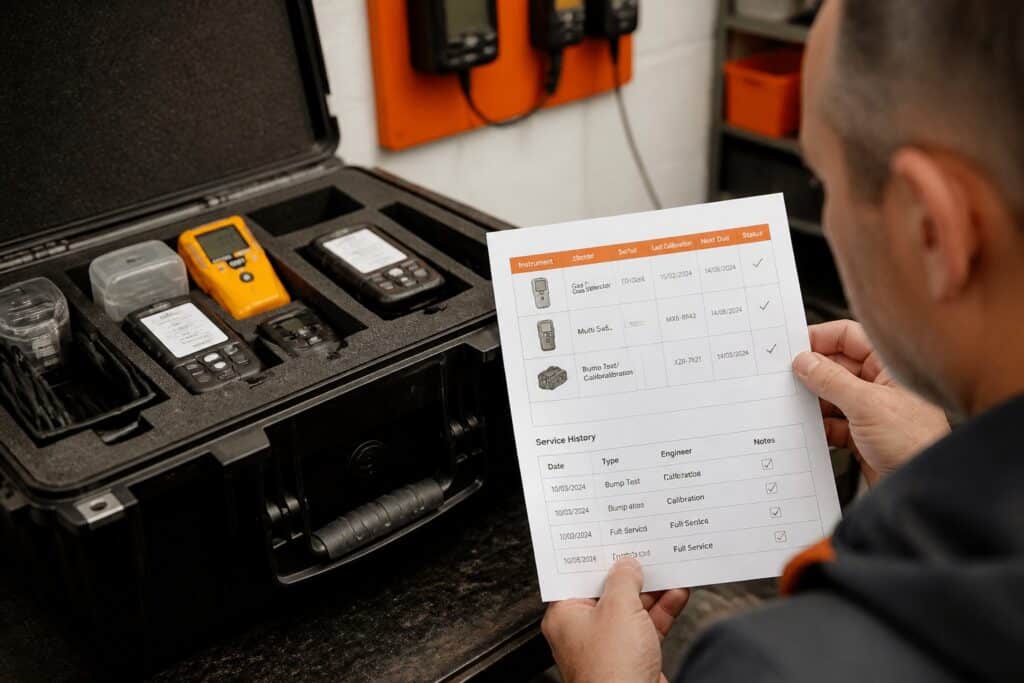
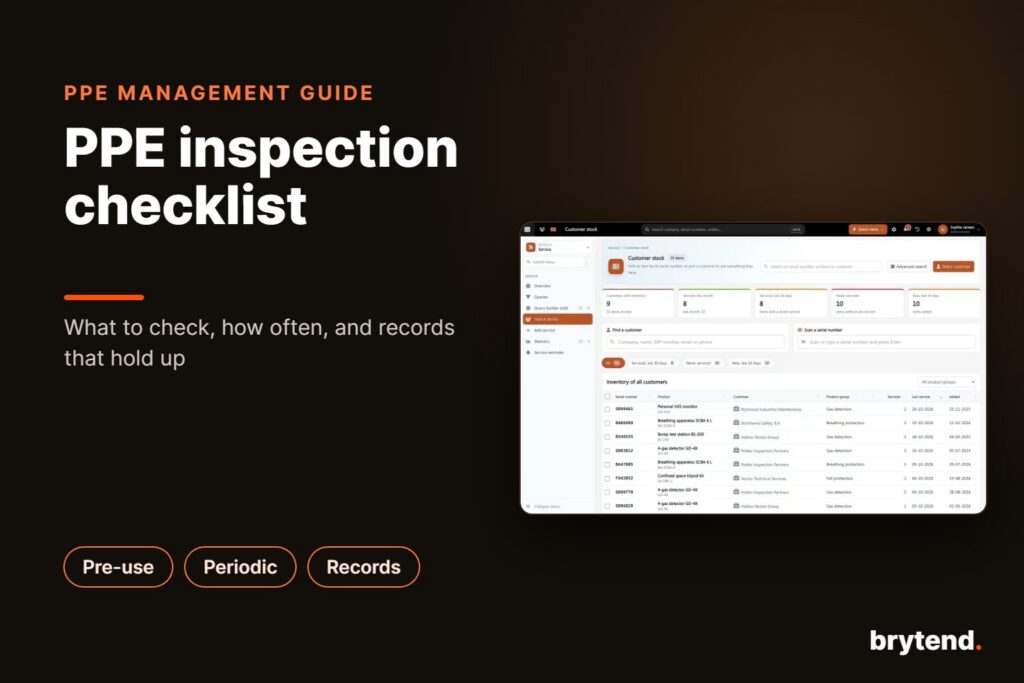
The Service module keeps the installed base per customer: serial numbers, inspections, calibrations and certificates. Plan visits, report on site and never miss a due date.
- Installed base per customer, with full history
- Inspections and certificates from the field
- Due dates planned automatically
Modules
- Excel sheets
- Home-made Access database
- Missed service dates
Question 5 of 17 · Gas testing and cylinders
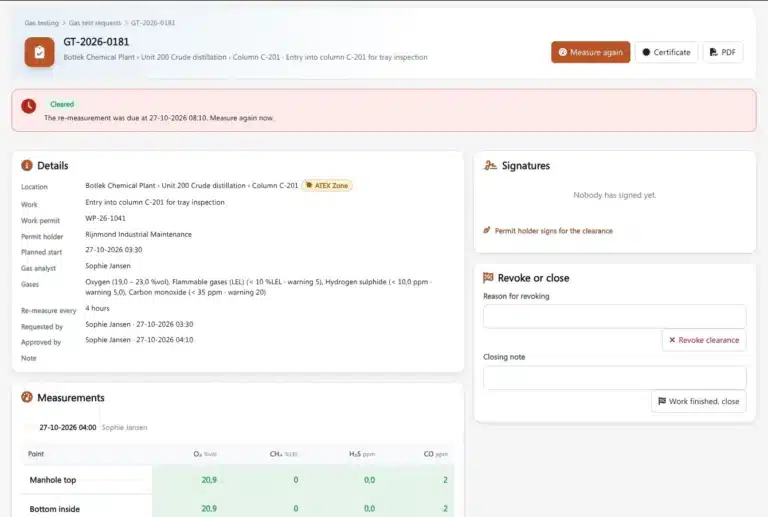
Are gas test requests and clearances still done on paper or by phone?
A lost permit or an untested space is a safety risk you cannot afford.
Brytend solves this
Gas tests and cylinders, safe and on record
Request a gas test, let the tester record the readings on the phone and issue the clearance in one flow. Gas cylinder tracking shows where every cylinder is and when it is due.
- Test requests and clearances in one flow
- Readings recorded on the phone
- Every gas cylinder tracked by location
Modules
- Paper permits
- Requests by phone
- Cylinders gone missing
Question 6 of 17 · Rental
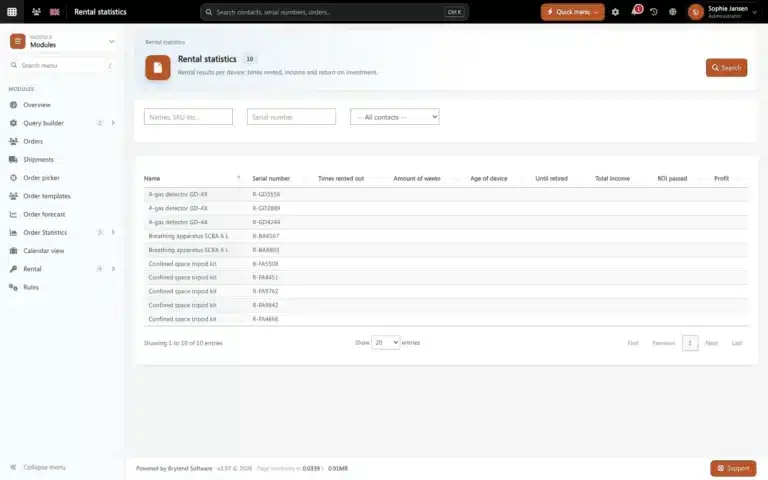
Do you plan rental equipment on a whiteboard and hope nothing is double-booked?
Double bookings and missed returns cost money and customers.
Brytend solves this
Rental planning that never double-books
See which equipment is available, reserved or out, book it in a few clicks and invoice the rental period automatically.
- Availability per item at a glance
- Bookings, pick-up and returns
- Rental invoices without retyping
Modules
- Whiteboard planning
- Double bookings
- Late returns
Question 7 of 17 · Loan out
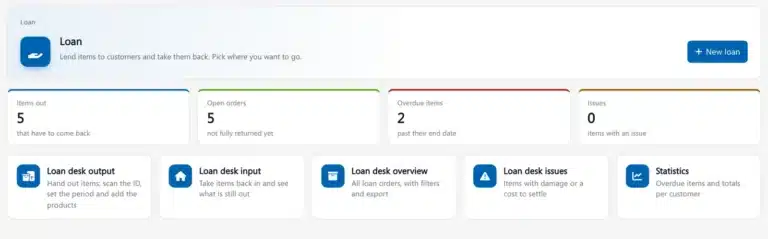
Do you lend demo units or replacement devices and lose track of who has them?
Loan units that never come back are pure loss.
Brytend solves this
A loan desk that knows where every unit is
Lend out demo units, replacement devices and tools with a return date. The loan desk is part of the Rental and loans module: it reminds you before a loan is due and shows what is still out.
- Every loan with customer and return date
- Reminders before the due date
- Overview of everything that is still out
- Who has it?
- No return date
- Lost loan units
Question 8 of 17 · After sales
Do you only hear that a customer is unhappy when they leave?
Feedback after every job keeps customers coming back.
Brytend solves this
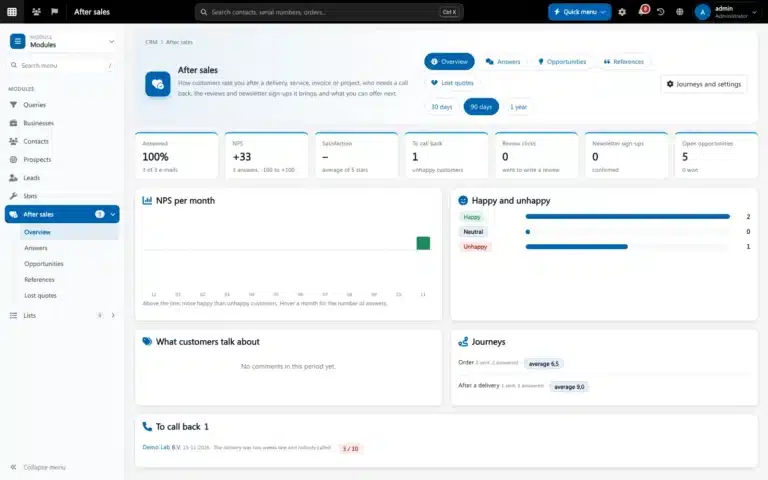
Feedback and follow-up after every job
After sales sends a short survey after each delivery or service job, tracks NPS and turns follow-ups into tasks for your team.
- NPS and feedback after each job
- Follow-ups as tasks
- Spot unhappy customers early
Modules
- No feedback
- Silent churn
- Missed upsell
Question 9 of 17 · Stock and warehouse
Are you never quite sure what is on the shelf until someone counts it?
Stock-outs and surprise counts cost you sales and time.
Brytend solves this
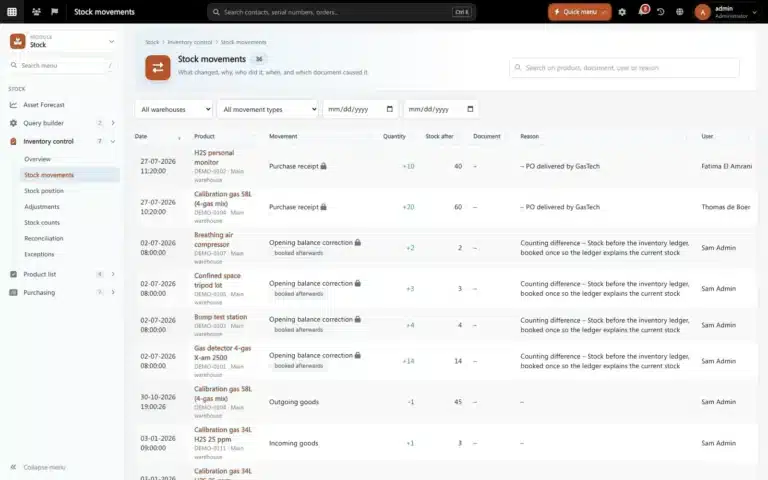
Live stock across every warehouse
See stock, value and movements per warehouse in real time. Count with your phone and move stock between locations.
- Stock and value per warehouse, live
- Counts and stock movements on your phone
- Reorder before you run out
Modules
- Counting on paper
- Stock-outs
- Unknown stock value
Question 10 of 17 · Logistics
Are deliveries and shipments planned with spreadsheets and phone calls?
Every call to ask where something is costs time on both sides.
Brytend solves this
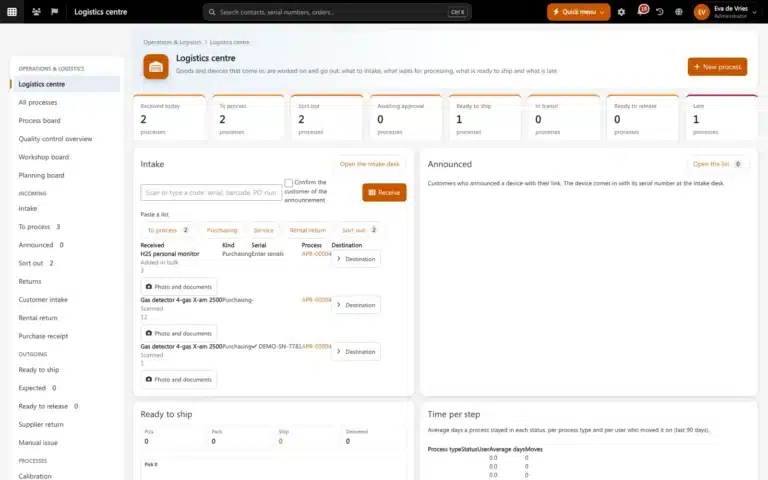
Operations and logistics in one control centre
Plan intake, processing and shipments in one logistics centre, with carriers connected and status visible to your team.
- Intake, process and shipment steps
- Shipping carriers connected
- Live status for every order
Modules
- Spreadsheet planning
- Where is my order?
- Manual labels
Question 11 of 17 · Quality and compliance
Are your procedures spread over folders, and is every audit a scramble?
An old version in circulation is an auditor's favourite finding.
Brytend solves this
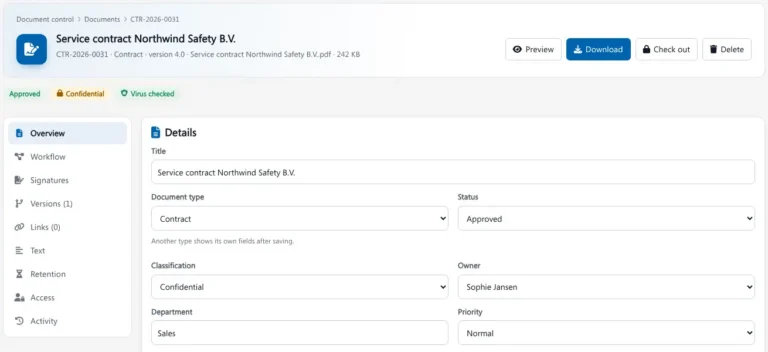
Controlled documents, ready for any audit
Document control gives every procedure one current version, an approval workflow and a full audit trail, with role-based access to who can see and sign what.
- Versions and approval workflows
- Full audit trail on every change
- Role-based access and two-factor sign-in
Modules
- Outdated versions
- Approvals by email
- Audit stress
Question 12 of 17 · Projects and tasks
Do your projects live in spreadsheets while to-dos get lost in email?
When nobody sees the whole plan, deadlines slip quietly.
Brytend solves this
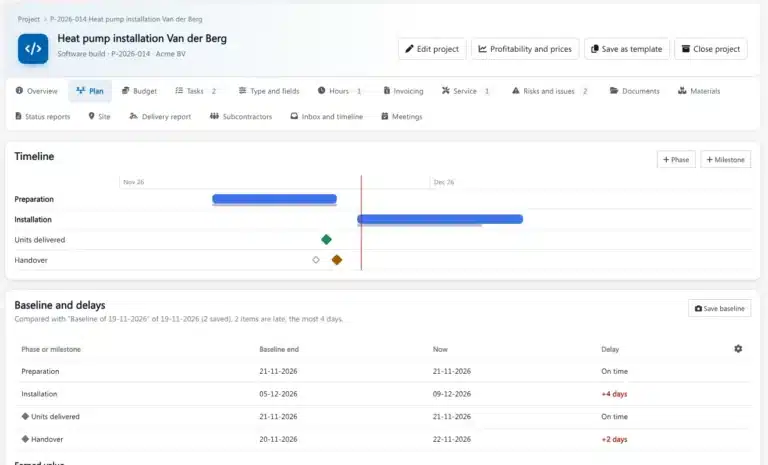
Plans, tasks and deadlines everyone can see
Plan projects on a timeline, assign tasks to people and see what is due today. Everything links back to the customer, quote or service job it belongs to.
- Project plans with milestones
- Tasks with owners and due dates
- Linked to customers, orders and jobs
Modules
- Spreadsheet plans
- Lost to-dos
- Missed deadlines
Question 13 of 17 · HR and intranet
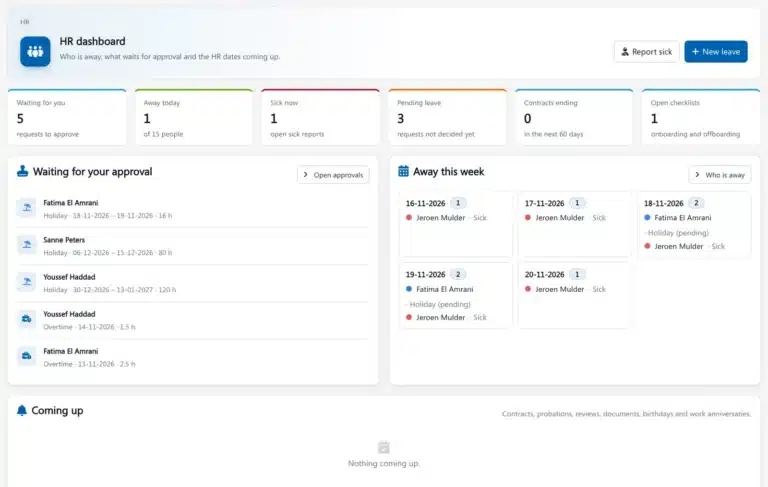
Are leave requests sent by email, and does company news get lost in the inbox?
HR admin should not eat up your week.
- Leave by email
- Absence in a spreadsheet
- News nobody reads
Question 14 of 17 · Academy
Do you track training and certificates in spreadsheets?
An expired certificate shows up at the worst moment: during an audit or on site.
Brytend solves this
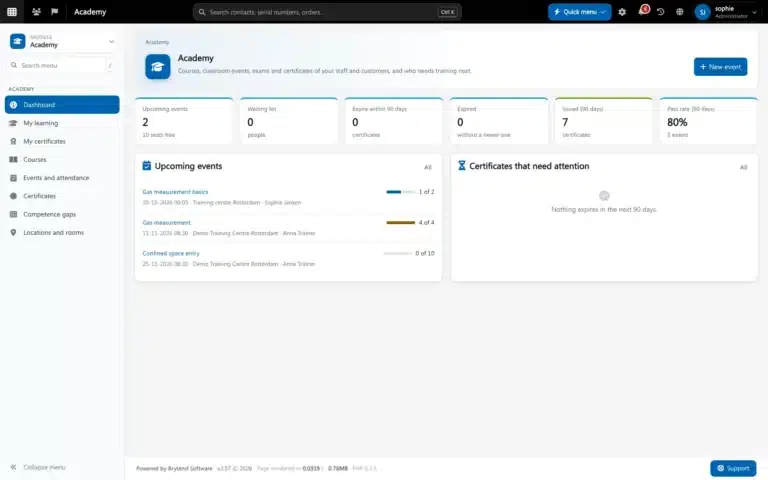
Courses, attendance and certificates in one Academy
Academy runs online and classroom courses, records attendance and issues certificates, with a reminder before one expires.
- Online and classroom courses
- Attendance and results recorded
- Certificates with expiry reminders
Modules
- Expired certificates
- Training by email
- No attendance record
Question 15 of 17 · Help desk and support
Do customer questions get lost in a shared inbox?
Slow answers are the fastest way to lose a customer.
Brytend solves this
Every question answered, and answered once
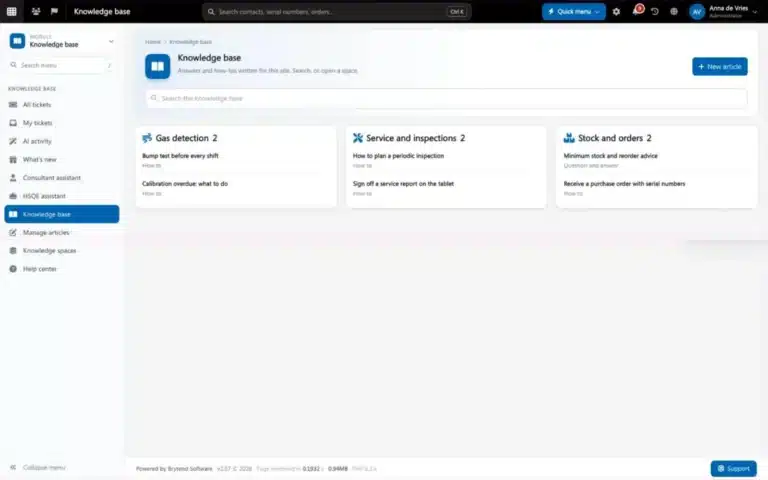
Help desk turns emails into tickets with an owner and a deadline. Support intelligence builds a knowledge base from solved tickets, so your team finds the answer faster next time.
- Tickets with owners, priorities and history
- Knowledge base built from solved tickets
- Brytend AI helps find the right answer
Modules
- Shared inbox chaos
- No ticket history
- Same question, again
- Brytend AI
Question 16 of 17 · Platform
Looking for an online tool that is safe and always available on your phone, tablet and PC?
GDPR at the core, AI driven, with a native app, and an ISO certified SaaS solution.
Brytend solves this
One secure platform, on every screen
Brytend is an ISO 9001 and ISO 27001 certified SaaS platform with GDPR built in from day one. Work in the browser on any device or in the native mobile app, with Brytend AI in every module.
- ISO 9001 and ISO 27001 certified
- GDPR at the core, with two-factor sign-in
- Native app plus any browser, on any device
Modules
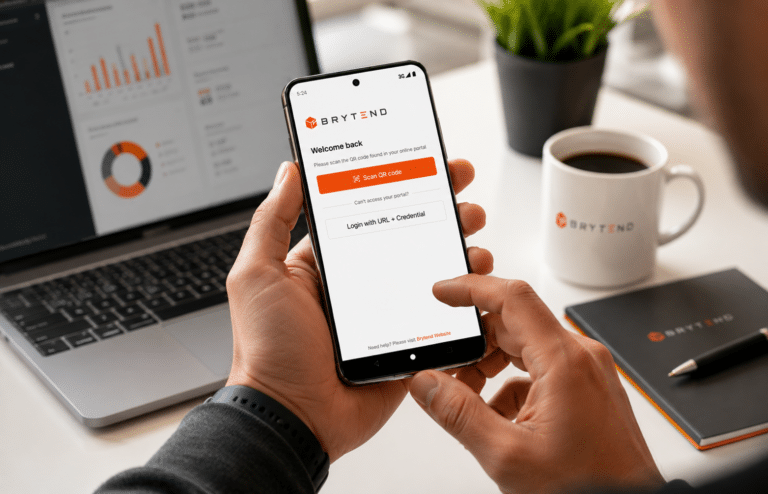
- Data stuck on one PC
- No access on the road
- GDPR worries
- GDPR
- iPhone & iPad
- Android
- Brytend AI
Question 17 of 17 · Growth
Do you want Brytend to start finding new customers for you?
Let the Growth module search, enrich and score prospects while you focus on selling.
Brytend solves this
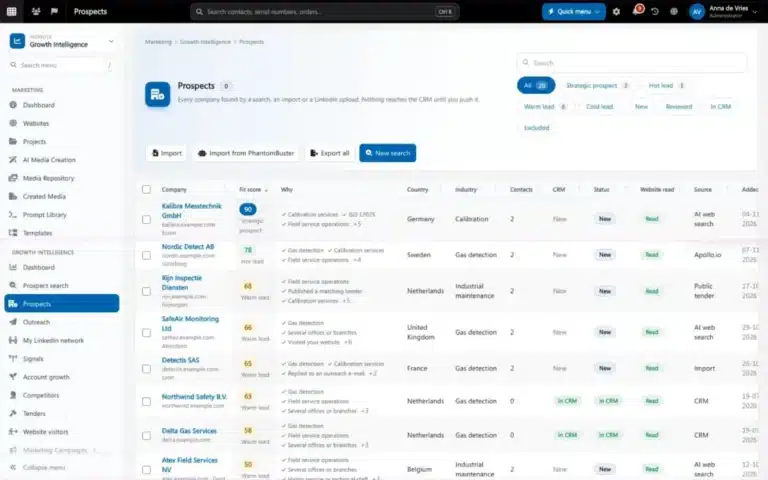
Growth Intelligence finds and warms up prospects
Connect LinkedIn, pull in leads from PhantomBuster and let Brytend AI enrich and score every company. Marketing then follows up with campaigns and surveys.
- Find contacts on LinkedIn from inside Brytend
- Import PhantomBuster leads straight into prospect lists
- AI scoring, campaigns and surveys to follow up
Modules
- Cold lists
- Searching LinkedIn by hand
- Leads without follow-up
- PhantomBuster
- Brytend AI
- MailerLite
Your Brytend
Brytend is a strong fit for you
One platform for everything you said yes to. Try it with your own data, or let us show you around in 30 minutes.
No credit card. Demo slots on weekdays 09:00-11:00 and 14:00-16:00.
 17 of 17 areas · 30 modules
- Microsoft 365 and CRM
- Quote to cash
- Finance
- Service and inspections
- Gas testing and cylinders
- Rental
- Loan out
- After sales
- Stock and warehouse
- Logistics
- Quality and compliance
- Projects and tasks
- HR and intranet
- Academy
- Help desk and support
- Platform
- Growth
More Than Just an Update
The new Brytend is a complete business platform. Alongside our existing functionality, we are currently designing and developing more than 25 new plugins and extensions that will further expand the capabilities of the platform.
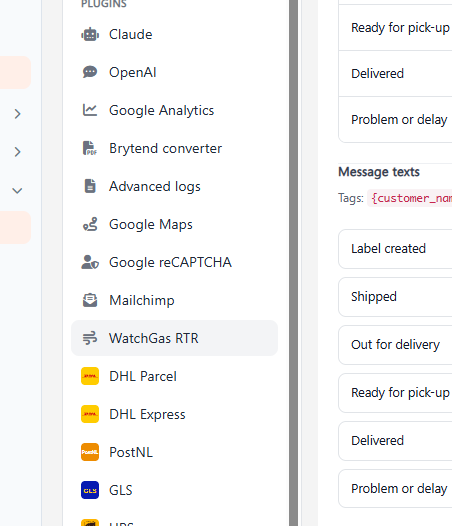
The plugins let businesses adapt Brytend to the way they work. They cover automation, AI tools, industry-specific solutions, integrations, reporting, communication and productivity.
Customers get an updated core platform plus a growing set of add-ons they can switch on as they grow.
Fully Equipped for Modern Business
Brytend stays an all-in-one business platform, with more built in.
We’re focusing on:
- Enhanced CRM and customer management
- Improved sales and proposal workflows
- Advanced project and task management
- Smarter inventory and asset tracking
- Expanded reporting and business intelligence
- Modern intranet and collaboration tools
- Mobile-first experiences
- Deeper automation capabilities
- Enhanced Microsoft 365 integration
- AI-powered productivity features
- An expanding ecosystem of 25+ new plugins
With all of this in one platform, you need fewer separate systems and spend less time keeping them in sync.
The Journey Begins
This is the largest investment we’ve made in the Brytend platform so far. The foundation stays the same, but working with it will feel very different. We think it’s the best way yet to run a business from one connected platform.
In the coming weeks, we’ll be sharing previews, feature announcements, plugin highlights, and behind-the-scenes insights into what’s coming next.
The new version is nearly ready.
Smarter. Faster. Better. Together.
Keep an eye on this blog for the first previews.