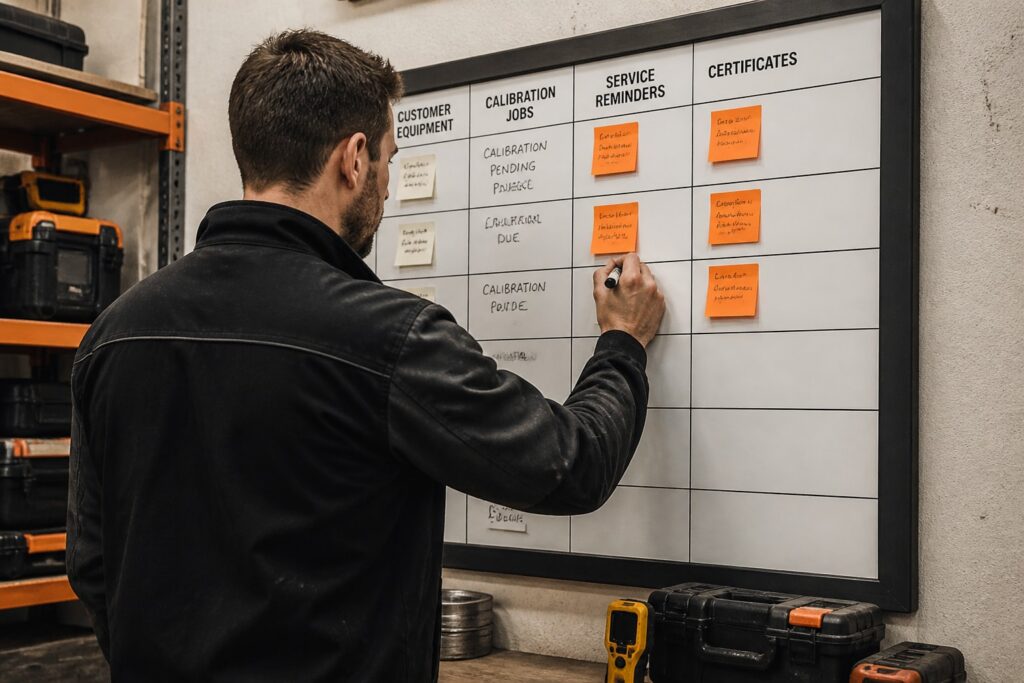
Business management software is a set of connected applications that run core company functions such as customers, finance, projects, documents and inventory from one system. For gas detection suppliers, service companies and calibration labs, the deciding factor is whether the software can keep compliance records for the customer equipment you service, not only manage sales and invoices.
A general suite covers contacts, quotes and billing well. It rarely covers serial-numbered instruments, calibration history or service certificates. This article lists six options, from broad suites to a service-focused module, and shows how to match them to a service workflow.
What is business management software and what should a service company expect from it?
Business management software combines several functions in one system: CRM, accounting, project tracking, document storage, inventory and reporting. The main value is shared data, so a customer record, a device and an invoice refer to the same source.
Adoption is already common. Most UK small and medium employers now use technology or web-based software to sell to customers or manage the business, according to the UK Department for Business and Trade. Many firms still run several unconnected tools, and a Capital One survey of U.S. small-business owners found that many used only a few digital tools.
A service company or calibration lab should check six things before choosing:
- Asset records: each instrument has a serial number, owner, location and history.
- Service scheduling: reminders are generated from the last service date or interval.
- Certificates: calibration and service certificates are produced from recorded work.
- Audit trail: every change shows who made it, when and why.
- Invoicing: billing is built from the work already registered.
- Data control: hosting location, certifications and data ownership are documented.
Which business management software options are worth considering?
Six options are worth comparing: four general platforms from other vendors, plus two Brytend modules that add CRM and service tracking for equipment servicing. Check each vendor's current pricing before deciding.
1. Zoho One
Zoho One is a broad business suite covering CRM, finance, HR, projects, support and email under one login.
- Price: from about $37 per employee per month billed annually, or $45 billed monthly.
- Trial: 30 days free.
- Suits: a company that wants one vendor for sales, accounting, support and team tools, and that can model its work with standard records rather than serial-numbered devices.
- Verdict: wide coverage at a per-employee price; equipment history would need custom configuration.
2. Odoo
Odoo is a modular set of business apps that you add one at a time.
- Price: Standard plan from about $24.90 per user per month billed annually, or $31.10 billed monthly.
- Free tier: the One App Free plan includes one app and unlimited users.
- Suits: a firm that wants to start with one function, such as inventory or invoicing, and add modules as the business grows.
- Verdict: flexible and modular; per-user cost rises as the team grows.
3. Bitrix24
Bitrix24 combines CRM with collaboration tools such as chat, tasks and document sharing.
- Price: Basic plan from about $49 per organization per month billed annually, supporting 5 users.
- Free tier: a free plan with limited users and storage.
- Suits: a small team that wants CRM and collaboration without paying per user.
- Verdict: low entry cost for small teams; Basic caps at 5 users, so check headcount first.
4. Scoro
Scoro is built around a quote-to-cash workflow for service businesses that sell time.
- Price: Core plan from about $19.90 per user per month billed annually.
- Trial: 14 days free.
- Suits: agencies, consultancies and project-based service firms that track billable hours against quotes.
- Verdict: strong for time-based billing; less aligned with equipment-based service work.
5. Brytend Service Module
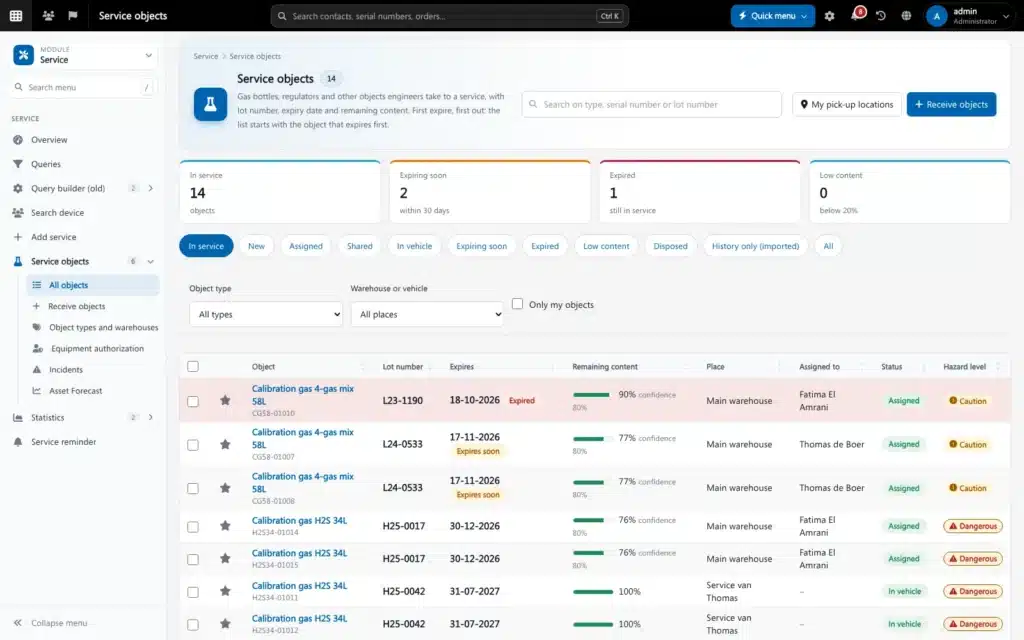
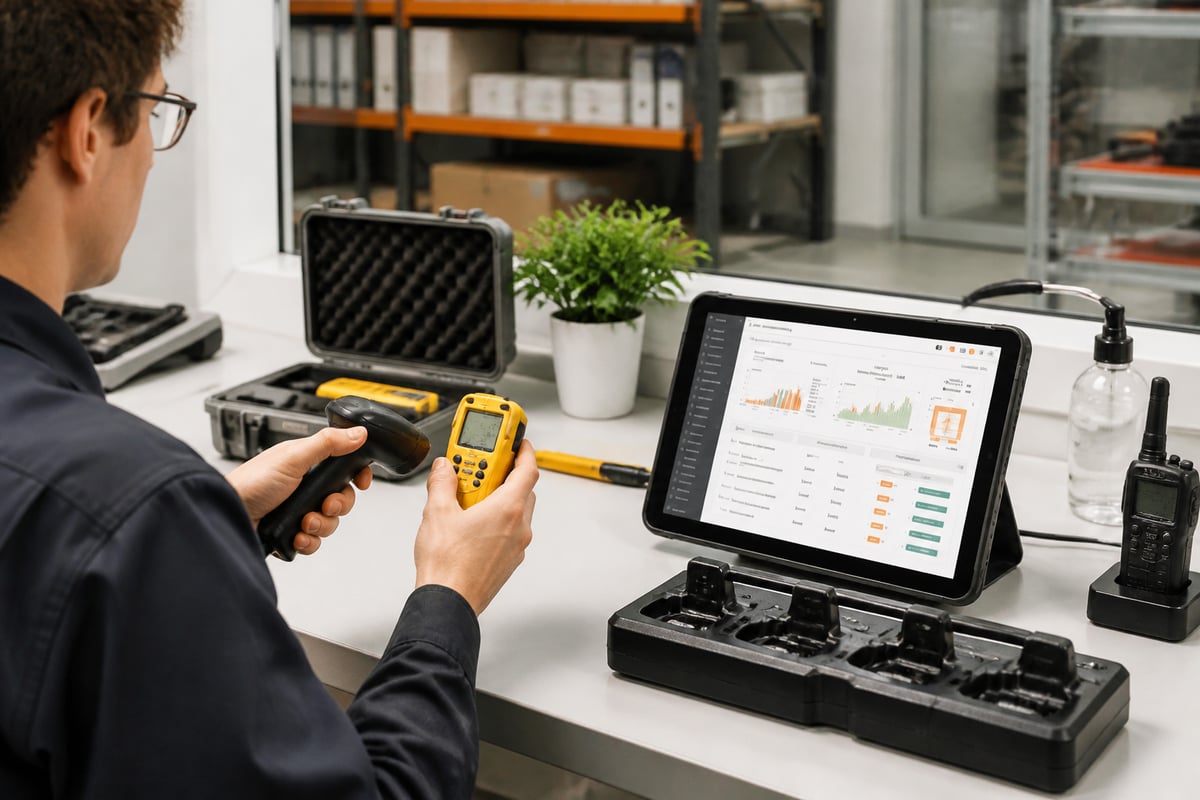
The Brytend Service Module manages service and maintenance of customer equipment, from registration to certificate.
- Functions: register serialized inventory, add custom services, automate service reminders and generate service certificates.
- Asset tracking: each asset gets a unique identity, so service history, condition, warranty details and upcoming tasks sit in one record.
- Platform facts: stock changes are recorded with a reason, a user and a source document. Gas tests are checked against your own limits, and clearance is given only when the air is safe. Invoices are built from registered work and are Peppol BIS Billing 3.0 ready.
- Certifications: ISO 9001 and ISO 27001, with EU hosting and customer data remaining yours.
- Suits: gas detection, SCBA and safety equipment service firms and calibration labs that must keep compliance records for equipment they do not own. For pricing, see the Brytend service pricing page.
- Verdict: fits the equipment-service workflow directly; it is not a general accounting suite.
6. Brytend CRM
Brytend CRM is a customer relationship management system for tracking customer interactions and streamlining sales processes.
- Functions: AI-driven lead forms and questionnaires that fit into your existing workflow.
- Platform facts: customers, devices, documents and data are shared across every module, so a sales contact links to the equipment you service for them.
- Suits: a service company that wants the customer record connected to contracts and equipment history instead of a separate sales tool.
- Verdict: most useful when paired with the service module on the same platform; for pricing, use the contact page.
How do the options compare?
The table compares the six options on the attributes that matter for a service company. Check current prices with each vendor.
| Option | Approx. price | Model | Serial-numbered equipment records |
|---|---|---|---|
| Zoho One | $37 per employee/month (annual) | Suite | Custom setup needed |
| Odoo | $24.90 per user/month (annual) | Modular apps | Depends on modules chosen |
| Bitrix24 | $49 per organization/month (annual) | CRM and collaboration | Not listed |
| Scoro | $19.90 per user/month (annual) | Quote-to-cash | Not listed |
| Brytend Service Module | See pricing page | Service and maintenance | Built in |
| Brytend CRM | See contact page | CRM | Linked to devices on the platform |
The price column is not directly comparable across rows, because the billing units differ. Zoho One bills per employee, so every person on payroll counts, including those who rarely log in. Odoo and Scoro bill per user, which can be limited to the people who actually work in the system. Bitrix24 bills per organization, but its Basic plan supports 5 users, so a larger team must check the next tier. Free options also differ in scope: Odoo's One App Free plan allows unlimited users but only one app, while Bitrix24's free plan limits users and storage. Trials range from 14 days (Scoro) to 30 days (Zoho One), and a service workflow with calibration cycles may need longer than two weeks to test properly. The last column matters most for compliance work. "Custom setup needed" or "Not listed" means you should confirm in a trial whether a serial number, a service interval and a certificate can be attached to one record.

How do you choose business management software for a calibration or service lab?
Choose by matching the software to your record-keeping obligations first, then to your sales and finance needs. A tool that handles invoices but cannot hold a calibration history will force a second system, and the two will drift apart.
Use this sequence:
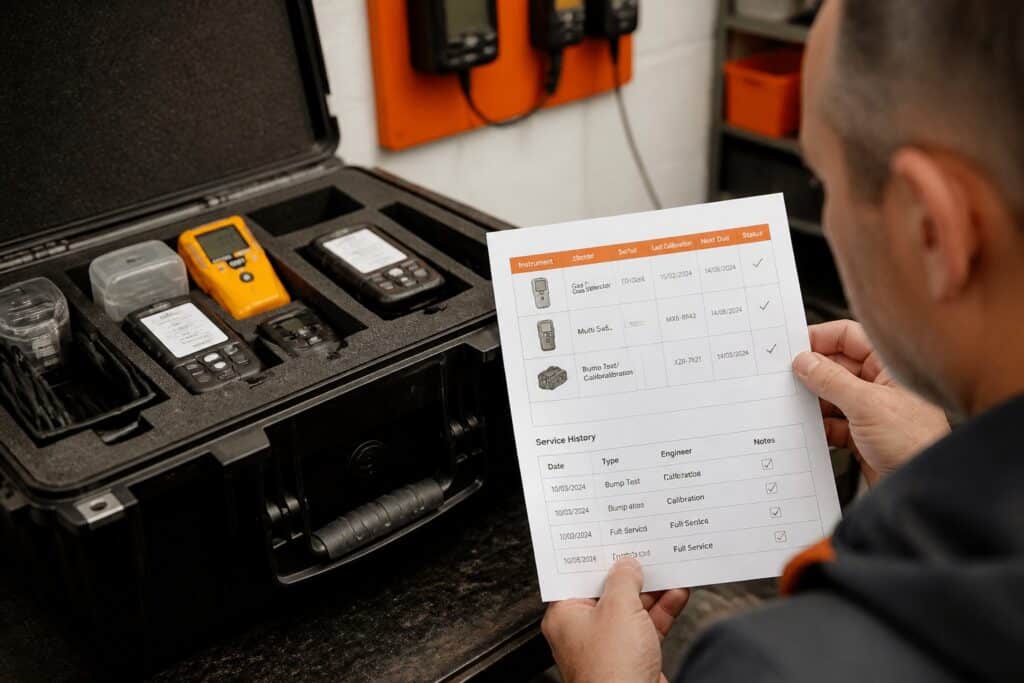
- List the records an auditor or customer asks for: certificates, service history, gas test results, correction approvals.
- Count the assets you service and how they are identified (serial number, barcode, customer asset tag).
- Map your workflow from intake to invoice and mark each step that needs a stored record.
- Check the audit trail: changes should show a user, a reason and a source document.
- Confirm data hosting, certifications and ownership terms in writing.
- Run a trial with real instruments, not sample data.
Dedicated pages cover the specifics: gas detection service software, calibration management software and equipment tracking software. For broader category comparisons, the Pipedrive overview of business management software lists common tool types, and a small-business software comparison from actiTIME groups tools by company size.
What does a compliance-ready service workflow look like?
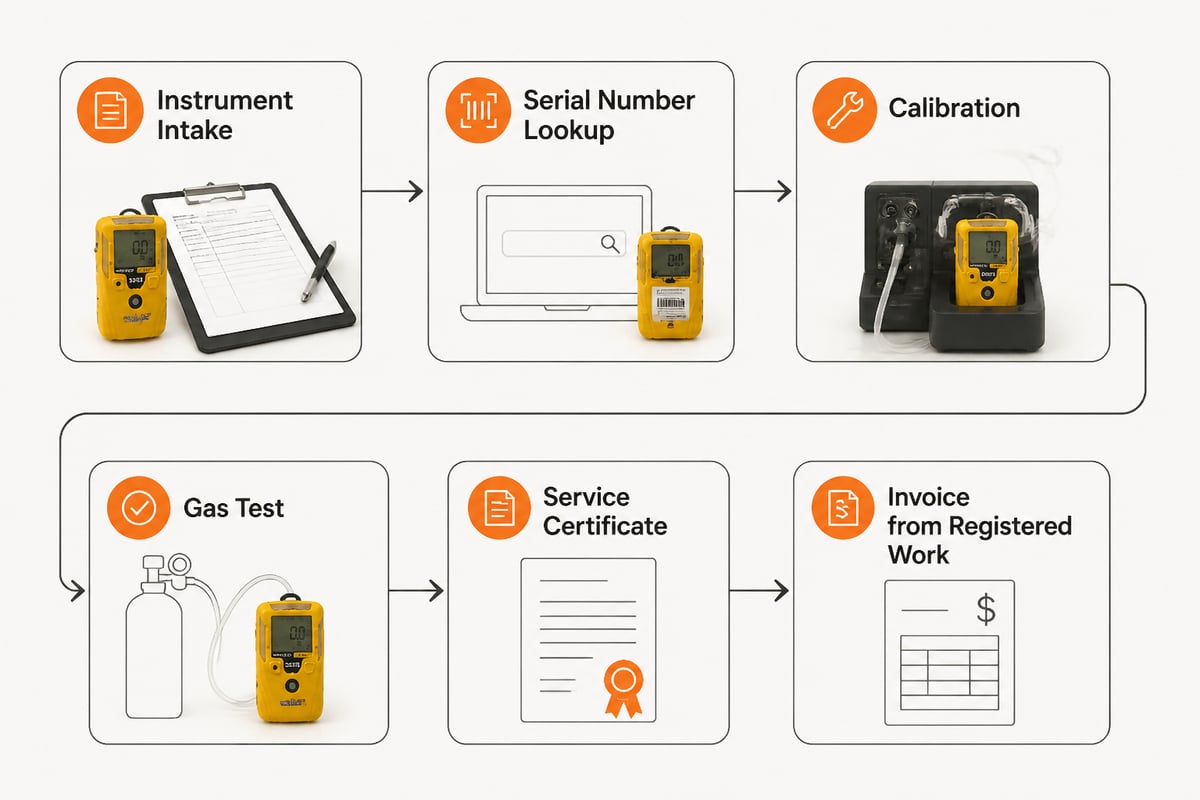
A compliance-ready workflow records every step of the job against the instrument's serial number, so the certificate and invoice come from the same data.
Hypothetical example: a service company receives a batch of portable gas detectors for periodic service.
- Intake: each detector is registered by serial number and linked to the customer record.
- Reminder trigger: the service reminder that prompted the visit closes automatically on intake.
- Service and calibration: the technician logs the work, parts used and readings. Consumables leaving stock are recorded with a reason, user and source document.
- Gas test check: results are compared against the customer's own limits, and clearance is given only when the air is safe.
- Certificate: a service certificate is generated from the recorded work.
- Invoice: the invoice is built from the registered work, with e-invoicing in Peppol BIS Billing 3.0 where required.
- Next due date: the next service reminder is set from the date of this service.
Corrections to stock above a set limit need approval, which keeps the history trustworthy during an audit. Related pages describe inspection management software and compliance monitoring software.

When should a service company build custom business management software?
Custom software fits when your workflow is specific enough that configuring a general tool costs more than building around it. Signs include serialized equipment with strict certificate rules, customer-specific gas limits, or integrations with lab instruments. Other signals are certificate layouts that a customer or regulator prescribes, approval rules for stock corrections, or a need to pull results directly from a calibration bench into the service record instead of retyping them. Retyping is a practical warning sign, because every manual copy between two systems is a place where a serial number or reading can be recorded wrongly.
Evidence from business statistics shows how common specialized tools are becoming. Irish enterprises use ERP and CRM software widely, according to Central Statistics Office Ireland, and small firms are adopting suites too. The shared records they need still depend on how well the software matches their work.
Before commissioning anything, compare it with a ready module. A practical test is to write down each step from intake to invoice and mark which steps a ready module already performs. If a ready module covers most steps, extend it through integrations or workflow automation. If it covers fewer than most, discuss a tailored build with a team that does software solutions for service companies. A custom build also carries ongoing obligations: someone must maintain it, document it and keep its audit trail intact as requirements change, so include that cost in the comparison.
Security matters on both paths. Service firms that store customer records on Windows workstations can review endpoint protection, for example the intrusion detection tools at NetGuardian Pro, which monitors network connections on Windows 11 PCs.
Start by listing the five records an auditor asks you for most often, then test each software option against that list with real instruments. If you want those records, the Brytend Service Module and a trial of your own workflow in one place, Brytend lets you start a free trial so you can see how serialized equipment, certificates and invoices connect before you commit.