Work management is the practice of planning, assigning, tracking and documenting work across a team so that every task has an owner, a deadline and a record. For a small gas detection supplier, service company or calibration lab, the right work management tool is one that tracks tasks and also keeps the compliance evidence customers ask for.
Work management is a method and a category of software that organizes tasks, deadlines, people and approvals in one shared system. The tools below cover general-purpose options and two Brytend modules built for equipment servicing.
What should a small service team expect from work management software?
A small service team should expect a work management tool to cover four things: task ownership, scheduling, time tracking and a reliable history of what was done. Without the last one, a tool is a to-do list, not a work management system.
Service companies carry an extra requirement. Each job touches a physical asset, such as a gas detector, an SCBA set or a fixed monitor, and the customer expects a certificate or a record afterward. General tools handle tasks well, but they treat the asset as free text in a card. That gap matters when an auditor asks for the service history of one serial number.
Use this checklist when comparing options:
- Task views: board, calendar, timeline or Gantt
- Time tracking and approvals
- Integrations with a CRM, accounting or communication tool
- Guest or customer access
- Asset or serial number records with service history
- Export of records for audits
Which work management tools are worth trying for small teams?
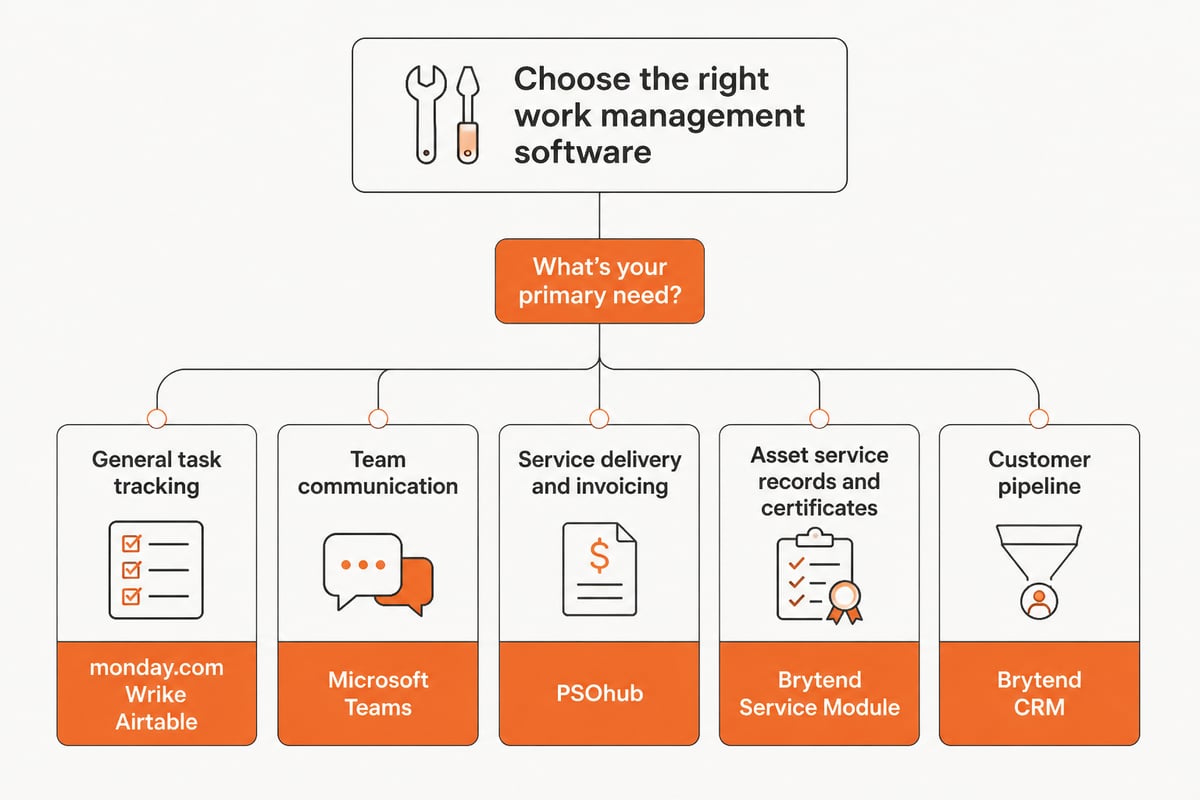
Seven options are worth a look, five general-purpose tools and two Brytend modules for equipment service work. Prices are approximate and billing is annual unless stated; check each vendor's current pricing before budgeting.
1. monday.com
monday.com is a visual work management platform built around customizable boards, and it suits small teams that want to start free and scale later. Pricing runs from about $9 to $19 per seat per month billed annually, and a free plan is available. Because seats are sold in groups, a team of four pays for a group of five once it passes the initial three seats, so seat count should be checked before budgeting.
- The free plan includes up to 3 boards and 200+ templates.
- Paid plans start with a 3-seat minimum, and seats then increase in multiples of five, according to monday.com Support.
- Standard adds timeline and Gantt views, a calendar, guest access and 250 monthly automation and integration actions.
- Pro adds time tracking and up to 25,000 monthly automation and integration actions.
- Annual subscriptions receive a discount compared with monthly billing, per the same source.
Use it for: scheduling calibration and service jobs on boards for a team of three to fifteen people. A common setup is one board per customer or per week, with a status column that moves each job from intake to testing to certificate release.
Verdict: a flexible visual tracker, but serial-number service history needs to be built by hand. The 250-action limit on Standard is also worth comparing against how many automated reminders a busy service week would trigger.
2. PSOhub
PSOhub combines project delivery, time tracking and invoicing, and it suits service businesses that already run a CRM. Essentials starts at $25 per user per month, per PSOhub’s pricing page. Its structure follows the professional services model, where hours logged against a project flow directly into billing.
- Includes time tracking, project management, Gantt charts and basic invoicing.
- Integrates with HubSpot, Salesforce, Dynamics 365 and Pipedrive.
- Higher plans cost more, up to about $30 per user per month.
Use it for: billing hours against service projects for customers managed in HubSpot or a similar CRM. A technician logs time against a calibration project, and the hours carry through to an invoice without a second entry.
Verdict: strong on billable time, with no listed equipment or certificate records. Teams that must prove what was done to each serialized device would need a separate system for that.
3. Microsoft Teams
Microsoft Teams is a communication and collaboration platform, and it suits teams that mainly need chat, meetings and shared files. It costs about $4.00 per user per month, paid yearly. Channels can be organized by customer, site or job type, which keeps conversations and documents for one account in a single place.
- Meetings up to 30 hours with up to 300 participants.
- 10 GB of cloud storage per user.
Use it for: coordinating technicians and office staff on a low budget. A dispatcher can post a pickup schedule in a channel, and technicians in the field can reply with photos or questions from a phone.
Verdict: good for communication, light for tracking work against equipment. It does not assign a task to a serial number or produce a certificate, so it works best alongside a dedicated record system.
4. Wrike
Wrike is a work management platform for complex, multi-step work, and it suits small teams with structured task dependencies. It costs about $10 per user per month billed annually. Dependencies let one task start only after another finishes, which matches processes where testing cannot begin until intake is complete.
- Supports 2 to 15 users on the plan listed.
- 2 GB of storage per user.
Use it for: multi-stage jobs such as a fleet recalibration with several handoffs. Intake, inspection, calibration, review and shipping can each be a dependent task with its own owner and due date.
Verdict: capable for structured projects, with limited storage for attached records. At 2 GB per user, teams that attach calibration reports or photos to tasks should estimate how quickly that space fills.
5. Airtable
Airtable is a spreadsheet-style work database, and it suits teams that want to model their own records without writing code. It costs about $20 per user per month billed annually. Linked records let one table of instruments connect to a table of customers and another of test dates.
- 50,000 records per base.
- 20 GB of attachment storage per base.
- 100,000 API calls per workspace per month.
Use it for: a home-built register of instruments, customers and test dates. Each instrument row can hold its serial number, last calibration date and an attached report, with views filtered by customer or by due date.
Verdict: adaptable, but reminders, certificates and approval rules require setup and upkeep. The person who builds the base also becomes responsible for maintaining its structure as the business changes.
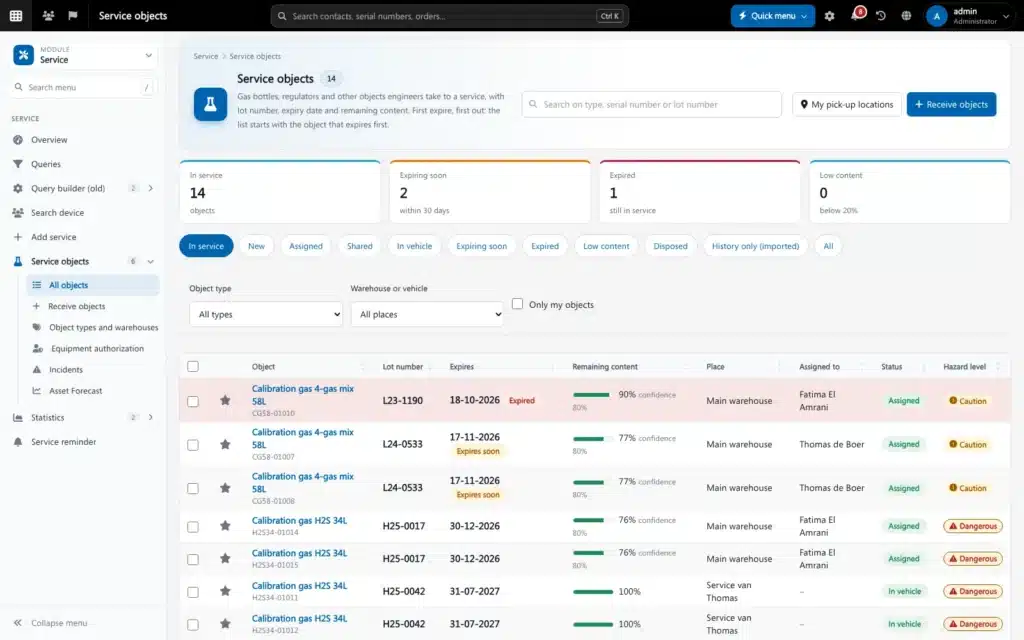
6. Brytend Service Module
The Brytend Service Module manages serialized equipment, service tasks and documentation in one place, and it suits calibration labs and service companies that must keep records per asset. Pricing is not listed here; see the Brytend pricing page or the contact page. It is aimed at businesses where the asset, not the project, is the unit of work.
- Register serialized inventory and add custom services.
- Automate service reminders and generate service certificates.
- Each asset has a unique identity, so service history, condition, warranty details and upcoming tasks sit on one record.
- Part of a platform where customers, devices, documents and data are shared across modules.
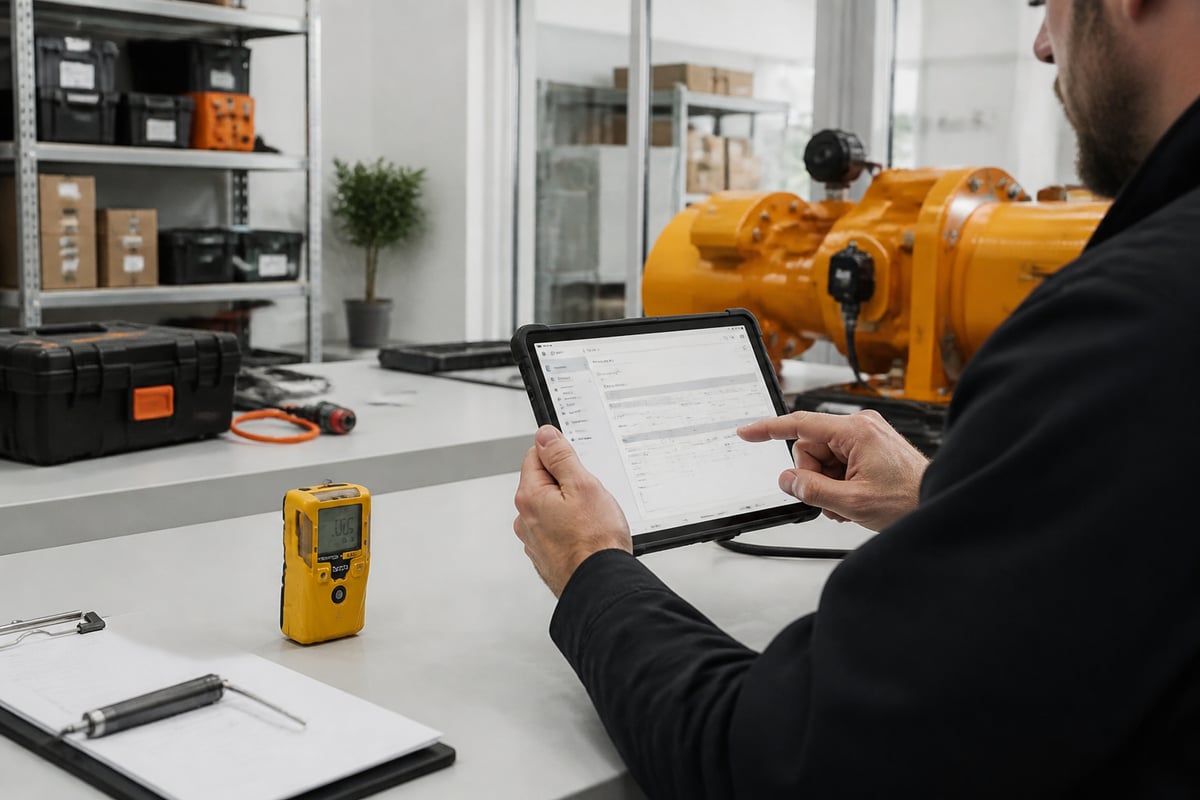
The Service Module records work by asset, so a certificate is produced from the same data used to schedule the job. Details are on the Brytend Service Module page. Custom services let a company define its own job types, such as a bump test, a full calibration or an SCBA inspection, each with its own steps and output.
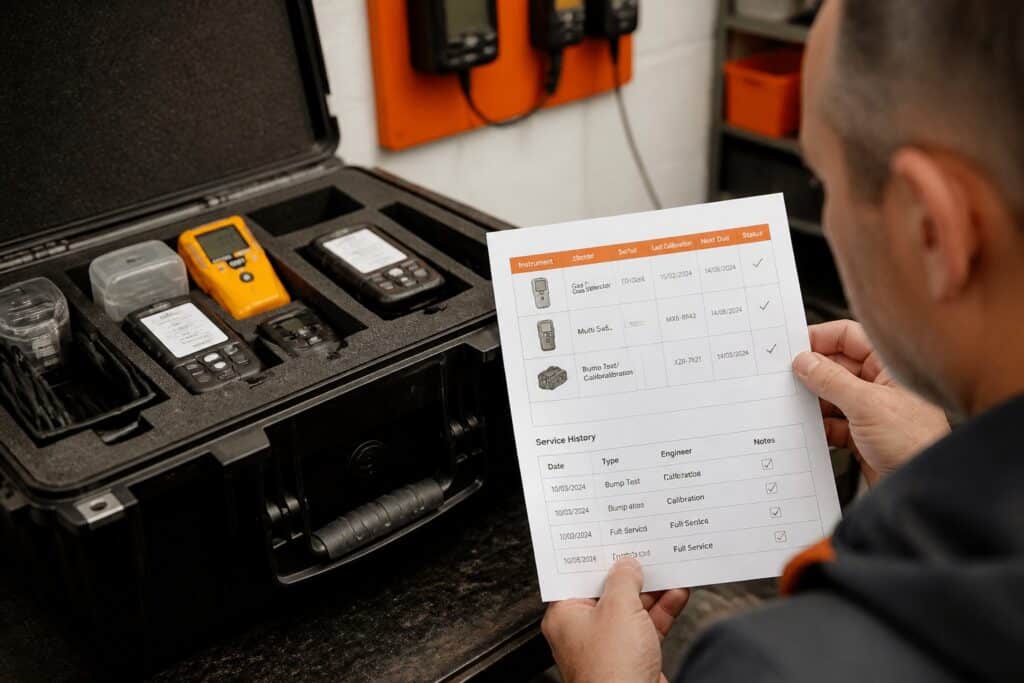
Use it for: keeping equipment-level compliance records for customer-owned devices. When an auditor asks for the history of one serial number, the full record is retrieved from one place instead of assembled from tasks, spreadsheets and emails.
Verdict: the most direct fit for asset-centered service work, and a custom build is possible where a workflow is unusual. Teams with no serialized equipment to track would use fewer of its features.
7. Brytend CRM
Brytend CRM manages customer interactions and lead capture, and it suits teams that want sales follow-up connected to the same records as their service work. It includes AI-driven lead forms and questionnaires that fit into an existing workflow. Details are on the Brytend CRM page. Because it shares a platform with the Service Module, a customer record can show the devices and past jobs tied to that account.
- Customers sit in the same platform as devices and documents.
- Lead forms and questionnaires can be adapted to a workflow.
- Pricing is not listed here; use the contact page for a quote.

Use it for: turning inquiries for detector rentals, calibration or training into tracked customer records. A questionnaire can capture the equipment type and quantity at first contact, so the quote and the later service job start from the same information.
Verdict: a useful partner to the Service Module, less relevant if a CRM is already in place. A team already running HubSpot or Salesforce would weigh the benefit of shared records against the cost of switching.
How do the tools compare side by side?
The table summarizes each tool's approximate price and best use.
| Tool | Approx. price | Standout feature | Best use |
|---|---|---|---|
| monday.com | $9-$19/seat/month, free plan | Visual boards, 3-seat minimum | Custom visual tracking |
| PSOhub | $25-$30/user/month | Time tracking and invoicing | Billable service projects |
| Microsoft Teams | $4.00/user/month | Meetings and chat | Team communication |
| Wrike | $10/user/month | Complex task handling | Structured projects |
| Airtable | $20/user/month | Spreadsheet-style database | Custom registers |
| Brytend Service Module | Contact Brytend | Serialized assets, certificates | Equipment compliance records |
| Brytend CRM | Contact Brytend | Lead forms, customer records | Customer pipeline |
How is work management different from project management?
Work management covers all recurring and ongoing work, while project management covers work with a defined start, end and scope. A calibration lab's daily intake, testing and certificate release is work management. A one-time rollout of a new bump-test procedure is a project.
Most small teams need both. Tools like Wrike and monday.com blend the two, and Brytend's project management software and task management category show how the same platform can handle each side.
Fragmented work is a documented problem. Surveys of knowledge workers have repeatedly found that fragmented tools make work harder to track. Keeping tasks, customers and equipment records in one system reduces the number of places work can get lost.
What does a work management workflow look like for equipment service?
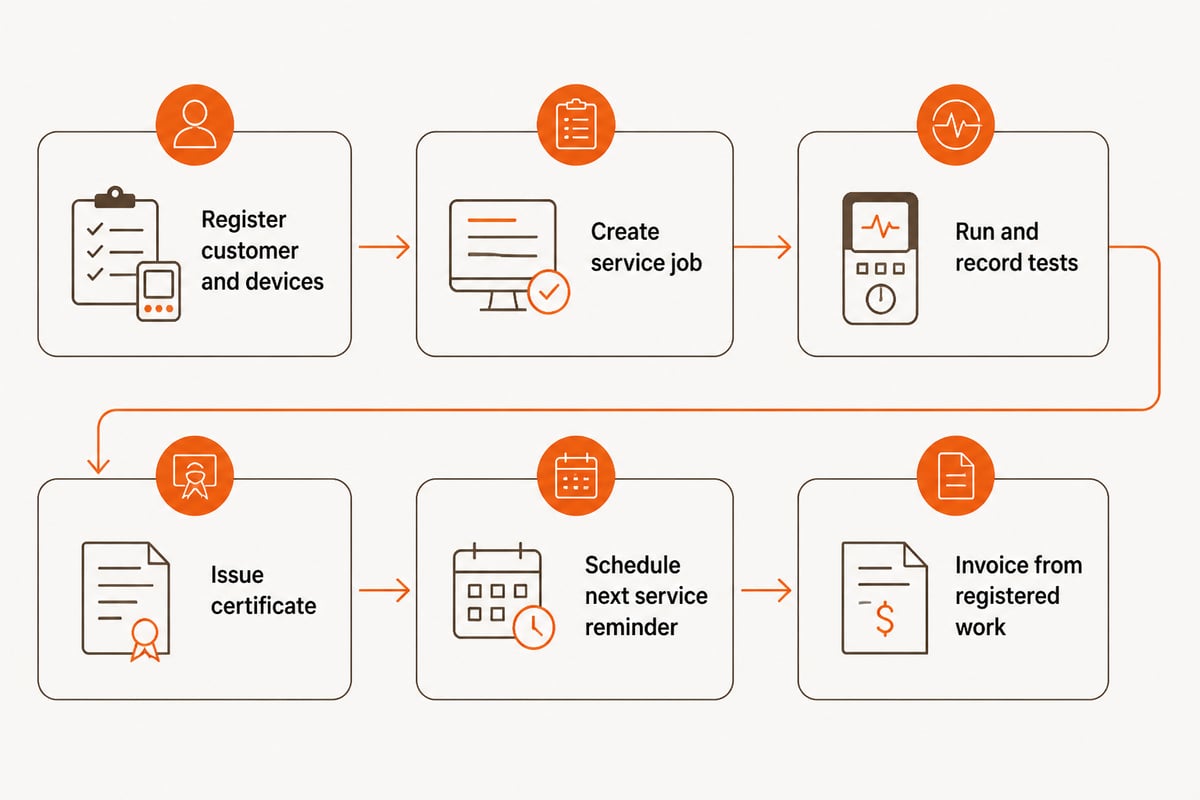
A good equipment-service workflow links each task to a specific asset and ends with a stored record. The example below is hypothetical.
Hypothetical example: a service company receives a batch of portable gas detectors from one customer for bump testing and calibration.
- Register the customer and devices. Each detector is entered with its serial number and linked to the customer record.
- Create the service job. A service task is created per device, with the technician and due date assigned.
- Run the tests. The technician records the result against the device. Gas tests are compared with the limits set for the device, so an out-of-range result is flagged, as covered in gas testing software and bump test gas detector workflows.
- Issue the certificate. A service certificate is generated from the recorded results, not retyped.
- Schedule the next service. An automated reminder is set so the next test date is not tracked in a spreadsheet.
- Invoice from the work done. Invoices are built from registered work, and the platform is Peppol BIS Billing 3.0 e-invoicing ready. See invoicing software.
When should a small team choose custom work management software?
A team should consider custom software when its records must follow a regulated format, when several disconnected tools hold the same customer or device data, or when the workflow does not fit a generic board.
Signs that a general tool is no longer enough:
- Technicians retype results into certificates.
- The same device appears in a task tool, a spreadsheet and an invoice.
- Corrections to records have no reason, user or source document attached.
- Auditors request history that takes hours to assemble.
Brytend replaces multiple disconnected business systems with one platform, so customers, devices, documents and data are shared across modules. Stock changes are recorded with a reason, a user and a source document, and corrections above a limit need approval. Brytend is ISO 9001 and ISO 27001 certified, hosts in the EU, and keeps your data yours. For related compliance needs, see software compliance software and certification management software.
Start by listing the five records an auditor or customer most often asks you for, then check which of the tools above can produce them without manual retyping. If the answer involves serial numbers, certificates and service reminders, the Brytend Service Module is built for exactly that kind of record. Brytend's developers build and maintain custom software around your workflow, and you can Start free trial to see how your own equipment and customer data would fit.