Project management tracking is the practice of recording the status, effort, risks and outcomes of project work so a team can compare actual progress against the plan. For software teams, it means every task, defect and release has an owner, a state and a timestamp that anyone on the project can check. For a software team building tools for gas detection suppliers, service companies and calibration labs, tracking also has to produce records that stand up in an audit.
Project management tracking is a structured record of work as it moves from request to delivery. The sections below cover what to track, which metrics to use, how to set it up in steps, and how it looks in a realistic equipment-service project.
What Does Project Management Tracking Include?
Project management tracking includes five components: scope, schedule, effort, quality and risk, each recorded in a form that can be reviewed later. If a team only records task status, what it has is a to-do list.
- Scope: the list of requirements, user stories or work orders, and every change to them after approval.
- Schedule: milestones, due dates and the actual dates work started and finished.
- Effort: estimated and logged hours per task, so planned and actual work can be compared.
- Quality: defects found, defects fixed, and the share of releases that needed unplanned fixes.
- Risk and blockers: open issues, dependencies on the client, and who is responsible for clearing each one.
Atlassian's overview of project progress tracking lists similar elements, including milestones, overdue and blocked work, and budget. In both lists, every element can be measured and belongs to a named person.
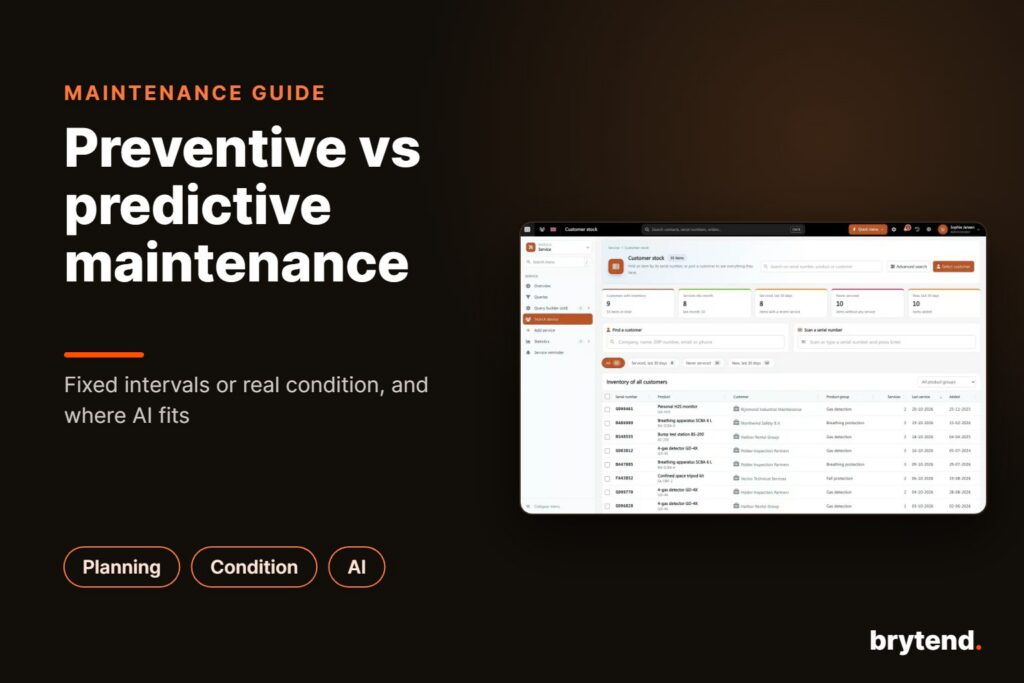
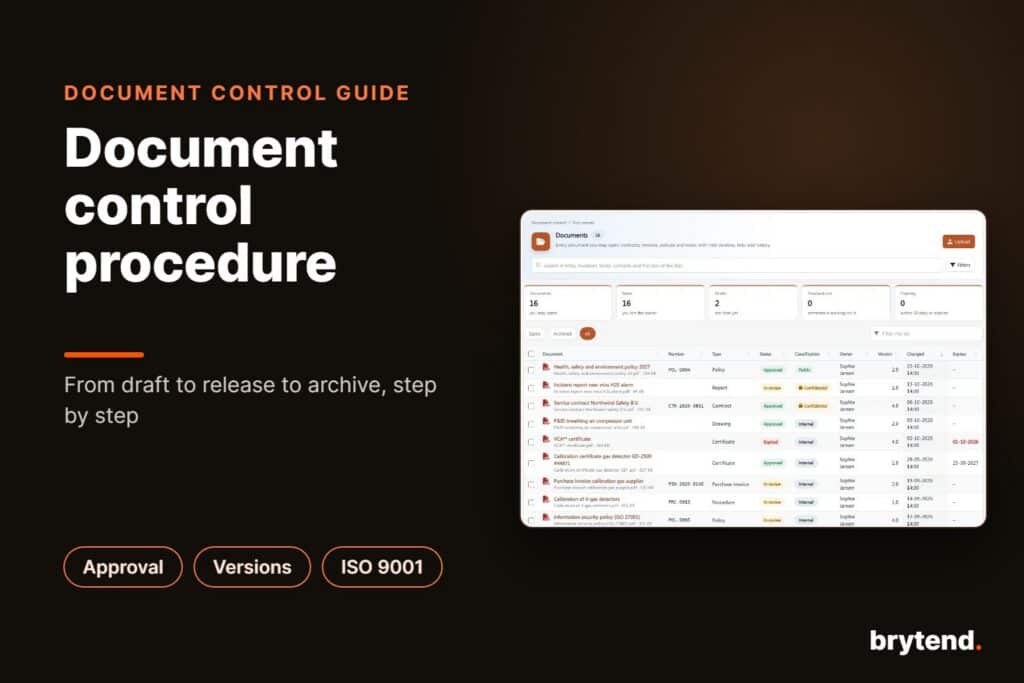
A tracking system also needs one source of truth. When status lives in chat threads, spreadsheets and individual memory, reports disagree and nobody can say which version is current. One shared board or tracker with defined states and mandatory fields fixes that. Brytend's project tracking applications page describes how this kind of tracking can be built into custom software.
How Do Project Managers Track Their Time?
Project managers track time by logging hours against specific tasks as the work happens, then reviewing planned versus actual hours at set intervals. The data is only useful when hours go against a task instead of a general project code.
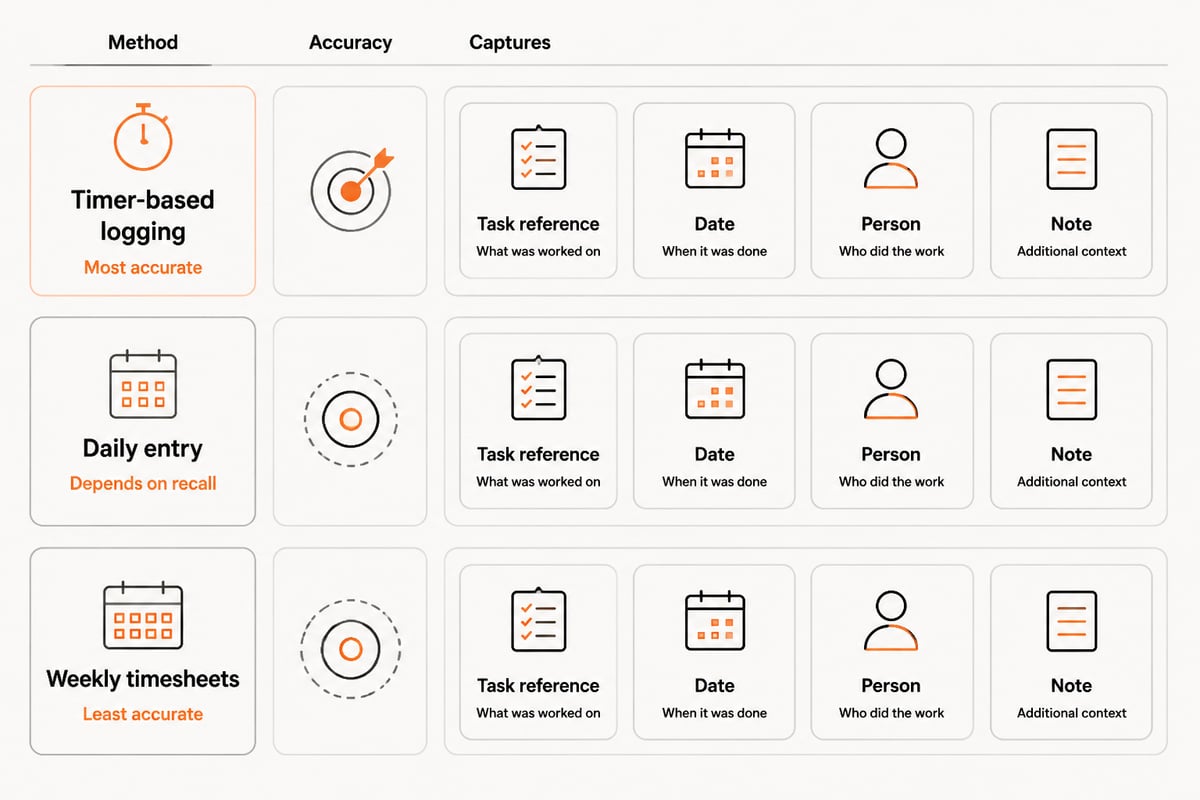
Three methods are common:
- Timer-based logging: the person starts a timer on a task and stops it when they switch. This produces the most accurate figures and the least memory error.
- Daily entry: each person records hours at the end of the day. It is quick but depends on recall.
- Weekly timesheets: hours are entered once a week. This is the least accurate method and often hides which tasks consumed the most effort.
Whichever method is used, each entry should carry the task reference, the date, the person and a short note on what was done. Tasks that repeatedly exceed their estimates point to unclear requirements or hidden dependencies, and those are the items to raise in the next planning session.
For teams that bill clients by the hour or need to prove effort on a fixed-price contract, time records also support invoicing. Brytend's invoicing software page covers how registered work can feed invoices.
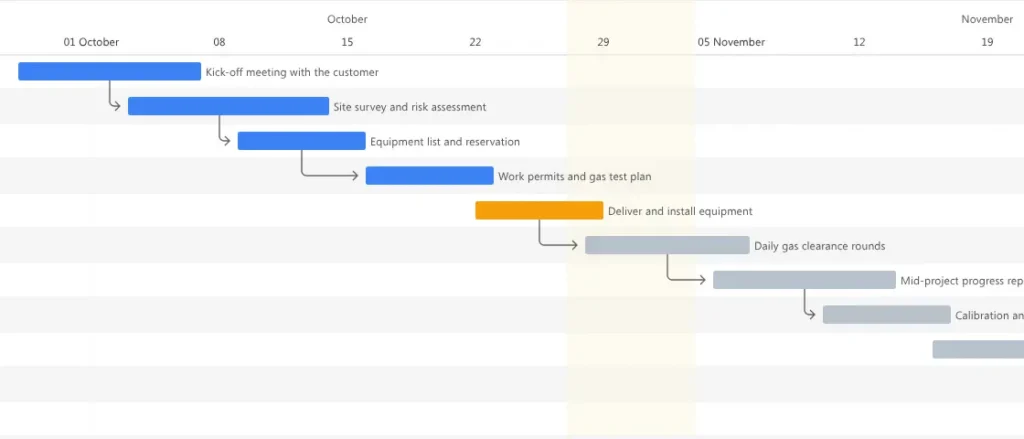
Which Metrics Show Whether a Software Project Is on Track?
The metrics that show whether a software project is on track are those that measure flow and stability: lead time, deployment frequency, recovery time, change failure rate and rework. Closed-task counts say nothing about whether the delivered work is reliable.
DORA’s software delivery framework defines five measures: change lead time, deployment frequency, failed deployment recovery time, change fail rate and deployment rework rate. DORA added deployment rework rate in 2024; it measures the share of deployments that are unplanned work to fix bugs. IBM’s introduction to DORA metrics explains how teams can use these measures to assess delivery performance.
| Metric | What it measures | What a poor value suggests |
|---|---|---|
| Change lead time | Time from a committed change to production | Slow reviews, large batches, approval delays |
| Deployment frequency | How often releases reach production | Fragile release process, oversized releases |
| Failed deployment recovery time | Time to restore service after a failed release | Weak monitoring, no rollback plan |
| Change fail rate | Share of releases that cause a failure | Insufficient testing or unclear requirements |
| Deployment rework rate | Share of deployments that are unplanned bug fixes | Defects escaping into production |
Delivery metrics describe the engineering process. Project-level metrics sit alongside them: milestone completion against plan, budget consumed versus budget planned, and the number of scope changes since approval. You need both, because a team can deploy often and still drift away from the agreed scope.
On the business side, the Project Management Institute reports that only a small minority of project professionals consistently practice all four elements of its M.O.R.E. mindset, and that the Net Project Success Score is higher when all four are practiced. PMI's Net Project Success Score assesses whether a project delivered value worth its effort and expense, which is a useful question to pair with the delivery metrics above.
How Do You Set Up Project Management Tracking in Five Steps?
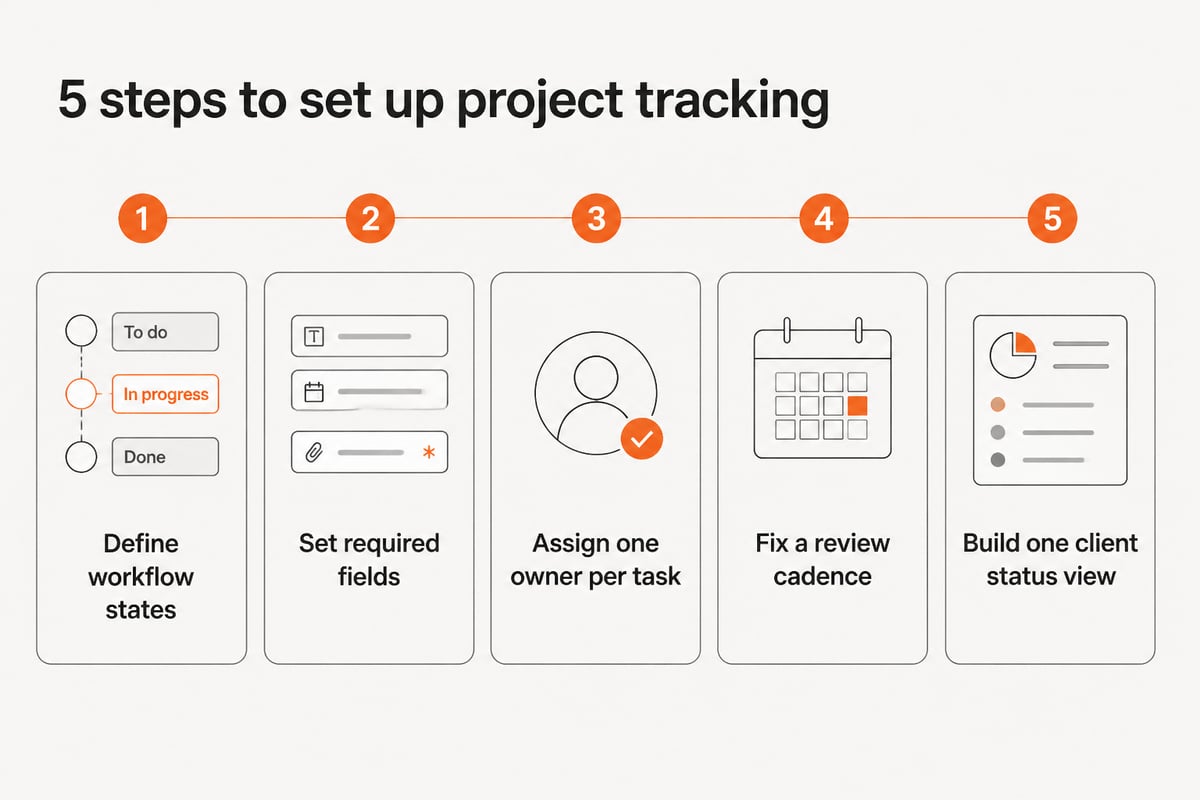
You set up project management tracking by defining states, required fields, owners, a review cadence and a reporting view, in that order. Skip one and you get a familiar problem: unclear status, missing data, unowned work, stale information or reports nobody can read.
- Define the workflow states. Use a short list such as Backlog, Ready, In progress, In review, Testing, Released. Each state needs a written entry condition, for example "In review requires a linked pull request."
- Set required fields. Every task needs an owner, an estimate, a due date and a link to its requirement. Tasks without these fields do not enter the sprint.
- Assign one owner per task. When two people own a task, neither of them really does. List reviewers and contributors separately.
- Fix a review cadence. A short daily check on blockers and a weekly review of milestones, hours and risks is enough for most teams. Record decisions in the tracker, not in chat.
- Build one status view for clients. A single dashboard or report showing milestone status, open risks and recent releases replaces ad hoc status emails.
Start small. People stop filling in fields that nobody reads. Add a field only when a specific report or decision needs it.
If your team prefers to adapt a tool instead of configuring a generic one, Brytend's project management software and task management pages describe options that fit custom workflows.
What Does Tracking Look Like on a Real Equipment-Service Software Project?
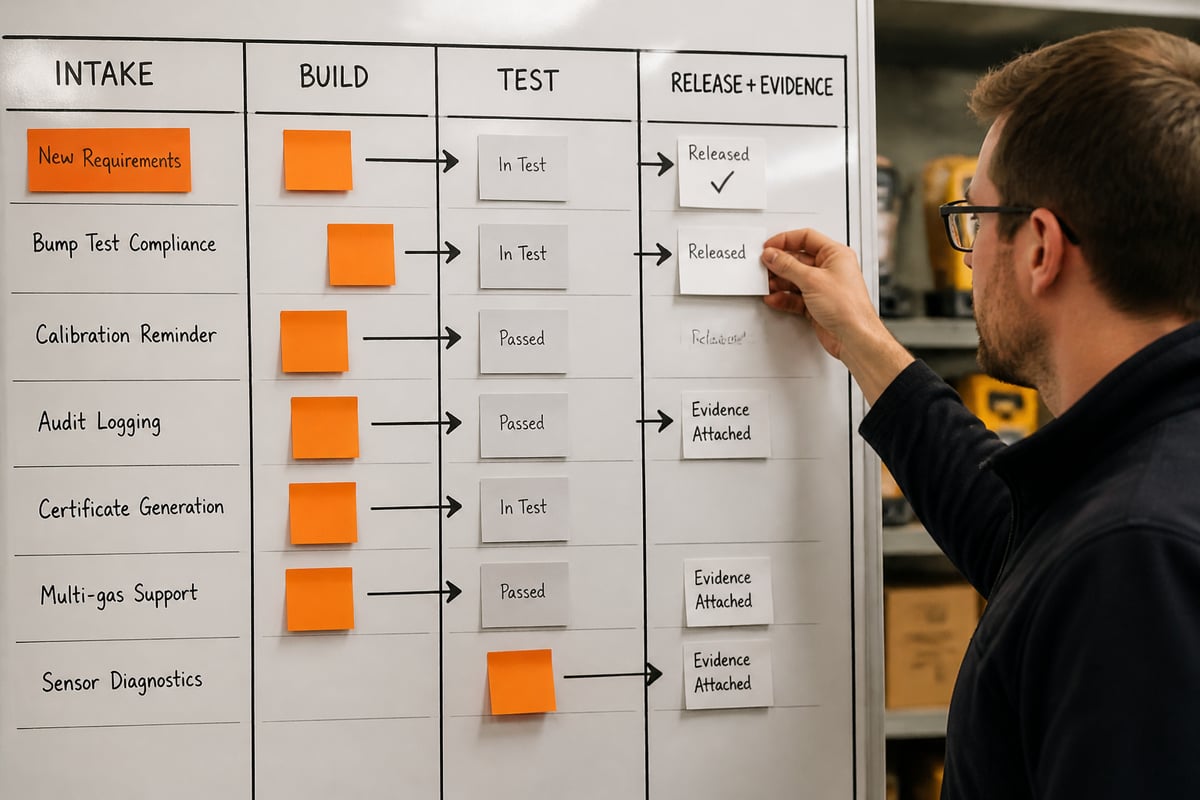
On a real equipment-service project, tracking links each software task to the compliance record it supports, so progress can be shown to both the project sponsor and an auditor. The example below follows a service company that asks a software team to build a calibration and bump-test record system.
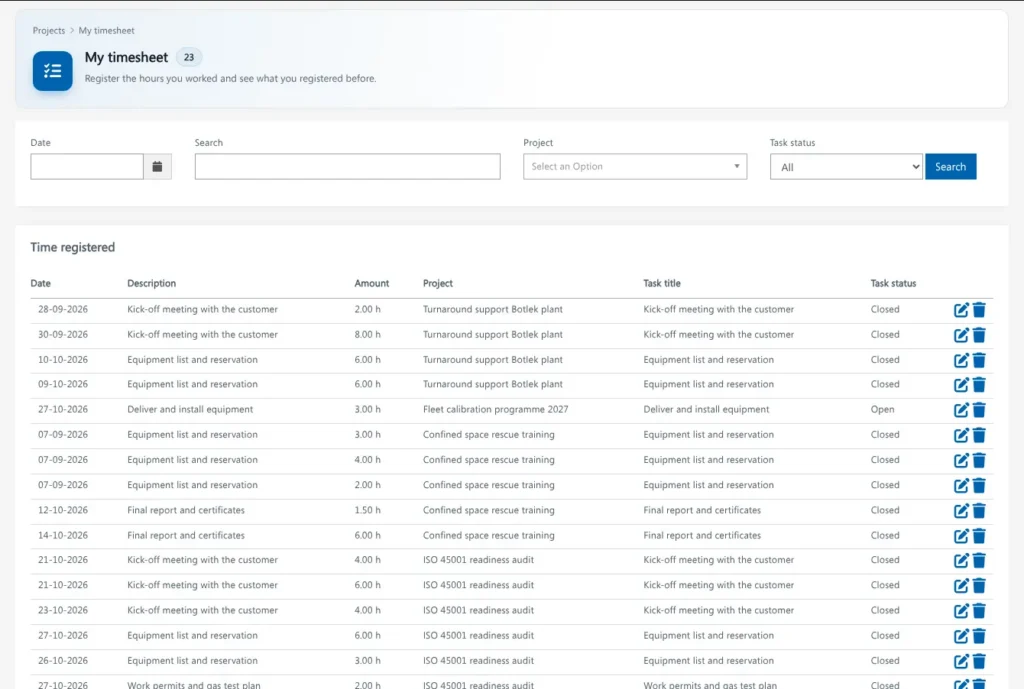
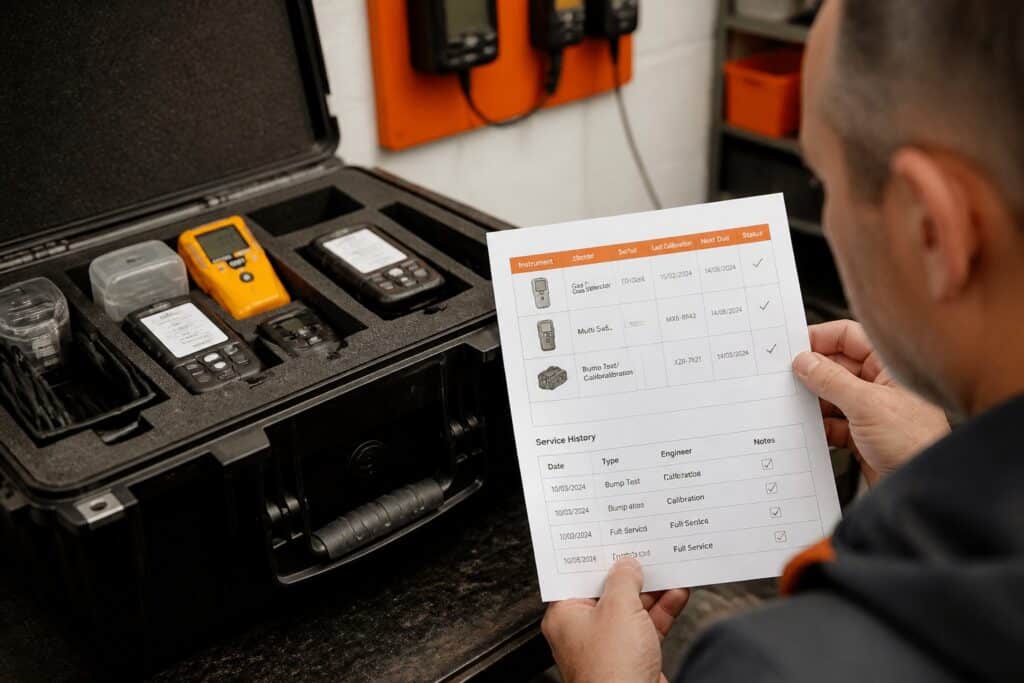
A service company that repairs and calibrates portable gas detectors for customers needs digital certificates, a history for every instrument, and proof that each test was checked against defined limits. The software team tracks the project this way:
- Requirement intake. Each need becomes a tracked item, for example "certificate shows pass or fail against the customer's own alarm limits." The item records who requested it and the standard or customer rule behind it.
- Task breakdown. The item splits into design, build, test and documentation tasks. Each carries an estimate and an owner.
- Acceptance criteria. Each item lists the conditions a reviewer from the service company must confirm, such as "an out-of-limit result blocks certificate issue."
- Test evidence. Test results, reviewer names and dates are attached to the item. This becomes the project's own audit trail.
- Change control. If the service company asks for a new certificate field mid-project, the change is logged with its effect on schedule and hours before work starts.
- Release record. Each release lists the items it contains, the test evidence and the person who approved it.
The project record ends up following the same compliance logic as the product. Brytend's own platform follows the same principle in its products: gas tests can be checked against your own limits before a clearance is given. For the product side of this workflow, see Brytend's pages on calibration management software and service inspections.
Which Tools Work for Simple Project Management Tracking?
Simple project management tracking works with a Kanban board, a shared issue tracker or a lightweight work-management tool, as long as the team enforces defined states and required fields. Which tool you pick matters less than whether people keep the records complete.
Match the tool to the size and compliance needs of the project:
- Kanban board tools: suit small teams with one product and few dependencies. Trello is a typical example.
- Issue trackers with sprints and reports: suit teams that need lead-time data and release history. Jira is a typical example.
- All-in-one work-management tools: suit teams that also manage documents, requests and approvals, such as ClickUp or Asana.
- Custom tracking software: suits cases where the tracking must connect to customers, devices, documents and certificates already held in the business. Brytend builds this kind of custom tracking for service companies.
Slack and similar chat tools are good for quick questions and alerts, but nothing in them counts as a record. Decisions made in chat should be copied into the tracked item, or the audit trail has gaps.
Before adopting any tool, check four things: whether it records who changed what and when, whether it exports data, whether it supports your required fields, and where the data is hosted. For clients in regulated work, hosting location and certification, such as ISO 9001 and ISO 27001, are practical selection criteria.
What Are the Core Principles Behind Project Tracking?
The core principles behind project tracking are clear scope, single ownership, measured progress, controlled change and honest reporting. They apply whether the team works in Scrum, Kanban or a phased plan.
- Clear scope: the team can state in one sentence what is in and out of the project.
- Single ownership: each task and risk has one accountable person.
- Measured progress: status reflects verified results, such as tested and accepted work, not effort spent.
- Controlled change: scope changes are recorded with their cost in time and budget before they are accepted.
- Honest reporting: reports show delays and risks as they appear, so decisions can be made early.
Measured progress is the one teams most often fake. A task that has sat at 90% complete for three weeks usually means someone is guessing. Define "done" as a verifiable condition, such as "reviewed, tested and accepted by the client," and track only that.
FAQ
Why is Slack important to the project manager?
Slack gives a project manager a fast channel for questions, alerts and coordination across the team and with clients. It supports tracking by notifying people of changes, but it should not replace the tracker. Decisions and status belong in the tracked item.
How often should a software team review project tracking data?
A short daily check on blockers and a weekly review of milestones, logged hours, open risks and scope changes suit most software teams. Longer projects add a monthly review of delivery metrics and budget. The cadence matters less than recording each review's decisions in the tracker.
What should be recorded when a client changes the scope?
Record who requested the change, the date, the reason, and its effect on schedule, hours and budget. Get written approval before work begins. This keeps the original plan comparable with the actual outcome and protects both sides in a later dispute.
Start by choosing one active project and writing down its workflow states, required fields and definition of done, then compare that list with what your team records today. If you want tracking built around your own customers, devices, documents and certificates, Brytend can design and maintain it for you, and you can start a free trial to see how the platform handles your records.