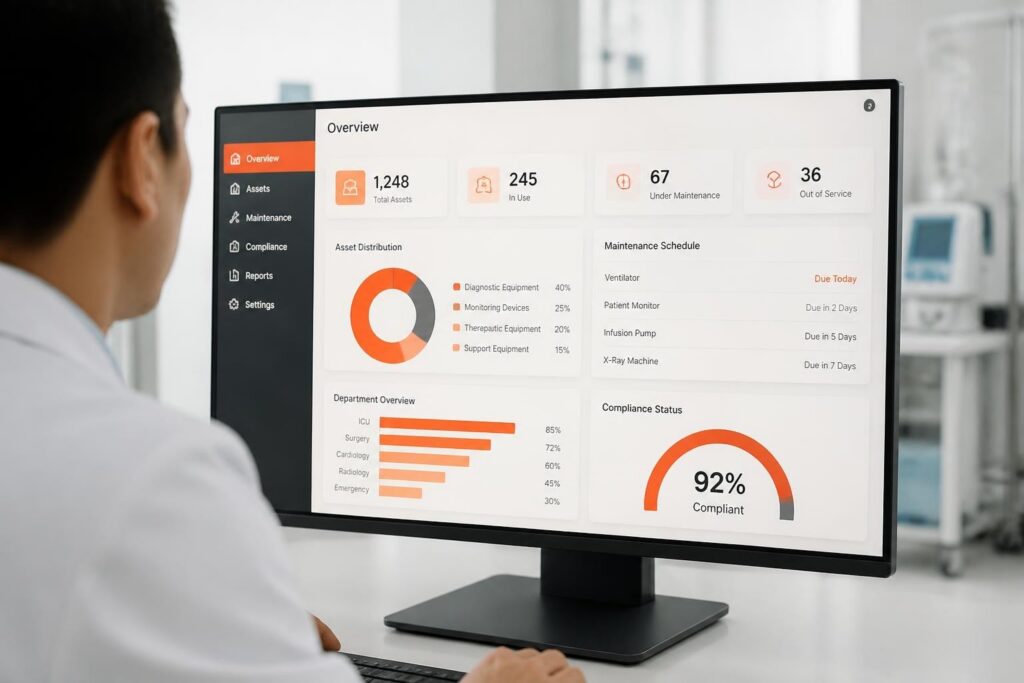
A customer CRM system is software that stores every customer record, contact, deal and service event in one shared database so teams work from the same information. It replaces scattered spreadsheets, inboxes and paper files with a single record per customer.
A customer CRM system is a database and workflow tool that tracks each interaction between a company and its customers, from the first enquiry to quotes, deliveries, service visits and invoices. For service, rental and safety-equipment companies, the record also holds the customer's equipment, test results and compliance documents.
What does a customer CRM system do?
A customer CRM system collects customer data, links it to sales and service activity, and makes it searchable and reportable. Its core functions are:
- Contact and account management: companies, people, addresses and roles in one record.
- Pipeline tracking: leads, quotes and orders with a status and an owner.
- Activity history: calls, emails, visits and notes attached to the customer.
- Task and reminder automation: follow-ups, renewal alerts and approval requests.
- Reporting: conversion, response time, revenue per customer and open work.
A CRM system is commonly described as both a relationship strategy and the software that puts it into practice, with contact management, automation and reporting as common capabilities.
How does a customer CRM system work?
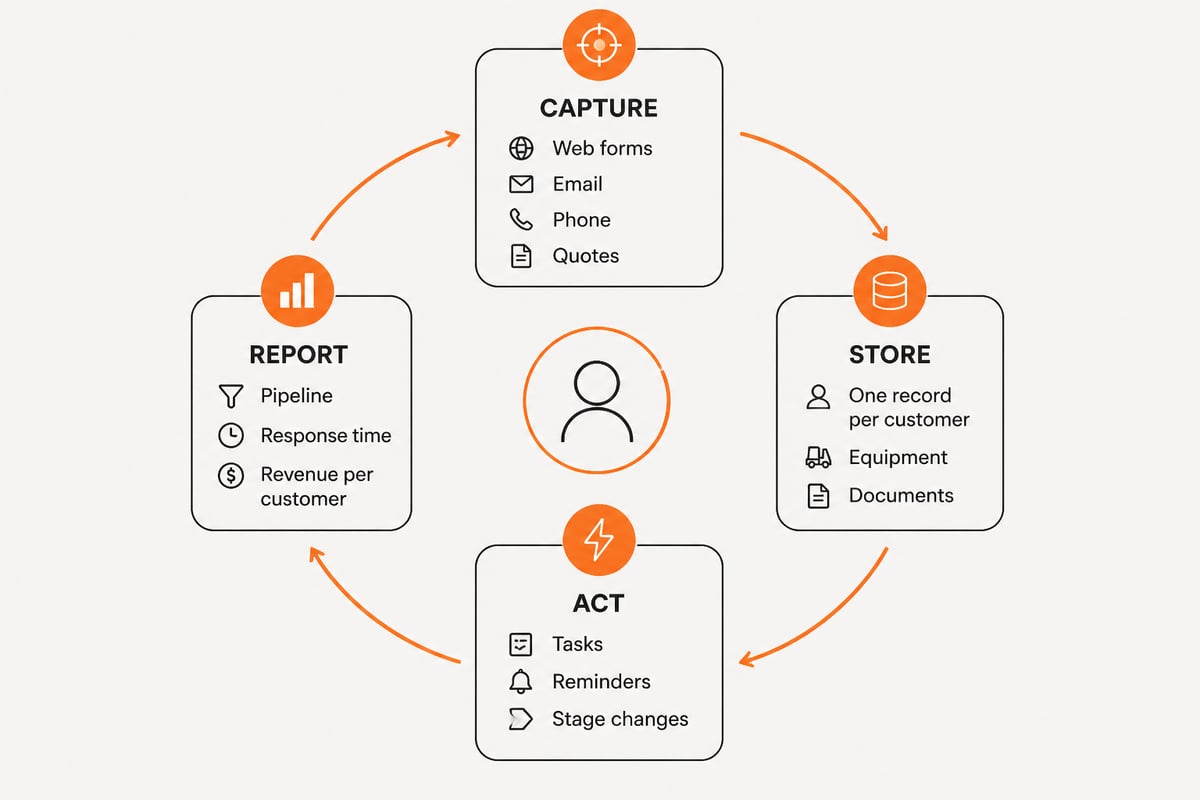
A customer CRM system works by capturing data from each channel, attaching it to one customer record, and triggering actions based on that record. The cycle has four parts.
- Capture. Web forms, email, phone logs, quotes and imports create or update records. A lead form feeds new enquiries straight into the pipeline instead of an inbox.
- Store. Each person and company is held once. Related items such as equipment, contracts and documents attach to that record.
- Act. Rules assign tasks, send reminders and move deals between stages. A quote that is accepted can create a work order or a rental booking.
- Report. Dashboards show open quotes, overdue follow-ups, response times and revenue by customer or segment.
The value comes from the links between records. A CRM that only stores contacts is an address book. A CRM that connects a contact to a quote, an asset, a service visit and an invoice shows the whole customer relationship.
What is a CRM for customers in a service or rental business?
In a service or rental business, a CRM for customers tracks not only people and deals but also the equipment each customer owns or rents and the work done on it. This makes it different from a sales-only CRM.
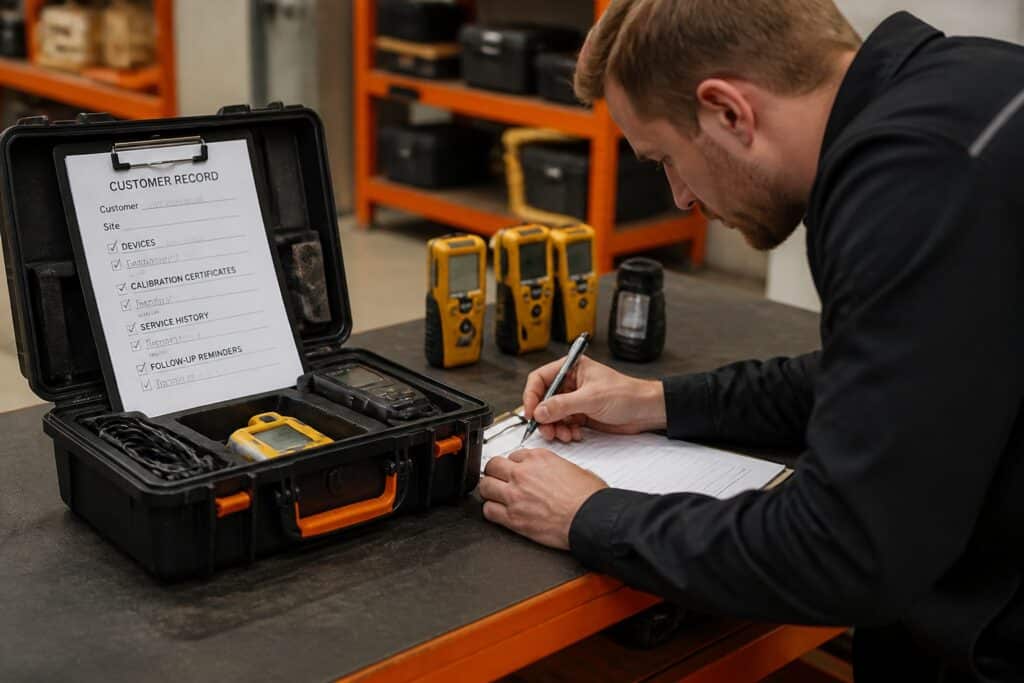
Consider a company that calibrates and services portable gas detectors for industrial customers. The customer record needs the following:
- The list of detectors, with serial numbers and last calibration dates
- Calibration and bump-test certificates for each device
- Open and past work orders
- Quotes, rental agreements and contracts
- Invoices and payment status
- Named contacts for safety, purchasing and site operations
Without this, staff search several systems to answer a simple question such as "which of this customer's detectors are due next month?" With it, the answer is one filtered list, and a reminder can go to the customer before the due date.
Distributors and manufacturers use the same idea with a different emphasis. The CRM links customers to the products they buy, the warehouses that ship them and the webshop orders that arrive. Account managers see order history and stock availability next to the contact record.
What are the main types of customer CRM systems?
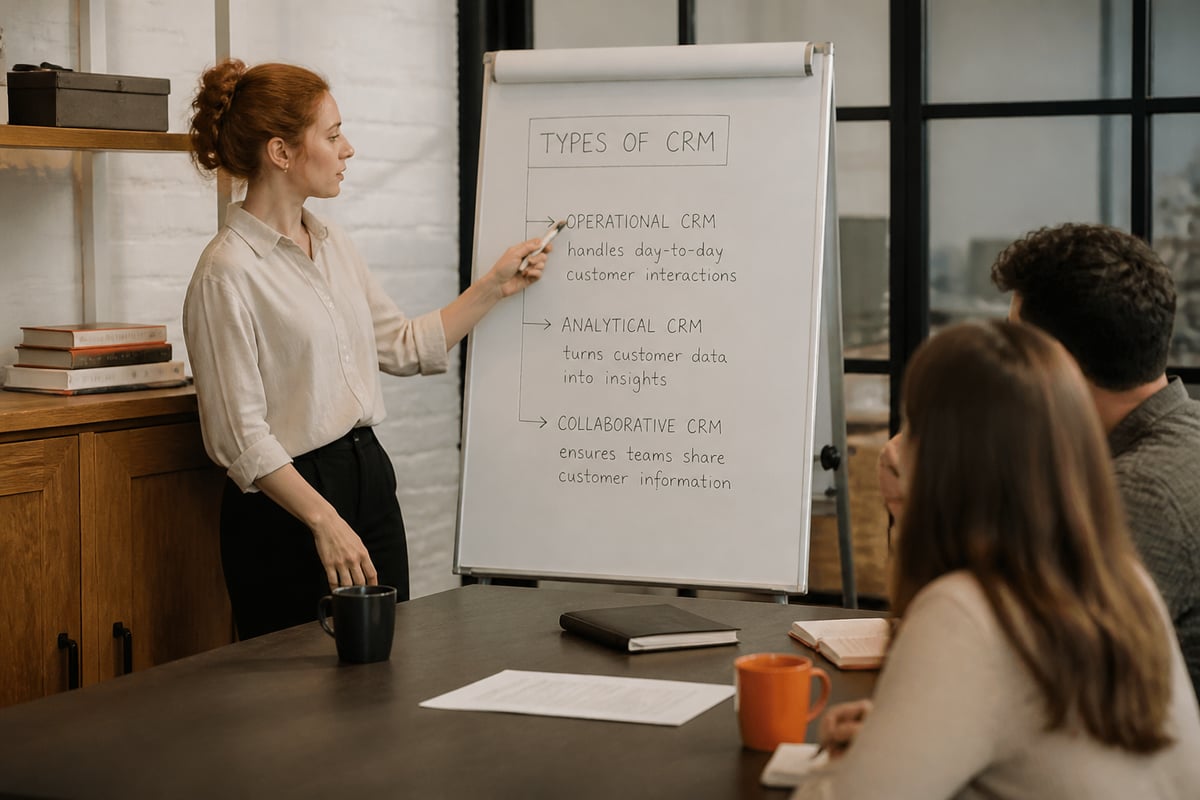
CRM systems fall into four common types: operational, analytical, collaborative and strategic. Many products combine more than one, so a single tool often covers two or three of these roles at once.
| Type | Main purpose | Typical use |
|---|---|---|
| Operational | Automates sales, marketing and service workflows | Lead handling, quotes, ticket routing |
| Analytical | Analyzes customer data for patterns | Churn, revenue per account, service trends |
| Collaborative | Shares customer information between teams | Sales, service and finance seeing one record |
| Strategic | Focuses on long-term customer value | Segmentation, retention and account planning |
Operational CRM is the type most teams buy first, because it handles daily work. A lead form creates a record, a rule assigns an owner, and an accepted quote moves the deal to the next stage. Analytical CRM sits on top of that data. A service company can use it to compare revenue per customer, spot accounts whose service volume is falling, or see which equipment types generate the most repeat work. Collaborative CRM matters when sales, service and finance each keep their own files. Once they share one customer record, a salesperson can see an unpaid invoice before promising a new delivery. Strategic CRM uses the same data for segmentation and account planning, for example grouping customers by contract value or renewal date.
Industry-specific CRMs add fields and workflows for a sector, such as asset registers, inspection schedules and certificate storage. For companies that service customer equipment, an industry-specific or custom-built system often fits better than a generic one, because the equipment and compliance data is the core of the relationship.
How common are CRM systems, and what do they save?
CRM use is widespread and still growing. According to Eurostat, 28.51% of EU enterprises used CRM software in 2025, up 2.68 percentage points from 2023. Adoption was highest in information and communication.
Survey data points the same direction. In a 2024 Freshworks survey of 600 U.S. business owners and professionals, most businesses said they would use CRM software, and most planned to increase their CRM budget over the following year. Most respondents reported that CRM saved employees 5 to 10 hours per week.
Having a CRM does not guarantee results. A 2025 survey of 379 B2B professionals found that only about a third of teams fully leveraged their CRM systems, according to PLANADVISER. Low use usually traces back to poor data entry habits, missing integrations or a tool that does not match the real workflow.
How do you choose and set up a customer CRM system?
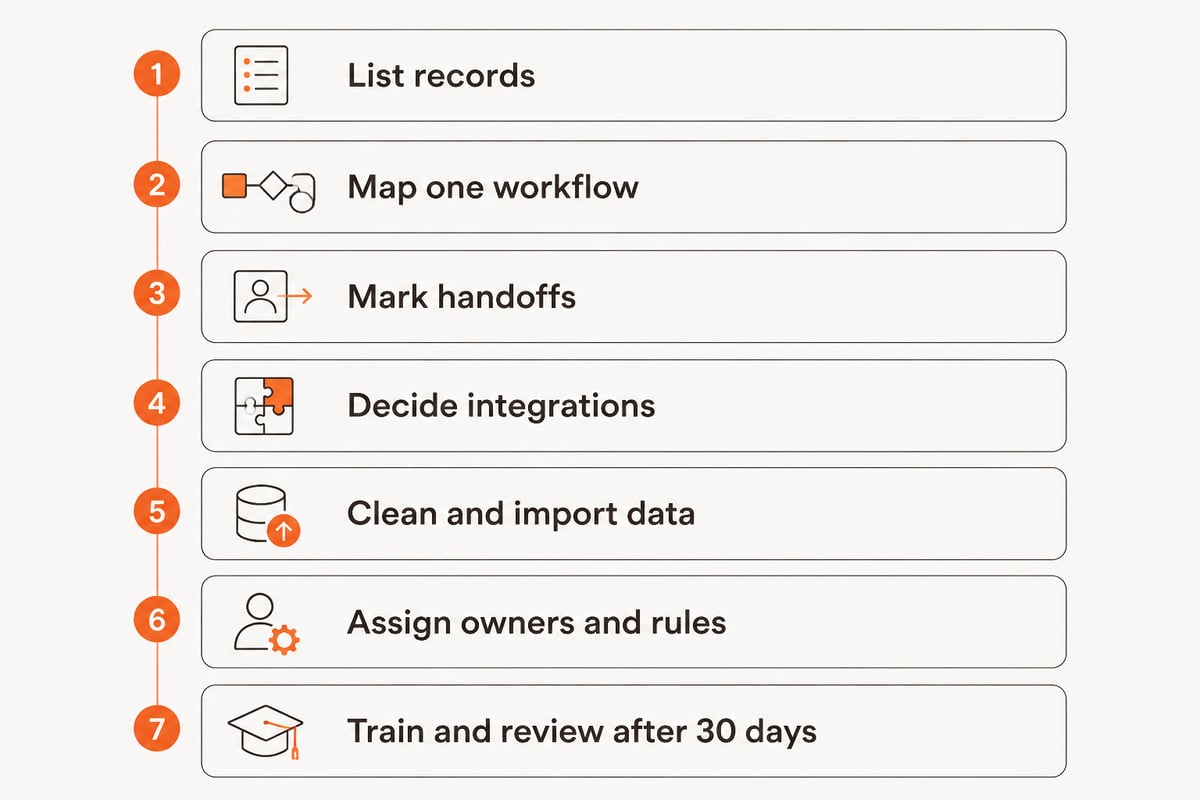
Choose a customer CRM system by mapping your own workflow first, then testing whether each candidate can hold the data that workflow produces. Setup follows a fixed order.
- List the records you manage. Customers, contacts, equipment, contracts, quotes, work orders and certificates.
- Map one real workflow end to end. For example: enquiry, quote, order, service visit, certificate, invoice.
- Mark the handoffs. Note where data is retyped or lost between sales, service, stock and finance.
- Decide what must connect. Inventory, invoicing, document control and e-invoicing are common requirements.
- Clean and import existing data. Merge duplicates, standardize names and agree on required fields before the first import.
- Assign owners and rules. Each deal, task and reminder needs a named owner and a due date.
- Train in small groups and review after 30 days. Check which fields are empty and which reports nobody opens.
Whether CRM is hard to learn depends mostly on how closely the screens match daily work. A system that mirrors the quote-to-invoice flow staff already follow is learned in days. A generic system with unused modules and unclear fields takes longer and is often abandoned. Data migration is usually the harder part than the interface, as shown in this service company database migration case study.
What does a CRM look like when it is part of a larger platform?
A CRM works best when it shares data with the other systems that touch the customer, rather than syncing with them through exports. Brytend builds software on this principle: one platform replaces multiple disconnected business systems, with customers, devices, documents and data shared across every module.
Brytend CRM includes AI-driven lead forms and questionnaires that fit into an existing workflow, so enquiries enter the customer record without manual retyping.

For a gas detection or safety-equipment service company, the benefit shows in the connected modules. A realistic workflow looks like this:
- A customer submits a lead form asking for annual calibration of 40 portable detectors.
- The CRM creates the account and contact and assigns the enquiry to a sales owner.
- A quote is sent from the same record, and the accepted quote becomes a work order through work order management.
- Devices are received, tested and calibrated. Gas tests are checked against the company's own limits, and a clearance is given only when the air is safe.
- Certificates attach to the customer and to each device through document control.
- An invoice is built from the work already registered, with invoicing software supporting Peppol BIS Billing 3.0 e-invoicing.
- The CRM schedules the next calibration reminder from the certificate dates.
For distributors and rental companies, inventory control joins the same record. Every stock change is recorded with a reason, a user and a source document, and corrections above a limit need approval, so account managers see reliable availability when they quote.
Companies that handle regulated customer data should also check hosting and certification. Brytend is ISO 9001 and ISO 27001 certified, with EU hosting and customer data staying with the customer, and it is rated highly on Google. Access control for a customer-facing portal can be handled with a dedicated authentication service such as MonoCloud, which provides branded login pages and API protection.
What are the related terms?
- CRM software: the application itself, as opposed to the strategy behind it. The strategy covers how a company treats customers; the software stores the records and runs the workflows that support it.
- Lead management: capturing and qualifying new enquiries before they become customers. It covers lead forms, scoring, assignment and follow-up reminders.
- Customer 360: a single view of all data about one customer. It combines contacts, quotes, orders, service history, documents and payment status on one screen.
- Asset register: a list of the equipment a customer owns, rents or has serviced. Each item usually carries a serial number, location and last service or calibration date.
- ERP: a broader system covering finance, stock and operations, often connected to a CRM. The ERP holds the accounting and stock detail; the CRM holds the customer relationship around it.
- Work order management: tracking service jobs from request to completion, including status, assigned technician and linked certificates.
- Pipeline: the staged view of open deals from lead to closed order. Each stage has an owner, so stalled quotes are easy to find.
For a textbook-level background on how CRM supports decisions through interaction data, see OpenStax’s introduction to CRM in marketing.
FAQ
What are the top CRM platforms?
Widely used CRM platforms include Salesforce, Microsoft Dynamics 365, HubSpot, Zoho CRM and Pipedrive. The right choice depends on whether you need a general sales tool or a system that also tracks equipment, certificates and service work.
Is a CRM difficult to learn?
Most users learn the daily screens quickly when the system matches their existing workflow. Difficulty rises with unused modules, unclear required fields and poor data migration, so a short pilot with real records is the best test.
Can a custom-built CRM be better than an off-the-shelf one?
A custom or industry-specific CRM can fit better when your records include assets, calibration data and compliance documents that generic tools handle poorly. Off-the-shelf tools suit simpler sales processes with standard fields.
Start by writing down one real workflow from enquiry to invoice and marking every place the data is retyped, since that list defines what your CRM must connect. Brytend builds service, calibration, inventory and compliance software around that kind of workflow, and you can see how Brytend CRM fits it. To test it on your own customer and equipment records, Brytend offers a start free trial so your team can try the connected platform before committing.