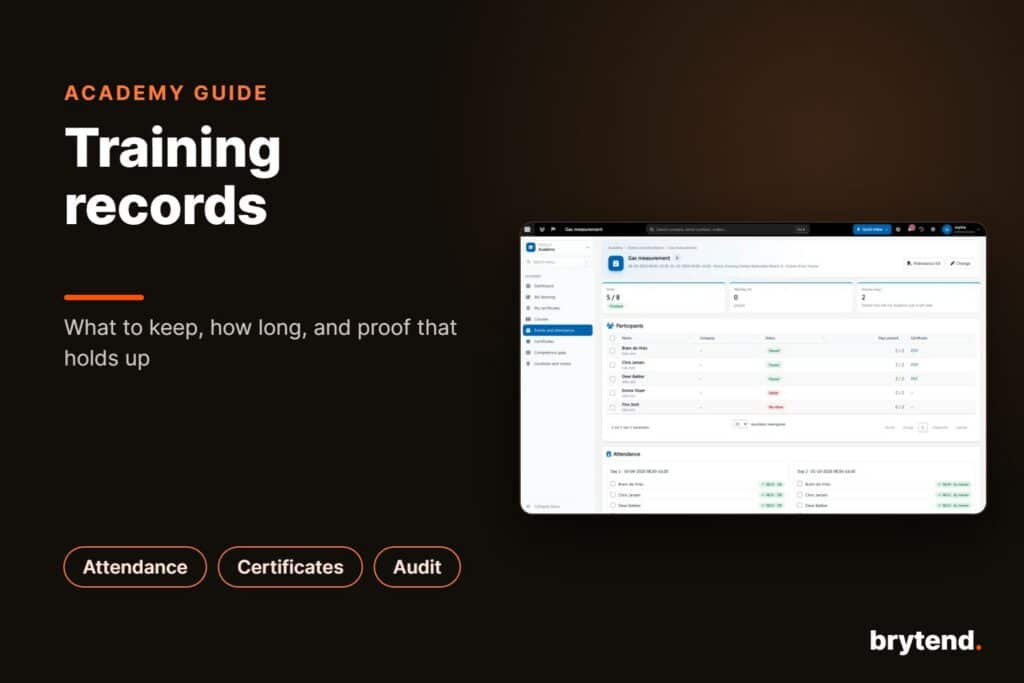
A training matrix is a grid that shows, for every employee, which trainings and certificates their role requires and whether each one is done, planned, missing or about to expire. People are the rows, skills or courses are the columns, and each cell holds a status and a date. A good training matrix answers two questions in seconds: who is allowed to do this job today, and which training do we need to plan next. It only works if it is updated the moment a course is finished or a certificate runs out, which is why most companies move it out of a spreadsheet sooner or later.
TL;DR:
- A training matrix maps employees against the trainings their role requires, with a status and expiry date in every cell
- Start from roles, not from people: decide what each role needs, then assign people to roles
- Use a small set of statuses (required, planned, completed, expiring, expired) and colour them the same way everywhere
- Auditors for ISO 9001, ISO 45001 and VCA ask for proof of competence, and the matrix is where they look first
- Spreadsheets break when certificates expire unnoticed; training software updates the matrix from attendance and certificates automatically
A training matrix, also called a skills matrix or competency matrix, is a visual overview of the training requirements and training status of a team.
What Is a Training Matrix?
A training matrix is a table with employees on one axis and trainings on the other. Each cell tells you whether that person has completed that training, when, and until when it is valid. Some matrices also show a skill level (for example 1 to 4, from “in training” to “can train others”), but most companies that work with equipment, safety rules or customer sites care first about one thing: is this person qualified, yes or no, and for how long.
The matrix is used by different people for different reasons:
- Planners check it before they send a technician to a job that needs a confined space ticket, a gas measurement certificate or a specific manufacturer course
- Team leads use it to see gaps in their team and to plan next quarter’s courses
- HSE and quality managers use it as proof of competence during audits
- Customers ask for it before a contractor may work on their site
Because so many people rely on it, a matrix that is two months out of date is worse than no matrix at all. It gives false confidence.
Why Do Companies Need a Training Matrix?
Most companies already have the information somewhere: certificates in a folder, attendance lists in a binder, course invitations in someone’s mailbox. The problem is that nobody can see the full picture. A training matrix pulls it into one view.
Compliance and audits
ISO 9001 clause 7.2 asks organisations to determine the competence people need, make sure they have it, and keep documented information as evidence. ISO 45001 has a similar requirement for health and safety, and contractor schemes such as VCA ask for valid certificates per employee. During an audit the first question is often “show me who is qualified for this task”. With a matrix you answer it in one screen. You can read the requirements in the ISO 9001:2015 standard.
Safe and legal work planning
Sending someone without a valid certificate into a tank, onto a roof or to a gas installation is a safety risk and in many countries a legal one. The matrix lets planners filter on “qualified and valid on the job date”, not just “has ever done the course”.
Better training budgets
When you can see that six certificates expire in March, you can book one group course instead of six separate ones. When you see that only one person can calibrate a certain instrument, you know where your risk is.
What Should a Training Matrix Include?
Keep the structure simple. Every extra column is one more thing someone has to keep up to date.
- Employee: name, employee number, department and role
- Training or certificate: the course name, ideally grouped (safety, technical, product, quality)
- Requirement: is this training required for the role, recommended, or not relevant
- Status: required, planned, completed, expiring soon or expired
- Completion date and expiry date: the two dates that drive everything else
- Evidence: a link to the certificate, the attendance list or the exam result
A layout that works well for most teams looks like this:
| Employee | Role | Basic safety (VCA) | Gas measurement | First aid | Instrument X service course |
|---|---|---|---|---|---|
| Technician A | Field technician | Valid until 03-2028 | Expires in 30 days | Valid until 11-2026 | Planned 12-2026 |
| Technician B | Field technician | Valid until 06-2027 | Valid until 09-2027 | Expired | Valid (no expiry) |
| Planner C | Planner | Valid until 01-2029 | Not required | Valid until 04-2027 | Not required |
Colour the statuses: green for valid, orange for expiring within your warning period, red for expired or missing, grey for not required. Use the same colours in every report so people learn to read them at a glance.
How Do You Create a Training Matrix Step by Step?
1. List your roles
Write down every role in the company or department: field technician, workshop technician, planner, warehouse employee, sales. Do not start with names. People change roles, roles change less often.
2. Define the required trainings per role
For each role, list the trainings and certificates it needs. Use three sources: laws and regulations, customer and contractor requirements, and your own quality system (work instructions, manufacturer requirements for the equipment you service). Add how long each certificate stays valid, for example five years for a safety certificate or one year for a first aid refresher.
3. Assign people to roles
Now link every employee to one or more roles. The matrix fills itself with “required” cells. Someone who is both a technician and an internal trainer simply gets the requirements of both roles.
4. Fill in the current status
Collect what you already have: certificates, attendance lists, exam results. Enter the completion date and expiry date for each. This is the most work, but you only do it once. Anything you cannot prove gets the status “missing”, even if the person says they did the course.
5. Set a warning period
Decide when a certificate counts as “expiring”: 30, 60 or 90 days before the expiry date. Longer courses with limited dates need a longer warning period.
6. Plan the gaps
Sort the matrix on red and orange cells. Those are your training plan for the next months. Group people per course where you can.
7. Decide who keeps it up to date
The matrix needs an owner and a rule: it is updated on the day a training ends or a certificate arrives. If that depends on one person remembering to edit a spreadsheet, it will slip.
Spreadsheet or Software: Which Training Matrix Works Best?
A spreadsheet is a fine way to design your first matrix. It becomes a problem once you have more than a handful of people, or certificates that expire.
| Spreadsheet | Training software | |
|---|---|---|
| Updates | Manual, after every course | Automatic from attendance, exams and certificates |
| Expiry warnings | Only if someone opens the file | Reminders to the employee and manager |
| Evidence | Separate folder, often incomplete | Certificate and signed attendance stored with the record |
| Versions | Copies by e-mail, unclear which is current | One live overview for everyone with access |
| Audit trail | None | Who changed what and when |
| Cost | Low at the start, high in hours later | Licence cost, fewer hours |
The turning point usually comes after the first audit finding or the first time a technician is sent home from a customer site because a certificate turned out to be expired.
How Does Brytend Academy Keep the Training Matrix Up to Date?
In Brytend Academy the matrix is not a separate file. It is the result of the trainings you run. You plan a classroom training or an online course, people register or join the waiting list, they check in with a QR code on the day and sign the attendance list on a phone or tablet. After the exam or the trainer’s check, the certificate is issued with its own check QR code and expiry date. The employee’s training record, and therefore the matrix, is updated at that moment.
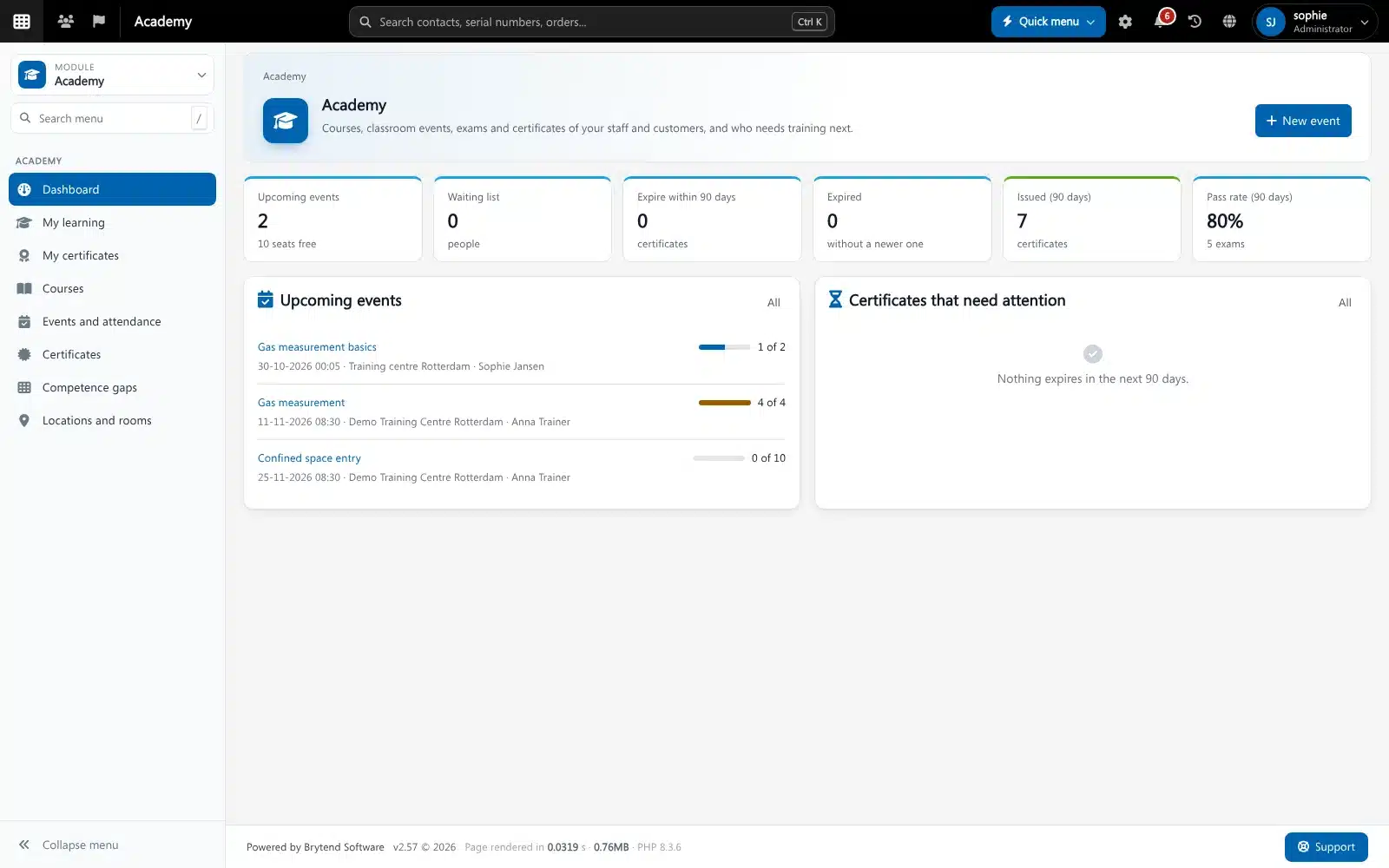
A few things that make the difference in daily use:
- Competence gaps: required trainings per role are compared with what each person has, so missing and expiring items show up without anyone searching for them
- Expiry reminders: employees and managers get a notice before a certificate runs out, with time to book a refresher
- Four-eye rule: a trainer or second person confirms results before a certificate is issued
- Linked to HR: new employees and role changes in Brytend HR change the requirements automatically
- Customer proof: a customer or auditor scans the QR code on a certificate and sees straight away if it is genuine and valid
Certificates for equipment work often sit next to equipment certificates. If you also track calibrations and inspections, the certification management software guide explains how both kinds of expiry dates can live in one system.
What Are Common Training Matrix Mistakes?
- Tracking courses, not requirements: a list of who did which course does not tell you who is missing something. Always start from what the role requires.
- No expiry dates: “completed” without a validity date hides the biggest risk.
- Too many columns: 80 columns nobody reads. Group trainings and hide the ones that are not relevant for a role.
- No evidence: a green cell without a certificate behind it will not survive an audit.
- One owner, no backup: when the person who maintains the file is on holiday, nothing gets updated.
- Not used in planning: if planners do not check the matrix before assigning work, it is an administrative exercise only.
How Do Service Companies Use a Training Matrix?
For companies that service gas detectors, breathing apparatus, medical equipment or other instruments, competence is tied to specific equipment and customers. A technician may need a manufacturer course before servicing a certain detector model, a gas measurement certificate before doing a bump test or calibration on site, and a customer-specific site induction. The matrix then becomes part of job planning: the planner picks a technician who is qualified for that equipment, at that customer, on that date. When training records and the service planning sit in the same system, that check happens automatically instead of from memory.
Frequently Asked Questions About Training Matrices
What is a training matrix?
A training matrix is a grid with employees on one axis and trainings or certificates on the other. Each cell shows whether the person has completed the training, when, and until when it is valid. It shows at a glance who is qualified and where the gaps are.
What is the difference between a training matrix and a skills matrix?
A training matrix tracks completed trainings and certificates with their expiry dates. A skills matrix rates how well someone can do a task, often on a scale from beginner to expert. Many companies combine both in one overview.
How do I create a training matrix in Excel?
List roles and their required trainings first, then put employees in rows and trainings in columns. Enter completion and expiry dates, and use conditional formatting to colour valid, expiring and expired cells. Keep a separate folder with the certificates as evidence.
How often should a training matrix be updated?
A training matrix should be updated on the day a training is completed or a certificate is received or expires. A monthly review is the minimum for a manual matrix. Training software updates it automatically from attendance and certificates.
What should a training matrix include?
It should include the employee, role, required trainings, status, completion date, expiry date and a link to the evidence. Keep the number of columns small so people actually read it.
Is a training matrix required for ISO 9001?
ISO 9001 does not require a matrix by name, but clause 7.2 requires you to determine needed competence and keep documented evidence of it. A training matrix is the most common way to show that evidence during an audit.
What is the best software for a training matrix?
The best software builds the matrix from the trainings you actually run, with attendance, exams, certificates and expiry reminders in one system. Brytend Academy does this and links it to HR and service planning, so role changes and job planning use the same data.
A training matrix is only useful when it is current. Build it from roles, give every certificate an expiry date and evidence, and make sure it updates itself when people finish a course instead of waiting for someone to edit a spreadsheet. If you want trainings, attendance, certificates and competence gaps in one place, Brytend Academy does exactly that, linked to HR and your service planning. You can try it free for 90 days.