Software for company management is a set of connected tools that run a business's customers, assets, work, stock, documents and invoicing from one place. For a gas detection supplier, service company or calibration lab, the right system also produces the compliance records that customers and auditors ask for.
Company management software is a platform that stores shared business data and applies it across sales, service, inventory, finance and compliance workflows. The sections below explain what to look for, how to compare options and how to roll one out without disrupting daily service work.
What does software for company management actually include?
A company management system typically combines six functional areas on one shared database: customer records, asset and device tracking, work and task management, inventory, document control and invoicing. The value comes from the shared data. A device registered once appears in the customer record, the service job, the calibration certificate and the invoice.
For a business that services customer-owned equipment, the core modules look like this:
- Customer and contact records: sites, contacts, contracts and service history.
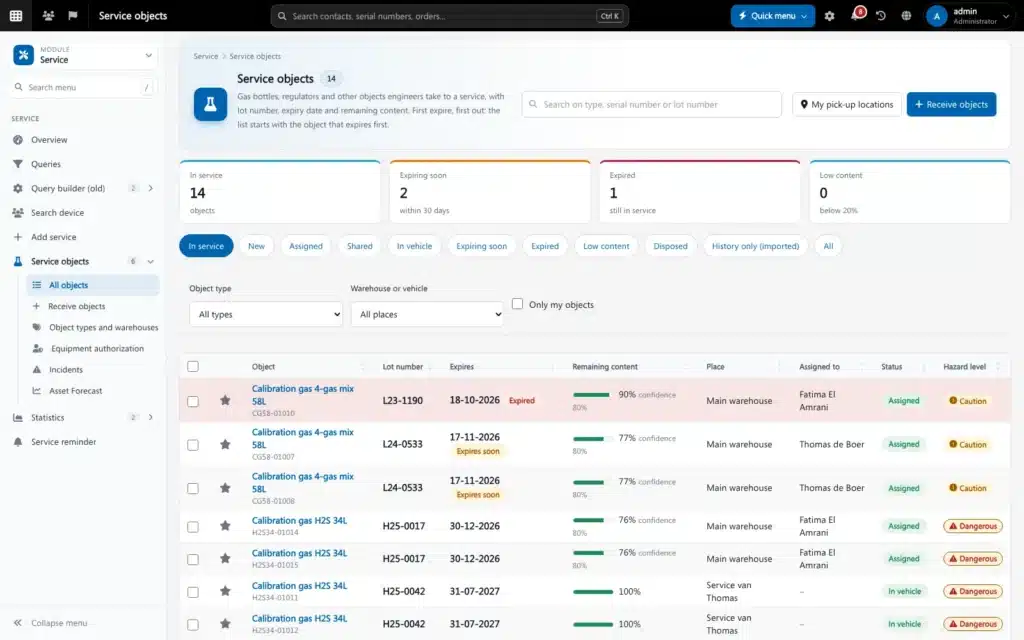
- Asset register: every detector, SCBA set, cylinder and accessory with its serial number, owner and location.
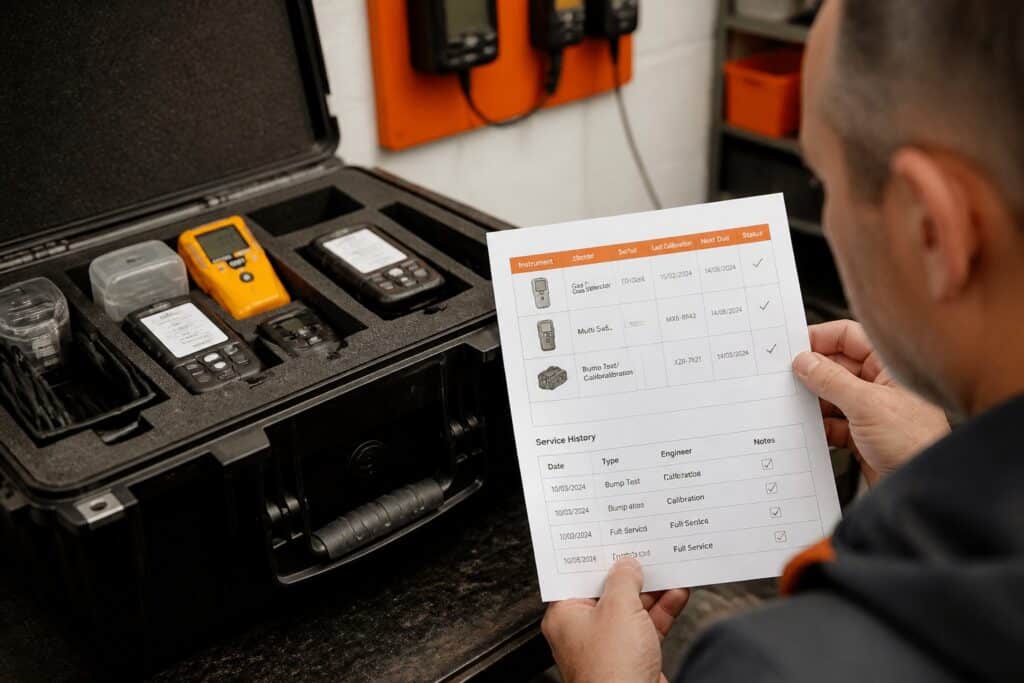
- Service and calibration management: scheduled jobs, test results, pass or fail decisions and certificates.
- Inventory control: spare parts, calibration gas, sensors and consumables.
- Document control: procedures, certificates, manuals and training records.
- Quote-to-invoice: quotes, orders and invoices built from completed work.
Generic tools cover some of these areas. Few cover the equipment-specific records a calibration lab needs, such as test values against limits, reference gas lot numbers and the technician who signed off.
Why do service and calibration labs outgrow spreadsheets and separate tools?
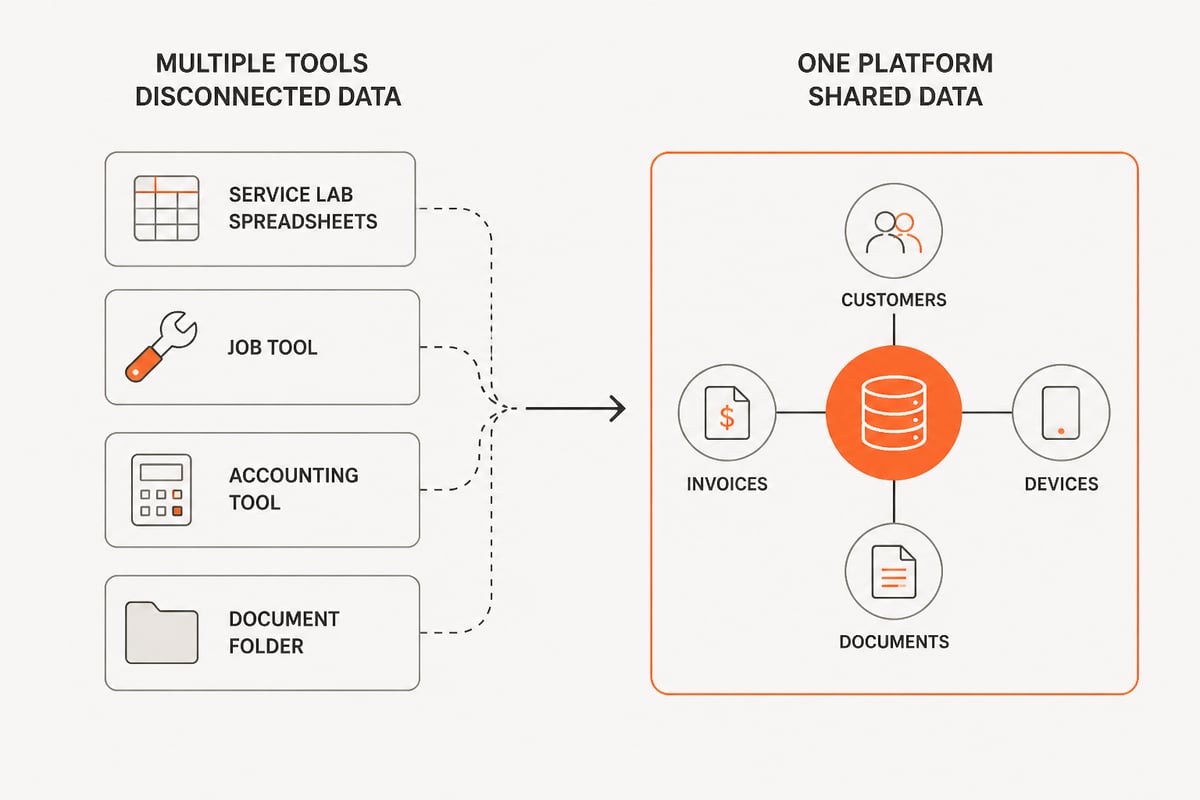
Service labs outgrow spreadsheets because the same device data gets typed into several places, and any mismatch becomes a compliance risk. A serial number written one way in the job sheet and another way in the certificate makes the record hard to defend in an audit.
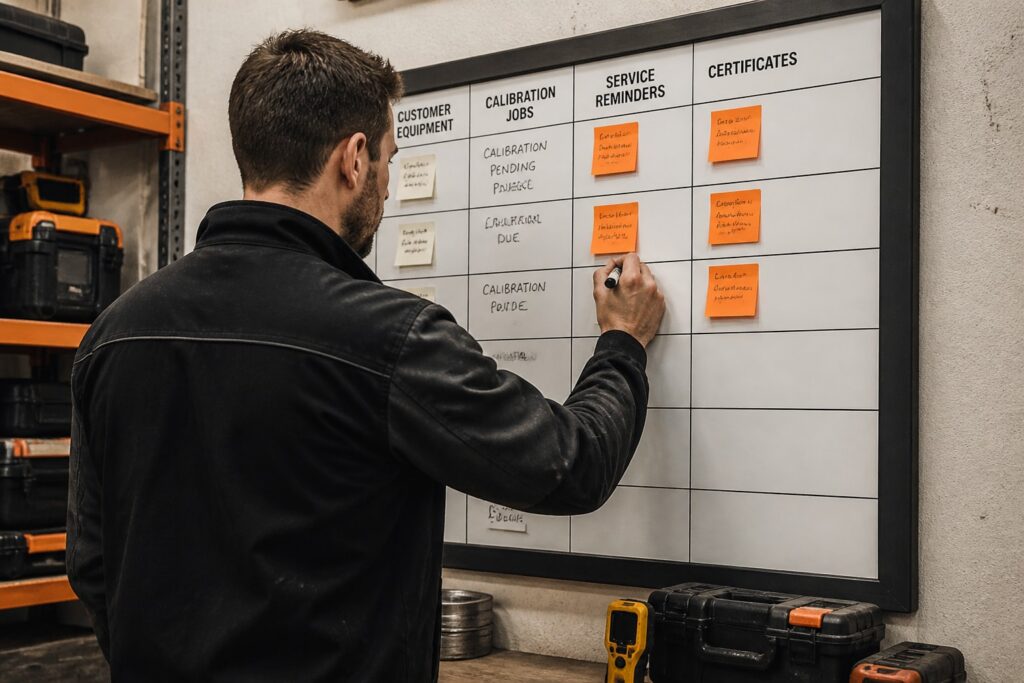
A typical lab at this stage runs a spreadsheet for the device list, a document template for certificates, an accounting tool for invoices and a shared folder for procedures. Each tool holds a partial copy of the truth. When a customer asks for the history of one detector, someone has to search four places and reconcile the results by hand. When a procedure is revised, there is no reliable way to confirm that every technician is using the new version. Spreadsheets also lack enforced rules: any cell can be edited without a record of who changed it or why, and a failed reading can be overwritten without leaving a trace.
Common warning signs include:
- Certificates are assembled by hand from test sheets.
- Nobody can say quickly which customer devices are due for calibration next month.
- Stock counts are adjusted without a recorded reason.
- Invoices are re-typed from job notes, which causes billing gaps and disputes.
- Procedures exist in several versions across shared drives and inboxes.
Consolidation also reduces the number of systems to secure. Verizon's 2025 survey of small and midsize business owners found that nearly half had implemented new systems or technology in the previous 12 months to strengthen security. Fewer disconnected tools means fewer logins, fewer exports and fewer places where customer data can leak.
Which features matter most in software for company management?
The features that matter most are the ones that protect record integrity: traceable stock changes, rule-based test results, shared device data, secure hosting and standard e-invoicing. Everything else is convenience.
Traceability and audit trails
Every change to stock, device status or test results should record who made it, when, why and from which source document. Corrections above a set limit should require approval. This turns the system into evidence rather than just storage.
Rule-based pass and fail decisions
Gas tests should be compared against your own limits automatically. A clearance or pass should be issued only when the readings are within those limits. This removes judgment calls made late in a shift and keeps decisions consistent between technicians.
One shared data model
Customers, devices, documents and data should be shared across every module. If a module needs its own copy of the customer list, the integration will drift over time.
Security, certification and hosting
Look for ISO 9001 and ISO 27001 certification, a clear statement of where data is hosted and a contract that states your data remains yours. The U.S. National Institute of Standards and Technology organizes cybersecurity outcomes into six functions in its Small Business Quick-Start Guide (SP 1300): Govern, Identify, Protect, Detect, Respond and Recover. These six functions work well as a vendor questionnaire.
Invoicing and e-invoicing
Invoices should be built from work already registered, not retyped. If you invoice public bodies or customers in Europe, check for Peppol BIS Billing 3.0 readiness.
How do you compare off-the-shelf, modular and custom options?
Off-the-shelf tools are fastest to start, modular platforms suit most service businesses and custom builds fit workflows no product covers. The right choice depends on how much of your process is standard and how much is specific to your equipment and customers.
| Option | Strength | Limitation | Typical fit |
|---|---|---|---|
| General business suite | Broad finance and HR coverage | Weak on device-level records and test results | Back-office needs with little equipment servicing |
| Point tools (CRM, tasks, accounting) | Low entry cost, easy to start | Data duplicated between tools, manual reconciliation | Early stage, low service volume |
| Industry-specific modular platform | Service, calibration and compliance modules on shared data | Needs configuration to match your procedures | Calibration labs and service companies with recurring jobs |
| Custom-built system | Matches unusual workflows exactly | Higher build and maintenance effort | Processes that no product supports |
A hybrid is common: an industry-specific platform for service and compliance, extended with custom integrations to existing accounting or ERP tools. Brytend's integrations cover that connection work, and its enterprise software page describes larger deployments.

How does a gas detection service workflow run in one system?
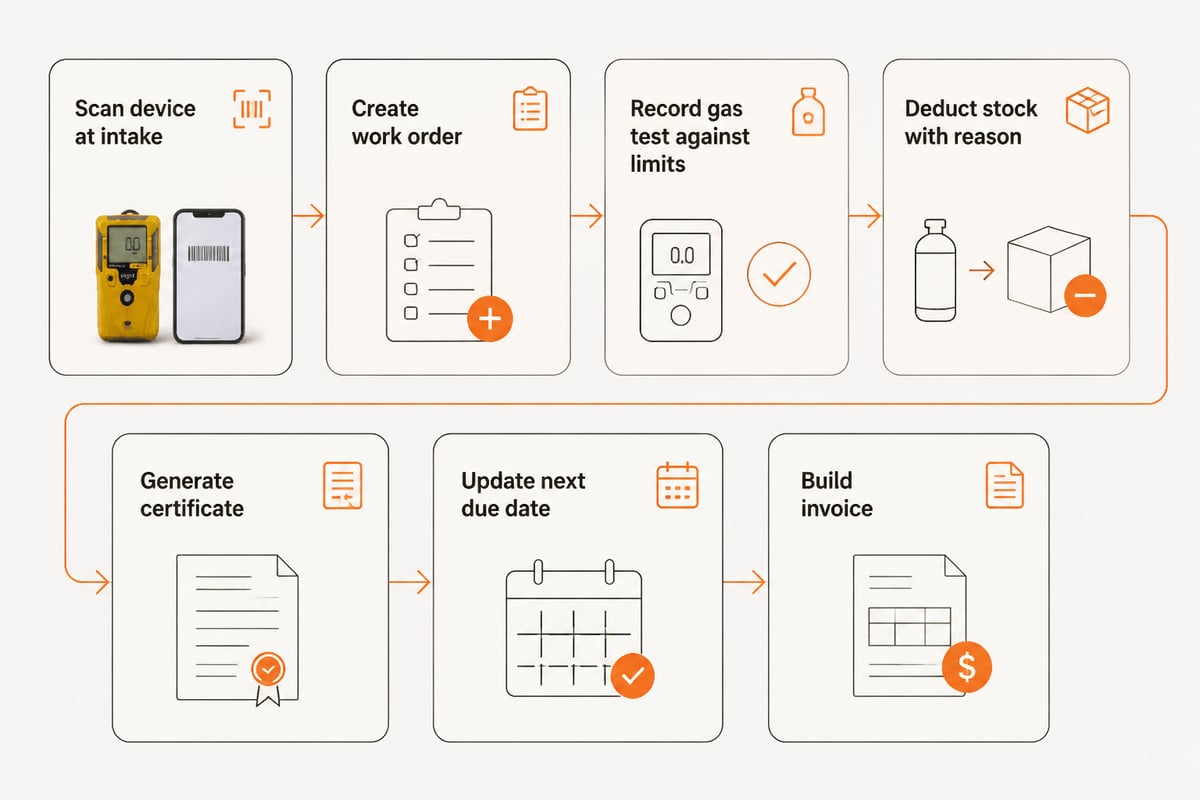
In a connected system, one registered device record drives the whole service cycle from intake to invoice. The example below shows how a calibration job flows when every module shares data.
Hypothetical example: a typical service company receives a batch of customer-owned portable gas detectors for scheduled calibration.
- Intake: the technician scans each device. The system finds the existing asset record, the customer and the last service date.
- Work order: a job is created per device, with the applicable procedure attached.
- Test: the technician applies reference gas and records readings. The system checks them against configured limits and marks each result pass or fail.
- Stock: the calibration gas and any replaced sensors are deducted from inventory with a reason, user and job reference.
- Certificate: the calibration certificate is generated from the recorded values, linked to the device and stored with the job.
- Next due date: the device record updates, so the next service appears in the schedule.
- Invoice: the invoice is built from the registered work and sent, including via Peppol where the customer requires it.
At no point is the device serial number typed twice. Related Brytend pages describe each stage in detail: calibration management software, work order management software and gas detection service software.
How do you choose and roll out software for company management?
Choose by mapping your current process first, scoring vendors against that map, and rolling out in phases that never stop service work. A structured approach prevents buying features you will not use.
- Map the current process. Draw the path from enquiry to paid invoice, and mark every point where data is retyped or a record is created by hand.
- List compliance outputs. Write down every certificate, report and record that customers or auditors request, with the data each one needs.
- Set non-negotiables. Typical items: audit trail, rule-based test results, certification, hosting location, data ownership and e-invoicing.
- Check integrations. Identify which existing systems must keep running, such as accounting or an ERP, and how data will move between them.
- Run a pilot. Load one customer, a small set of devices and one procedure. Test the full cycle from intake to invoice.
- Migrate in phases. Move the asset register first, then service history, then inventory, then finance workflows.
- Train and review. Train technicians on the scan-and-test routine, then review audit trail reports after the first month.
Security review belongs in step 3, not at the end. The NIST small business quick-start guides offer introductory material for building a vendor checklist.
Verizon's same 2025 survey found that a substantial share of small and midsize businesses were already using AI. If automation matters to you, ask vendors how it applies to routine steps such as scheduling and document handling, and how results remain traceable. Brytend describes this area on its workflow automation software page.
Where does a CRM fit inside company management software?
A CRM is the customer-facing core of a management system: it holds contacts, enquiries, quotes and the history that links sales to service. In a service business it should connect directly to devices and jobs, so a salesperson can see what equipment a customer owns and when it is next due.
A CRM that is not tied to the asset register records only the commercial side of a relationship, leaving service history in a separate tool. A service-focused CRM records the operational side as well: which sites a customer has, which detectors or SCBA sets sit at each site, which contracts cover them and which jobs are open. This lets an account manager open one customer record before a renewal call and see overdue calibrations, recent failed tests and unbilled work without asking the workshop. It also lets a technician at intake see the contract terms that apply to the device in front of them.
Brytend CRM supports this with lead forms and questionnaires that fit into an existing workflow, and it shares customer data with the other modules instead of keeping a separate contact list.

When evaluating any CRM, check three things: whether it links customers to individual devices, whether quotes convert to invoices without retyping, and whether sales and service staff see the same record. Also check how inbound enquiries are captured. A web form that creates a lead directly in the customer database removes a manual transfer step and keeps the origin of each enquiry on record. The quote-to-invoice software page shows how that last handover works.
What should you ask a vendor before signing?
Ask questions that expose how the system behaves under audit, not how it looks in a demo. Use the list below as a vendor questionnaire.
- Can I see the audit trail for one stock change, including reason, user and source document?
- How are test results checked against my own limits, and can a clearance be issued when readings fail?
- Where is data hosted, and what happens to it if I leave?
- Which certifications does the provider hold, and can I see the current certificates?
- Does invoicing build from registered work, and is Peppol BIS Billing 3.0 supported?
- How are updates, support and maintenance handled after go-live?
- Which of my existing tools can connect, and who builds those integrations?
Where a requirement is specific to your equipment or procedures, ask for a written scope instead of a verbal assurance. For custom work, Brytend's contact page is the place to discuss scope, and the compliance monitoring software page outlines how compliance tracking is handled.
Start by writing down every certificate and record your customers ask for, then check whether one system could produce them from a single device record. Brytend builds service, calibration and compliance software for gas detection and safety equipment companies, with ISO 9001 and ISO 27001 certification, EU hosting and a 5.0 rating on Google. You can see how its customer module works on the Brytend CRM page, and you can start a free trial with Brytend to see how connected service records work with your own equipment data.