
Electrical contractor software from the first quote to the periodic inspection.
Quote the job, run it as a project with materials and hours, hand over the installation with its documents, and come back for the periodic inspection with the full history of every board and circuit.
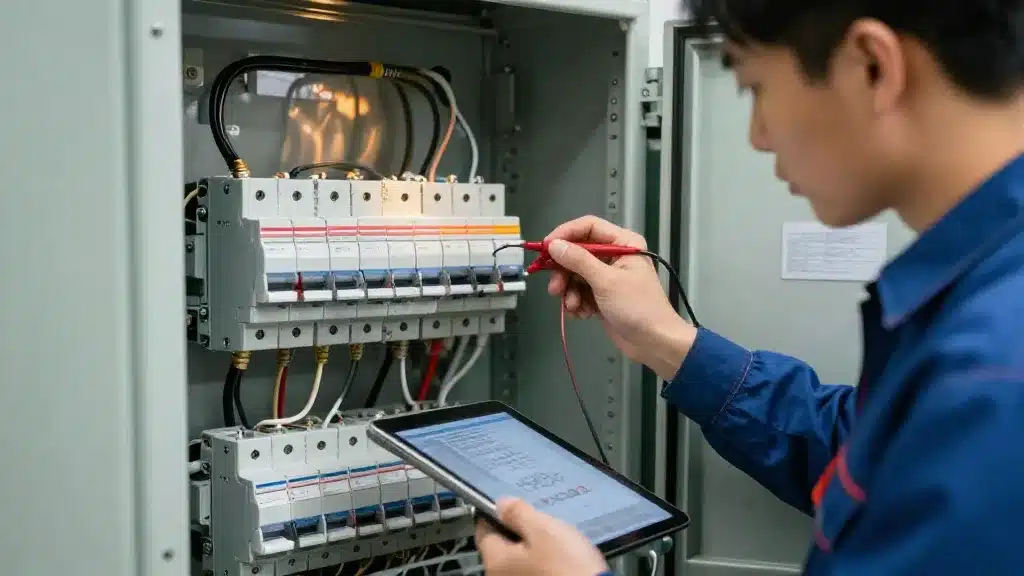
An electrical contractor runs two businesses at once: projects that need quotes, materials, planning and hours, and recurring work on installations that need inspections, test reports and repairs. Most contractors use one tool for estimating, another for hours, a spreadsheet for inspections and the accounting package for the rest. Brytend is electrical contractor software that keeps the projects, the installations and the paperwork together.
Brytend is one business operations platform: CRM, sales, service, rental, stock, quality, documents, finance, reporting and AI, so you replace several disconnected systems with one.
Where electrical contractors lose time
Hours and materials that go missing
Hours are written on paper, materials are taken from the van, and half of it never reaches the invoice.
Inspection reports in Word
Periodic inspections are typed into templates, and finding last year’s results means searching shared drives.
No view of project margin
You only learn that a project lost money after the final invoice is sent.
Projects with hours, materials and margin
Each job is a project with its quote, planning, hours, materials and invoices, so you see the margin while the work is running.
- Quotes that turn into projects and orders
- Hours registered per project and task
- Materials booked from stock on the project
- Installations kept per customer for the next inspection
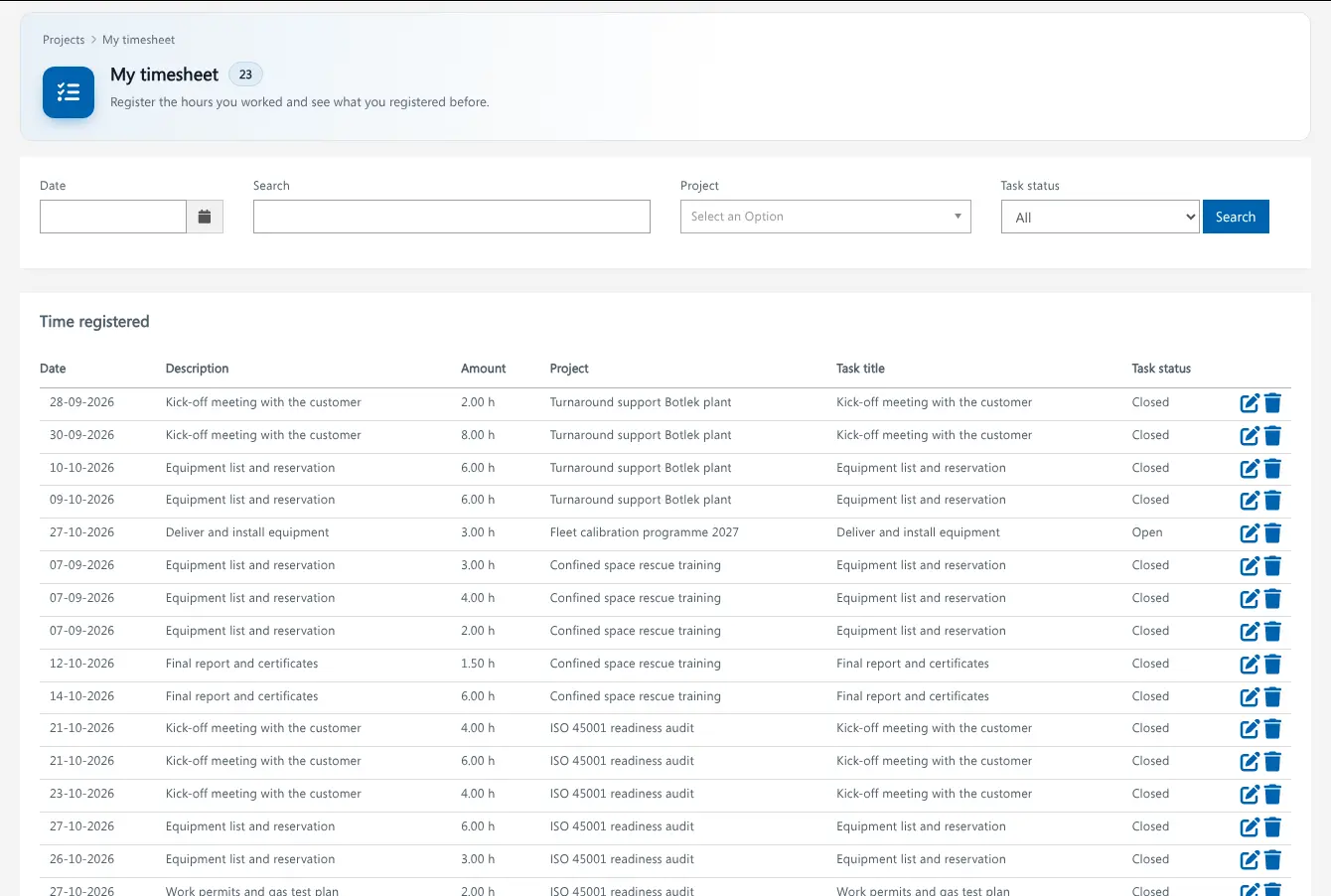
Plan the job, see where it stands
Plan the phases of a job in a Gantt chart, assign the tasks and follow progress against the budget.
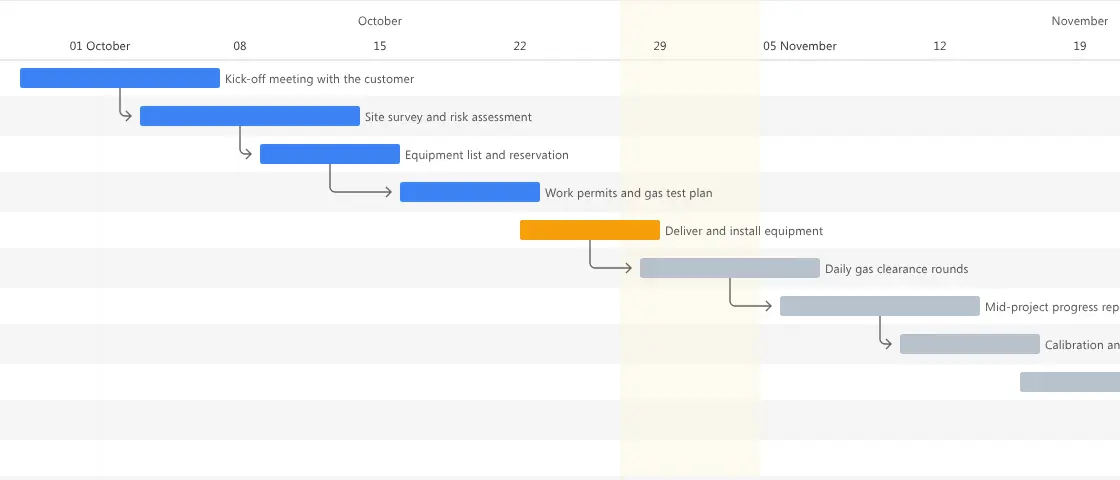
Project planning in Brytend. Screenshot with sample data.
What electrical contractors use in Brytend
Projects
Projects with planning, tasks, hours, budget and margin.
Sales: quotes and orders
Quotes and orders with your own price lists and materials.
Stock
Cable, components and tools with reorder points, per warehouse or van.
Service and inspections
Installations per customer with periodic inspections, test reports and reminders.
Document control
Drawings, test certificates and procedures with versions and approval.
Invoicing
Invoice by milestone, by hours or at the end of the job.
Get started in three steps
Load your price lists and customers
Import your materials, price lists and customers, or start from the demo data.
Run projects and register hours
Turn the quote into a project, plan it and let the team register hours and materials.
Hand over and inspect
Keep the installation on the customer page and plan the periodic inspections that follow.
Rated 5 stars on Google
“We used to create and track orders in Ultimo. Switching to Brytend was a challenge, yet we were very pleasantly surprised. Not only the software, but their support too is better than expected. Super!”
“Our company has used Brytend software for several years. It has let us tackle various processes quickly and efficiently that we had not found a solution for before.”
“Excellent experience with this company and its software applications. If you want changes, no problem. Arranged quickly and at a fair price.”
Reviews translated from Dutch.
Guides for electrical contractors
Frequently asked questions
What is electrical contractor software?
Software that runs the business of an electrical contractor: quotes, projects, planning, hours, materials, inspections and invoices. Brytend does all of that in one system, with the installation history kept per customer.
Can I record periodic electrical inspections?
Yes. You build an inspection form with your own checks and measurements, record it per installation and send the PDF report to the customer. Reminders tell you when the next inspection is due.
Can my electricians register hours on their phone?
Yes. Hours and materials can be registered per project and task from a phone, tablet or computer.
Does Brytend do electrical design or calculations?
No. Brytend does not draw schematics or calculate cable sizes. It runs the quotes, projects, stock, inspections and invoices around that work.
Can I see the margin per project?
Yes. Budget, hours, materials and invoices are on the project, so you see the result while the job is running.
How does the free trial work?
You use the full Brytend platform free for 90 days. Take the tour first, or start the trial straight away.
Every job, every hour, every inspection. In one place.
Take the tour to see Brytend with your own kind of work, or start your free 90-day trial.
Prefer to talk first? Call +31 (0)85 013 02 04